
Dyson appliance guidance
Dyson Vacuum Cleaner Repair Guides
Troubleshooting and repair guidance for published Dyson Vacuum Cleaner problems, symptoms, and maintenance questions.
Published Dyson Vacuum Cleaner guides
Choose the guide whose symptom or condition most closely matches what you are seeing.
-
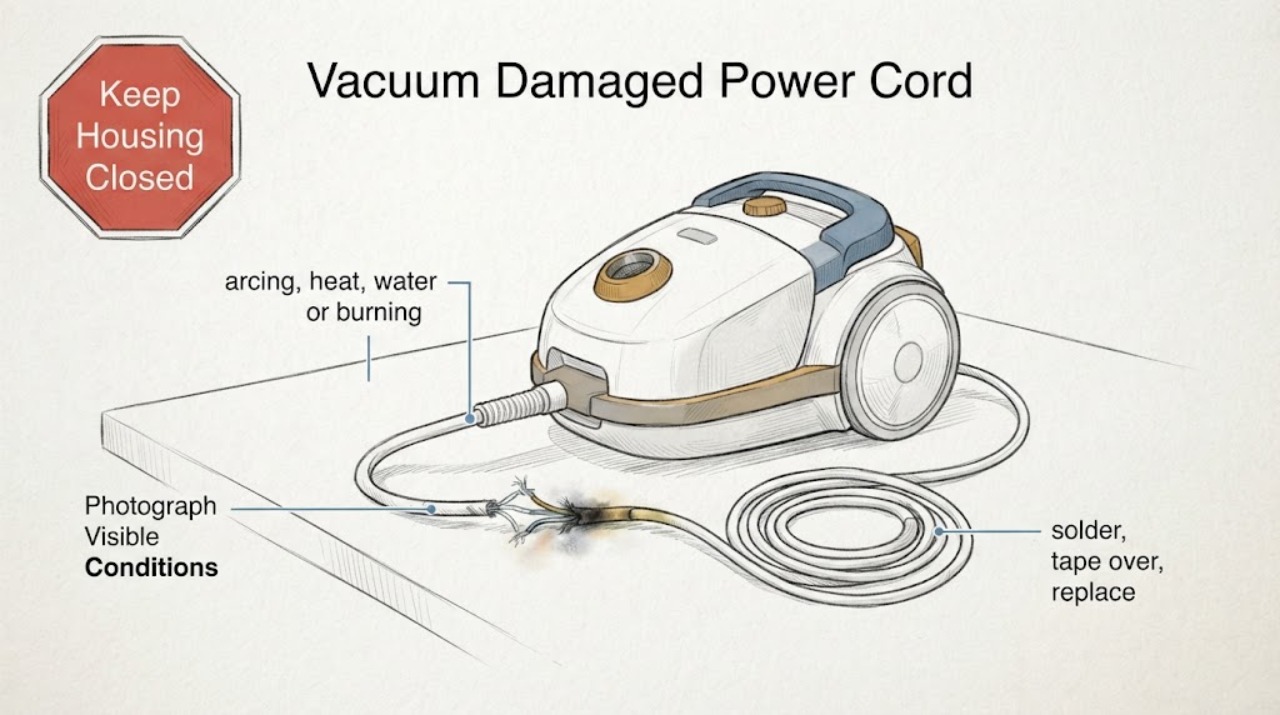
Dyson Ball Animal Vacuum Damaged Power Cord: Do Not Patch or Reconnect It
Do not plug in or use a Dyson Ball Animal vacuum with a damaged power cord. Dyson's power-support guidance says not to plug in or attempt to use a machine when the cable is damaged, and Dyson safety instructions say a damaged supply cord must be replaced by Dyson, its service agent or a similarly qualified person.
-
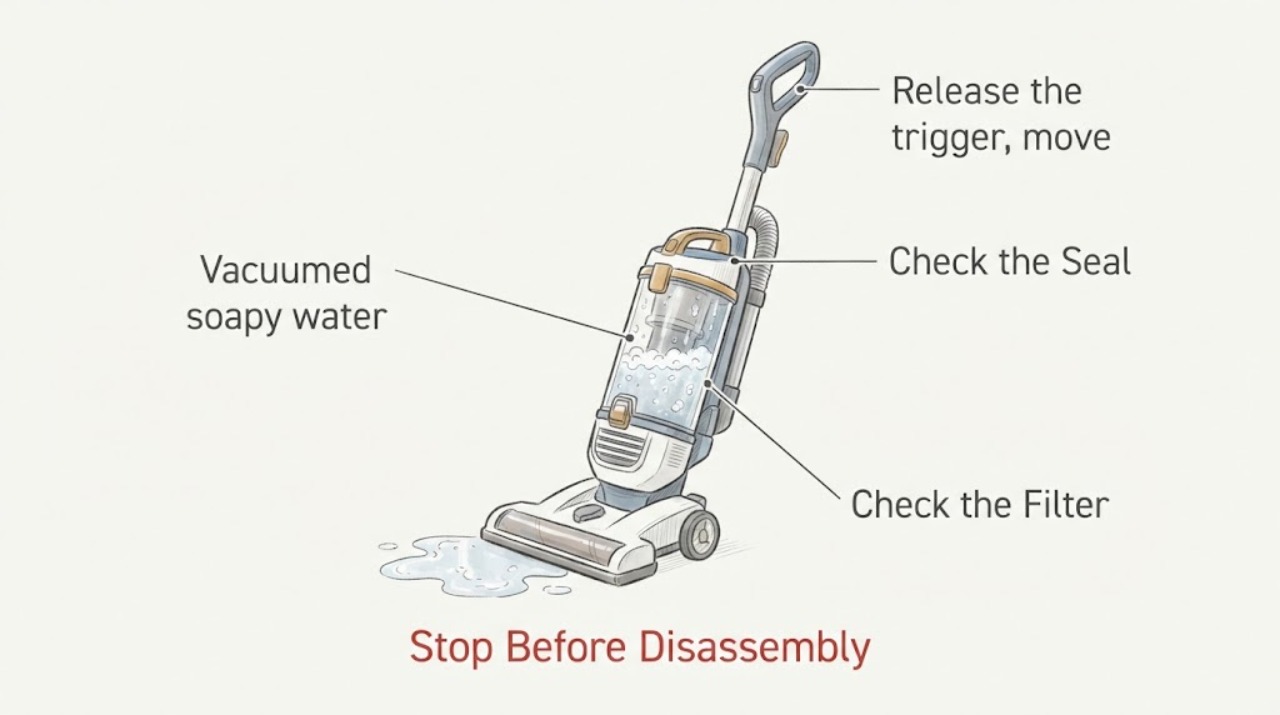
Dyson V11 Extra vacuumed soapy water: stop using it and keep liquid out of the motor
Stop the Dyson V11 Extra immediately, release the trigger, keep it off the charger, and do not switch it on to see whether it still works. Dyson's V11 safety instructions say the machine is for dry locations, must not pick up water or liquids, and should not be used if it has been damaged or exposed to water; they direct the owner to Dyson support rather than disassembly.
-
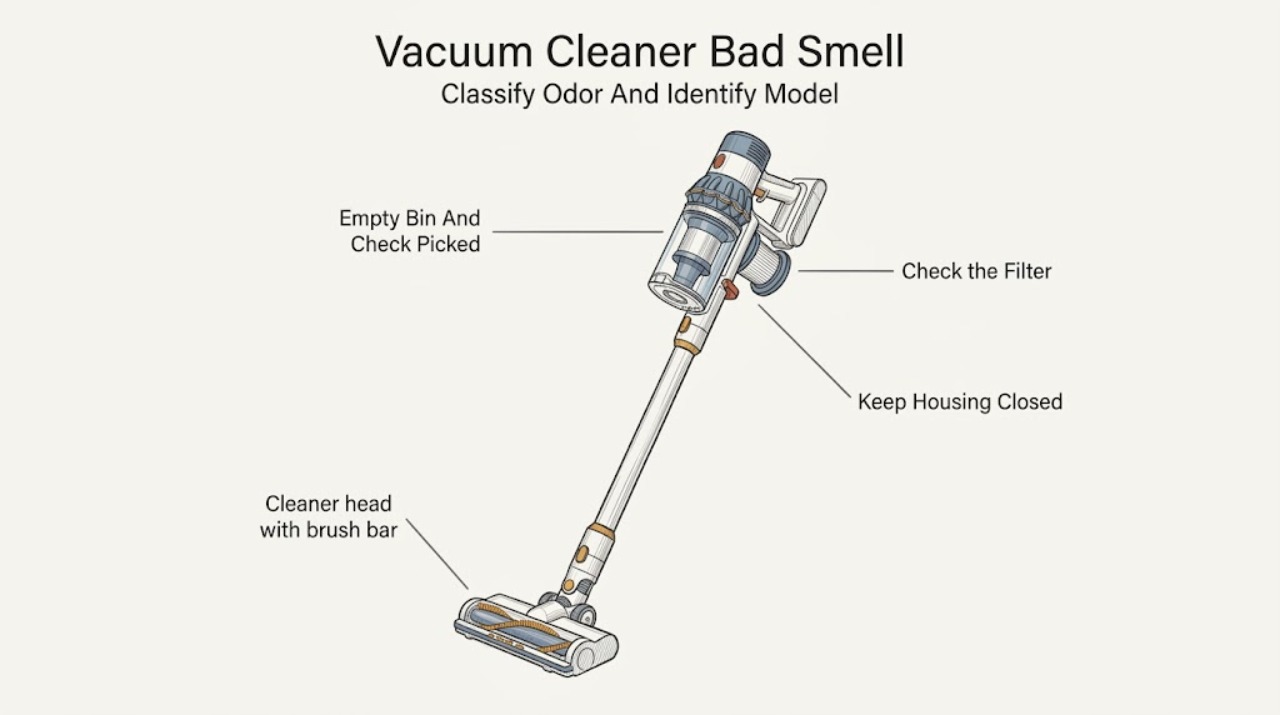
Dyson Vacuum Cleaner Bad Smell
First classify the odor: a damp or musty smell usually follows moisture mixed with dust in the cyclone or a filter refitted before it was fully dry, while an electrical or acrid smell is a stop-use symptom. Turn the machine off, disconnect a cordless model from its charger, and keep a corded model unplugged before inspecting it.
-
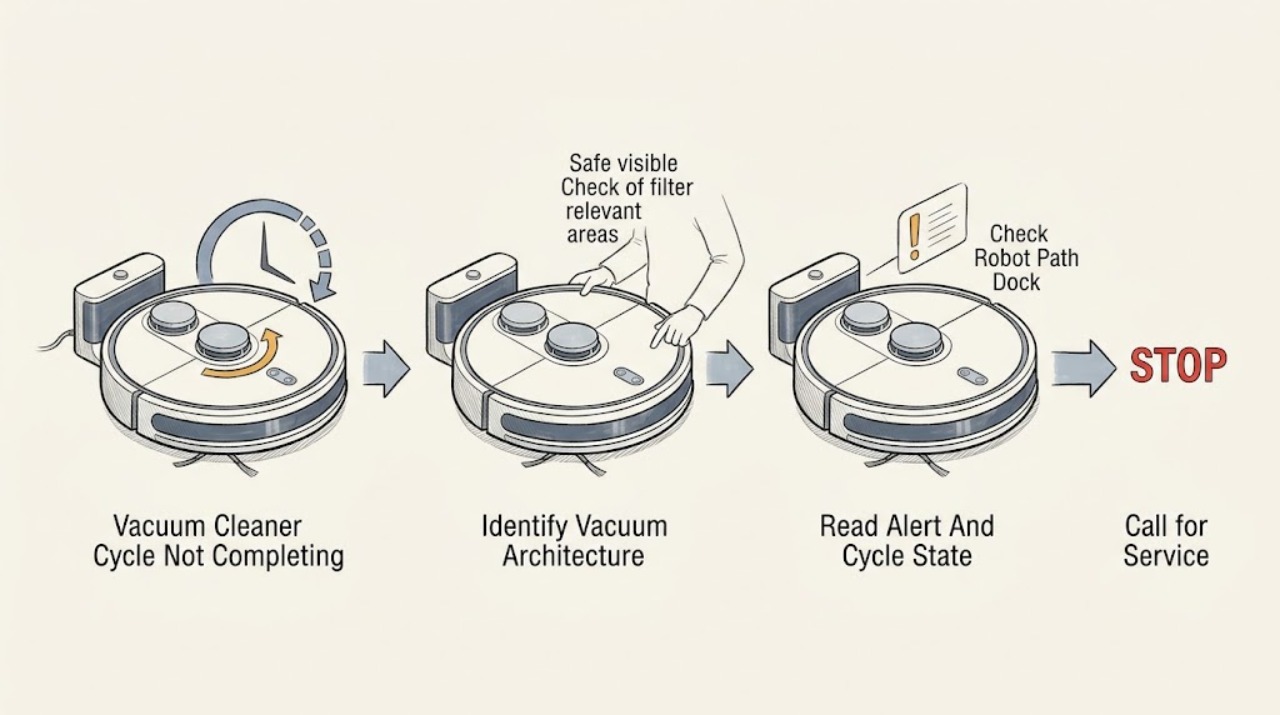
Dyson Vacuum Cleaner Cycle Not Completing: Safe Checks for Robots and Handheld Models
First decide what cycle means on your Dyson. An autonomous robot may pause while navigating, return to the dock to recharge, stop because of an obstacle, wheel or brush obstruction, low light, dirty sensors, low battery, a software issue, or a temperature protection event.
-
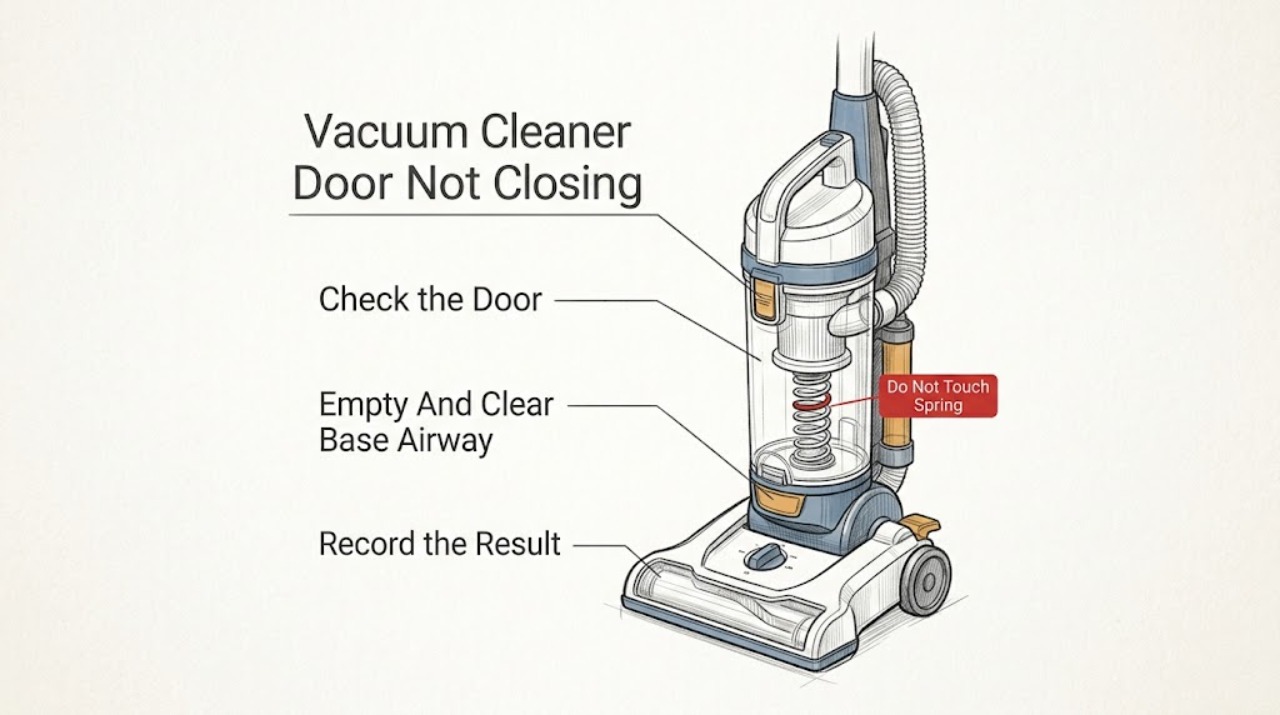
Dyson Vacuum Cleaner Door Not Closing: Clear Bin Base Checks
On Dyson vacuum cleaners that have a clear bin with a lower door or base, the door usually will not close because the bin is overfilled, dust is trapped in the base or cyclone opening, the cyclone is not in its normal position, the clear bin is not aligned on its runner, or the catch/rod is damaged. Switch the machine off and disconnect it from the charger or outlet before emptying or inspecting it.
-
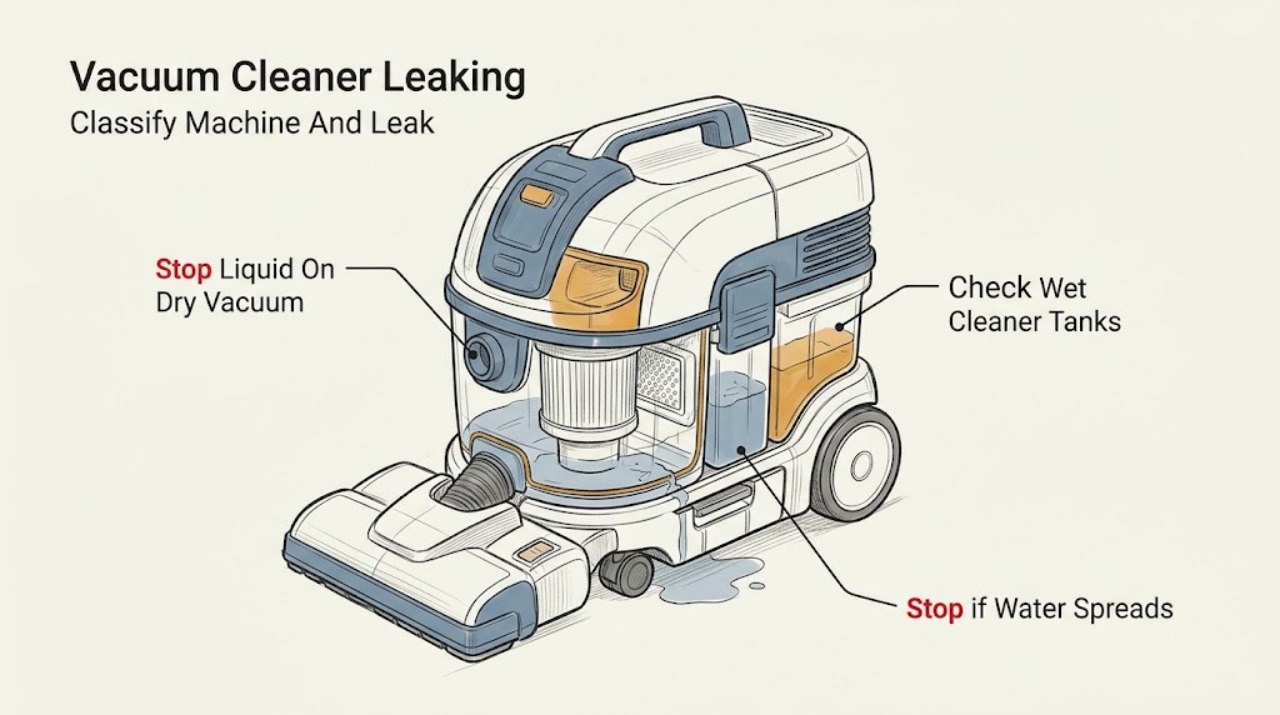
Dyson Vacuum Cleaner Leaking: Identify the Machine and Liquid Path First
“Dyson vacuum leaking” is not one diagnosis: Dyson supports dry vacuums, wet and dry vacuums, and dedicated wet cleaners, so first identify the model and whether the leak is dry dust/debris or liquid. A conventional dry Dyson manual says not to use the machine on wet surfaces or to pick up water; if liquid is coming from or has entered a dry vacuum, switch it off, unplug it or remove it from its charger, keep hands dry, and do not restart it.
-
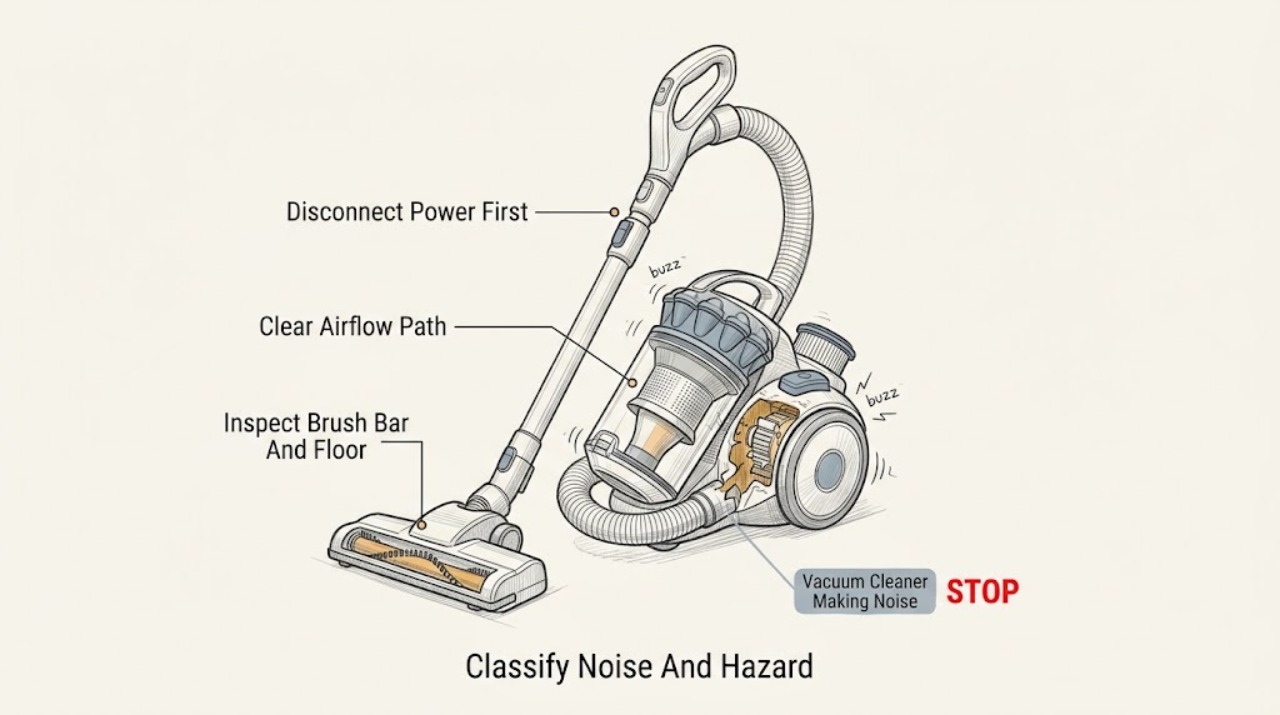
Dyson Vacuum Cleaner Making Noise: Safe Checks by Sound
A Dyson vacuum making noise should be diagnosed by the sound and by what changes when the detachable air path or floor tool is isolated. A whistle or hiss commonly makes a blockage or damaged or missing seal more likely; a ratcheting, clicking, or chattering sound at the cleaner head makes hair, threads, or another brush-bar obstruction more likely; pulsing or surging makes a blockage or clogged filter more likely.
-
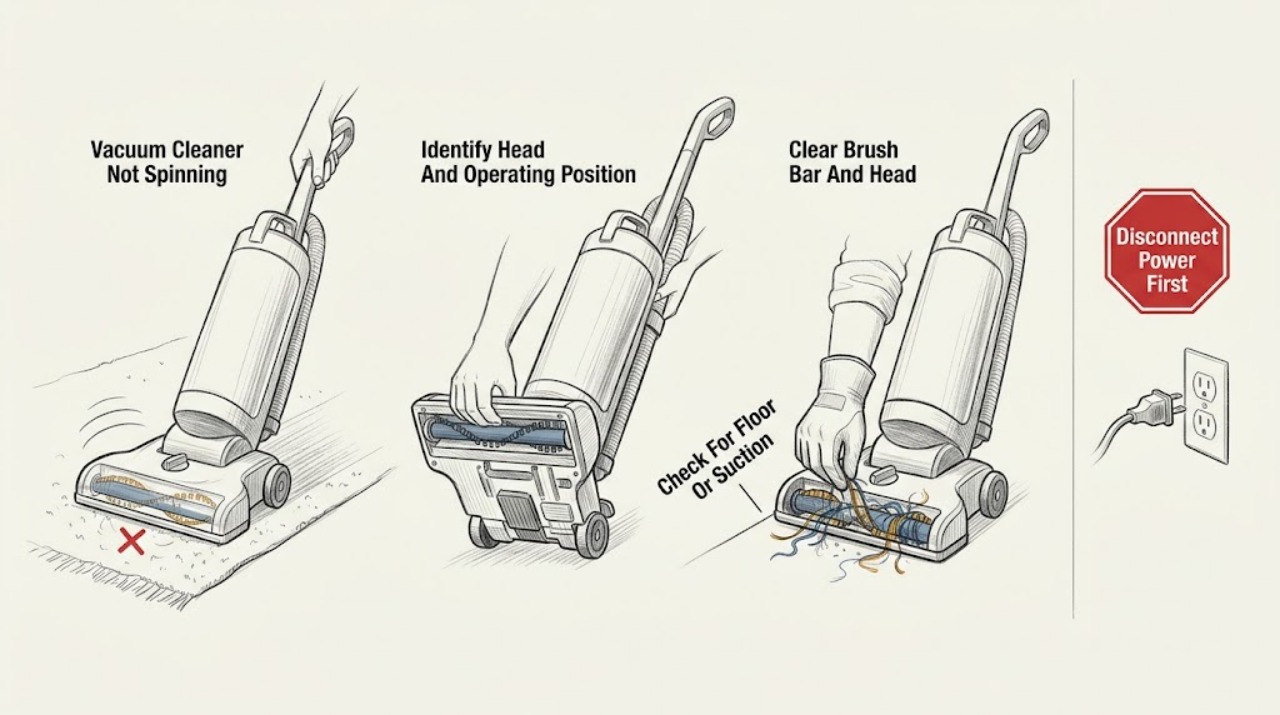
Dyson Vacuum Cleaner Not Spinning
Treat “not spinning” as a brush-bar or cleaner-head symptom, not as proof that the whole Dyson vacuum motor has failed. First switch the machine off and unplug it, then identify the exact floor tool and check whether the brush bar is intentionally off, the cleaner is upright when the model only spins while reclined, or the bar is jammed with hair and fibers.
-
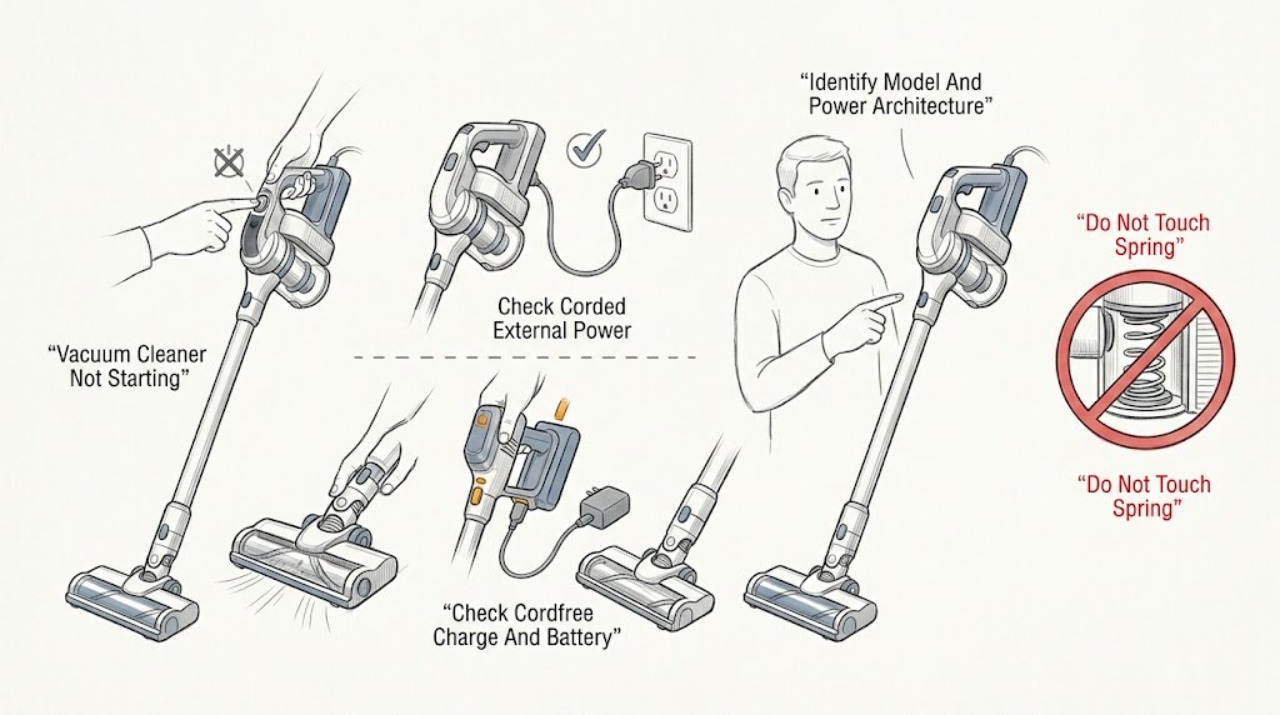
Dyson Vacuum Cleaner Not Starting: Separate Corded Power, Battery, and Airflow Faults
First identify the exact Dyson model and whether it is corded, cord-free, upright, cylinder, stick, handheld, or another vacuum design. A corded Dyson that will not start should not be plugged in if its cable is damaged; otherwise Dyson says to check a switched-on working wall socket and the plug fuse.
-
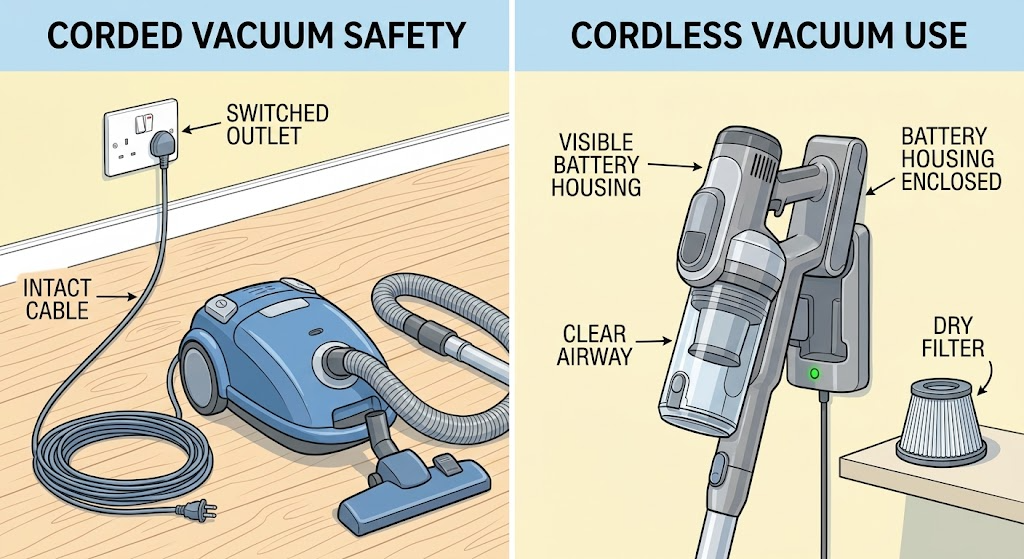
Dyson Vacuum Cleaner Not Turning On: Separate Power, Battery, and Blockage Causes
First identify whether your Dyson vacuum is corded or cordless, because the safe first checks differ. For an upright or cylinder model, inspect the cable from outside, try the switched wall socket, and check the plug or fuse only as the model instructions allow; do not plug in a damaged cable.
-
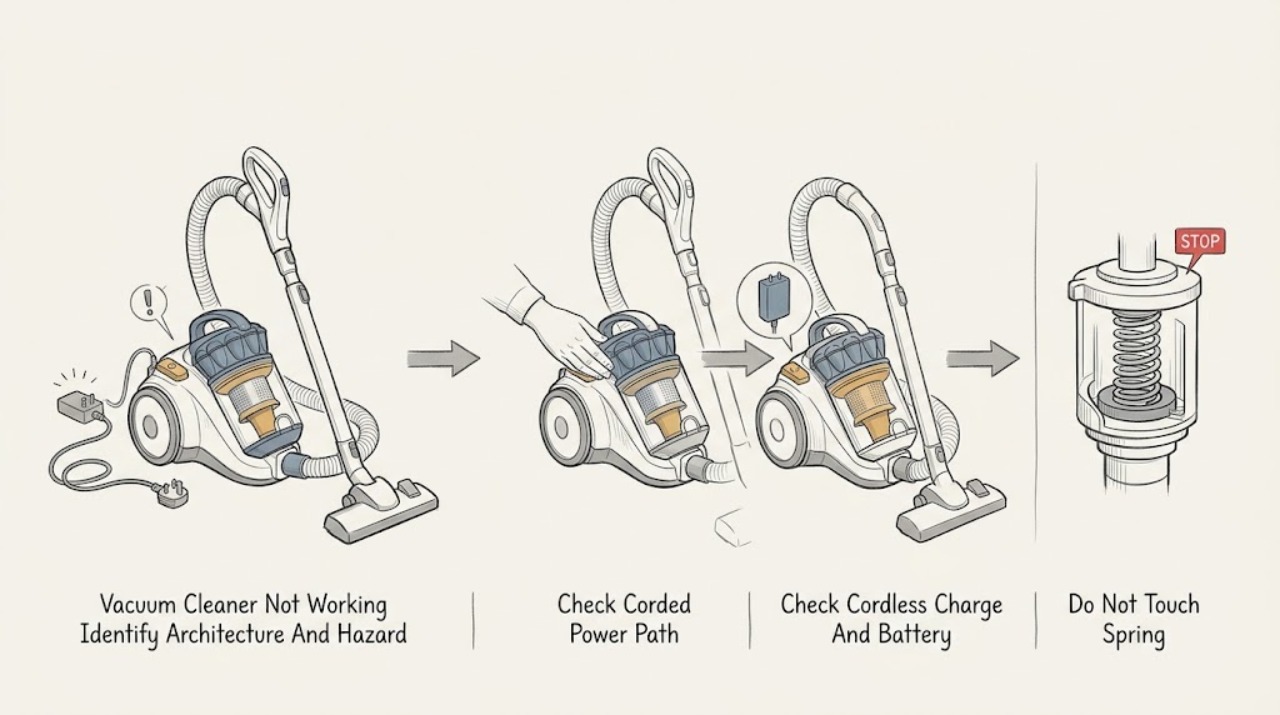
Dyson Vacuum Cleaner Not Working: Corded, Cordless, Blockage, and Safe Checks
First identify the architecture: a corded Dyson upright or cylinder vacuum needs a safe cable, wall outlet, switch, and model-appropriate plug/fuse check; a cordless Dyson needs a charged battery, an undamaged battery casing, and its normal charger or dock. Dyson says not to use a machine with a damaged cable or cracked/damaged cordless battery, and says blocked airflow can trigger a safety cutout.
-
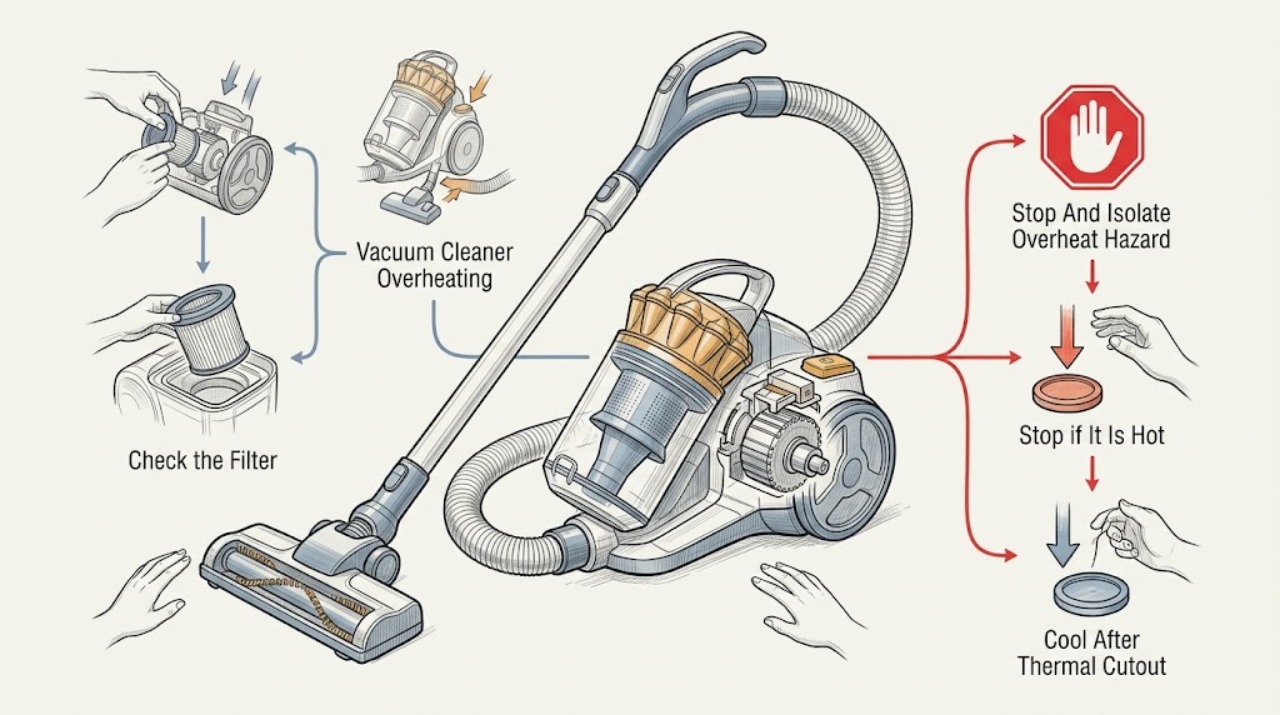
Dyson Vacuum Cleaner Overheating: Cool It, Clear Airflow, and Know When to Stop
A Dyson vacuum that becomes hot, pulses, or cuts out is often reacting to restricted airflow from a blocked airway, cleaner head, bin/cyclone, or dirty filter. Turn it off and disconnect it from the charger or mains before checking anything, then let it cool for the period specified by the exact model; Dyson manuals commonly require about 1–2 hours after a thermal cut-out.
-
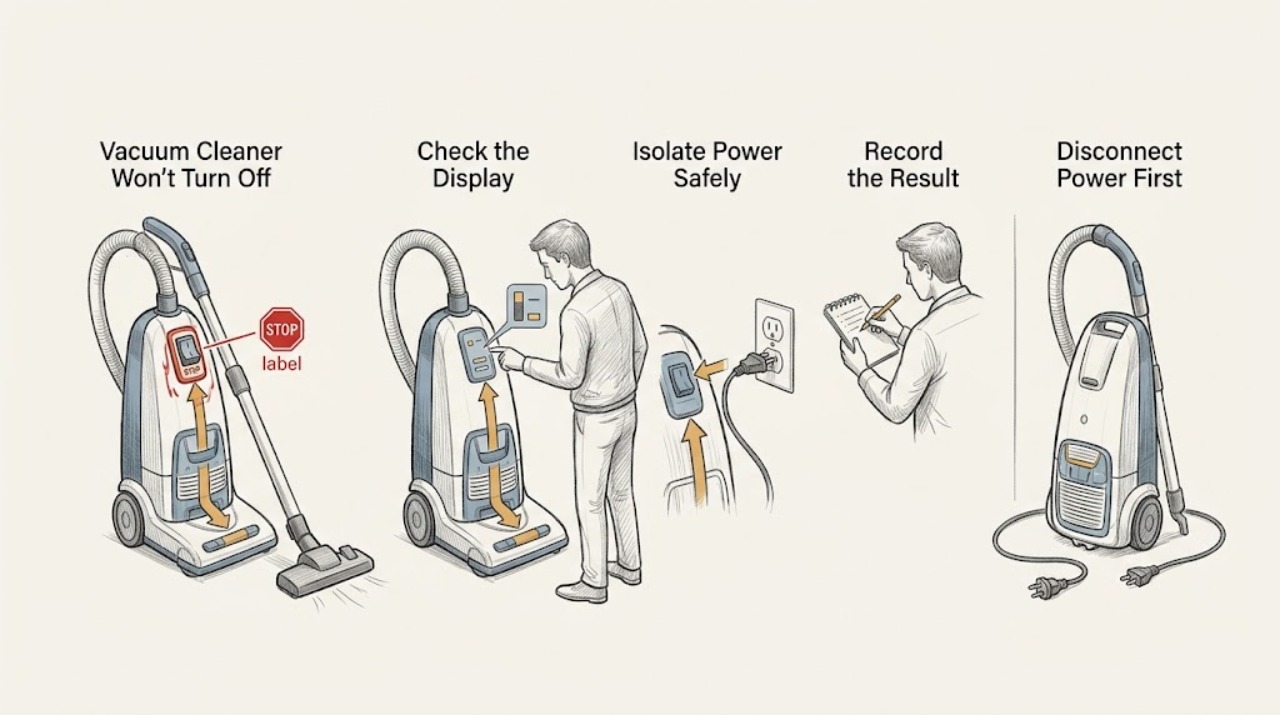
Dyson Vacuum Cleaner Won't Turn Off: Switch, Trigger, Blockage, and Safe Stop Checks
First identify whether the Dyson is a cordless trigger-held model, a corded upright or canister with a power switch, or a robot or wet-cleaning model with different controls. Release the trigger or switch and disconnect the machine from its charger or dock as the exact model instructions allow.