
Repair problem
Not Turning On Troubleshooting Guides – Page 4
Published FixGraph guidance for diagnosing and responding to not turning on.
Matching published guides
Choose a guide that matches the service, equipment, and conditions you are seeing.
-
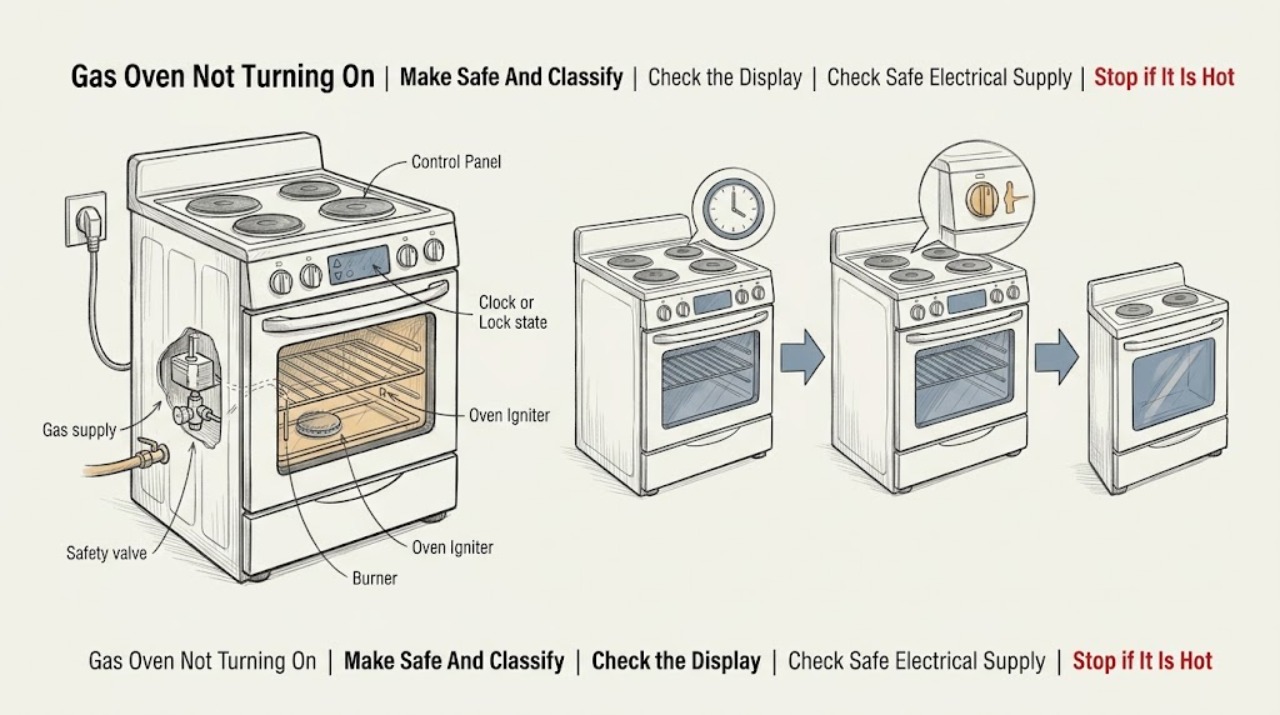
Kenmore Gas Oven Not Turning On: Separate Power, Controls, and Ignition
If a Kenmore gas oven will not turn on, first stop for a gas smell, delayed ignition, an abnormal flame, smoke, sparks, a burning odor, a hot or damaged cord, or a breaker that trips again. Leave the oven controls off; if gas is suspected, leave the area and contact the gas utility or emergency service from outside.
-
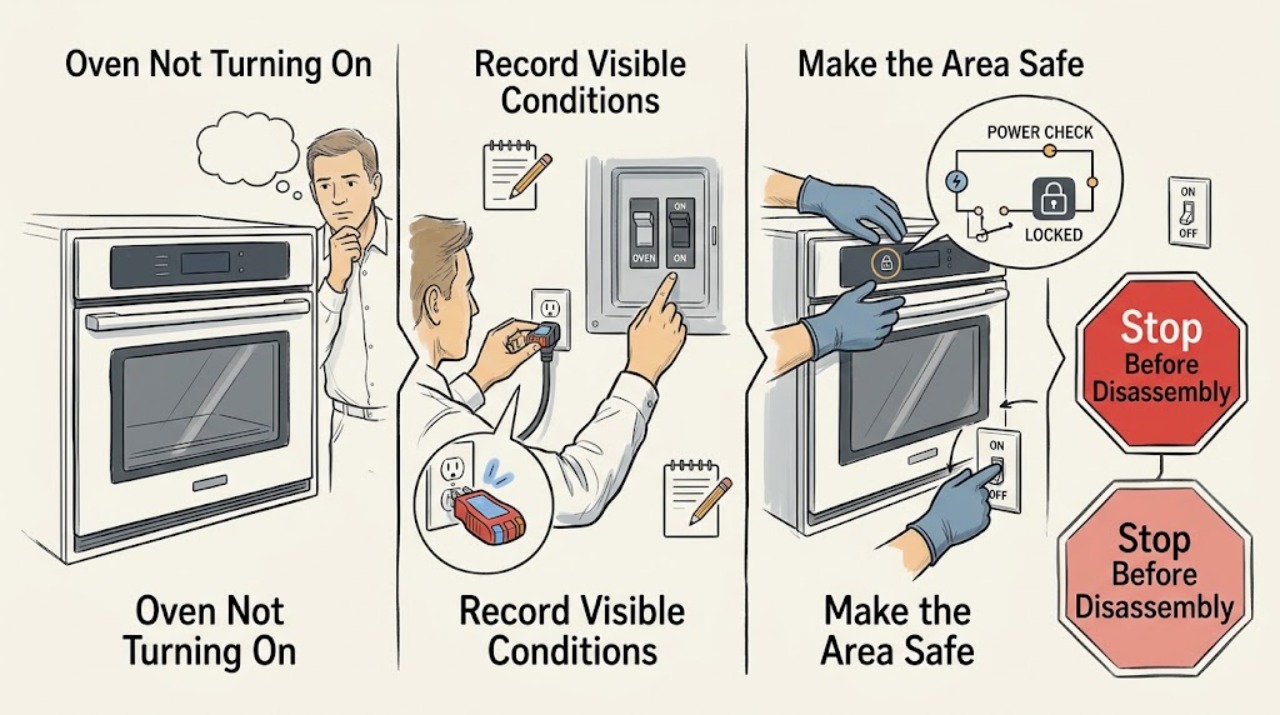
Kenmore Oven Not Turning On: Check Power, Controls, Mode, and Ignition
First identify whether the Kenmore oven is electric or gas and whether the display is completely blank, the controls respond but the oven will not start, or the oven starts but does not heat or ignite. From a dry, safe position, check the cord, outlet, breaker or fuse, and any accessible gas shutoff; use the model number to open the Kenmore manual.
-
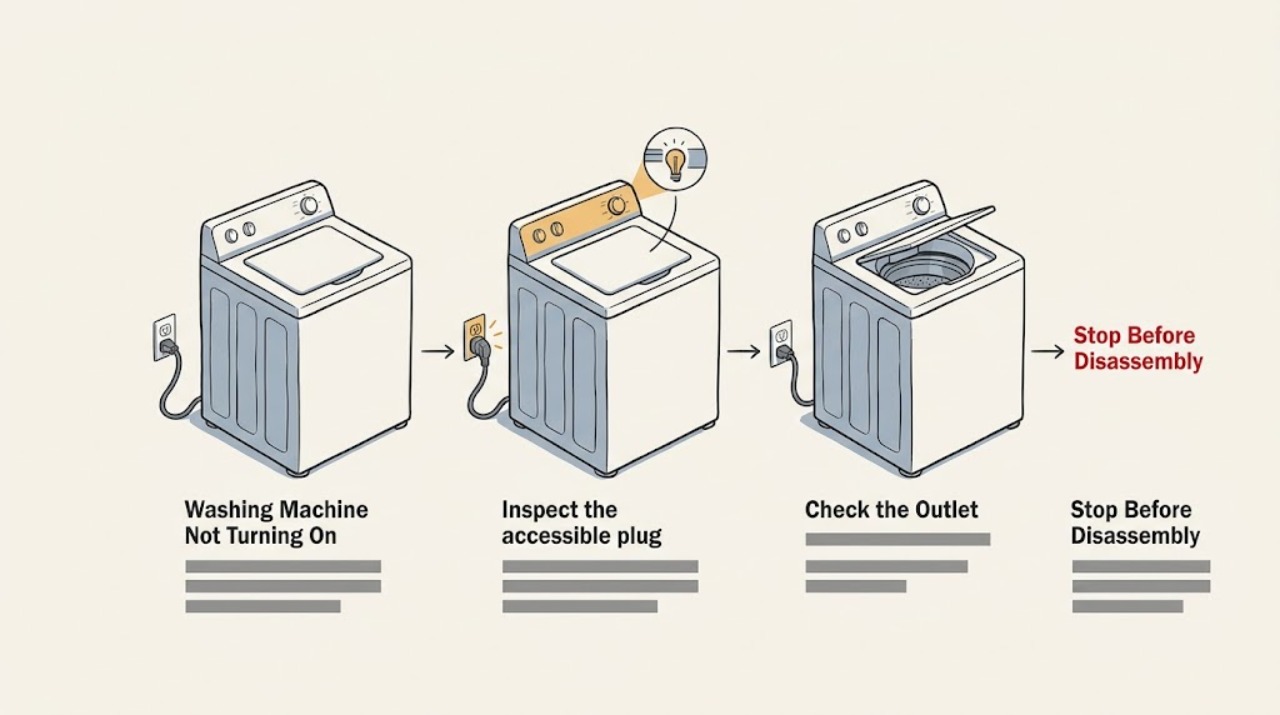
Kenmore Washing Machine Not Turning On: Safe Power and Start Checks
If a Kenmore washer has no display or response, first check the outlet and household breaker without opening the appliance, then confirm the power cord and plug are dry and undamaged. If the console lights but Start does nothing, select a valid cycle, cancel Delay Start or Control Lock if the model provides those features, and close the lid or door firmly so its interlock can engage.
-
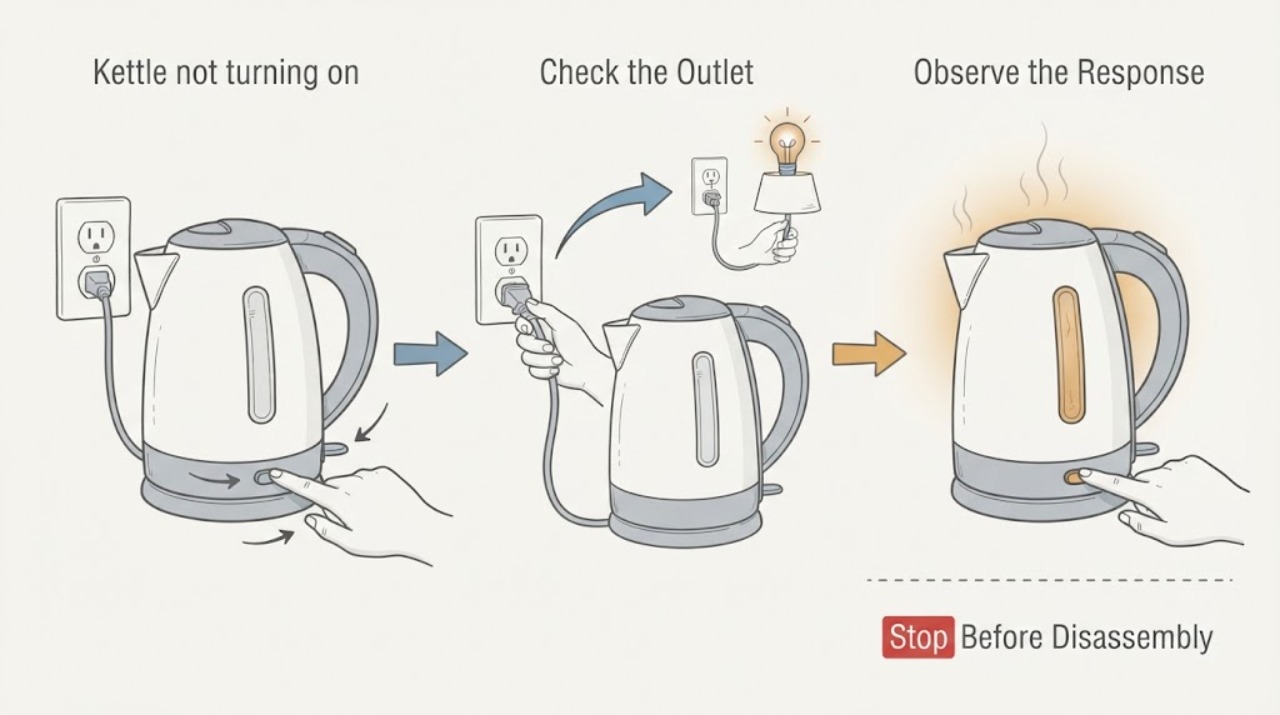
Kettle not turning on
A kettle that will not turn on should be checked for a working outlet, a firmly seated kettle on its base, the switch position, and enough water. If it was switched on empty or boiled dry, unplug it and let the element cool before one retest. Persistent no-power, damaged cord, or burning odor requires service or replacement.
-
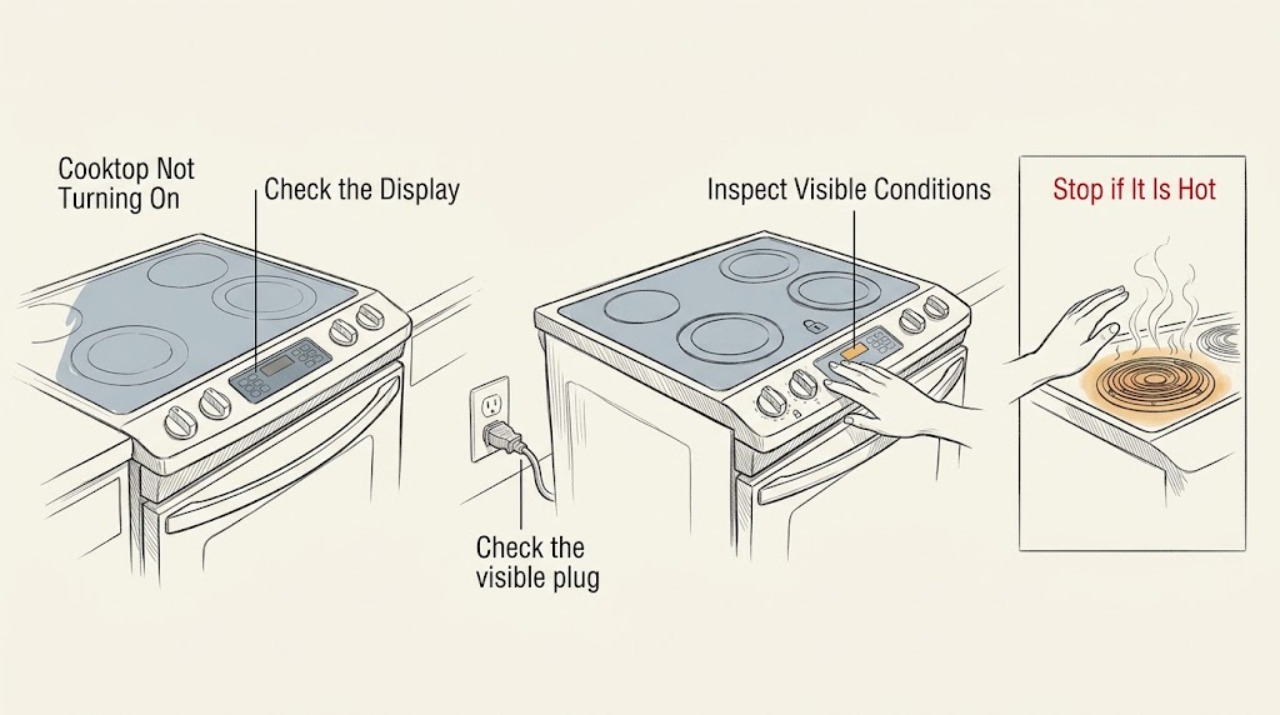
Kitchenaid Cooktop Not Turning On
If a KitchenAid cooktop will not turn on, first identify whether it is electric, induction, or gas and whether the whole control panel is dead or only one burner fails. Check the selected control, Control Lock or Cooktop Lockout, the visible power connection and breaker, and—on a gas model—the knob position, burner cap, gas supply, and igniter click.
-
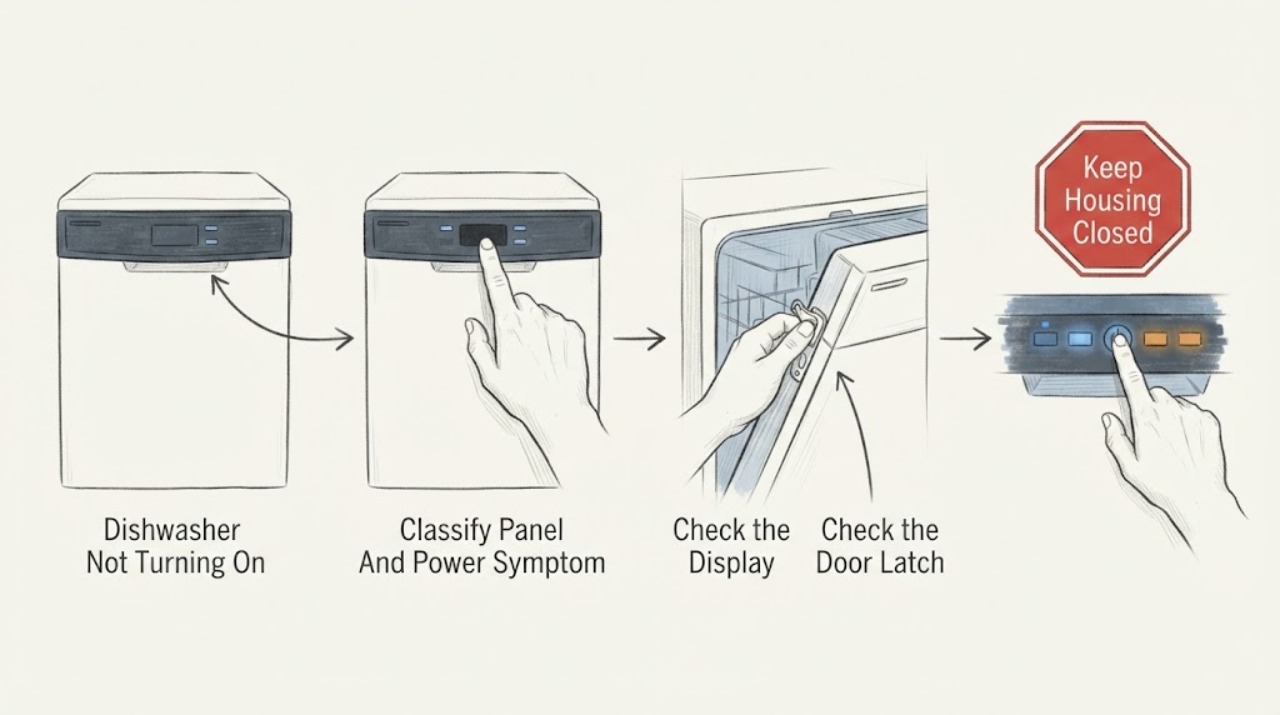
KitchenAid Dishwasher Not Turning On: Separate Power, Controls, Door, and Water Checks
First decide whether your KitchenAid dishwasher has no power at all or has lights/buttons but will not start. If the display is dark, check the household breaker and the appliance's power connection only from a dry, safe position; do not open the electrical compartment.
-
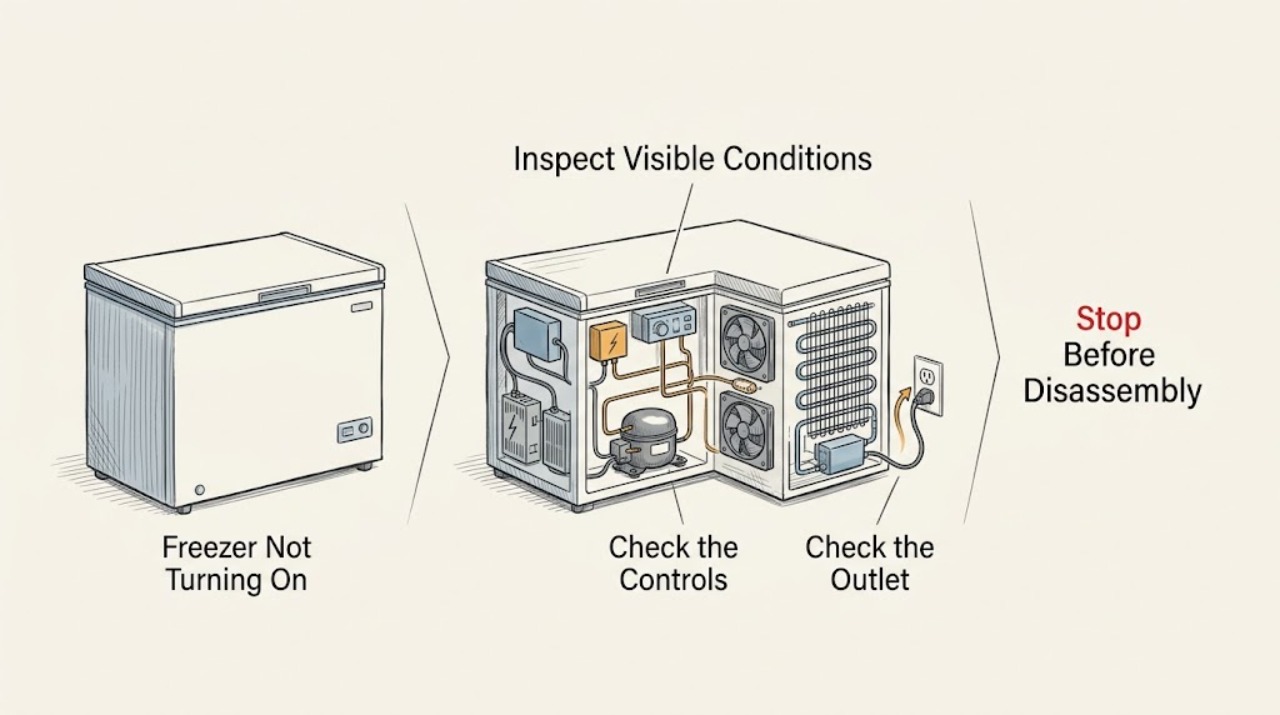
Kitchenaid Freezer Not Turning On: Check Power, Controls, and Cooling
First determine whether the whole appliance is dark or whether the light and controls work but the freezer is not cooling. For a dark appliance, inspect the power cord, outlet, breaker, or GFCI only from a safe position; do not use an extension cord or open the cabinet.
-
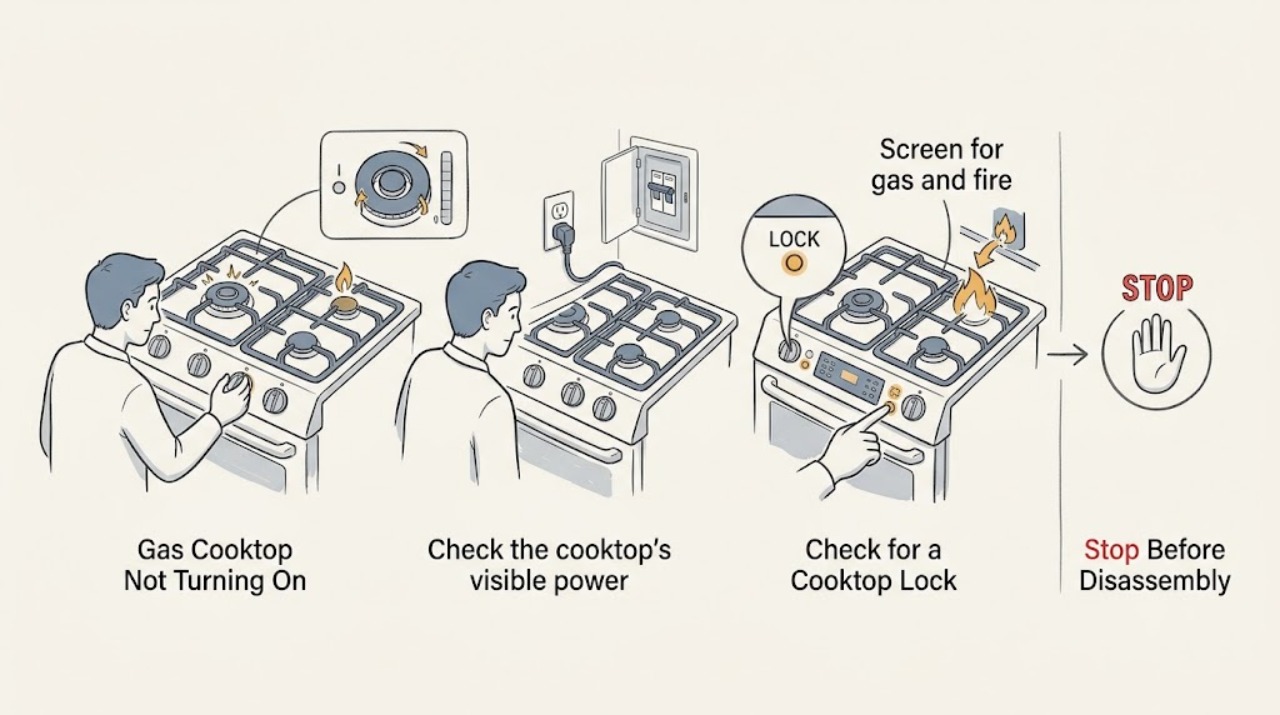
Kitchenaid Gas Cooktop Not Turning On: Power, Lockout, and Gas Checks
When a KitchenAid gas cooktop will not turn on, first turn all burner controls Off and stop immediately for a gas odor, unlit gas flow, smoke, sparking, or a flame that will not go out. If there is no immediate hazard, check the cooktop's visible power connection and household breaker or fuse, then check the model's Cooktop Lock or control lock after a power interruption.
-
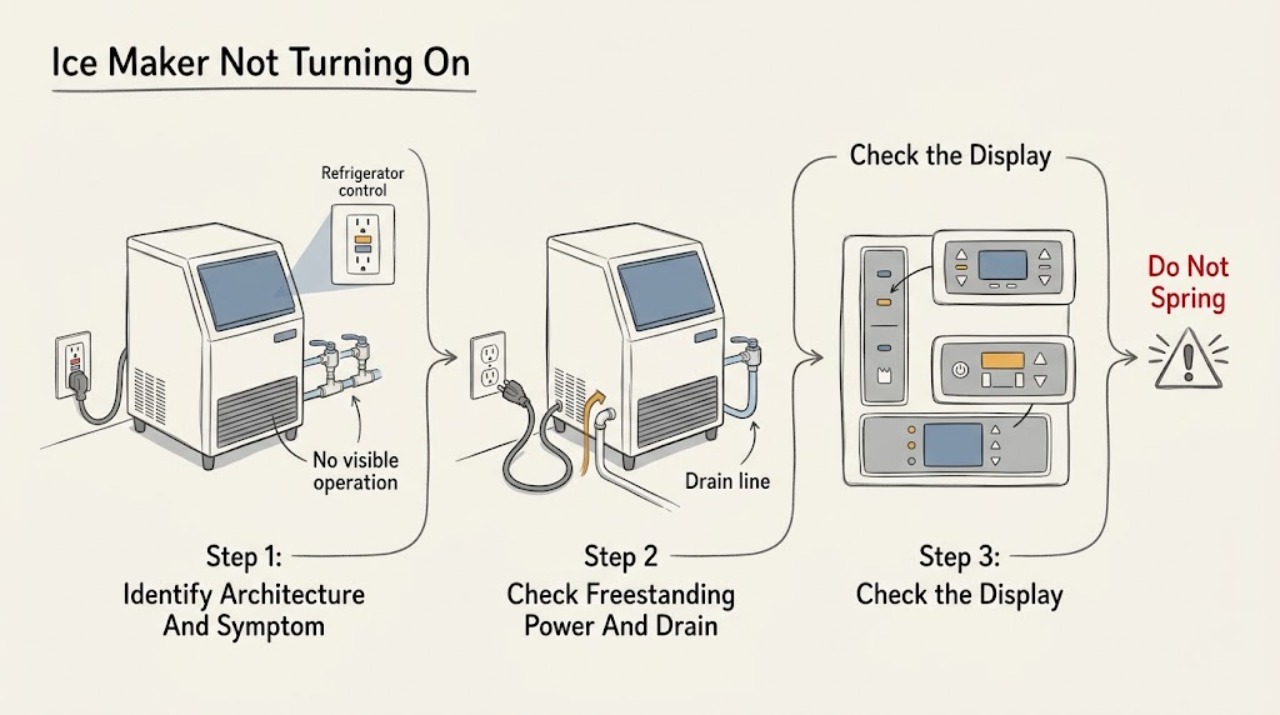
KitchenAid Ice Maker Not Turning On: Separate Freestanding and Refrigerator Models
First decide which KitchenAid architecture is affected: a standalone or undercounter ice maker such as the KUIX or KUID product families, or an ice maker built into a refrigerator. If a freestanding unit has no display or operation, check the model-approved 3-prong outlet, breaker or GFCI, plug, water supply, and visible drain hose; KitchenAid specifically warns that a kinked or incorrectly routed drain hose can cause no or intermittent power on covered freestanding models.
-
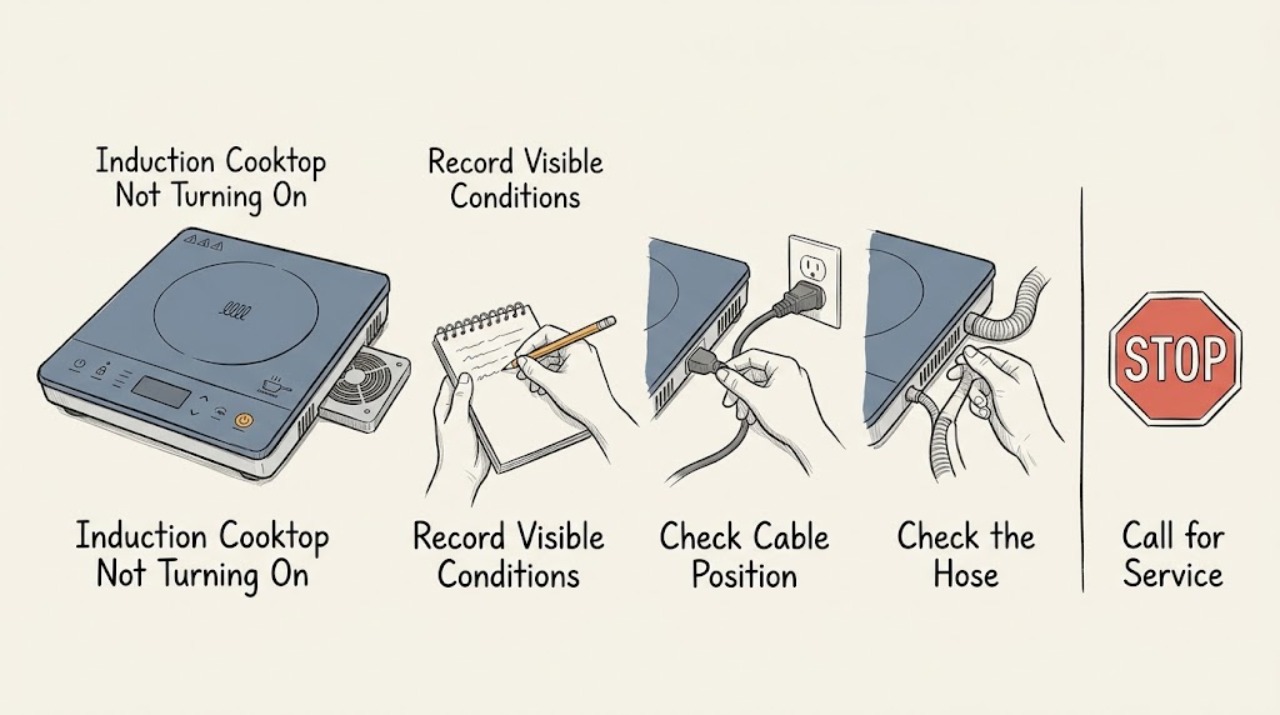
Kitchenaid Induction Cooktop Not Turning On
If a Kitchenaid induction cooktop will not turn on, first separate a blank control panel from a zone that powers up but will not heat. With the glass cool and dry, remove objects from the controls, press the power key deliberately, and check whether the control lock is active.
-
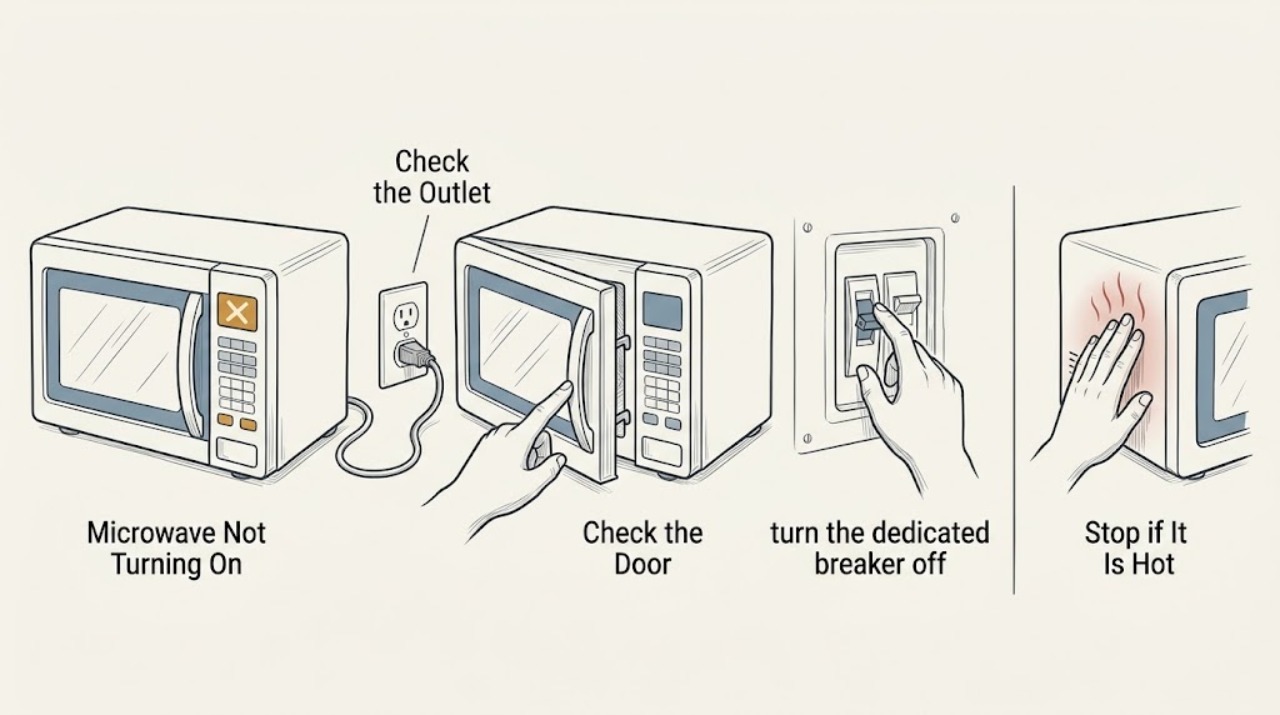
KitchenAid Microwave Not Turning On: Safe Checks
If a KitchenAid microwave is completely dark, verify the outlet and breaker, then check that the door closes and the controls are not locked. Reset power once only if the manual permits. Never open the microwave cabinet; high-voltage components require qualified service.
-
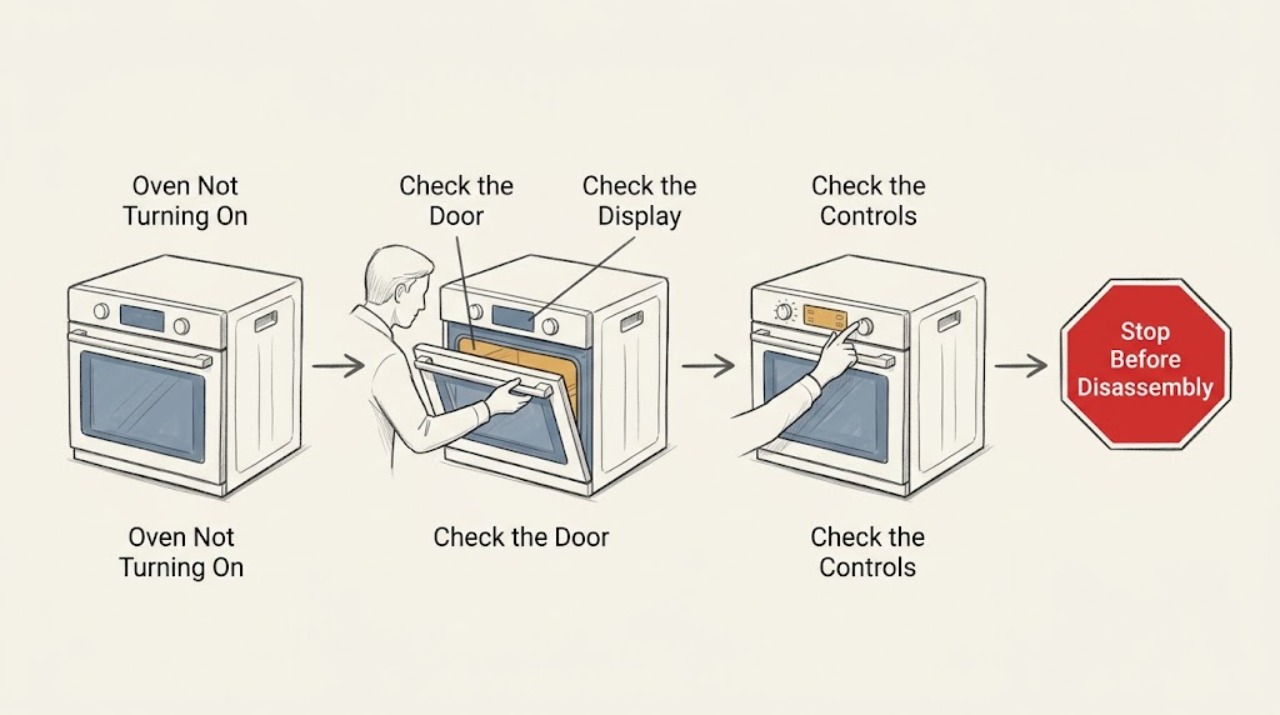
KitchenAid Oven Not Turning On: Check Power, Controls, and Fuel Safely
First separate a completely blank display from an oven that has power but will not start. If the display is blank, check only the accessible breaker or fuse and the exact model installation requirements; do not remove covers or work in the wiring.
-
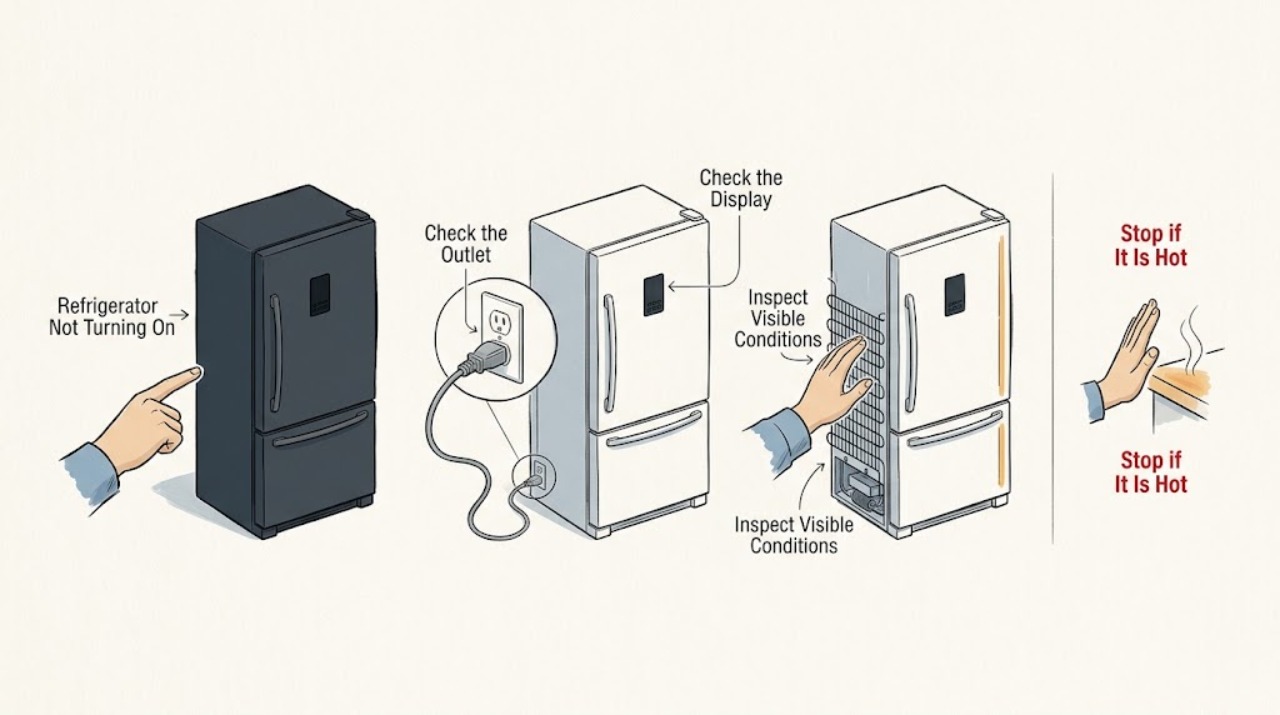
KitchenAid Refrigerator Not Turning On
Check the outlet and breaker, then confirm the refrigerator controls are set for cooling. If the outlet is live but the unit remains dark, do not open electrical covers; arrange service.
-
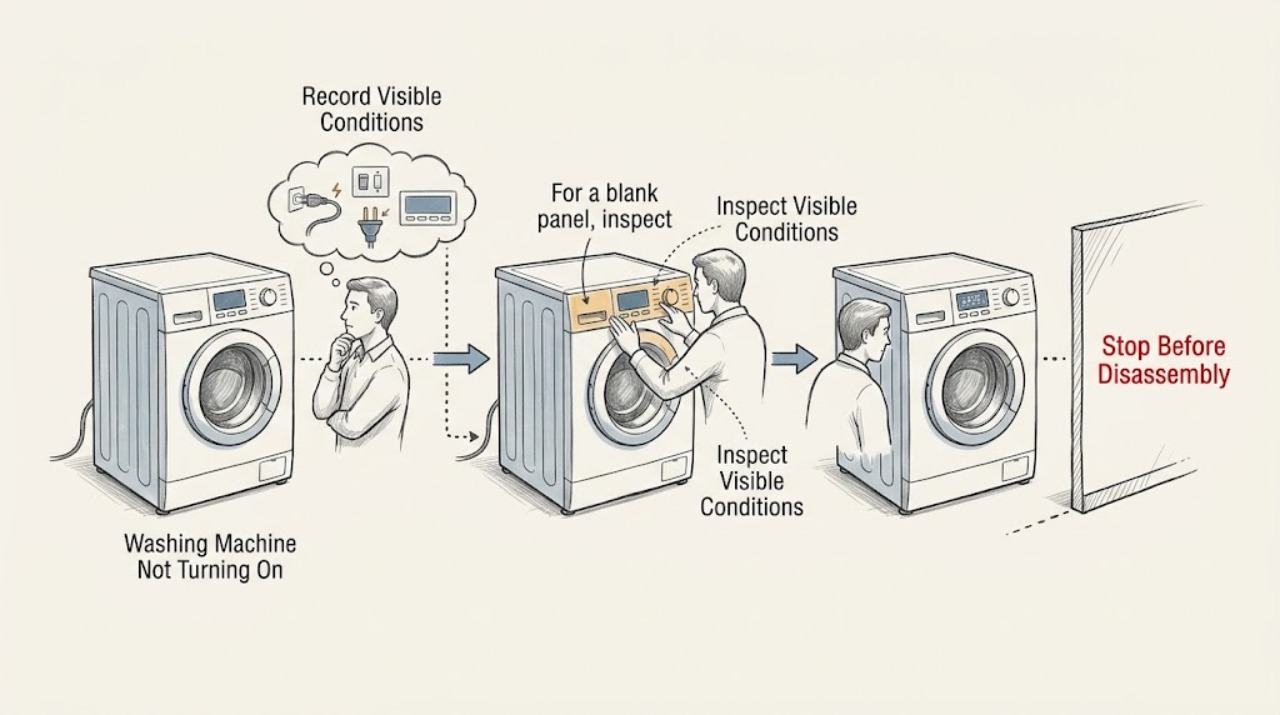
KitchenAid Washing Machine Not Turning On: Separate Power from Start Conditions
First decide whether a KitchenAid washer has no power at all or has a live display that will not start. From a dry position, inspect the cord and outlet, check for a tripped circuit only once, and record whether the console lights, beeps or shows a lock, delay or error message.
-
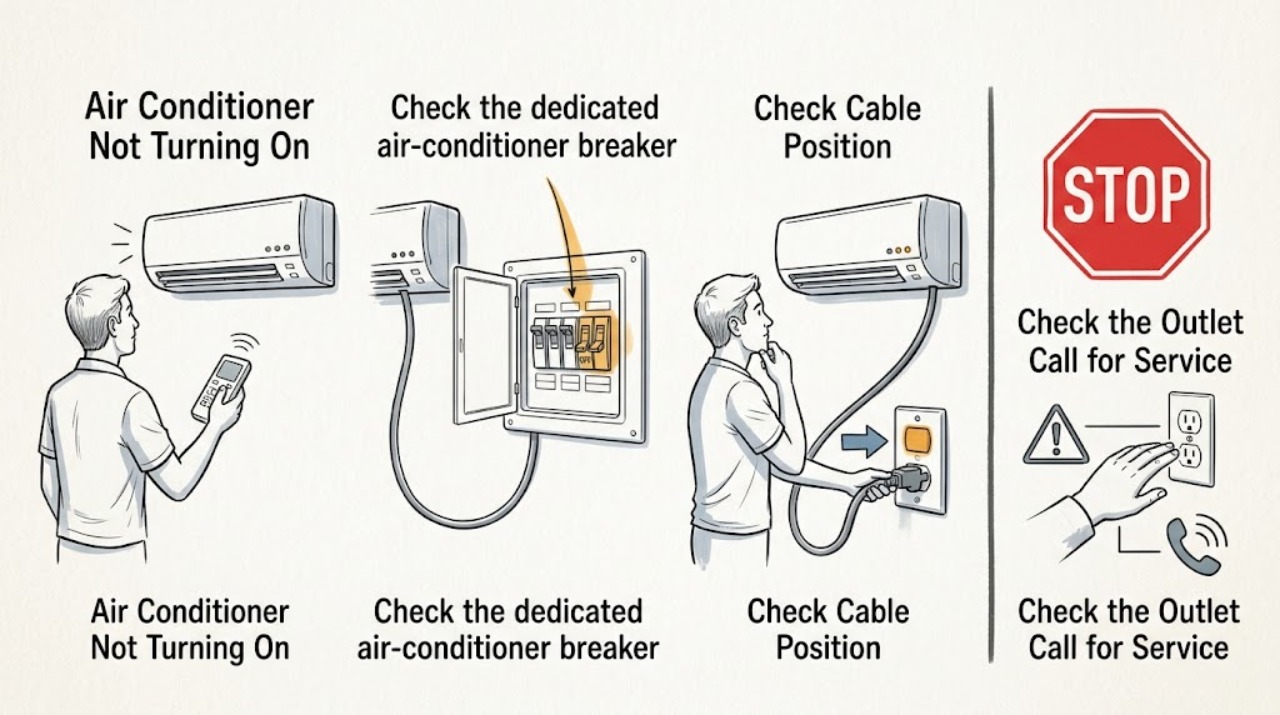
LG Air Conditioner Not Turning On
Check the remote or local controls, dedicated circuit breaker, and power connection before assuming an internal failure. If the breaker trips again, the cord heats, or an error returns after the documented reset, leave the unit off and arrange service.
-
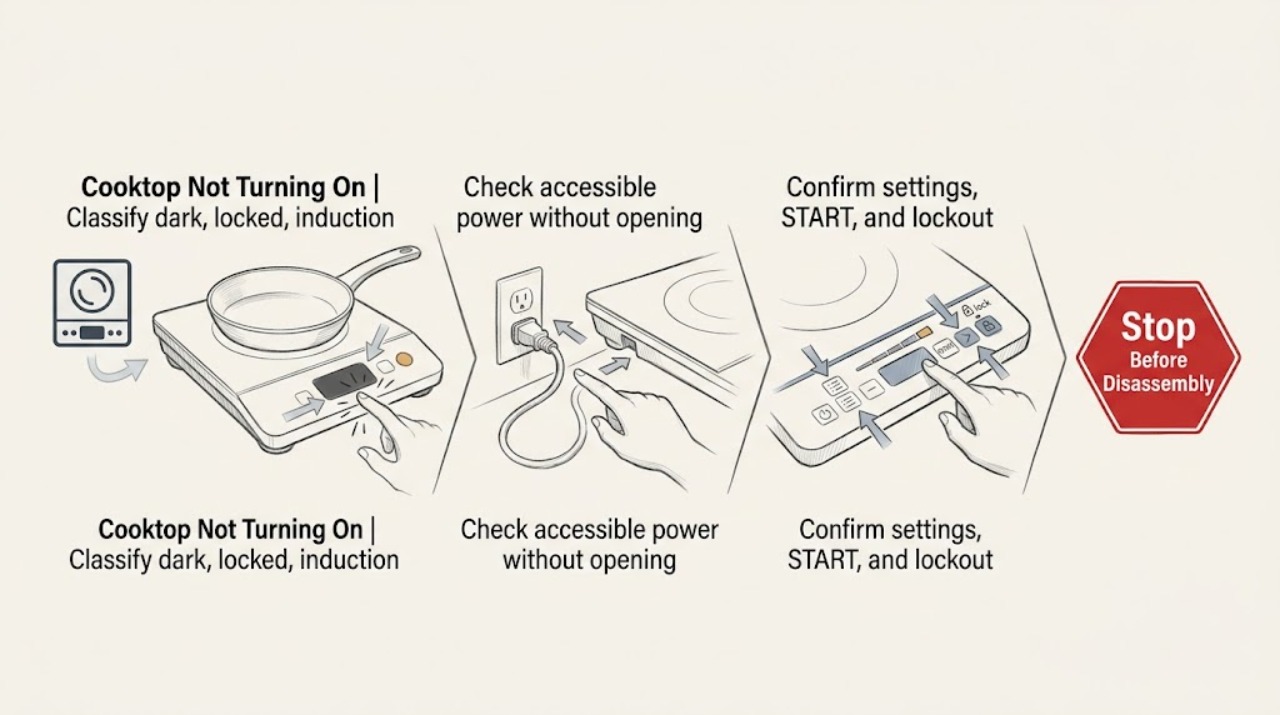
LG Cooktop Not Turning On: Check Power, Controls, and Burner or Pan Detection
First identify whether the cooktop is completely dark, powered but locked or delayed, induction and not detecting the pan, or gas and not igniting. For a dark cooktop, check the wall outlet and accessible circuit breaker without opening the appliance.
-
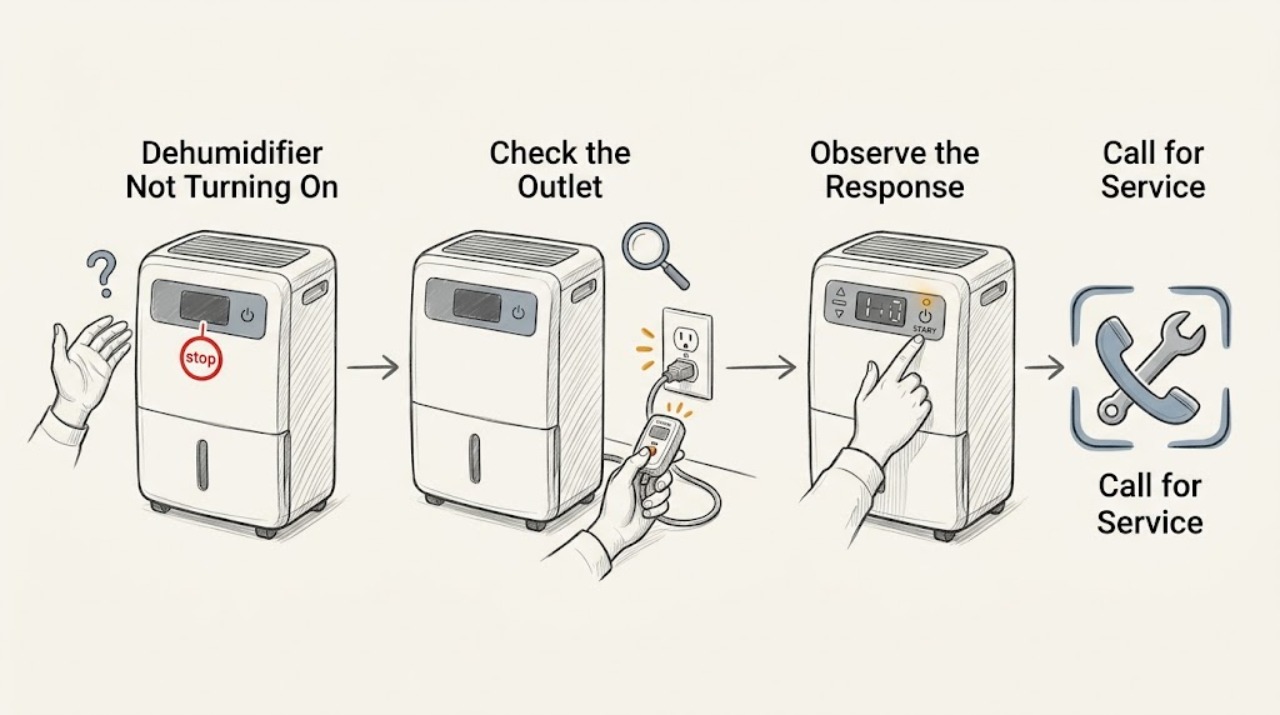
LG Dehumidifier Not Turning On
Check the outlet, power control, timer, and bucket-full indicator before assuming an internal failure. LG dehumidifiers will not run when the bucket is full or improperly installed. If the outlet is sound and the unit remains unresponsive, arrange model-specific service.
-
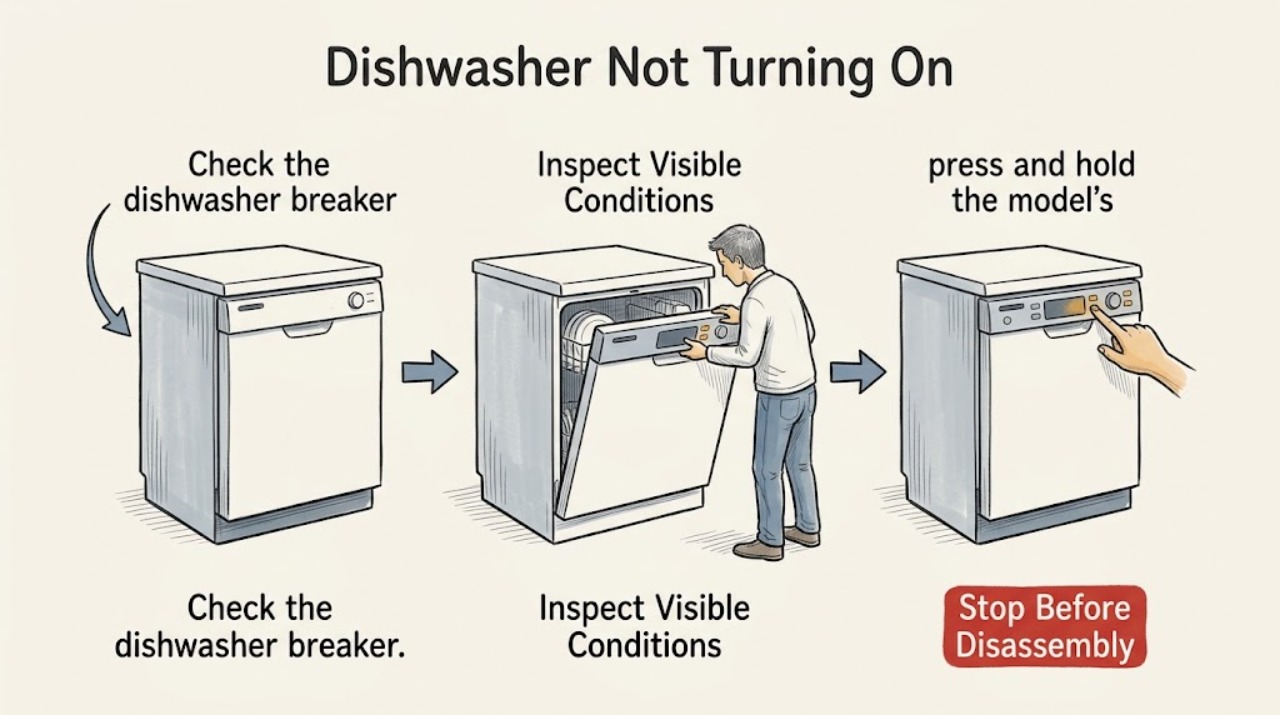
LG Dishwasher Not Turning On
Check the dishwasher breaker and plug, then check whether Control Lock is active or a cancellation cycle is still draining. If the breaker is on, the plug is secure, and the panel remains dark, stop and arrange inspection instead of opening the appliance.
-
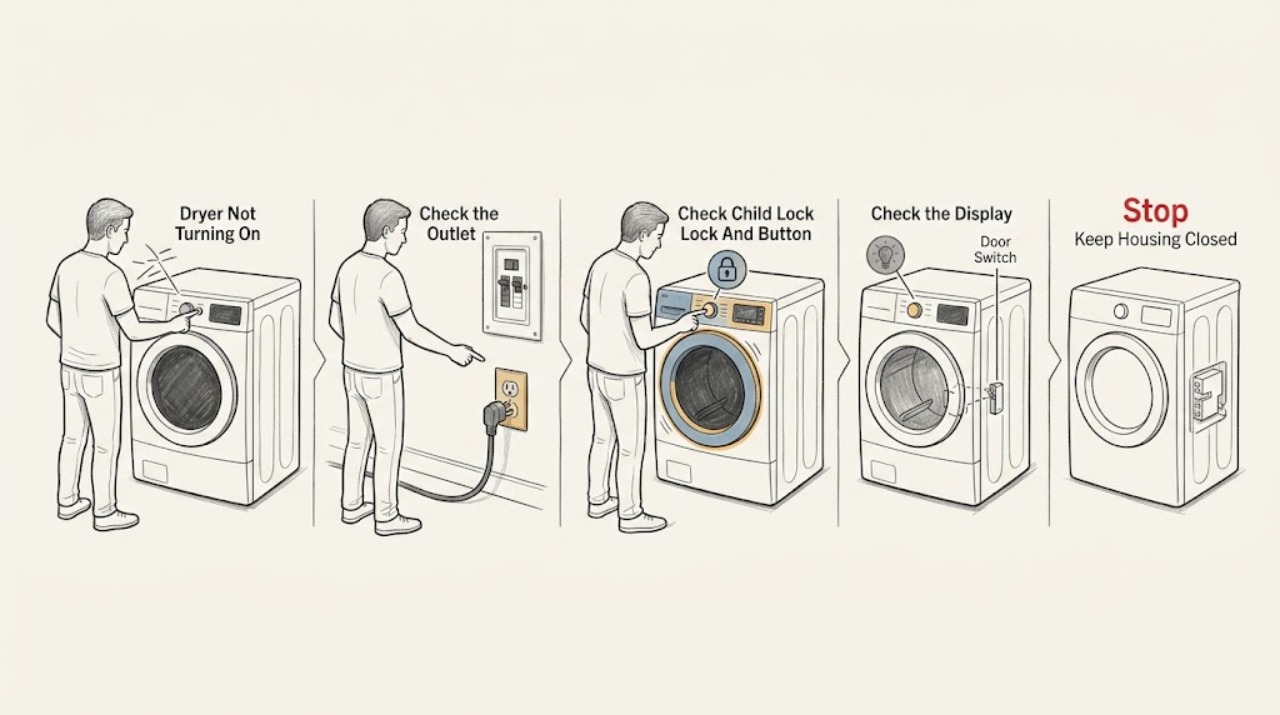
LG Dryer Not Turning On: Check Power, Controls, and Safety First
Check the LG dryer in this order: look for the drum light, confirm the outlet and cord are secure from a dry safe position, check whether the dedicated breaker has tripped, then use the model's normal Power and Start controls. If the display has power but Start is ignored, check Child Lock and the touch-button press method, and make sure the door is fully closed.
-
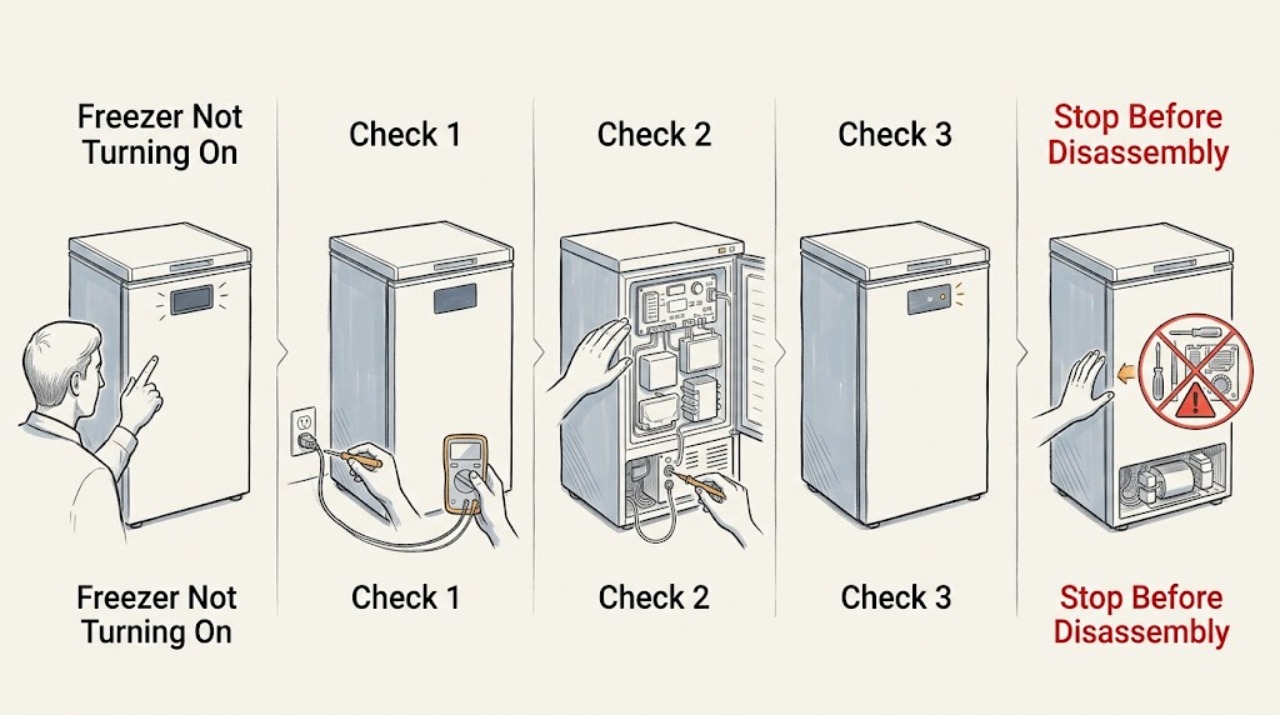
LG Freezer Not Turning On: Check Power, Controls, and Food Safety First
If an LG freezer will not turn on, first decide whether it has no power at all or has power but is not cooling. Check the accessible plug, wall outlet, power strip, and household breaker without opening the appliance; LG says a loose plug, defective outlet, or tripped breaker can leave a refrigerator/freezer without power.
-
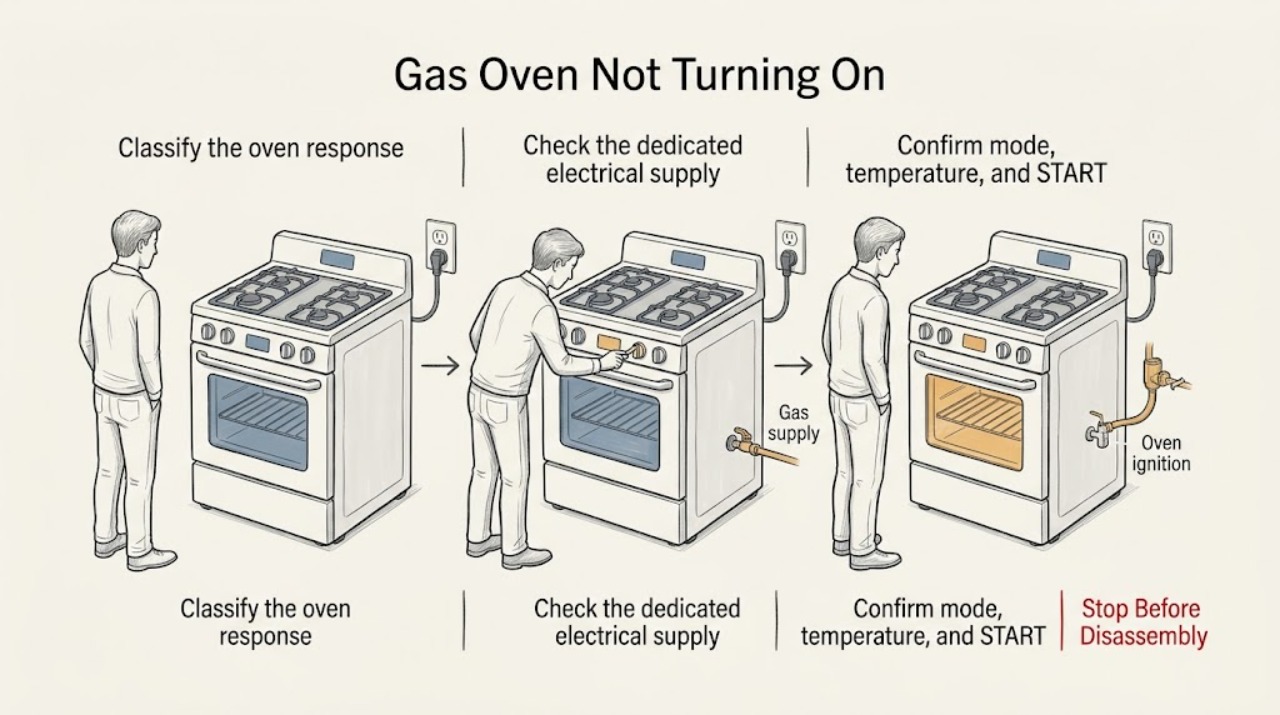
LG Gas Oven Not Turning On: Separate Power, Controls, and Gas Ignition
First decide whether the LG gas oven has no display at all or has power but will not begin a selected cycle. For a blank display, check the dedicated household breaker and the dry, accessible plug connection without opening the range or repeatedly resetting a trip.
-
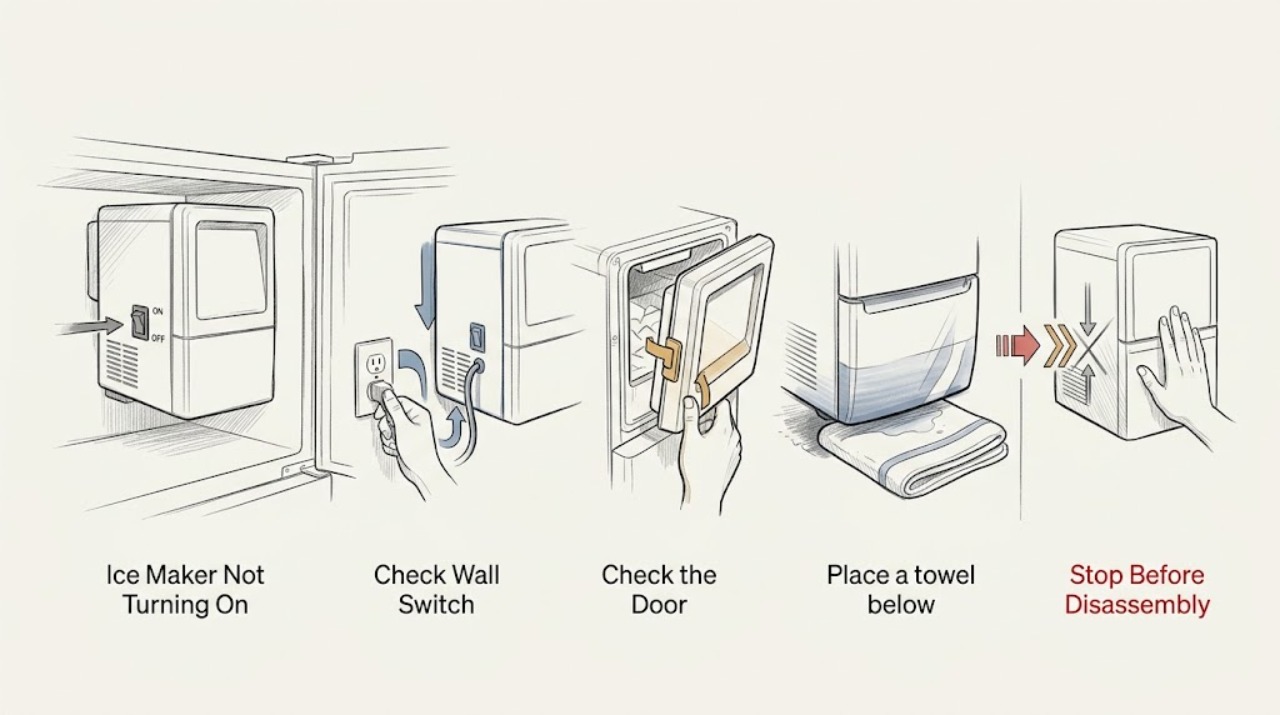
LG Ice Maker Not Turning On
Check that the ice maker switch or Ice On control is enabled, the refrigerator has power, the ice bin and door are correctly positioned, and the freezer is cold enough. If the model-specific test does not cycle, request service rather than forcing the tray.
-
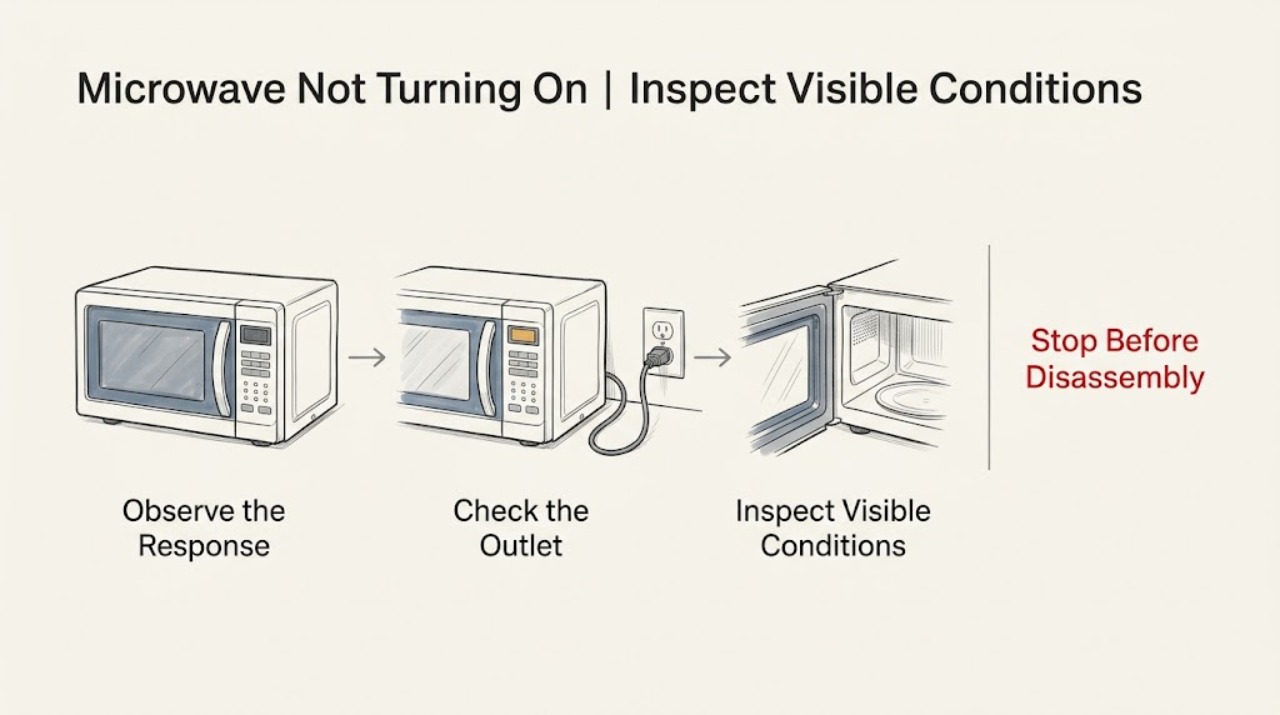
LG Microwave Not Turning On: Trace Power Before Requesting Service
Check whether the LG microwave display is blank, whether the wall outlet works, and whether another appliance on the circuit was affected. Press a key or open and close the door once to distinguish energy-saving display behavior from loss of power. If the outlet is live but the display stays dead, a breaker trips again, or the cord is damaged, stop and arrange safe electrical or appliance service.
-
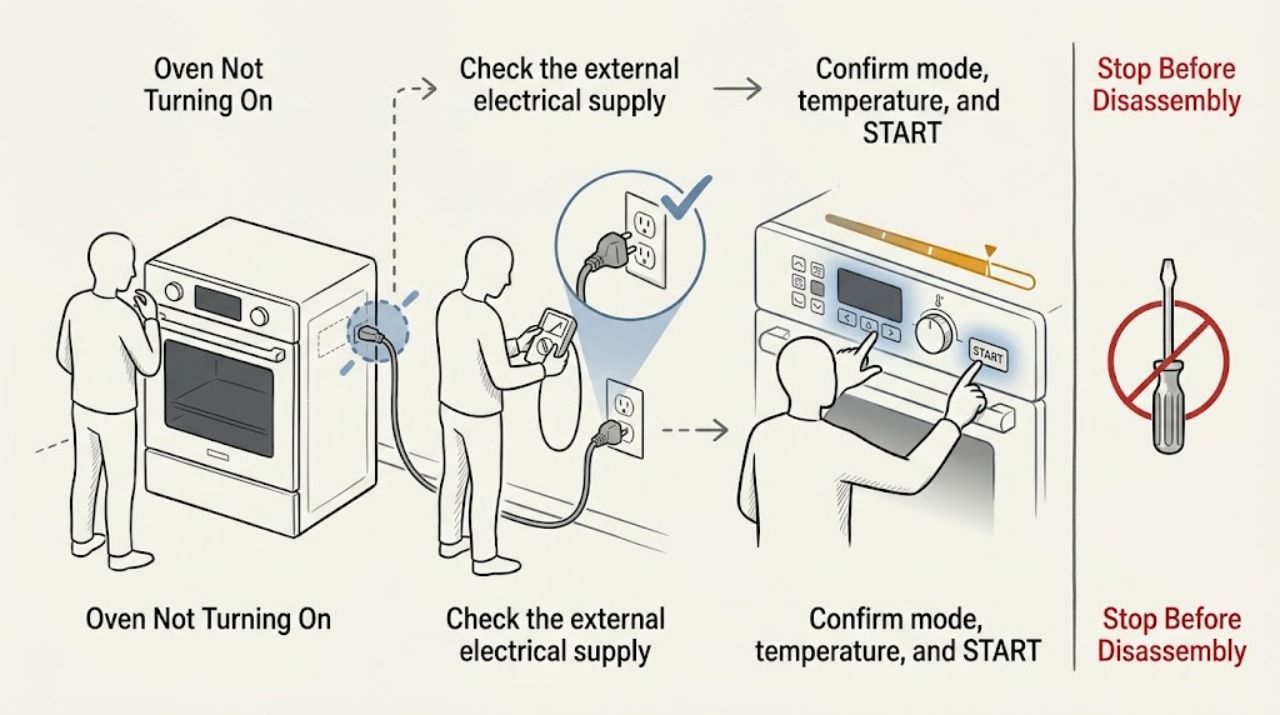
LG Oven Not Turning On: Separate Power, Settings, and Fuel-Specific Checks
First decide whether the LG oven has no display at all or has power but will not begin a selected cycle. For a blank display, check the range's dedicated breaker and the dry, accessible plug connection without opening the appliance or repeatedly resetting a trip.
-
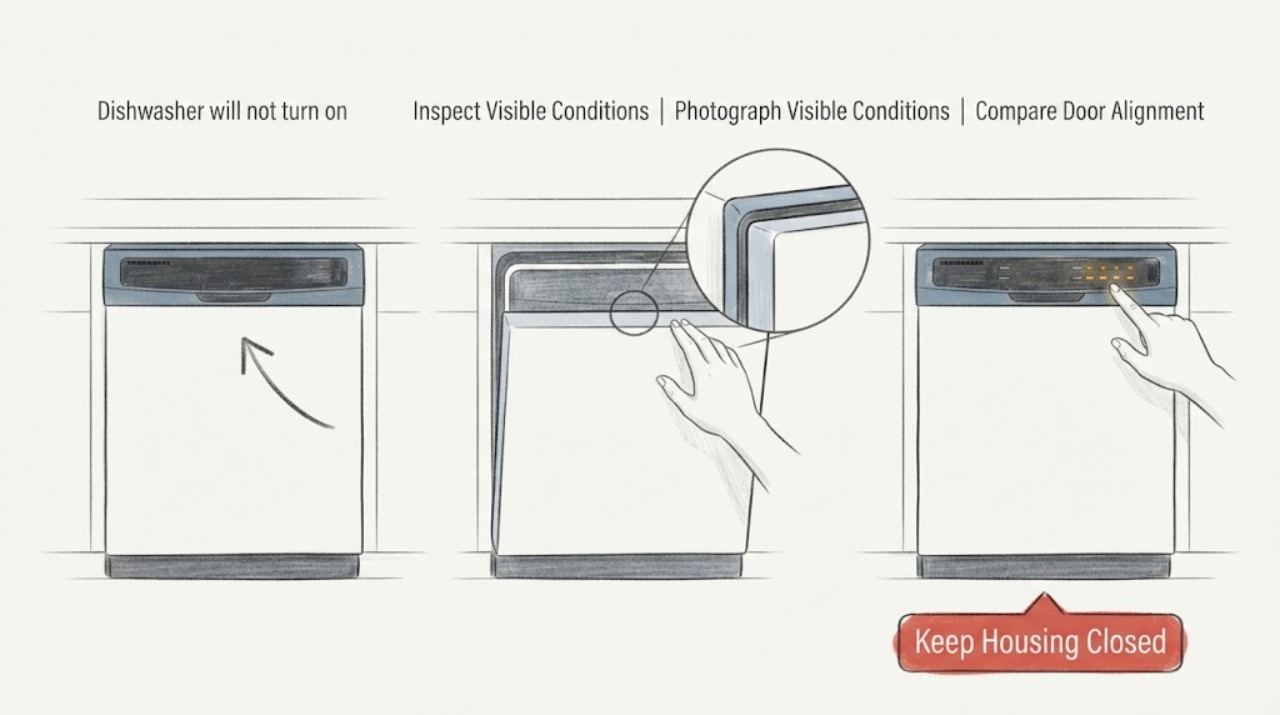
LG QuadWash Inverter dishwasher will not turn on and beeps after installation
“QuadWash Inverter” is a feature-series description, not a complete LG model number, so do not treat an intermittent beep as a model-specific fault code or assume a control board is bad. First photograph the display and confirm the exact model from the rating label or installation paperwork.
-
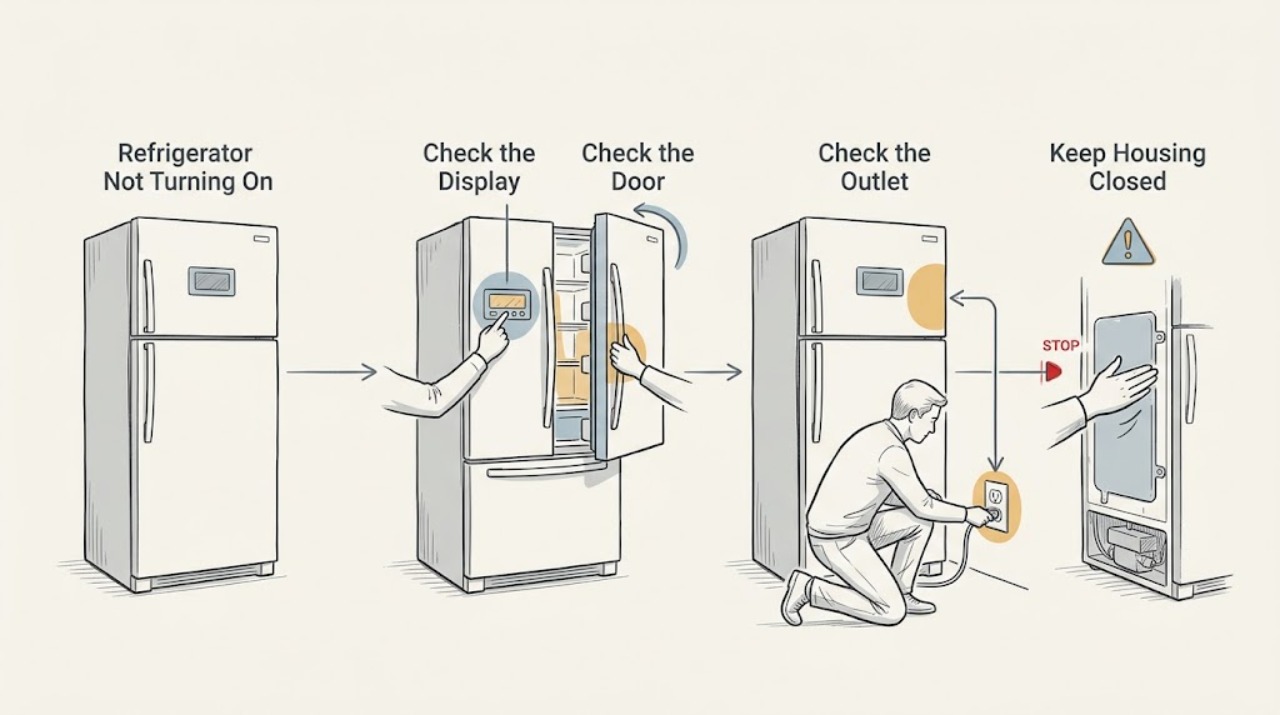
LG Refrigerator Not Turning On: Tell a Dark Display From a Power Loss
Wake the display and check for any interior light before concluding the refrigerator is off. LG displays can go dark after inactivity, while a loose plug, failed outlet, or tripped breaker can remove power entirely. If the display stays dark after a safe outlet check, do not open the control area; arrange service.
-
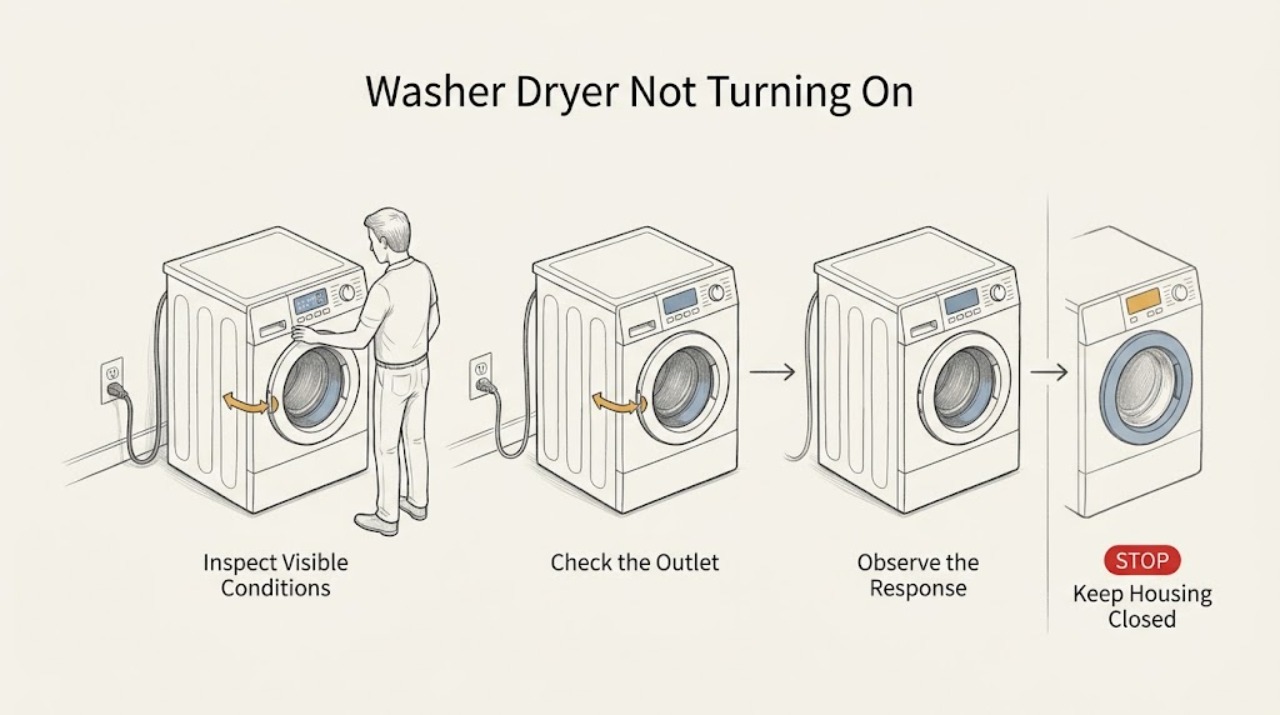
LG Washer Dryer Not Turning On: Check Power, Lock, and Start Conditions
First check whether the LG washer dryer is completely dead or has a lit display that will not start a cycle. Confirm the cord is directly and securely connected to the correct grounded wall outlet, check a GFCI or breaker once if safe, and test the outlet with a small known-working device.
-
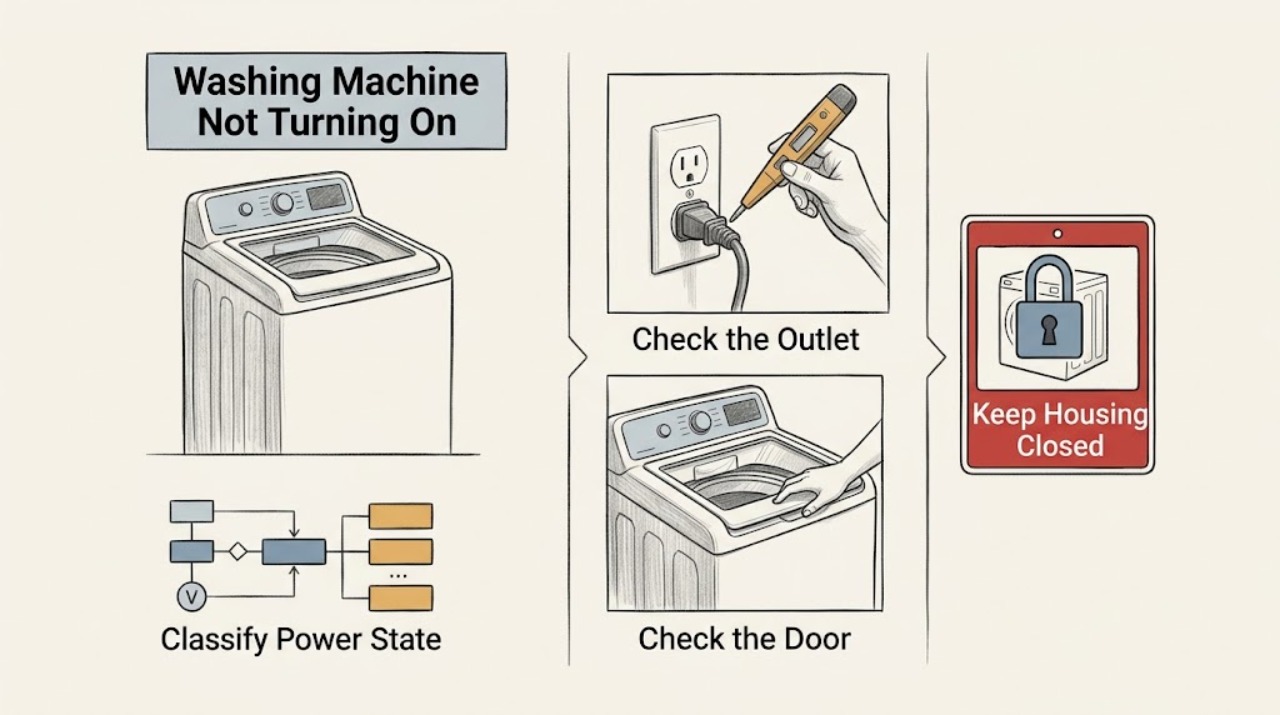
LG Washing Machine Not Turning On: Separate No Power from No Start
First separate a washer with no display from one that has lights but will not start. For no display, inspect the plug and cord from a dry position, test the wall outlet with a small known-working lamp or appliance, and check the household breaker or GFCI only once when there is no heat, scorch, water, or electrical odor.
-
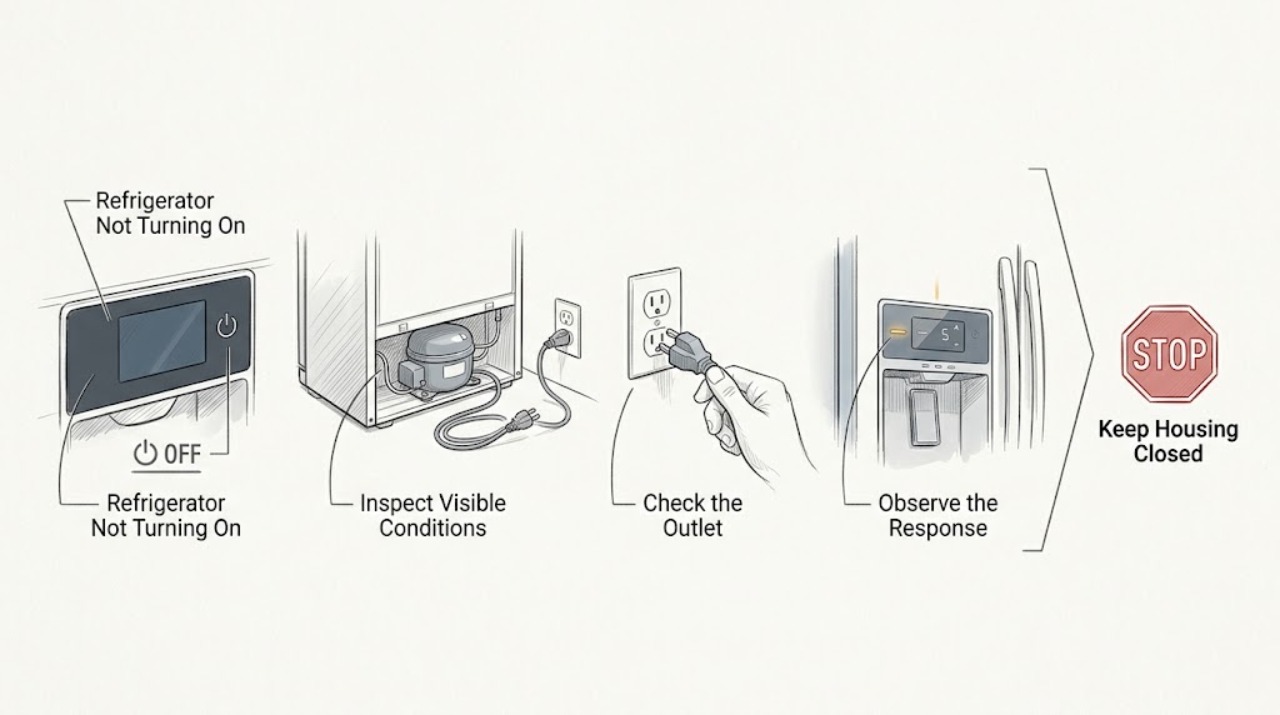
Liebherr Refrigerator Not Turning On
If a Liebherr refrigerator will not turn on, start at the controls and wall connection: verify that it is switched on, the plug is fully inserted, and the outlet fuse or breaker has not tripped. Do not repeatedly reset a breaker or open the appliance. If the outlet is live but the refrigerator remains dead, or if power causes a smell, heat, or repeated trip, leave it off and call qualified service.
-
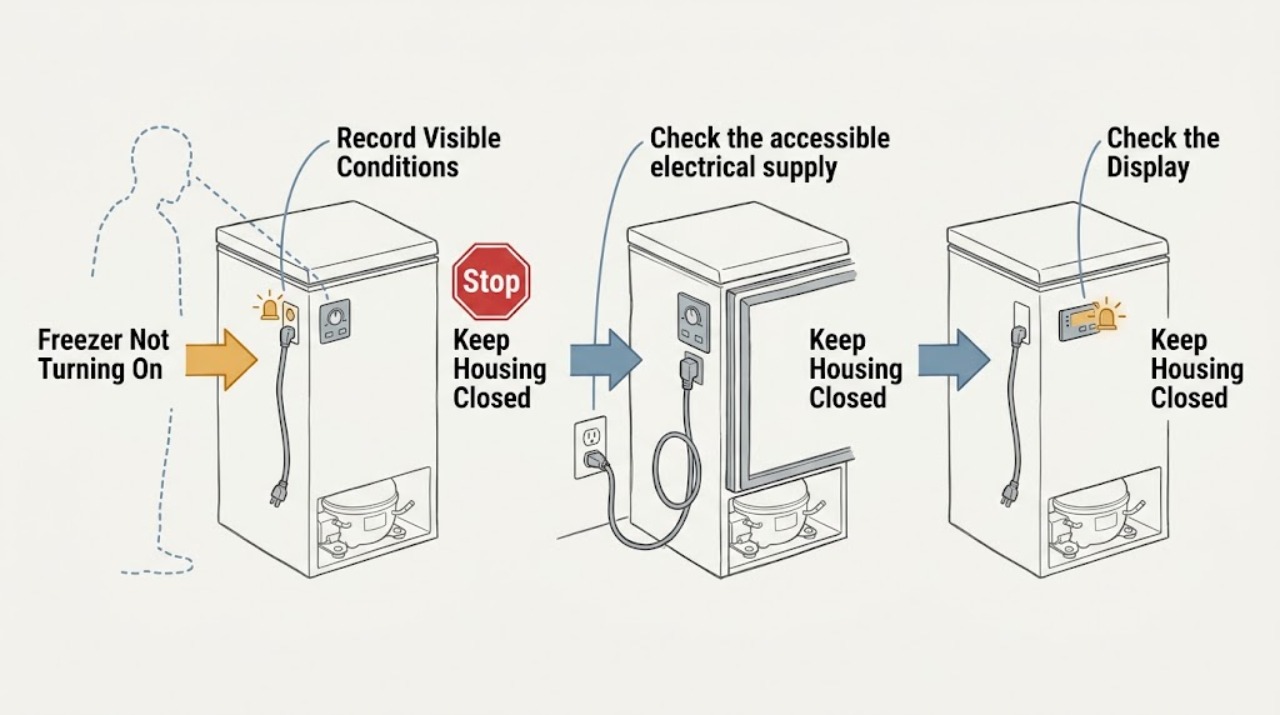
Magic Chef Freezer Not Turning On: Check Power, Control, and Safe Cooling
If a Magic Chef freezer will not turn on, first decide whether there is no power at all or the light and controls work while the compressor is not running. From a dry, safe position, check the accessible plug, outlet, breaker or GFCI, and the freezer's control setting without opening the cabinet or using an extension cord.
-
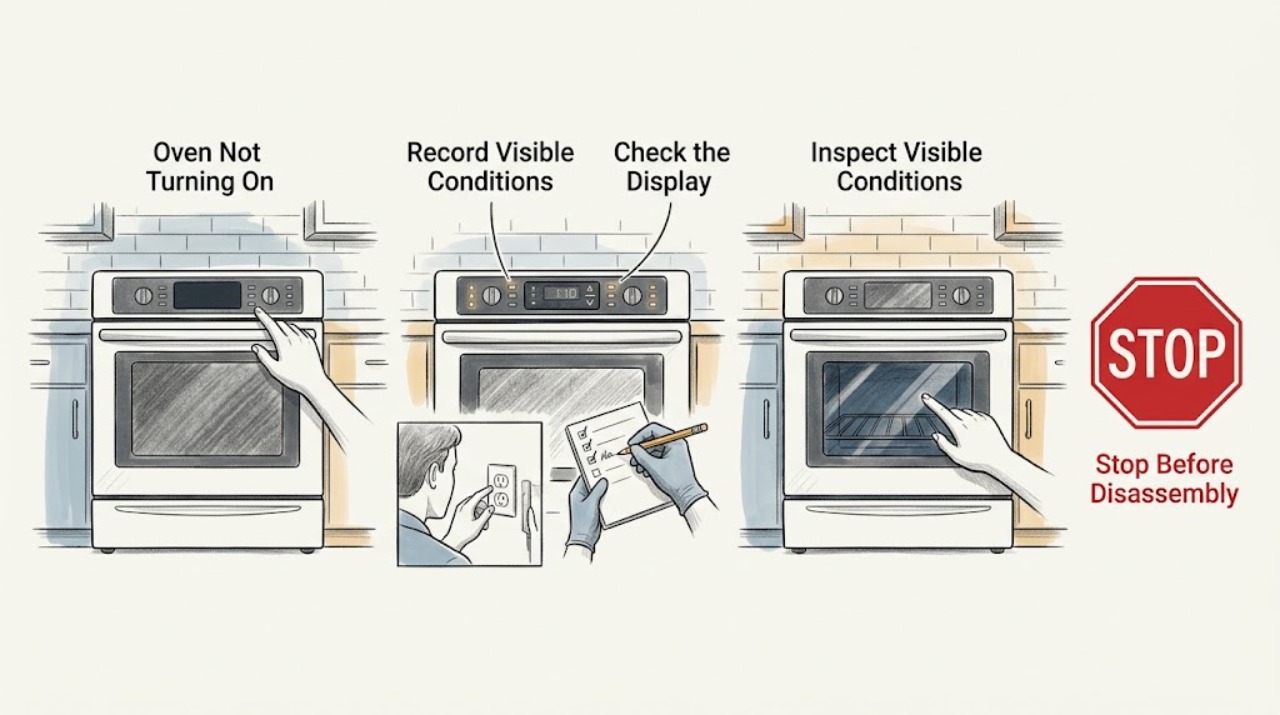
Magic Chef Oven Not Turning On: Check Power, Controls, and the Safe Stop Signs
If a Magic Chef oven is not turning on, first separate a completely blank display from a display that has power but will not start. Check the exact model manual, the visible cord and breaker, and the selected mode, timer, lock, and Start sequence.
-
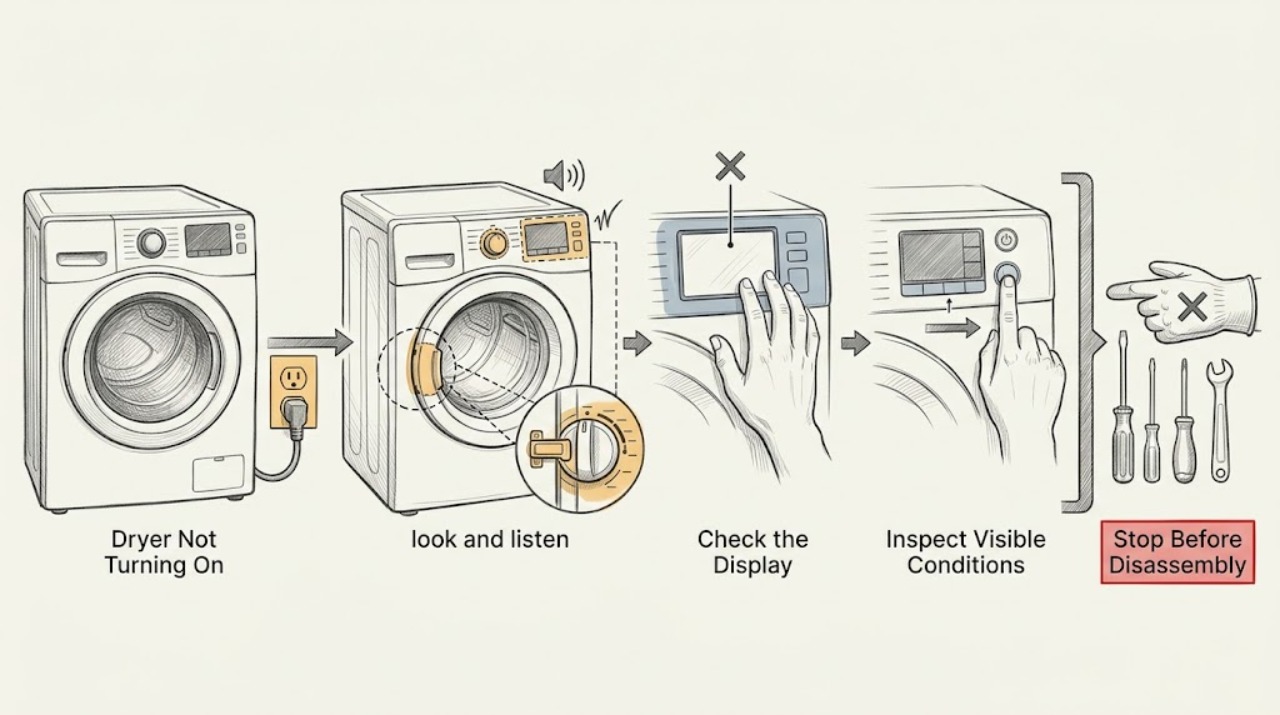
Maytag Dryer Not Turning On: Check Power, Controls, and the Door Safely
Do not keep trying a Maytag dryer that has a burning smell, smoke, sparks, a hot or damaged power cord, gas odor, unusual heat, or a breaker that trips again. From a dry, safe position, check whether the outlet and controls have power, confirm the correct supply for the dryer type, and inspect that the door is fully latched with no clothing caught in it.
-
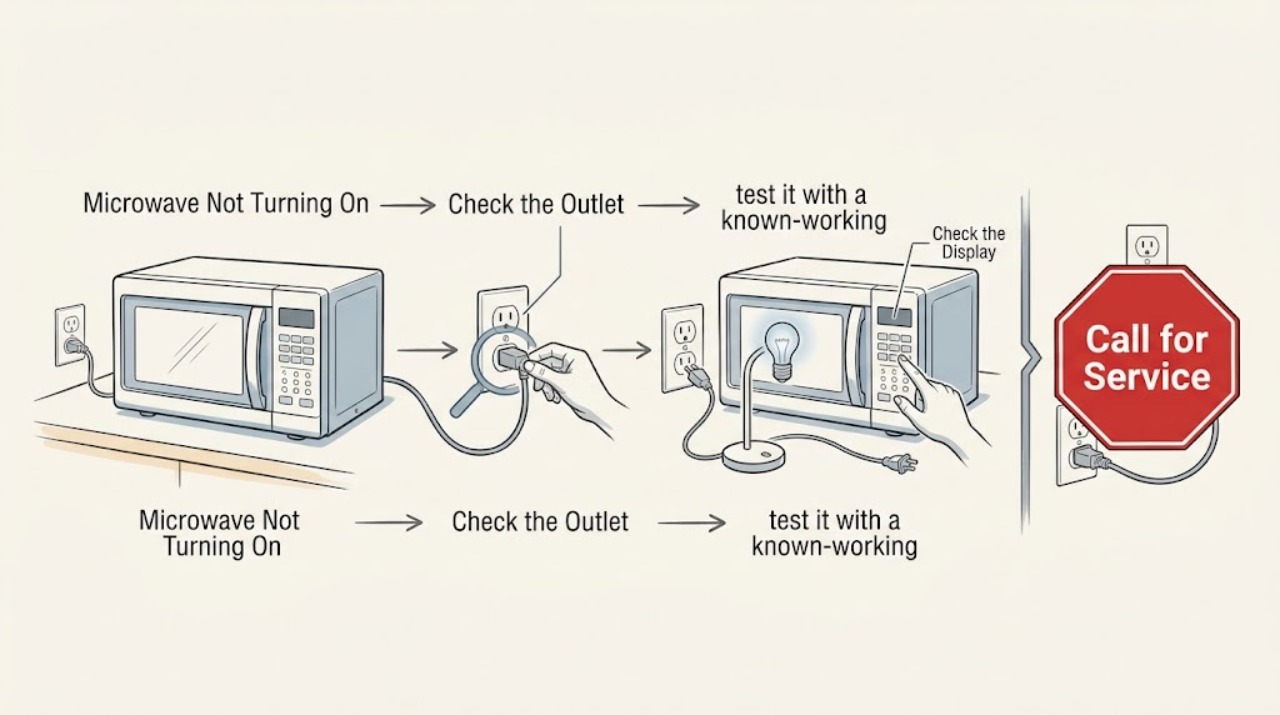
Maytag Microwave Not Turning On: Check the Outlet and Breaker Without Repeated Resets
If a Maytag microwave is completely dark or will not power on, check that its cord is connected to a grounded, working wall outlet and inspect the appliance breaker or fuse. A single safe power reset may be appropriate for the model, but do not keep resetting a breaker that trips again. If the outlet works and the microwave stays dead, arrange qualified service.
-
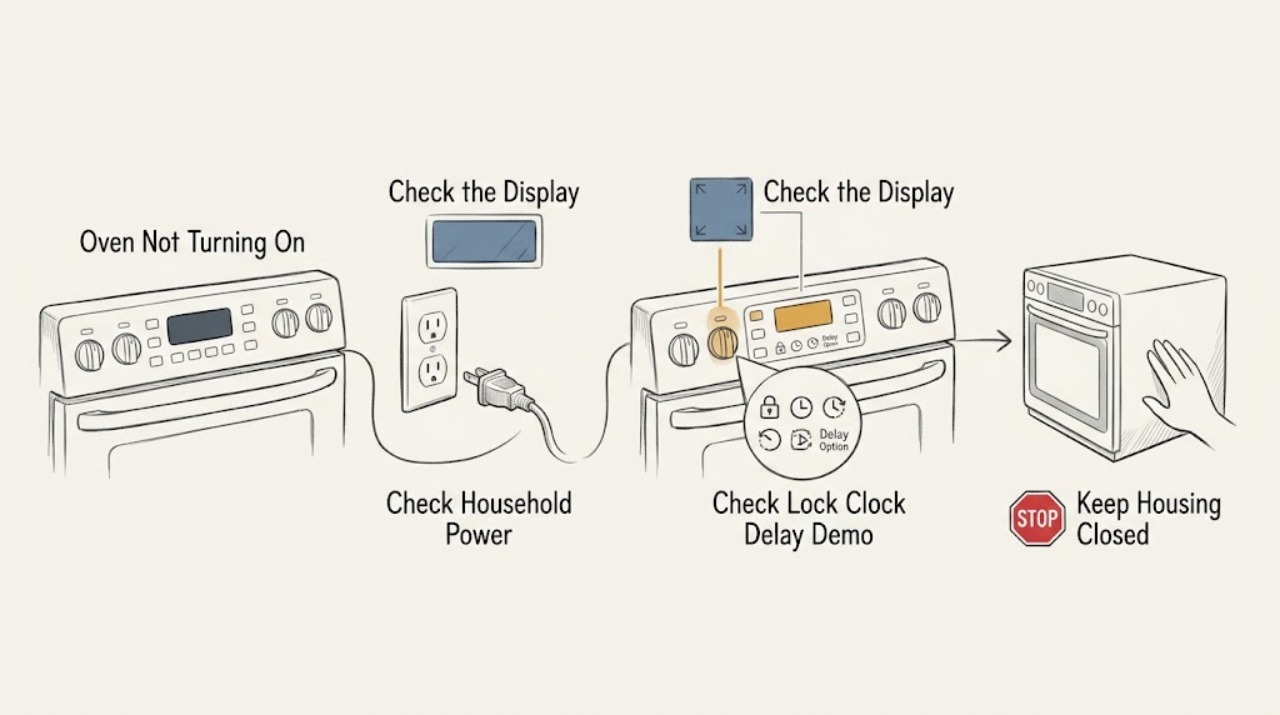
Maytag Oven Not Turning On: Separate Power, Controls, and Gas Safely
First separate a completely dead oven from one with a display that will not start a cycle. With no smoke, gas odor, sparks, hot wiring, or other hazard, check the household breaker or fuse and the exact model's control lock, clock, delayed-start, and demo-mode state.
-
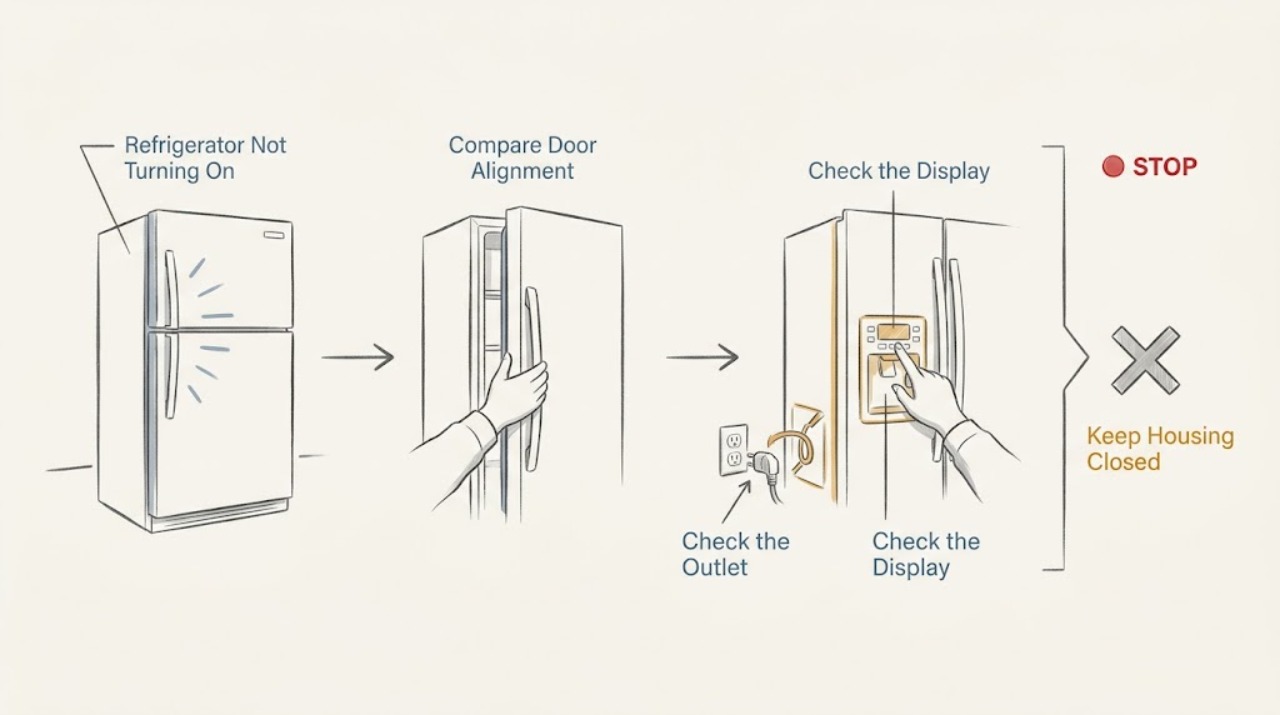
Maytag Refrigerator Not Turning On: Check Power, Display, and Cooling Modes
Check whether the refrigerator has any interior light, display, alarm, or operating sound before treating it as completely off. A Maytag refrigerator can have cooling disabled by a model-specific setting while still receiving power, and a dead outlet or tripped breaker creates a different symptom. Test only the plug, outlet, breaker, and visible controls; if power is present but the unit stays dark or a breaker trips again, arrange service.
-
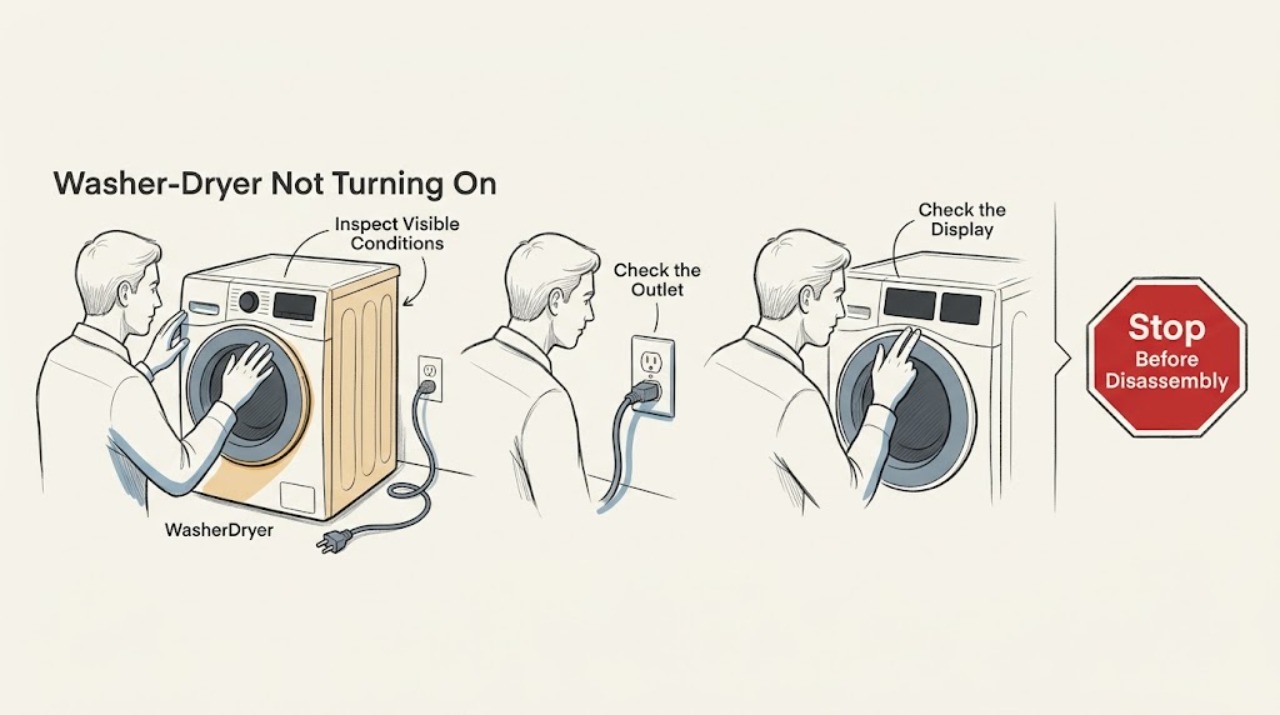
Maytag Washer-Dryer Not Turning On: Safe Checks Before Service
First separate a completely dead control from a machine that has power but will not accept Start. Confirm the cord and outlet are usable, remove Control Lock, close the door or lid fully, select a real wash or dry cycle, and hold Start as your model requires. If power is absent, a latch will not engage, or a breaker trips again, stop and arrange qualified electrical or appliance service rather than opening panels or bypassing an interlock.
-
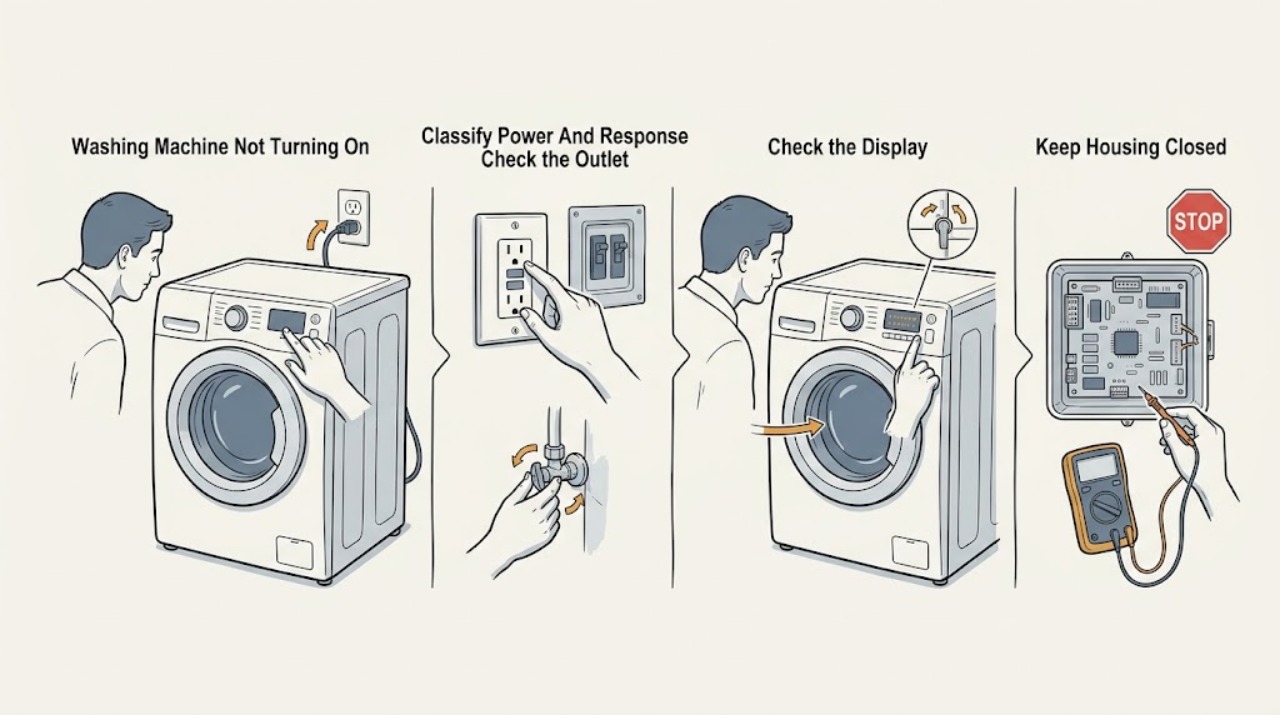
Maytag Washing Machine Not Turning On: Check Power, Controls, and Lock States
First separate a completely dead Maytag washer from one with a display that will not start. With no smoke, burning smell, sparks, hot wiring, or water near electricity, check the grounded outlet, household breaker or GFCI, Control Lock, cycle selector, Start or hold-to-start input, and the fully closed front door or top lid.
-
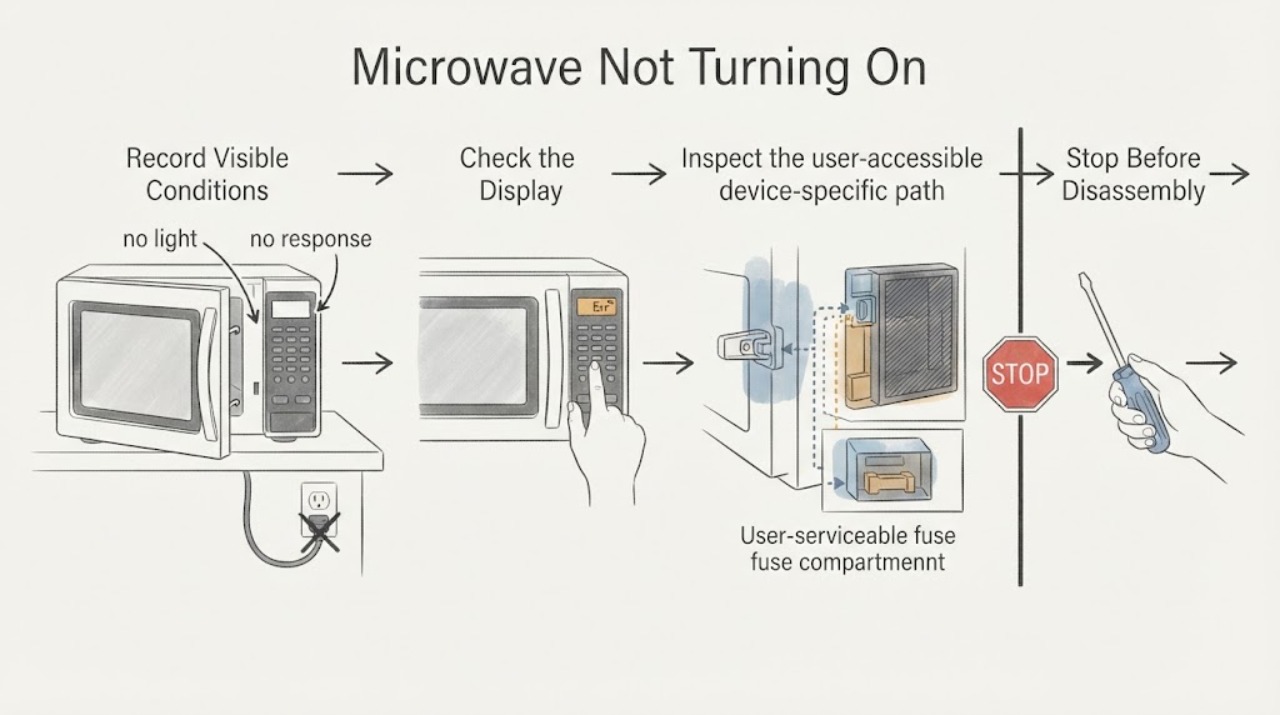
Microwave Not Turning On
For a microwave that will not turn on, check the outlet, breaker, door closure, control lock, and demo mode without opening the cover. Whirlpool notes Demo mode can make the light, fan, and turntable work without heating. Smoke, arcing, odor, or repeated trips requires service.
-
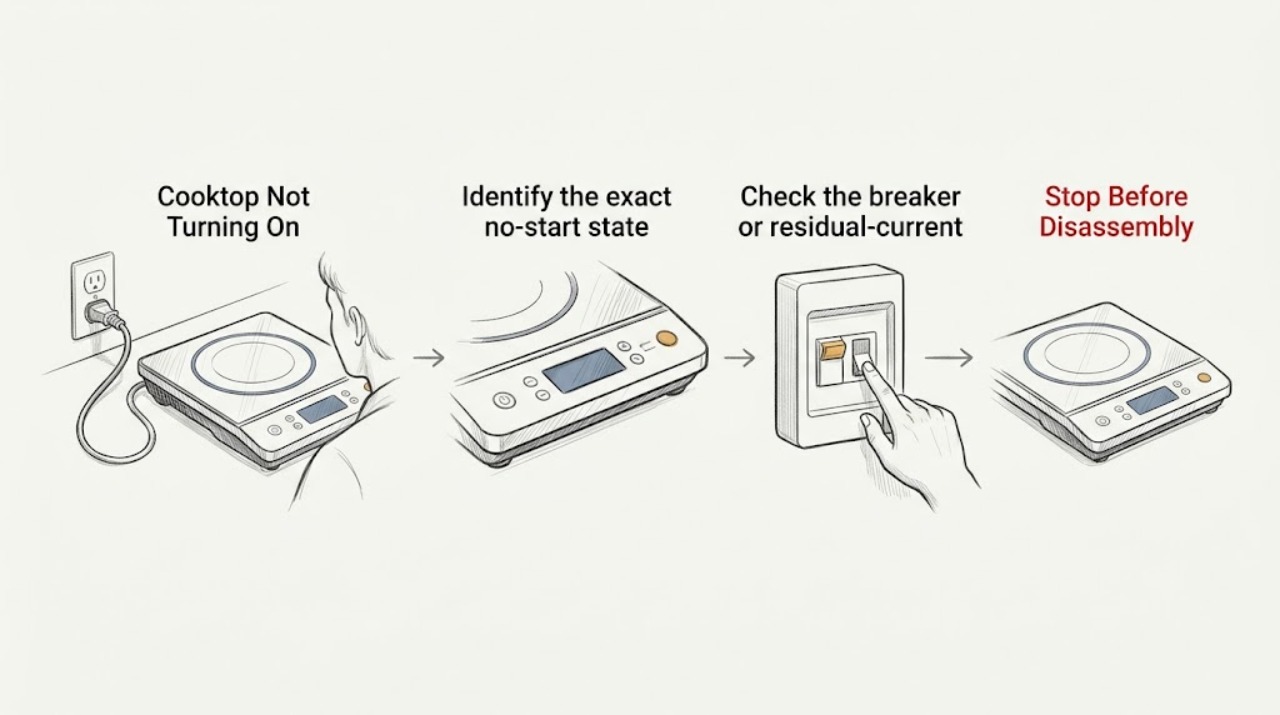
Miele Cooktop Not Turning On: Safe Power and Control Checks
When a Miele cooktop will not turn on, first note whether the display is completely blank, shows a lock or fault message, or turns on but will not activate a zone. Check the relevant breaker or residual-current device from a dry, safe position, keep the touch controls clean and uncovered, and use the model's instructions to deactivate a system or safety lock.
-
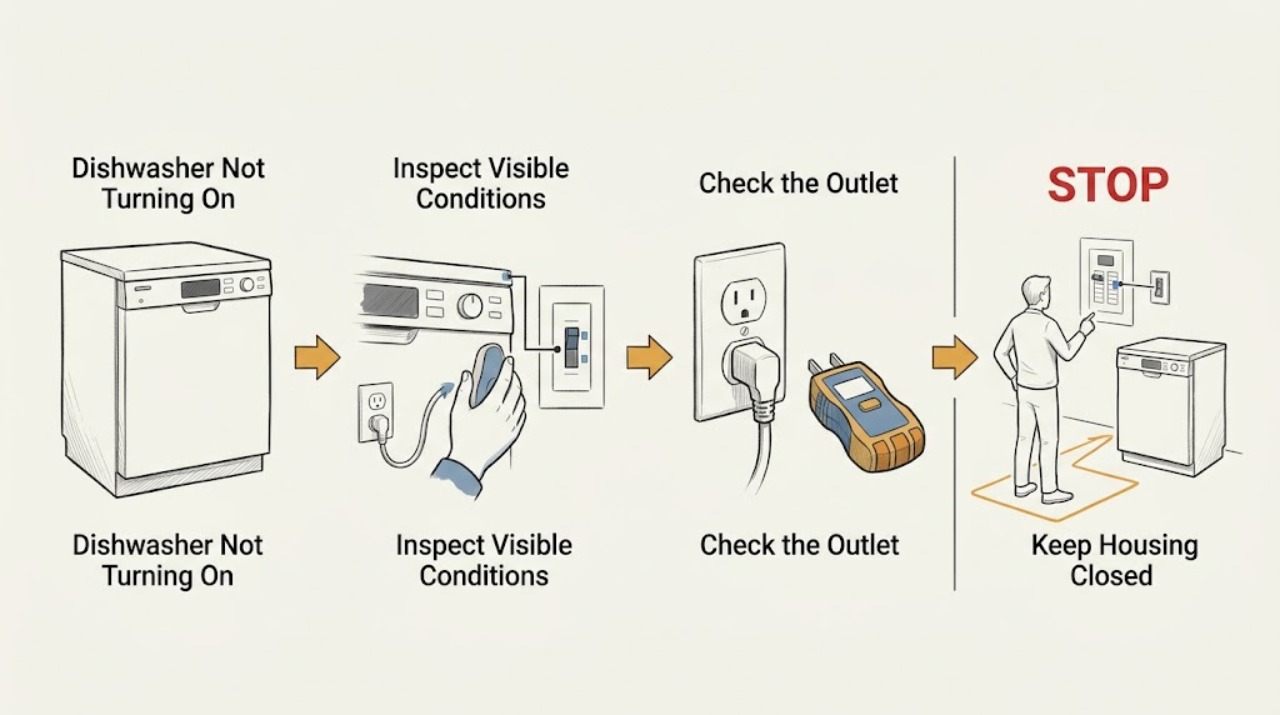
Miele Dishwasher Not Turning On: Distinguish a Dark Display From No Power
A dark Miele dishwasher display does not by itself prove total power loss. Check for any response, then inspect the plug, outlet, and breaker from a dry, safe position. If power is stable but the dishwasher remains dark, or a breaker trips again, do not open the control area; arrange qualified Miele or electrical service.
-
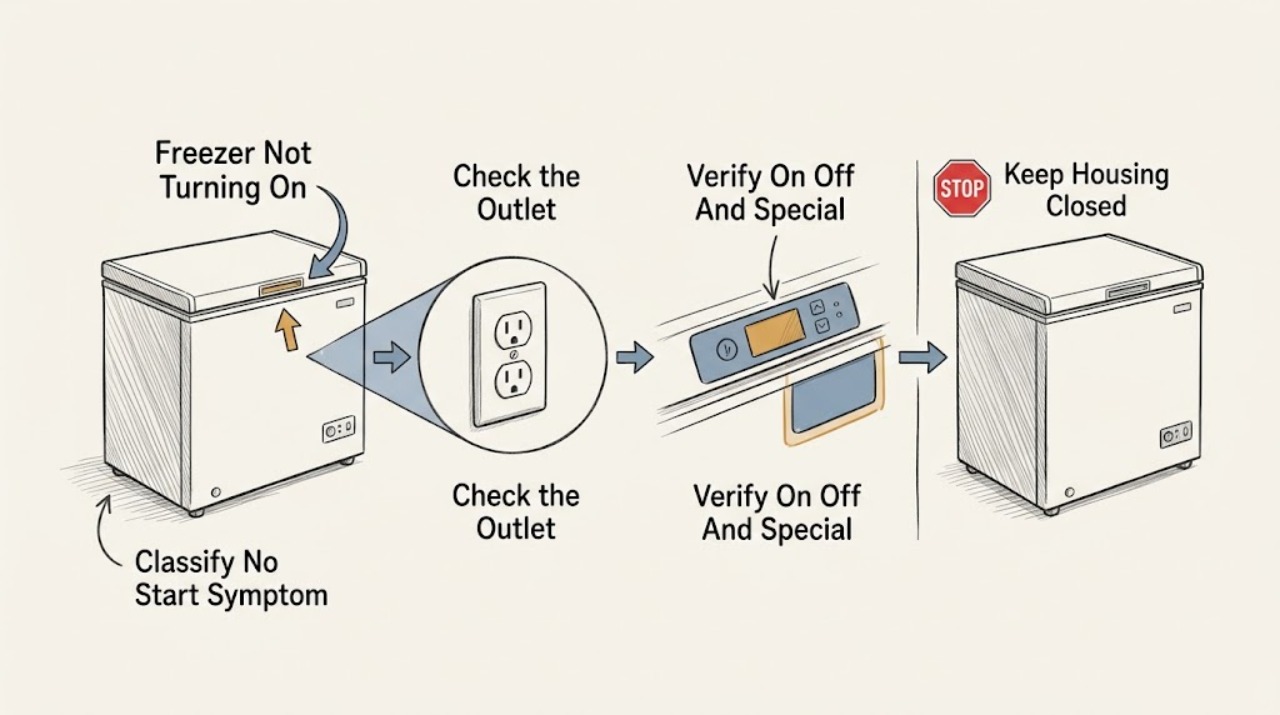
Miele Freezer Not Turning On
First check whether the Miele freezer is actually off, has lost power, or is running without cooling. Close the door, confirm the On/Off control and temperature setting from the exact model manual, and check the plug and household breaker only from a dry, safe position.
-
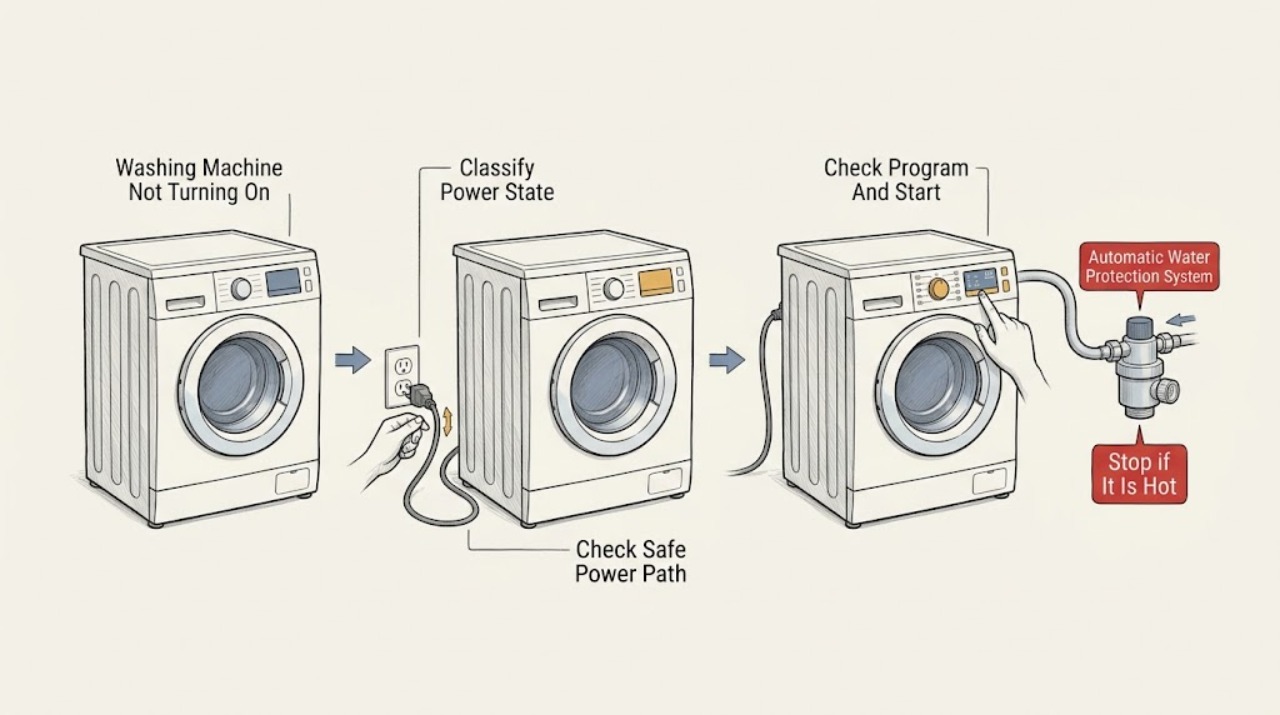
Miele Washing Machine Not Turning On: Separate Power, Lock, and Fault States
First separate a Miele washer with a completely dark display from one that has lights or a message but will not start. For a dark machine, check the On/Off control and whether the plug is connected, but do not touch a hot, wet, scorched, loose, or damaged connection; a tripped breaker needs safe electrical assessment, not repeated resets.
-
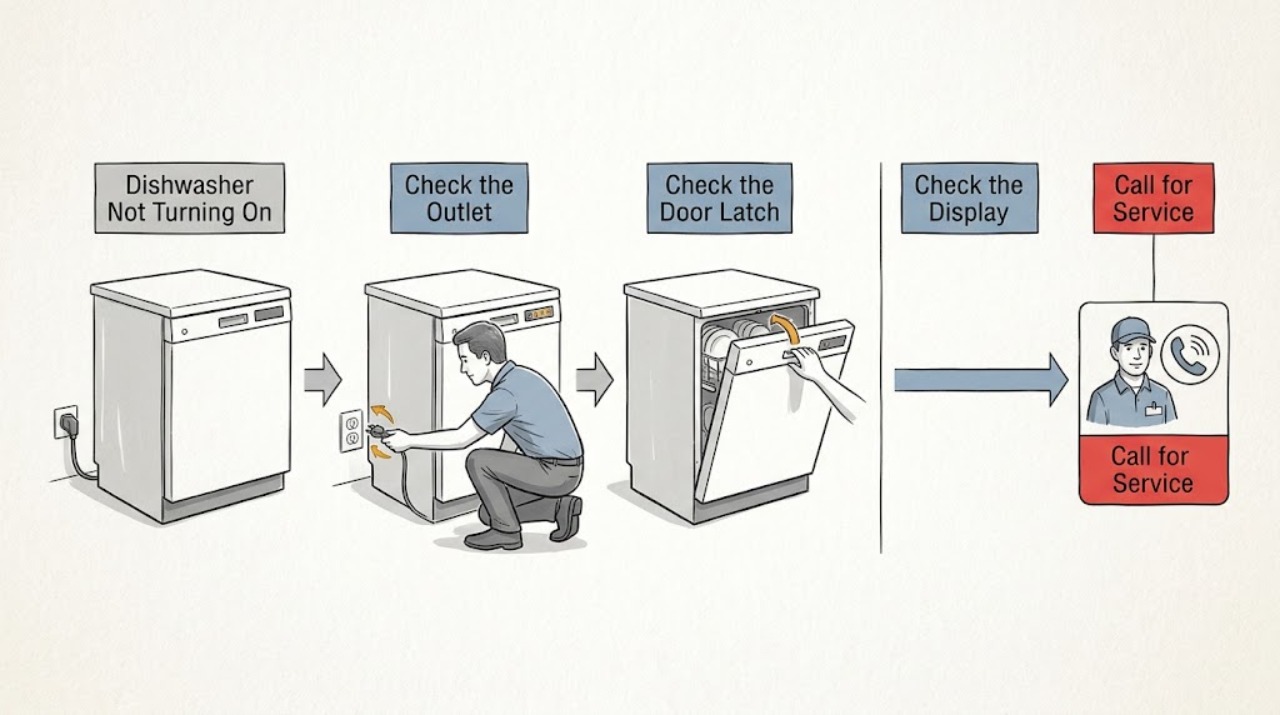
Monogram Dishwasher Not Turning On: Check Power, Latch, Lock, and Delay Settings
First decide whether the Monogram dishwasher is dark or has lights/sounds but will not start. Check the breaker and outlet only when the panel is dark; with power present, GE/Monogram support lists control lock, delay start, demo/sleep modes, door-latch obstruction, flood float, and leak protection as model-dependent causes. Use the exact owner manual and do not bypass the latch or open panels.
-
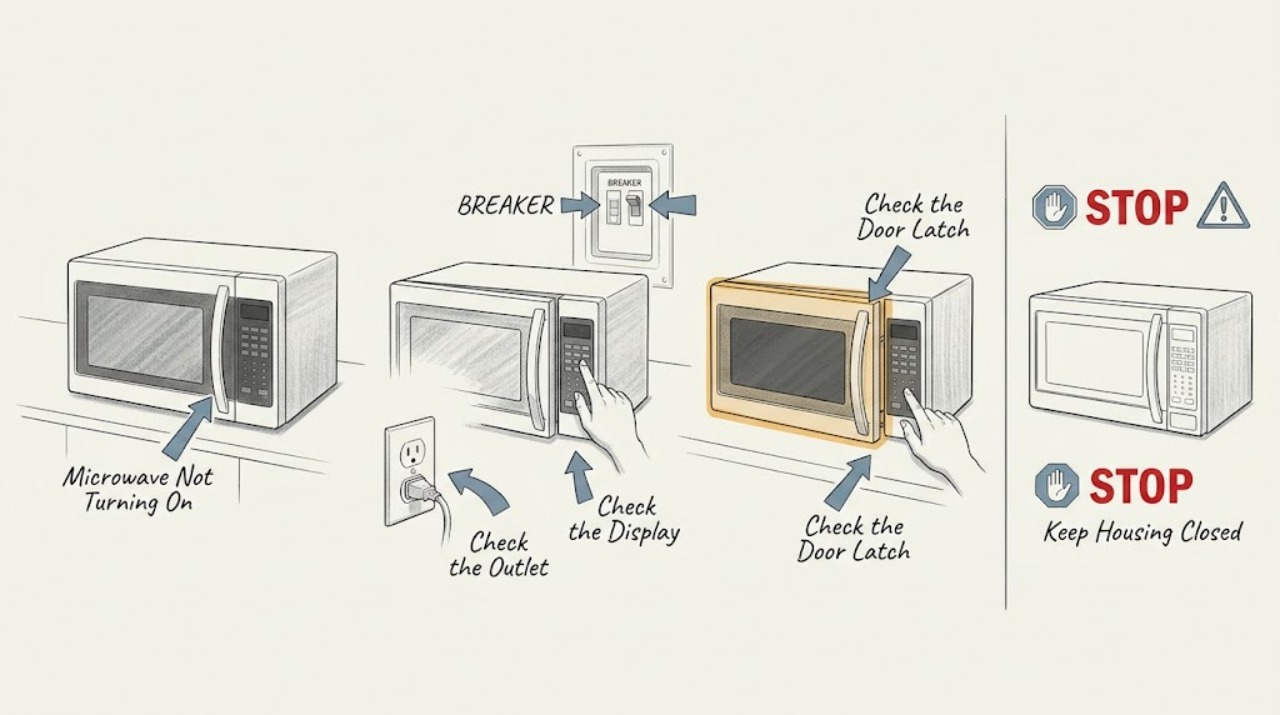
Monogram Microwave Not Turning On: Tell a Power Problem From a Door-Control Problem
Check the dedicated outlet and breaker, then distinguish a completely dark microwave from one with power that will not start. Monogram's guide says the door must close properly and the oven should not be used if it is damaged or operating abnormally. Do not bypass door interlocks or open the control area; persistent no-start symptoms need service.
-
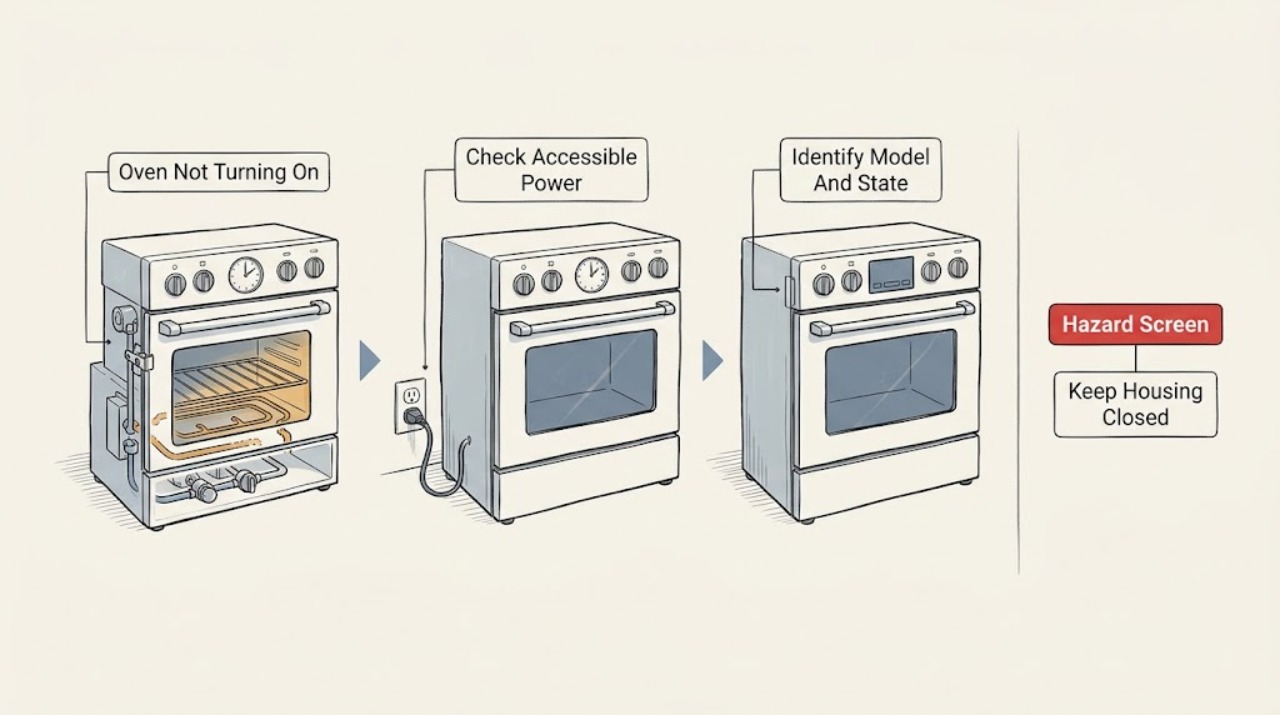
Monogram Oven Not Turning On: Separate No Power From a No-Start Control State
A Monogram oven that will not turn on can have a blank display and no power, or it can have a lit display but reject the cooking command. First screen for gas odor, smoke, burning smell, abnormal flame, uncontrolled heat, sparks, a hot outlet, water near electricity, or a repeated breaker trip.
-
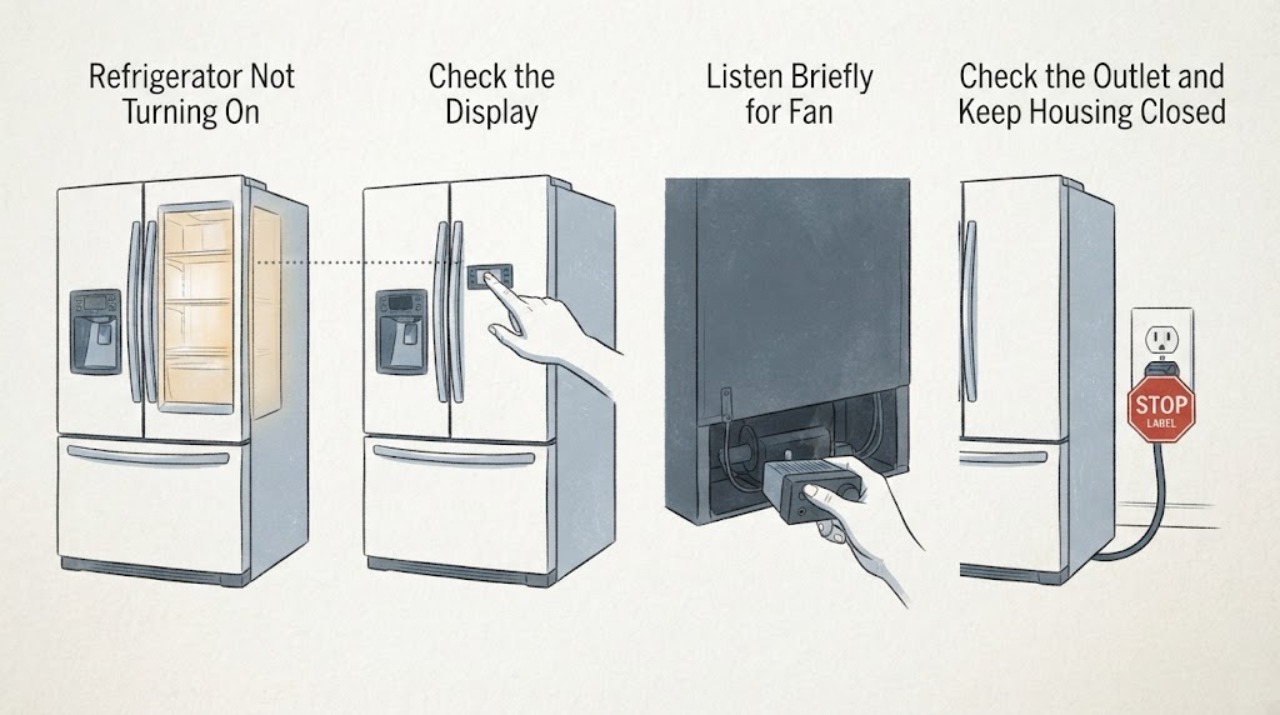
Monogram Refrigerator Not Turning On: Check for a Dark Display Versus Lost Power
“Not turning on” first requires a power classification. Wake the display, check the interior light and cooling sound, then check the plug, outlet, and breaker from a dry safe position. A dark display with a working light is not the same as a completely dark refrigerator. If a live outlet still produces no response, arrange Monogram service.
-
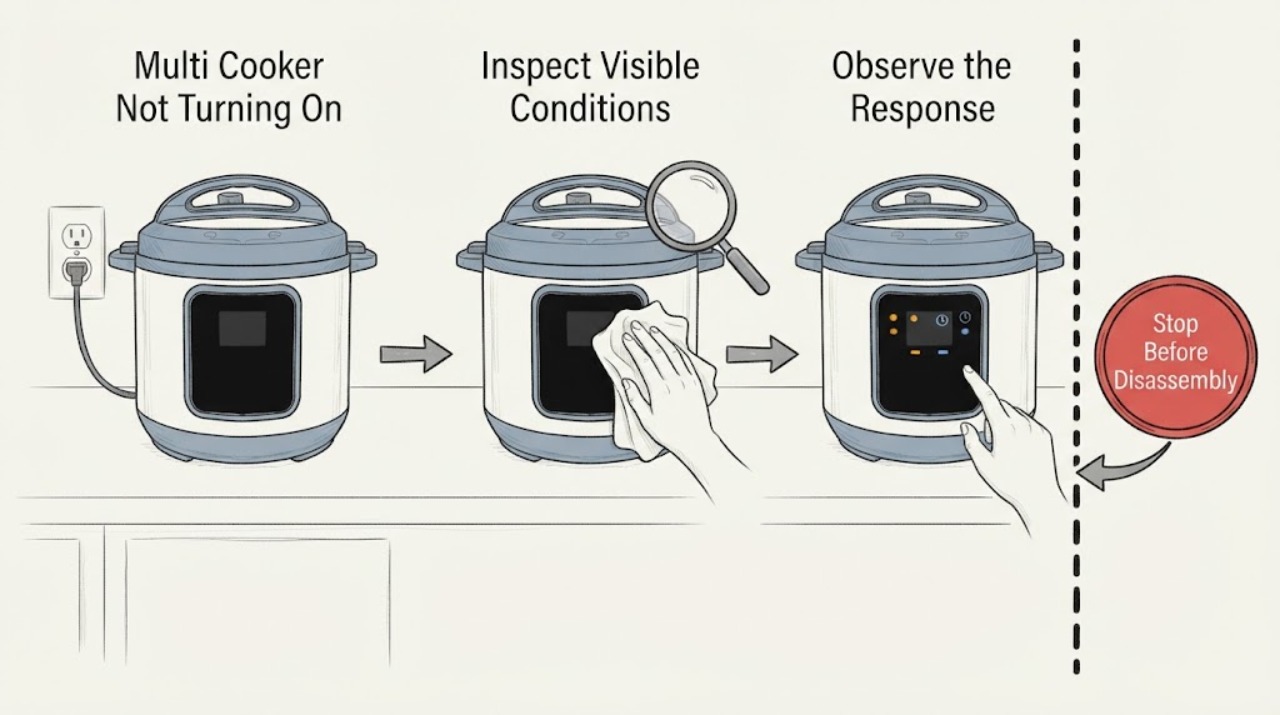
Multi Cooker Not Turning On
For a multi cooker that will not turn on, check the grounded outlet, the detachable cord at both ends, and the cool, dry control panel. If the panel became wet, unplug the cooker and let the base dry fully according to the manufacturer’s guidance before a single retest. Persistent no-display behavior, liquid in the base, or a damaged cord calls for service.
-
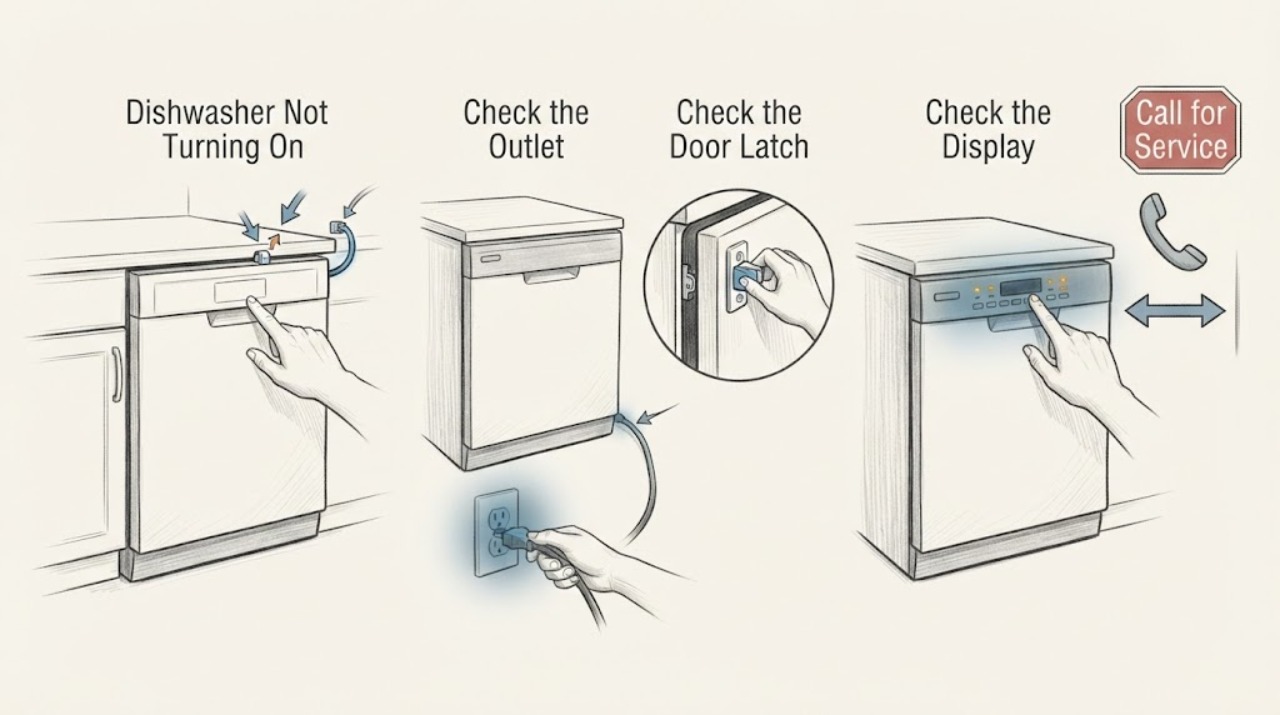
Neff Dishwasher Not Turning On: Check Power, Door, and Water Supply
Separate a Neff dishwasher with no lights from one whose display lights but will not start. For a dark appliance, check the plug, outlet, and household protection safely. For a lit appliance, check that the door latches and that the water inlet is not blocked or kinked according to the model manual. If these checks do not restore operation, arrange Neff service.