
Repair problem
Not Turning On Troubleshooting Guides – Page 3
Published FixGraph guidance for diagnosing and responding to not turning on.
Matching published guides
Choose a guide that matches the service, equipment, and conditions you are seeing.
-
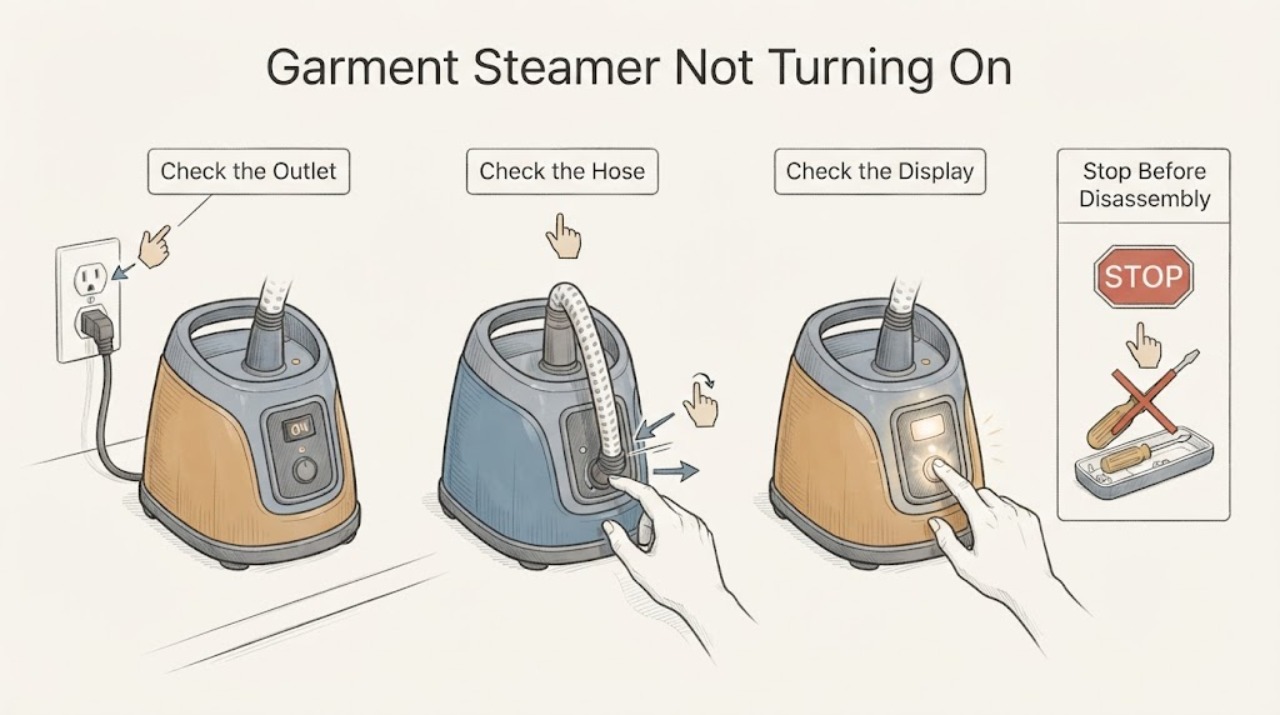
Garment Steamer Not Turning On: Safe Power and Heat Checks
For a garment steamer that will not turn on, verify the outlet and plug, then check the tank seating and whether the light is blinking in a heat-up or auto-shutoff state. A steamer that remains dead after a dry power check should be serviced; do not open a hot or powered housing.
-
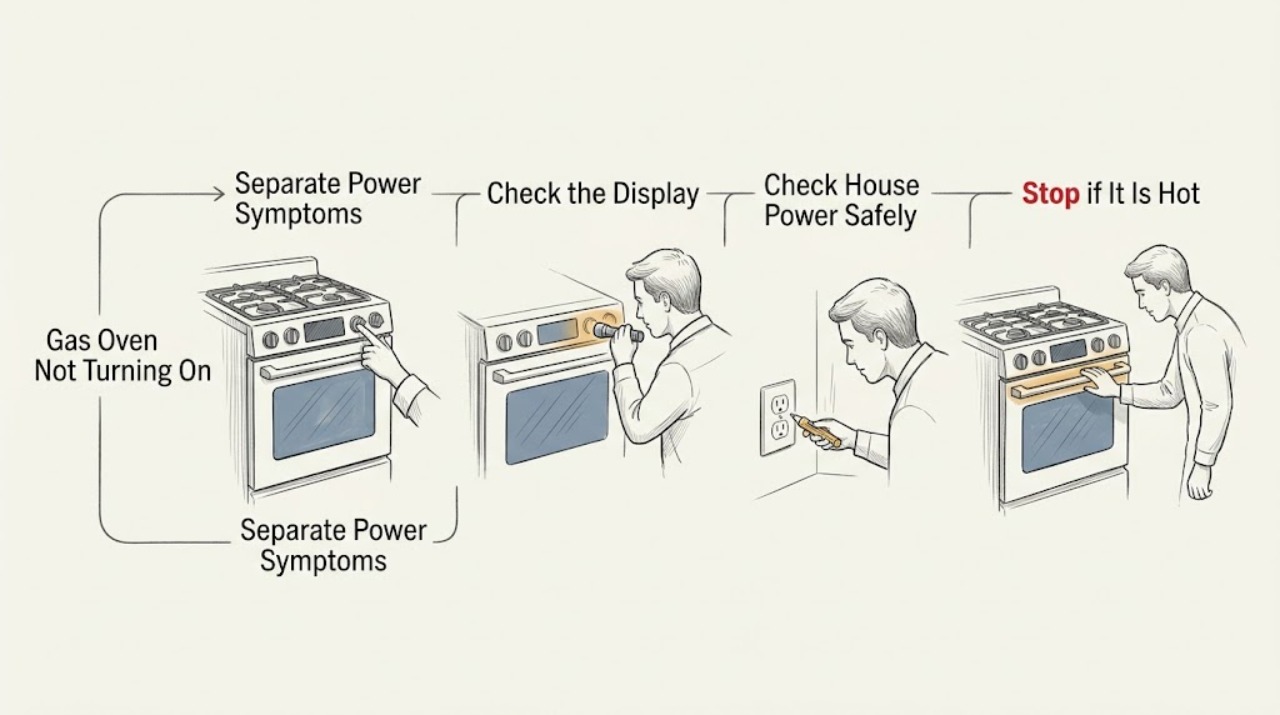
Gas Oven Not Turning On: Safe Checks Before Service
First separate a gas oven with no display or no electrical response from one that has power but will not start a cooking cycle. From a safe position, confirm the selected Bake or Broil mode, a closed door, the visible breaker or outlet condition, and the model's documented gas shutoff and control-lock state.
-
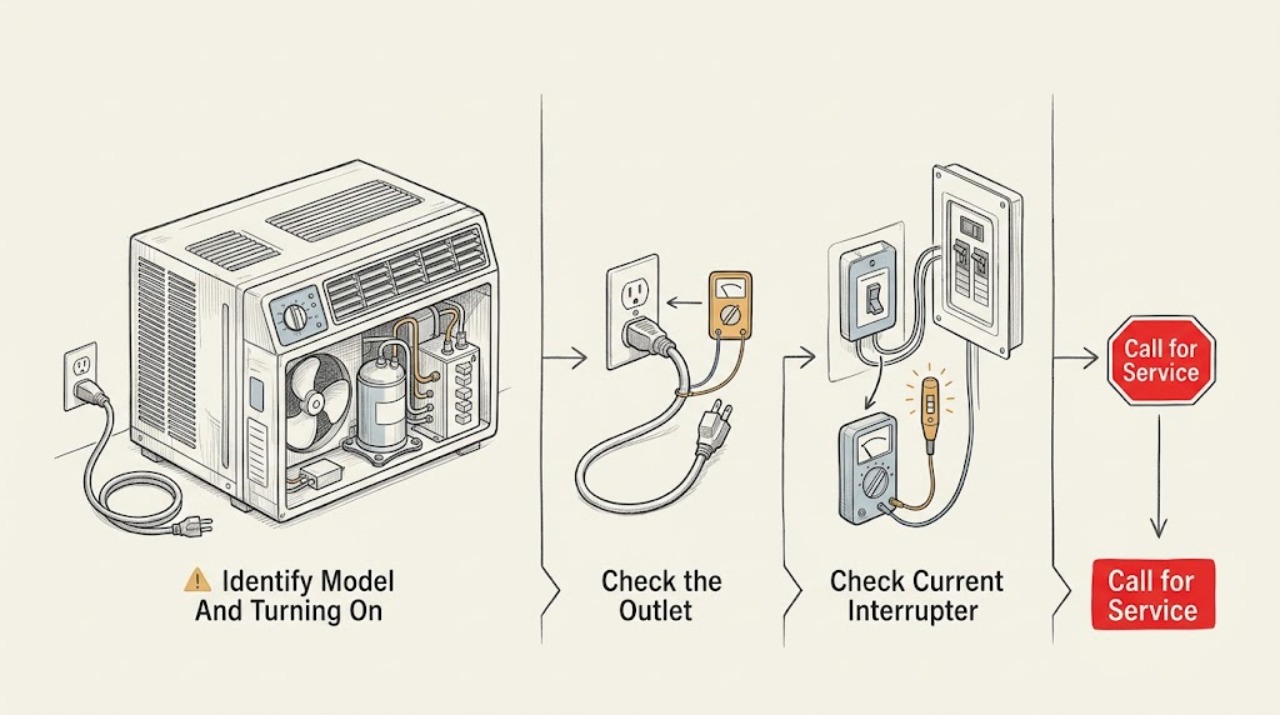
GE Air Conditioner Not Turning On
When a GE room air conditioner will not turn on, first identify whether it is a window, built-in, portable, or smart model and whether the display, fan, or any indicator has power. GE's official no-running guidance starts with the plug, selector switch, thermostat setting, and a safely tested outlet; some GE cords have a Test/Reset current-interrupter device.
-
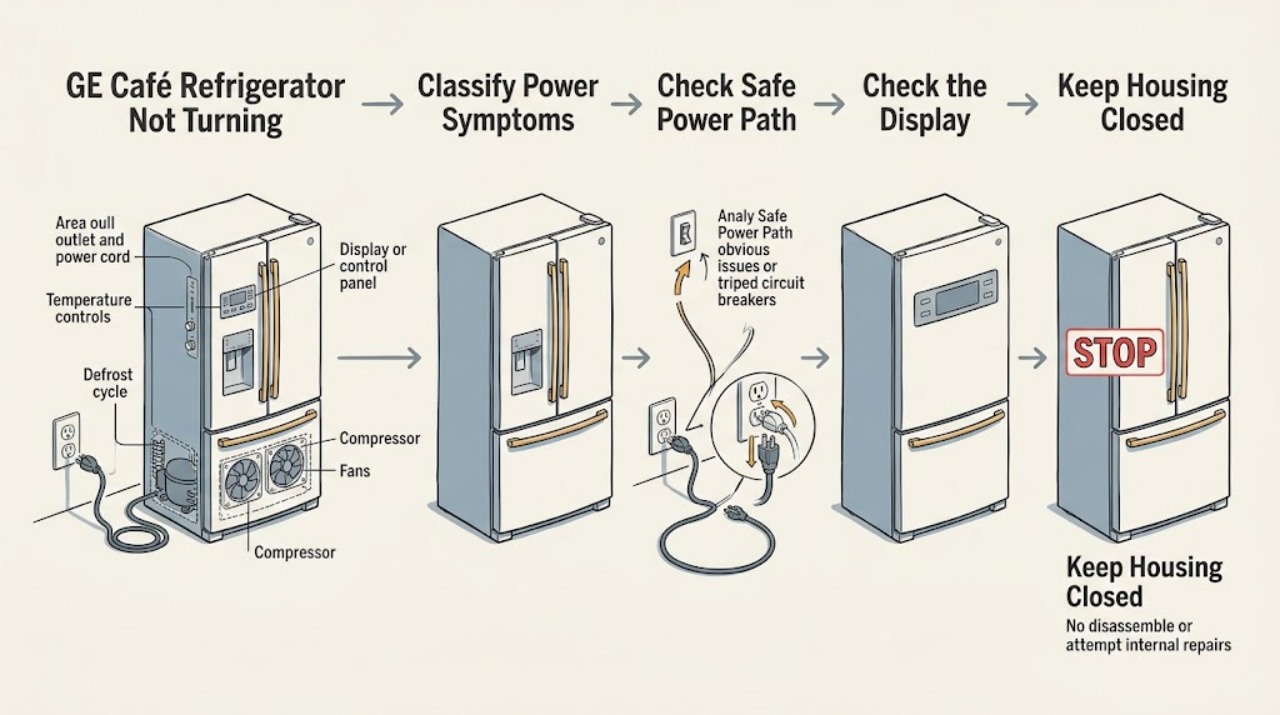
GE Café Refrigerator Not Turning On: Check Power, Controls, and Safe Service Boundaries
First separate a completely dead GE Café refrigerator from one that has lights or a display but is not cooling. If the interior light and display are both off, check from a dry, safe position that the plug is seated and that the outlet or breaker has not lost power; do not open the cabinet or test live wiring.
-
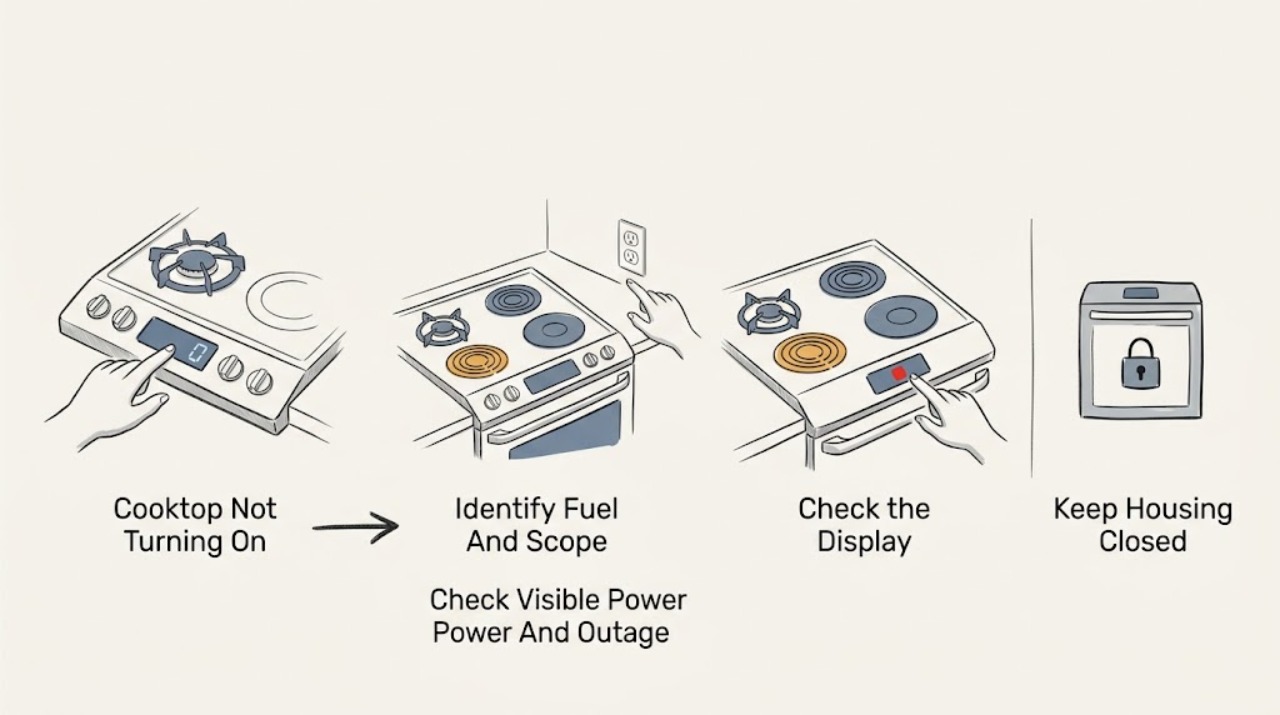
GE Cooktop Not Turning On: Safe Checks Before Service
A GE cooktop that will not turn on may have no household power, a recent outage, a control or lock state, a wet or misaligned gas burner, a failed igniter, a radiant coil or receptacle issue, or an internal control fault. First identify whether the cooktop is gas, electric, radiant, or induction and whether every zone is affected.
-
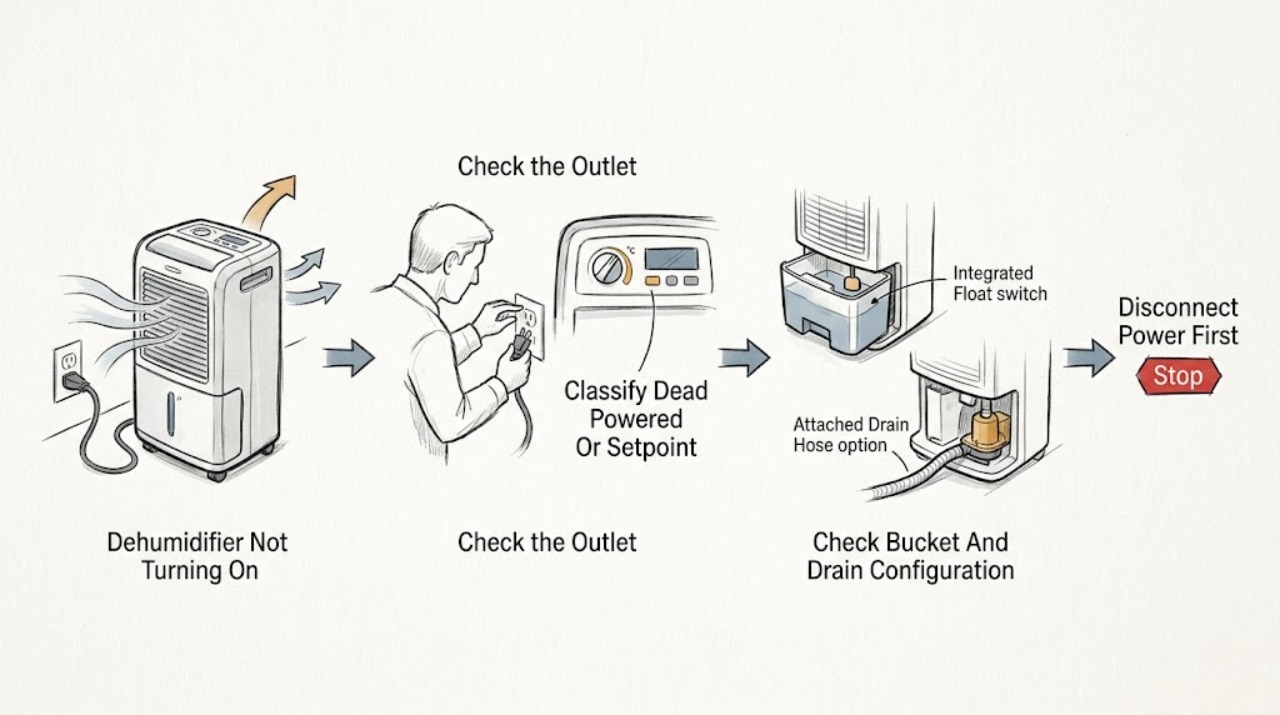
GE Dehumidifier Not Turning On: Check Power, Bucket Seating, Controls, and Humidity
First decide whether the GE dehumidifier is electrically dead, powered but waiting at its humidity setpoint, or stopped because the bucket is full, removed, or not seated. Check the plug and outlet, then confirm the bucket is fully and securely in place; GE says the bucket must be seated for the dehumidifier to operate.
-
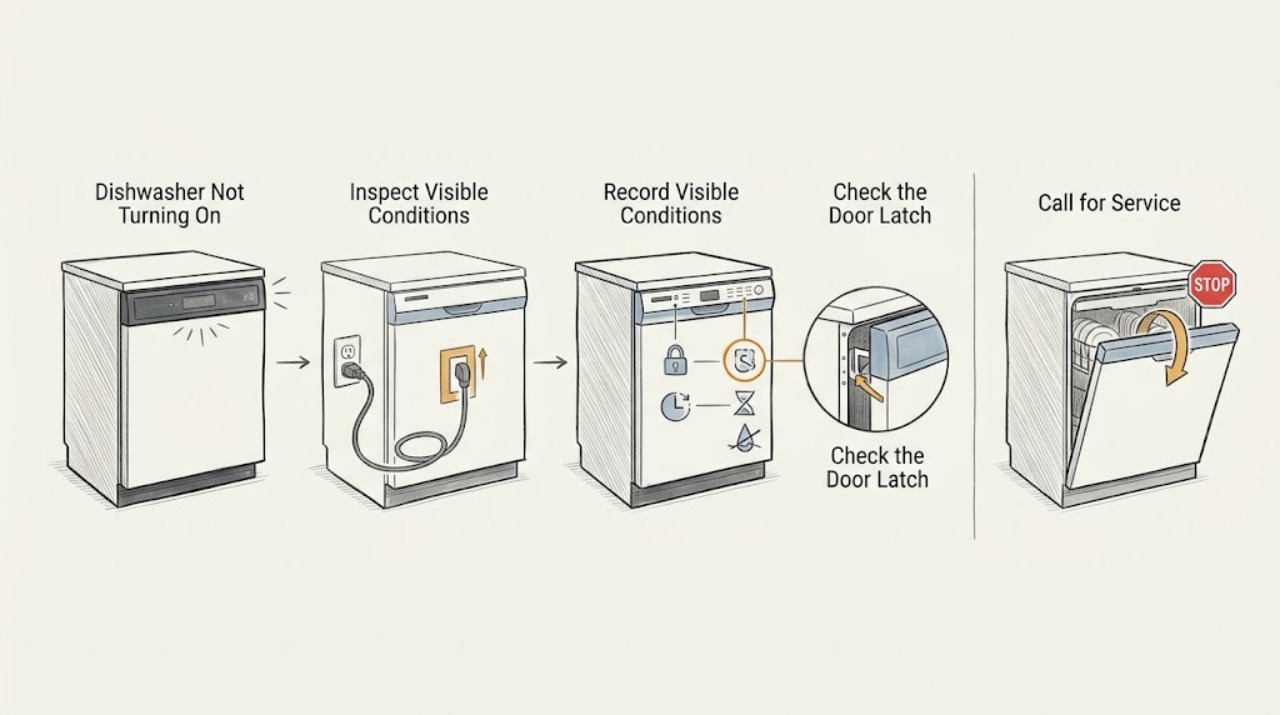
GE Dishwasher Not Turning On: Separate No Power from a No-Start Condition
First separate a GE dishwasher with no lights or sounds from one that has power but will not start. For a completely dark, non-responsive unit, close and latch the door, then check the dishwasher breaker or fuse, an accessible GFCI receptacle, an adjacent-cabinet power cord if the model uses one, and any wall switch that controls the appliance.
-
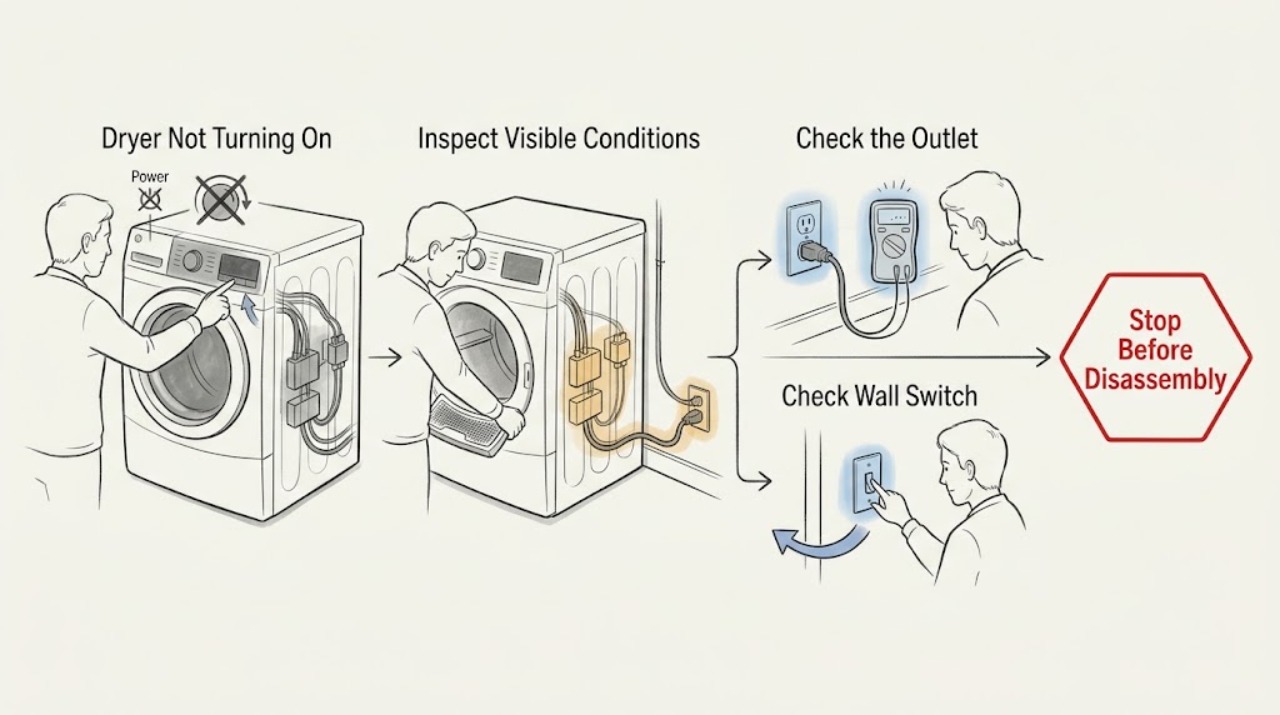
GE Dryer Not Turning On: Check the Door, Start Control, and Power
Start with the low-risk external checks: make sure the plug is fully seated, the door closes tightly, a valid cycle is selected, and the Start control is pressed completely. Check the dryer’s dedicated breaker or fuses and reset a partially tripped breaker once.
-
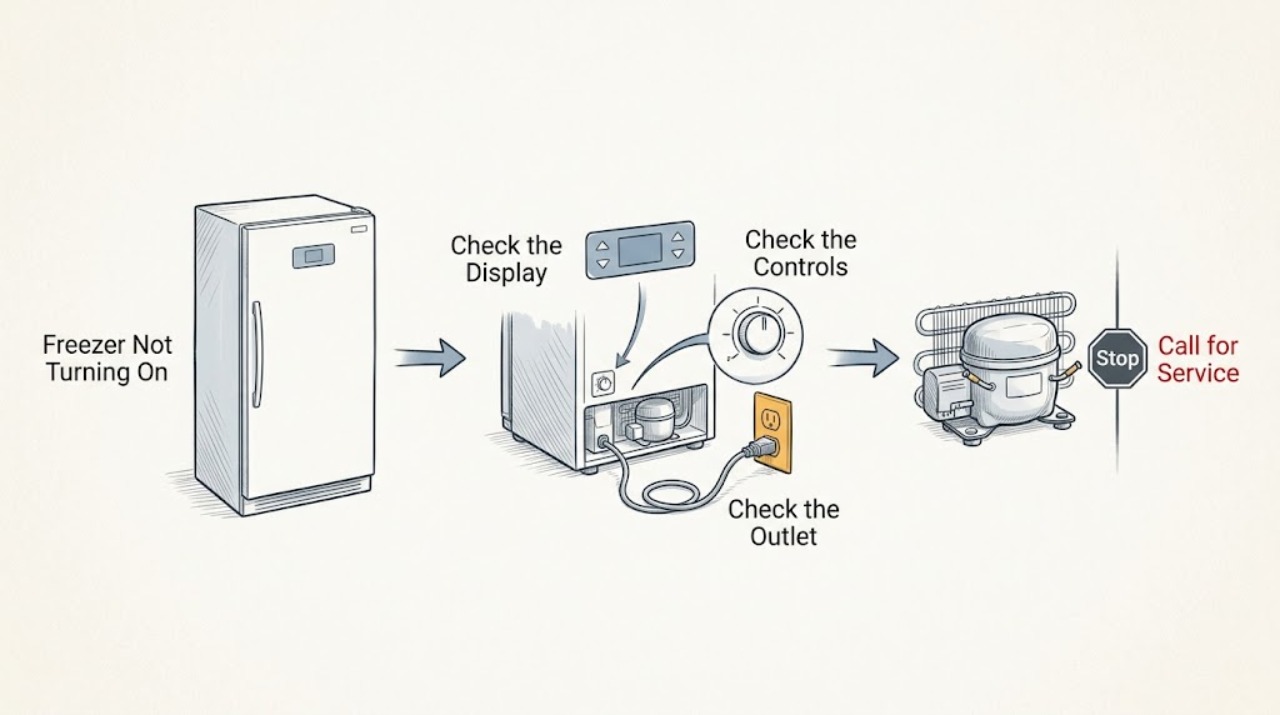
GE Freezer Not Turning On
If a GE freezer appears not to turn on, first check whether the outlet has power and whether the temperature control is set to a cooling position rather than Off. With the control set correctly, wait briefly for the compressor to start, then test the outlet with a small lamp or other low-risk appliance.
-
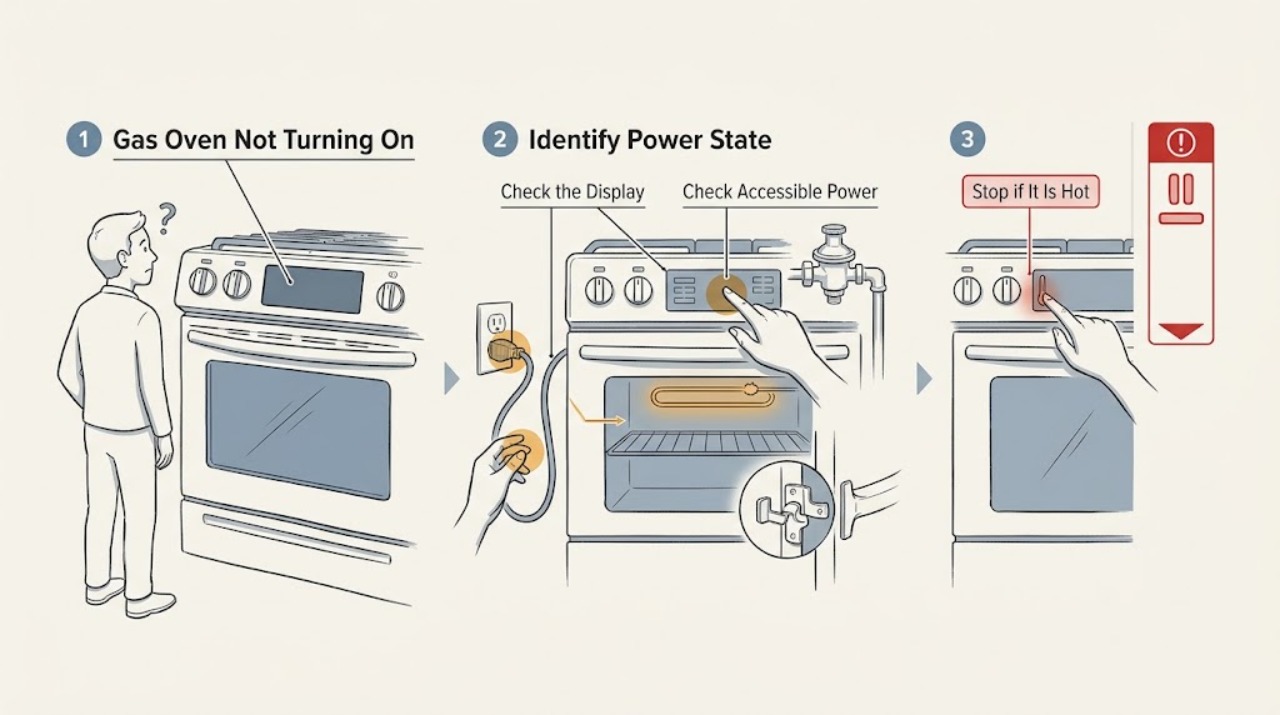
GE Gas Oven Not Turning On: Check Controls, Power, Gas, and Ignition Safely
First confirm that the gas oven is set to Bake or Broil and that the Start command was accepted, then check the accessible breaker or fuse, the fully seated range plug where applicable, the gas shutoff, and any self-clean latch or Sabbath-mode state described by the exact Owner's Manual.
-
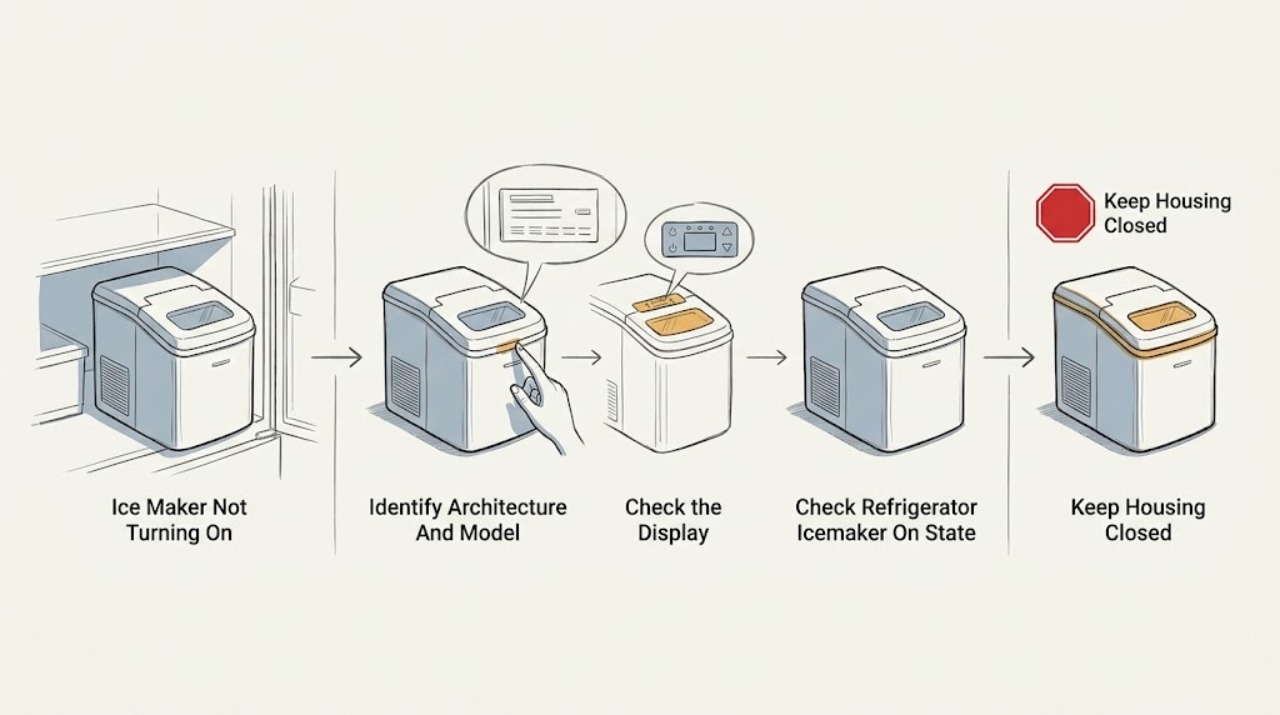
GE Ice Maker Not Turning On: Check the Right Configuration
First determine whether this is a GE icemaker installed in a refrigerator or a GE standalone ice maker; GE's standalone guidance explicitly says it does not apply to refrigerator icemakers. For a refrigerator icemaker, use the exact manual to identify the control-panel setting, toggle or slide switch, or wire feeler arm, then check that it is ON and that a full bin or clumped ice is not holding the paddle or arm in the stop position.
-
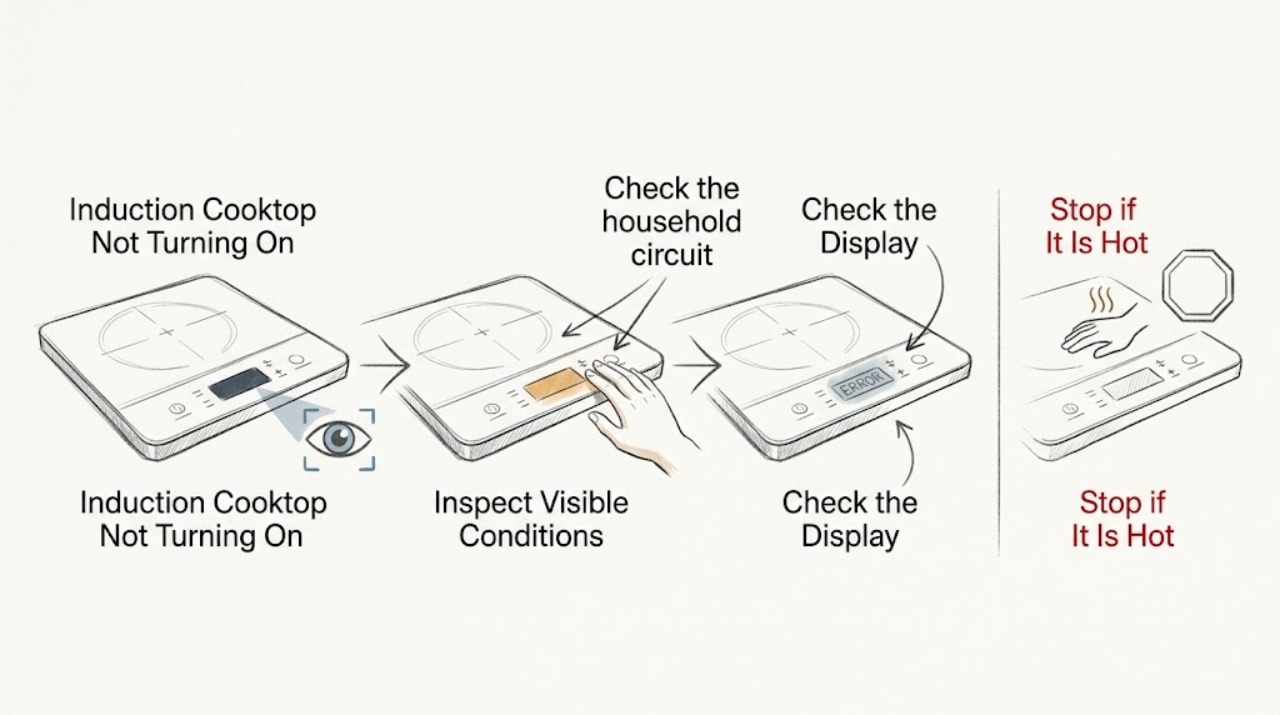
GE Induction Cooktop Not Turning On
First separate a completely dark GE induction cooktop from a cooktop whose display works but will not activate a burner. For no display, check the household circuit and the cooktop's power supply.
-
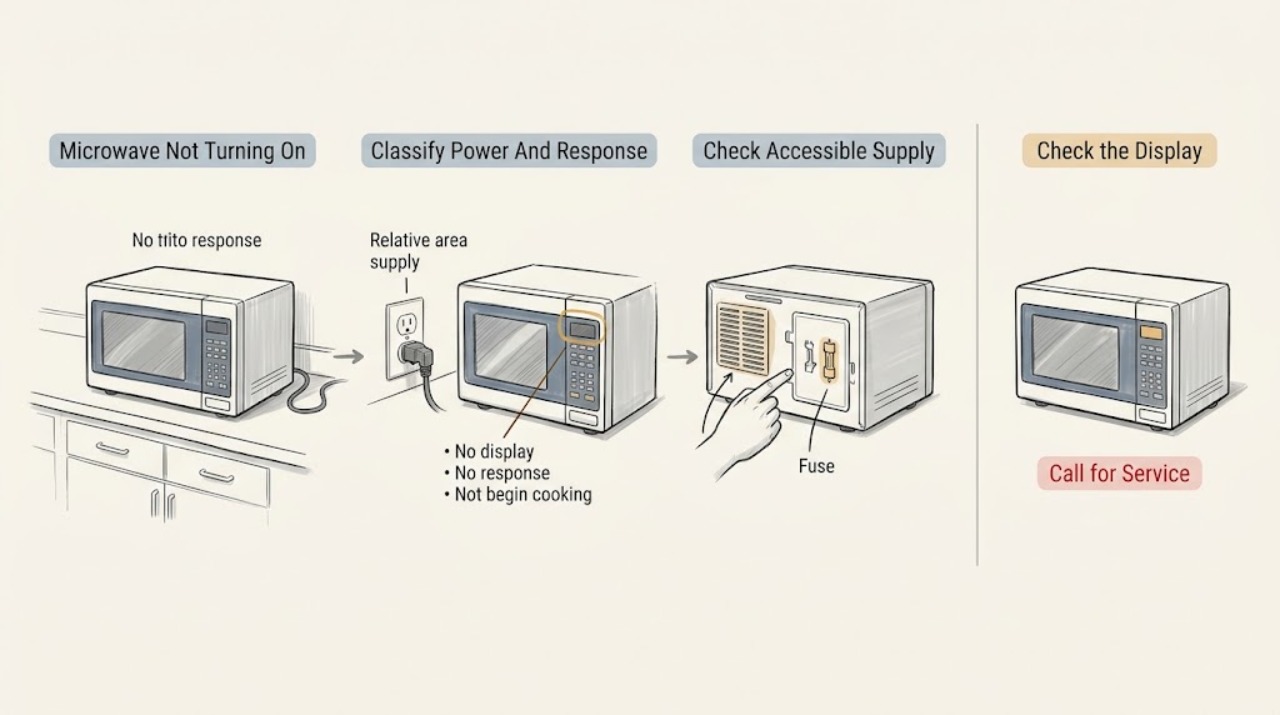
GE Microwave Not Turning On: Separate Power, Controls, Door, and Overheating
First decide whether the microwave is completely dark, has a display but ignores buttons, or responds but does not begin when Start is pressed. For a dark unit, check the dry, accessible breaker, fuse, outlet, or wall switch once; GE says a microwave that shut down can also have overheated if vents were blocked, so clear external airflow and allow about 30 minutes to cool.
-
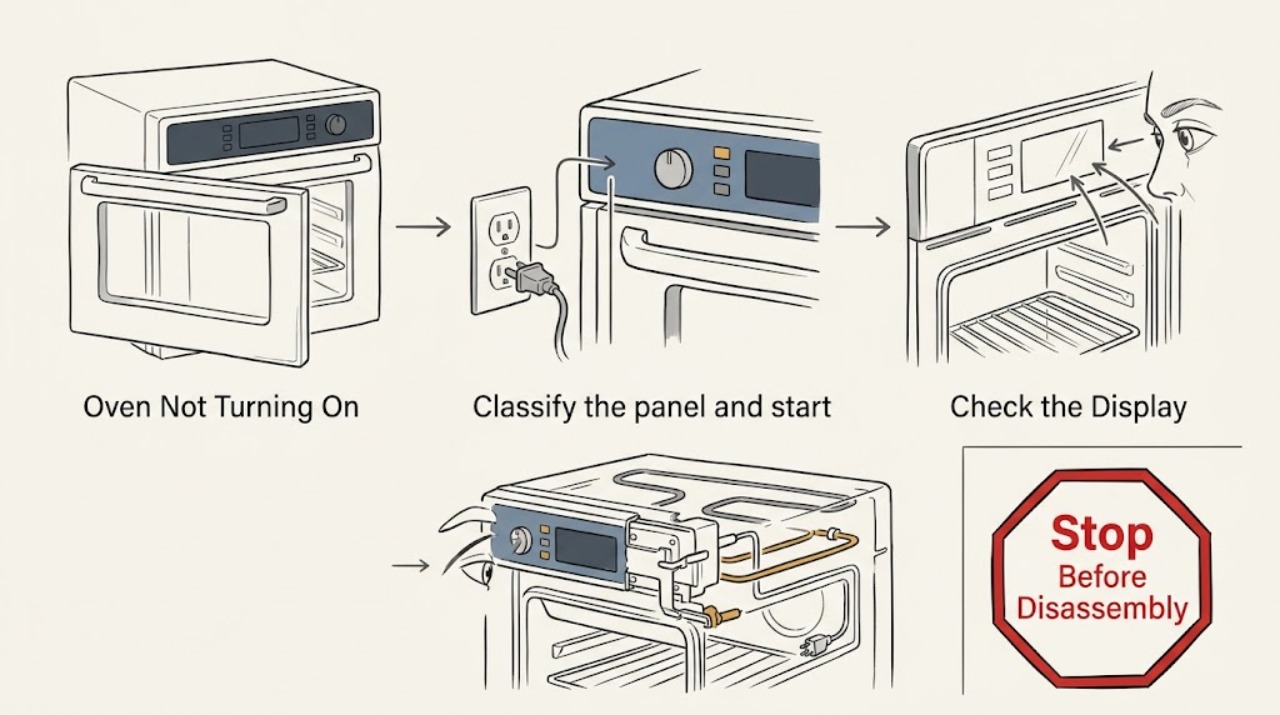
Ge Oven Not Turning On
First separate a GE oven with a blank control panel from one that has power but will not start a cooking cycle. For a blank panel, check the plug and all relevant breakers or fuses from a dry, safe position.
-
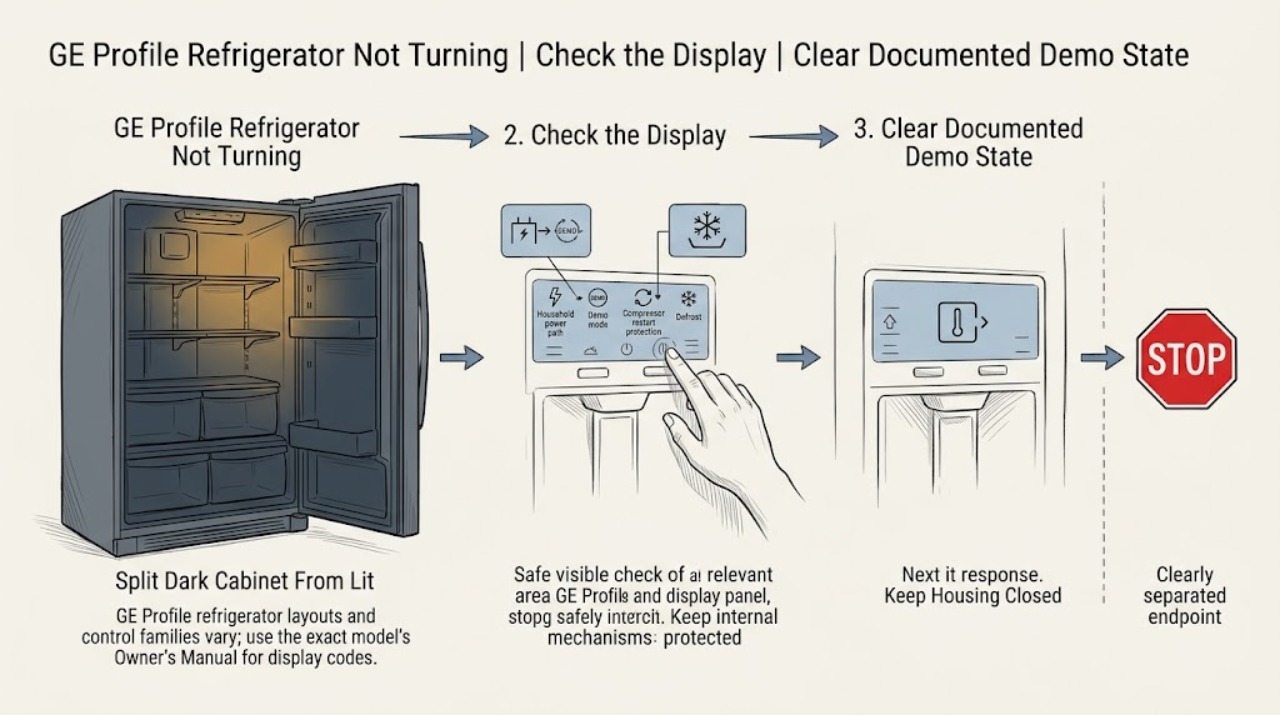
GE Profile Refrigerator Not Turning On: Check Demo, Power, and Restart States
On a GE Profile refrigerator, “not turning on” can mean a dark cabinet, a lit display with no cooling, a dispenser panel that ignores input, or a temporary quiet period. Begin by recording the model, every display character, and whether the interior light works.
-
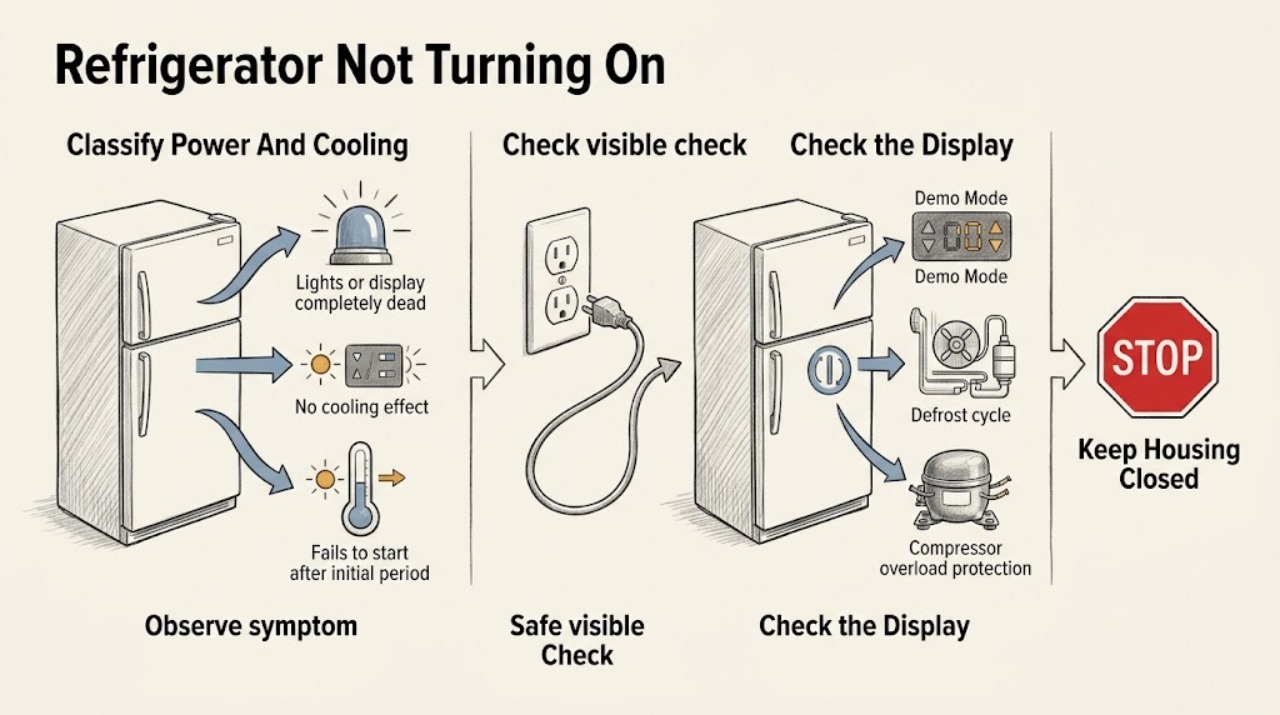
GE Refrigerator Not Turning On: Check Power, Mode, and Defrost State
First separate “no power” from “no cooling.” If the fresh-food light and display are both dark, check that the plug is secure and the outlet has power, then check the household breaker or fuse without opening electrical covers.
-
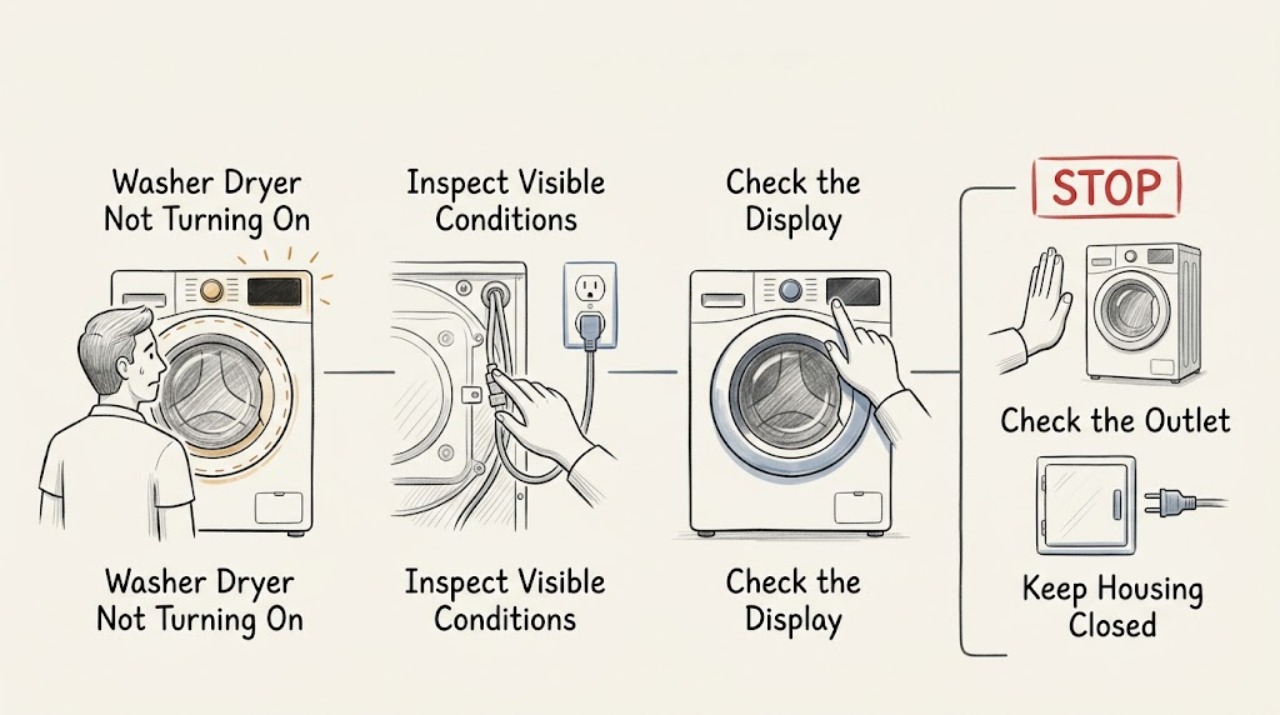
GE Washer Dryer Not Turning On
First determine whether the GE washer dryer has no power at all or has power but will not start a cycle. Check the single power cord, the dedicated grounded outlet, the household breaker, and any control or display lights.
-
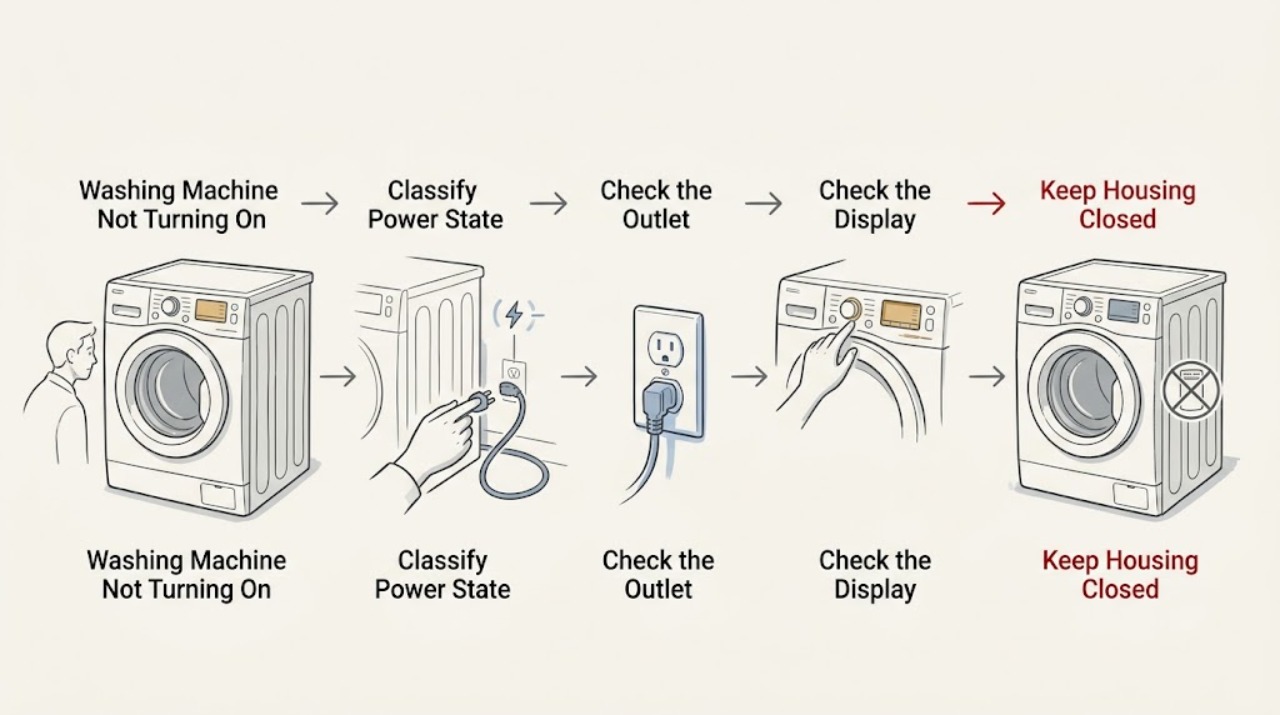
GE Washing Machine Not Turning On: Check Power, Controls, and the Lid or Door
When a GE washing machine will not turn on, first decide whether the washer has no display or response at all, or has power but will not start a cycle. From a dry, stable position, check the dedicated outlet with a small lamp, inspect the breaker without repeatedly resetting it, and make sure the washer's controls are set and the Control Lock is not preventing inputs.
-
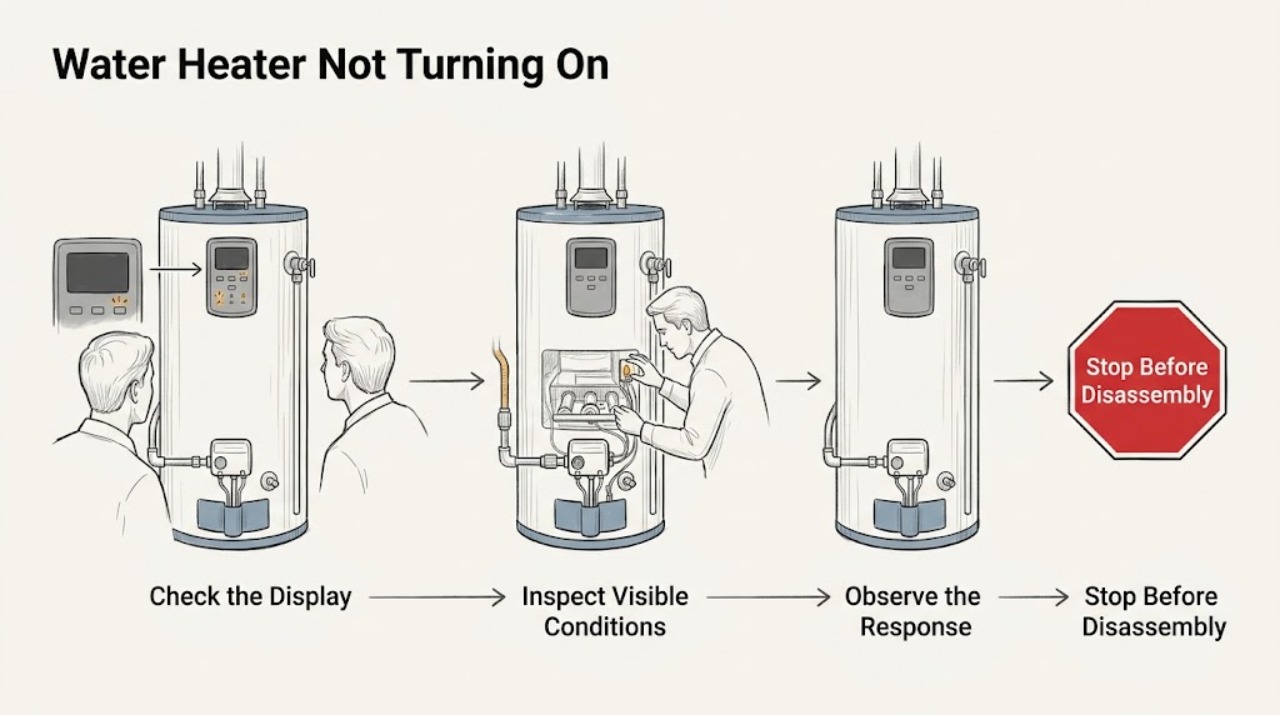
GE Water Heater Not Turning On
First identify the GE water-heater architecture from the rating label or exact Owner's Manual: standard electric tank, GeoSpring hybrid heat pump, electric tankless, or gas tank. A gas tank may not have the same electrical controls as an electric or hybrid unit, while tankless and hybrid models have model-specific displays, protections, and start-up behavior.
-
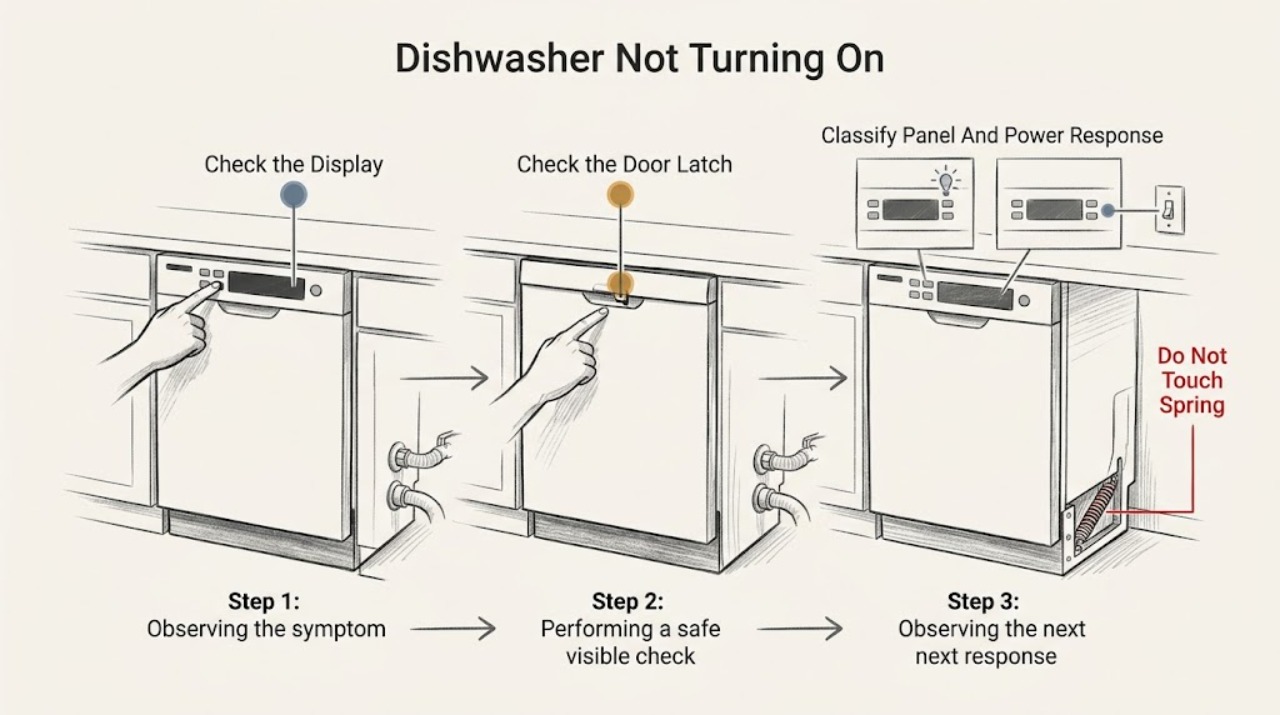
Haier Dishwasher Not Turning On
When a Haier dishwasher will not turn on, first decide whether the whole appliance is dark or whether the panel lights but Start does nothing. With dry hands, check the accessible plug or wall switch and the dishwasher breaker or fuse once; do not remove panels or test a hardwired supply.
-
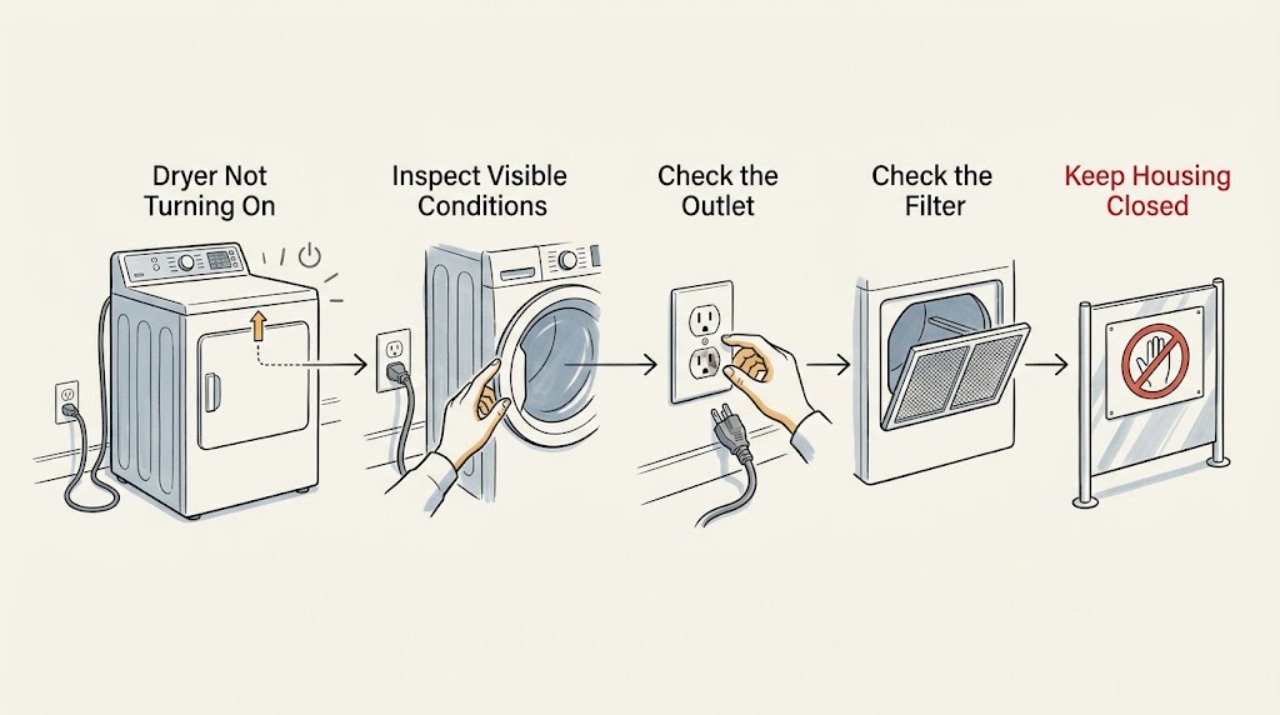
Haier Dryer Not Turning On: Check Power, Door Closure, and Cycle Controls
When a Haier dryer will not turn on, first separate a completely dark control panel from a dryer that powers up but will not start. Check the wall outlet and household protection device safely, make sure the door is fully closed, clear any load that prevents closure, and check whether Pause, Delay, Key Lock, or a displayed warning is holding the cycle.
-
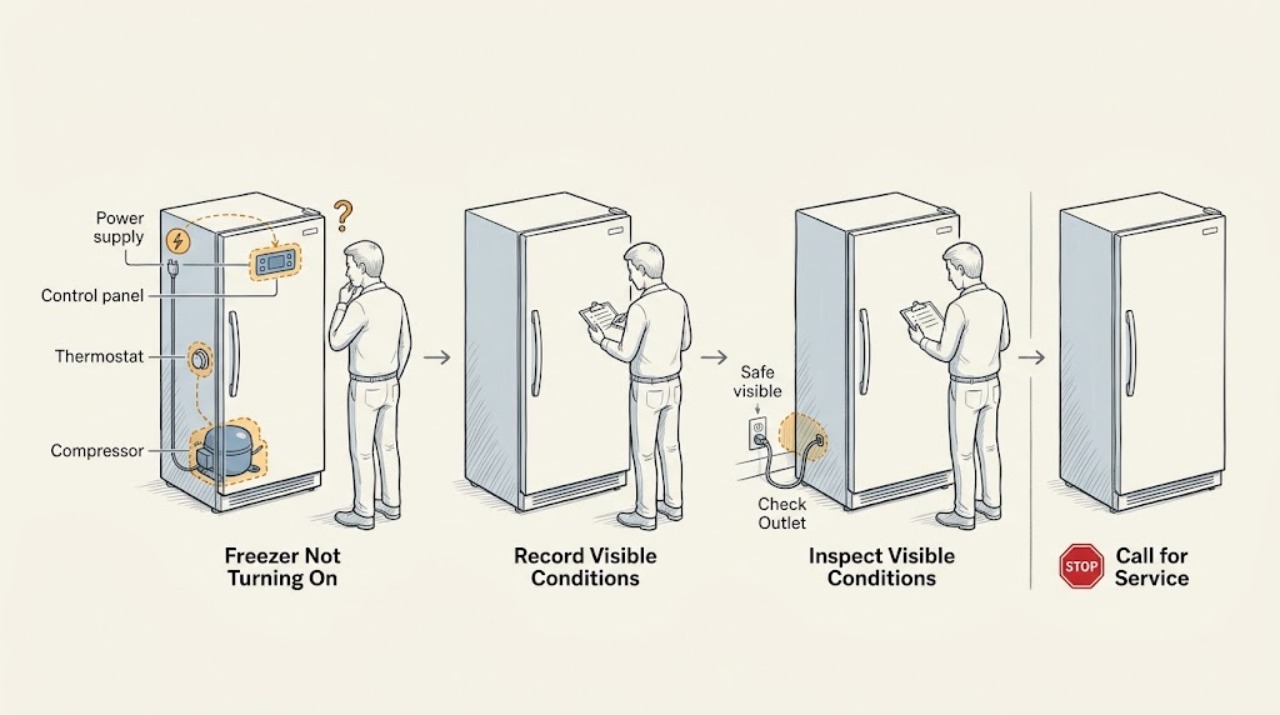
Haier Freezer Not Turning On
If a Haier freezer is not turning on, first determine whether the cabinet is completely dead or only the compressor is temporarily quiet. Check the plug, outlet, breaker, temperature control, and any power or run light without opening the cabinet.
-
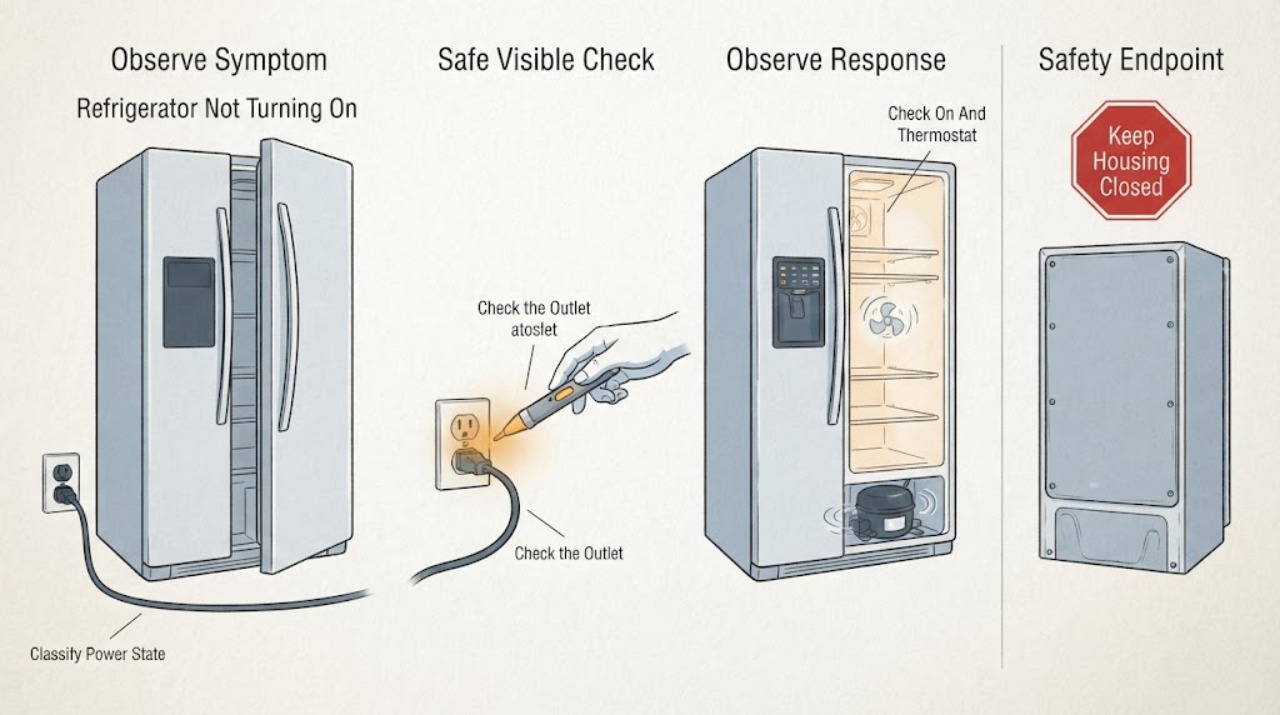
Haier Refrigerator Not Turning On: Separate No Power from a Cooling or Control Problem
First separate a completely dead refrigerator from one that has lights or a display but is not cooling, and from a single compartment or control that is disabled. For a completely dead unit, Haier's official guidance is to verify that the refrigerator is plugged into a working outlet, check power at the wall outlet, and confirm that the unit is turned on with the thermostat set to a cold setting.
-
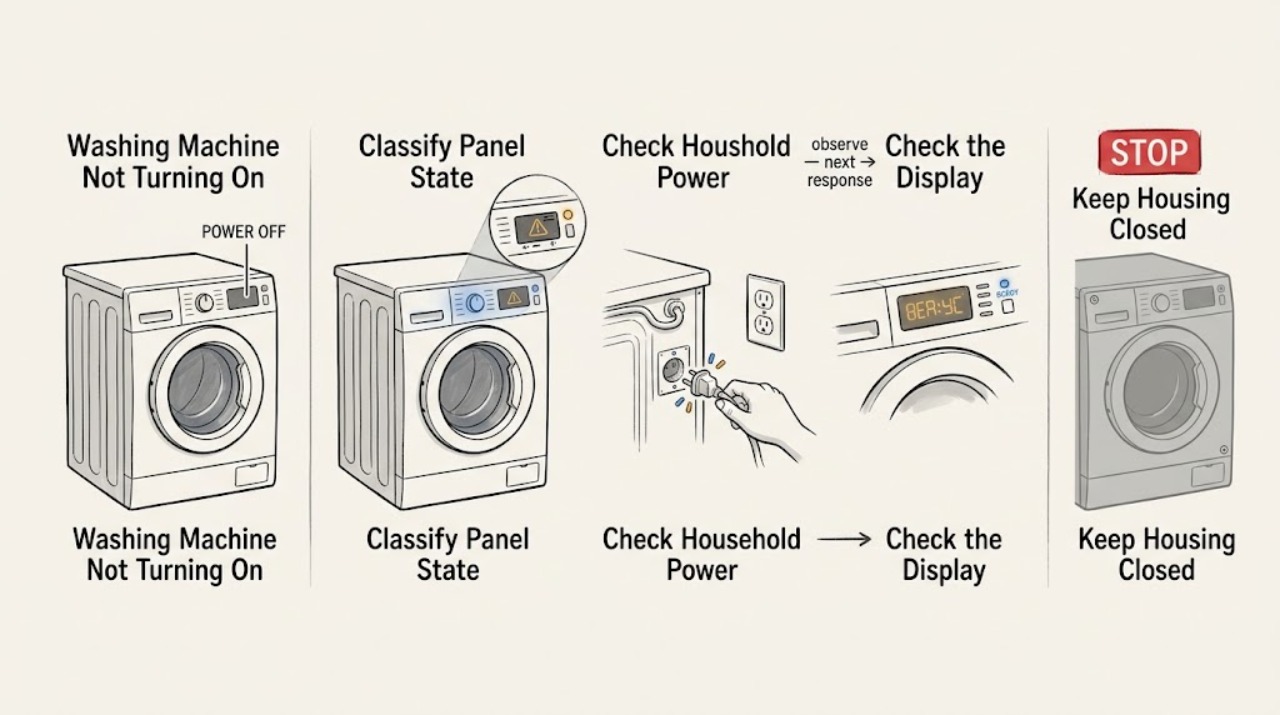
Haier Washing Machine Not Turning On
If a Haier washing machine will not turn on, first separate a completely blank panel from a machine that powers on but will not start. From a dry, safe position, check for a home power outage, a tripped outlet breaker, a loose plug, and a damaged cord; then confirm the power control is pressed as the model requires.
-
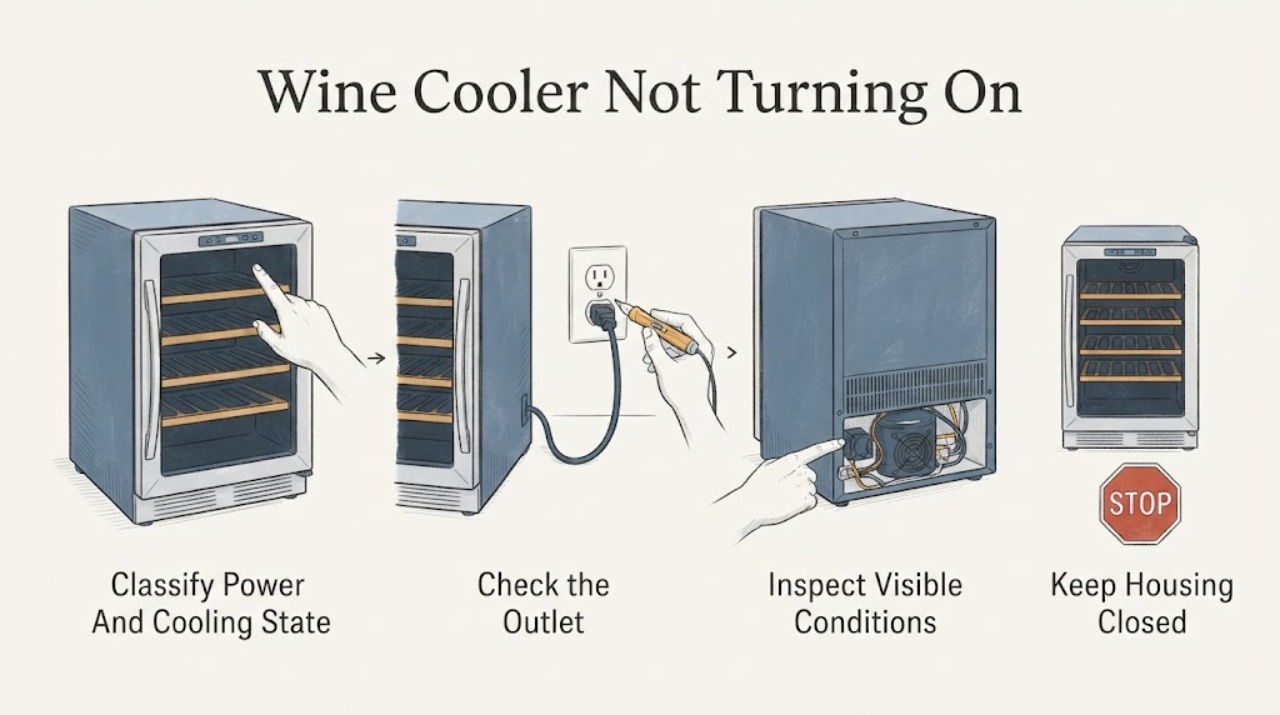
Haier Wine Cooler Not Turning On: Separate a Power Problem from a Cooling or Control Fault
First decide whether the wine cooler is completely without power or has a display or interior light but is not cooling. Check the plug and household outlet from a dry, safe position, and check whether the unit's display or interior light responds to a normal door opening or control press.
-
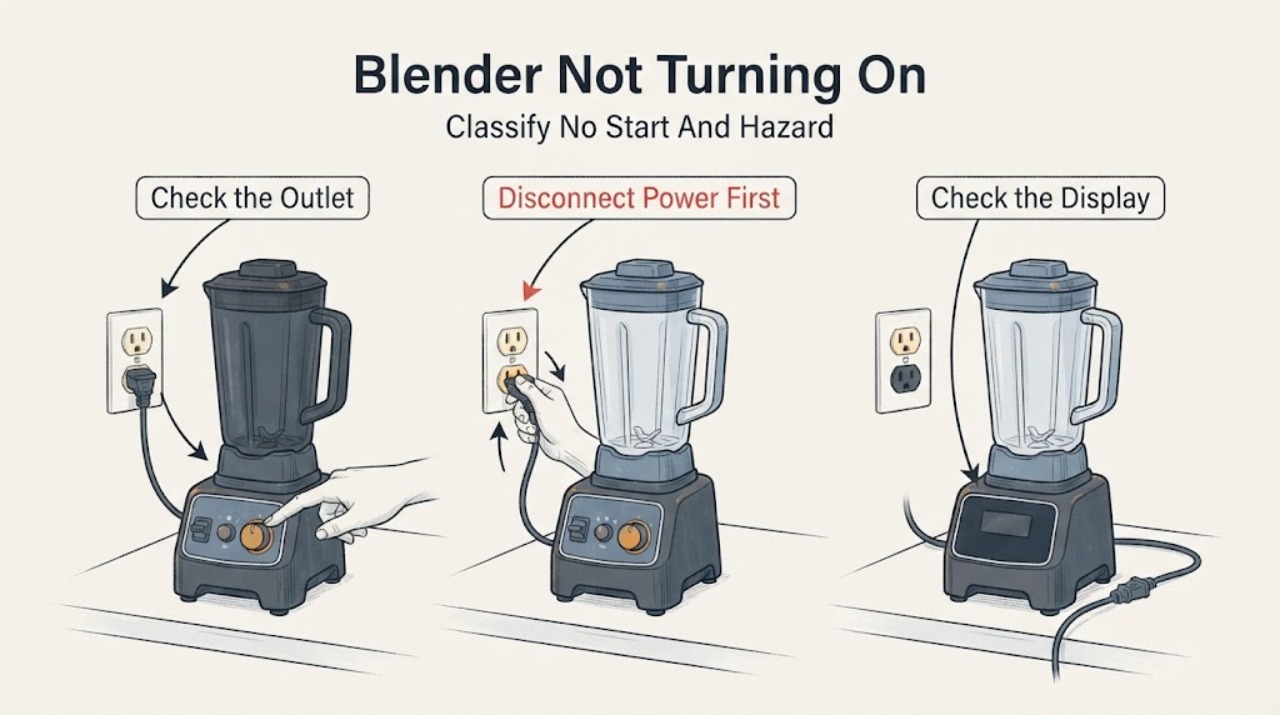
Hamilton Beach Blender Not Turning On: Check Power, Controls, and Overload Protection
Unplug the blender before handling the jar, blades, or base. First check the plug, grounded outlet, and any user-accessible power switch; Hamilton Beach manuals say a blender that fails to start should be checked for a secure plug, a tripped outlet breaker or fuse, and an OFF power switch.
-
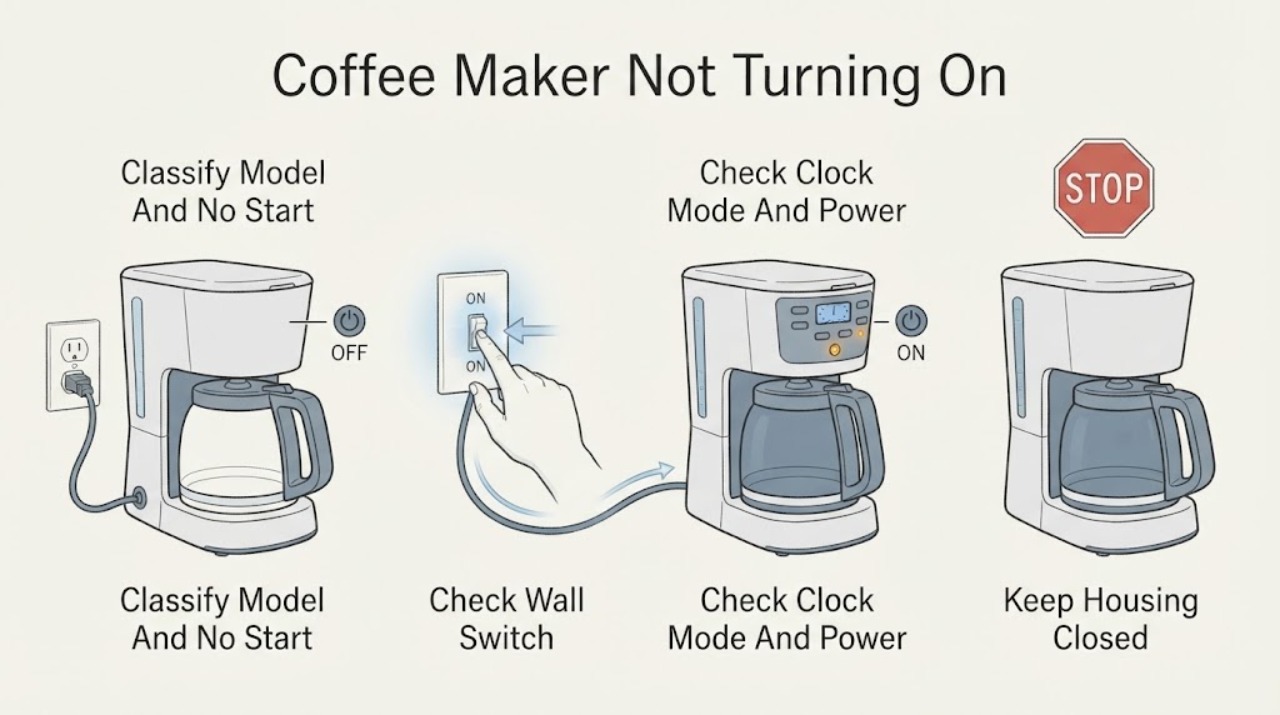
Hamilton Beach Coffee Maker Not Turning On
If a Hamilton Beach coffee maker will not turn on, first identify the type and symptom: automatic drip models may show a blank display or no brew, while FlexBrew, The Scoop, BrewStation, and other models use different buttons, lights, reservoirs, and lid or cup-holder checks. From a dry, safe position, verify the plug is fully inserted, the outlet works, and any model power switch is on.
-
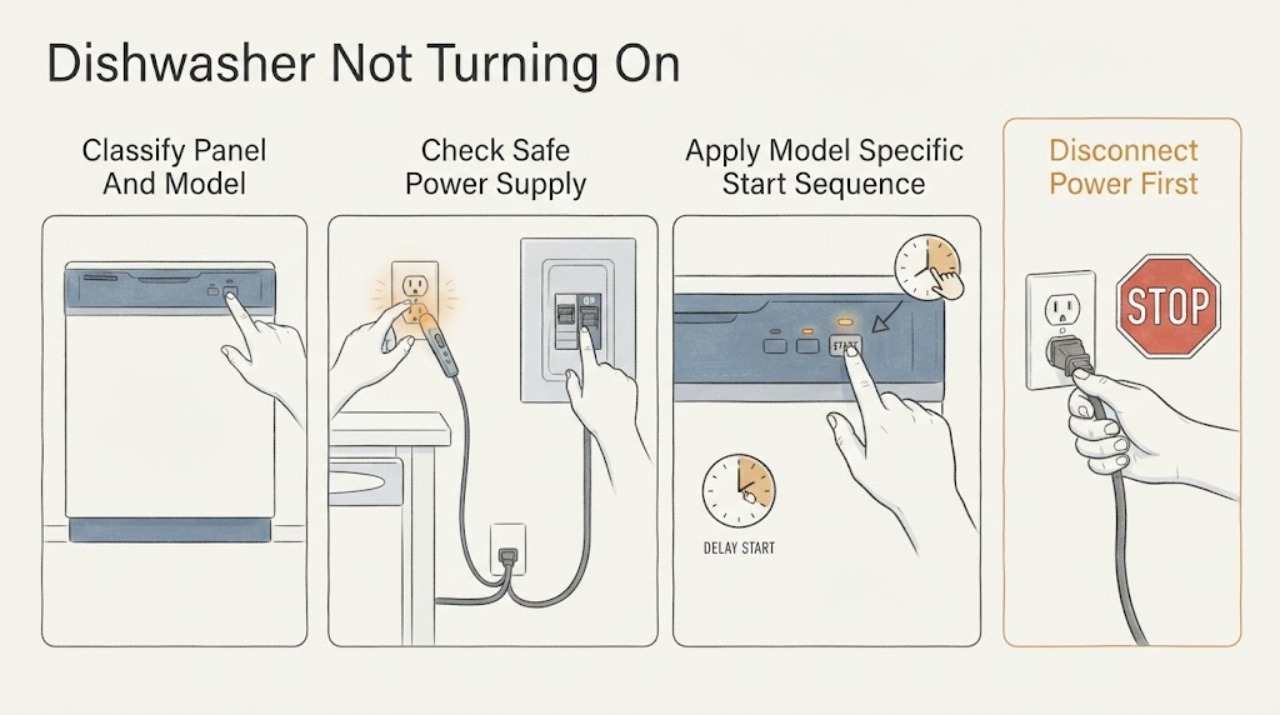
Hisense Dishwasher Not Turning On: Separate Power, Door, and Start Settings
First classify the symptom from a dry, safe position: a completely dark panel suggests the supply, fuse/breaker, plug or internal power path, while a lit panel that does nothing points more toward the exact start sequence, door lock, delay/child-lock setting, or a model-specific fault.
-
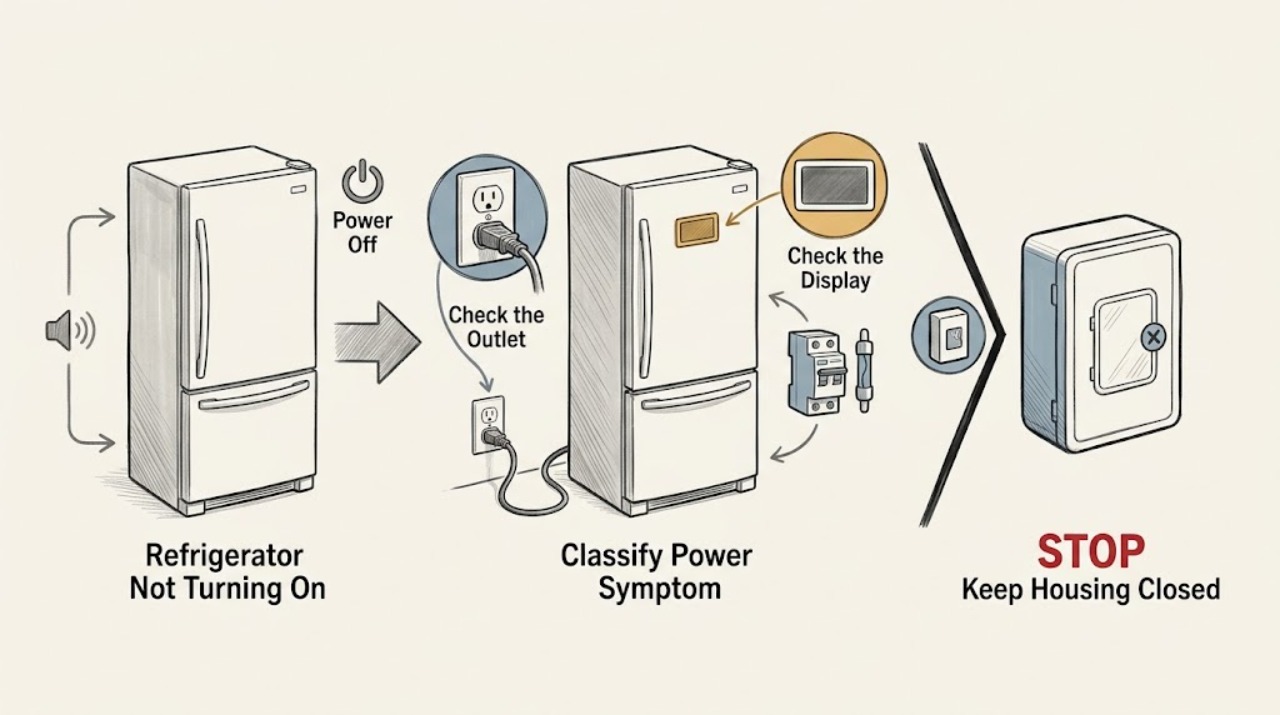
Hisense Refrigerator Not Turning On
First separate a refrigerator with no light or display from one that has power but is not cooling or is waiting to restart. With the unit dry and undamaged, check that its cord is fully seated in the grounded wall outlet and that the home's breaker or fuse has not opened.
-
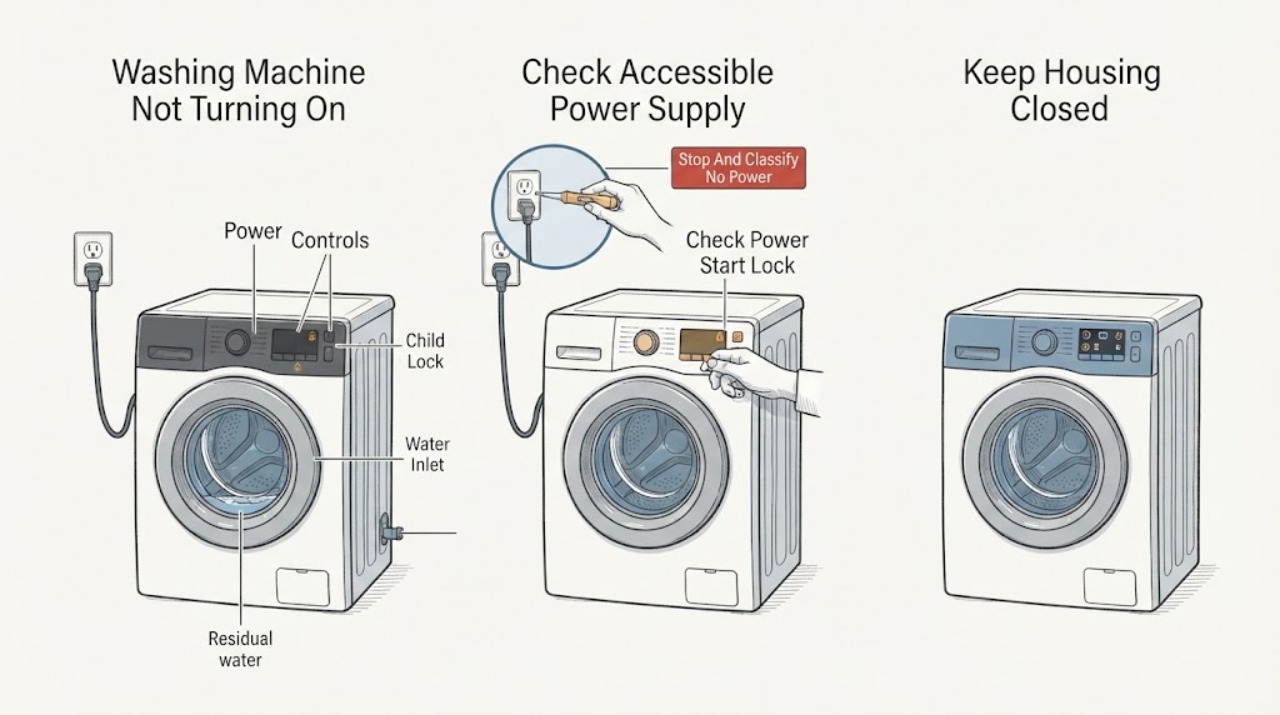
Hisense Washing Machine Not Turning On: Check Power, Controls, and Door Lock
If a Hisense washing machine will not turn on, first stop for a leak near electrical parts, wet plug or controls, burning smell, smoke, sparks, unusual heat, damaged cord or outlet, or a breaker that trips again. With no hazard, check the accessible power connection and dedicated supply, then distinguish a completely dark machine from a lit display that will not start.
-
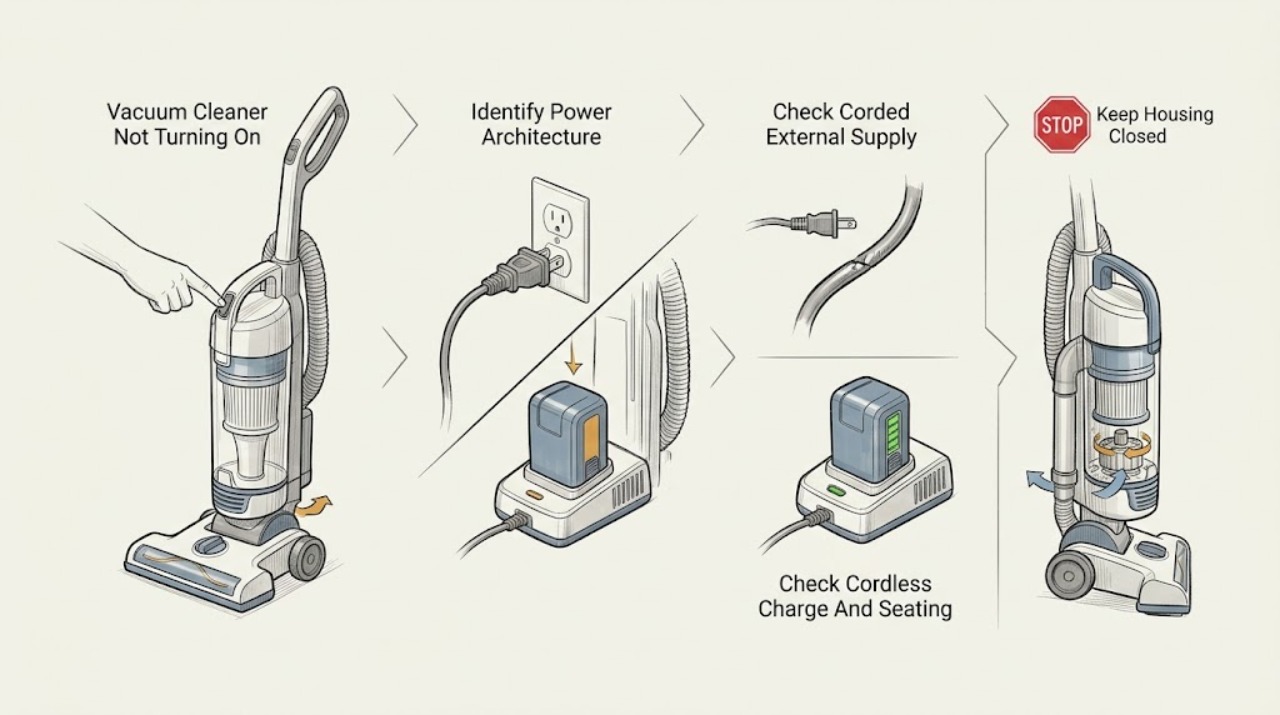
Hoover Vacuum Cleaner Not Turning On: Separate Power, Battery, and Thermal Cut-Out Symptoms
First decide whether the Hoover vacuum is completely without power or has a light/charging indication but the motor does not respond. For a corded model, check the plug, the household outlet and the labeled breaker from a dry, safe position; for a cordless model, use only the supplied charger, keep the cleaner switched off while charging, and confirm the model's battery indicator changes.
-
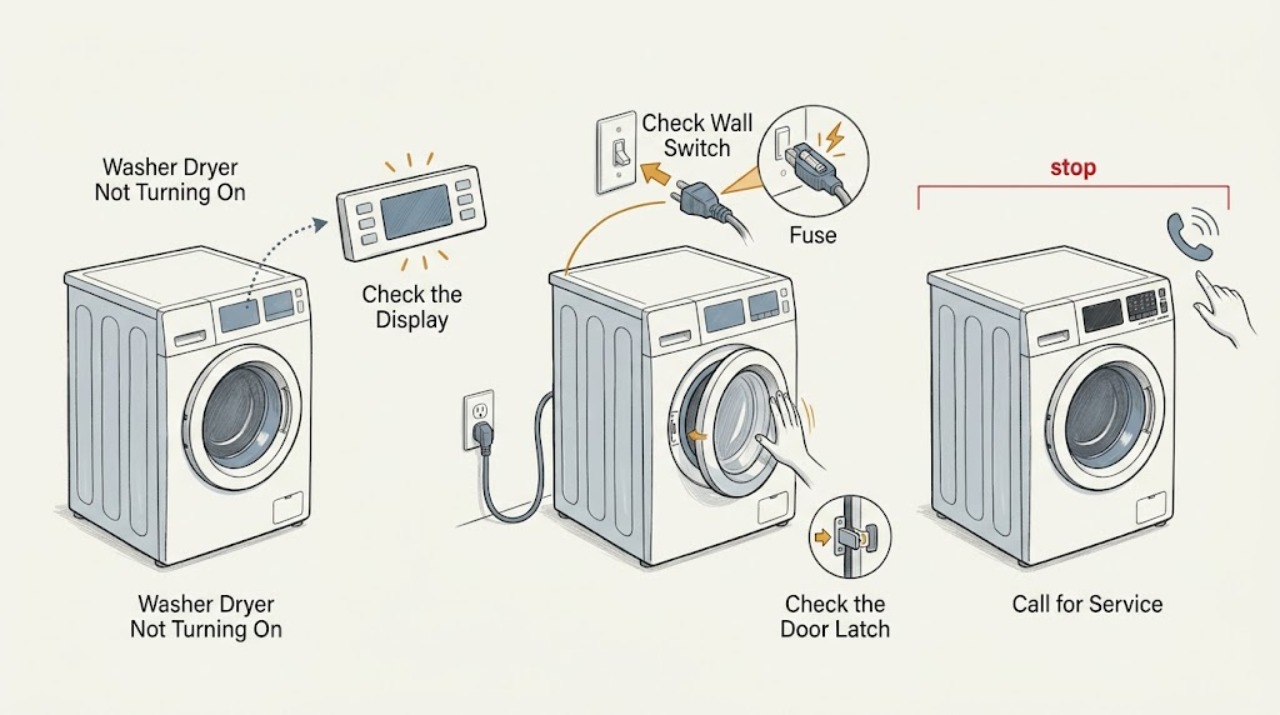
Hoover Washer Dryer Not Turning On
If a Hoover washer dryer will not turn on, first check whether the socket, plug, fuse, and household supply are working, then confirm the programme selector is not left in an invalid position. If the panel lights up but a cycle will not begin, close the door firmly, select a valid programme, press Start or Start/Pause, and check the water tap and inlet hose.
-
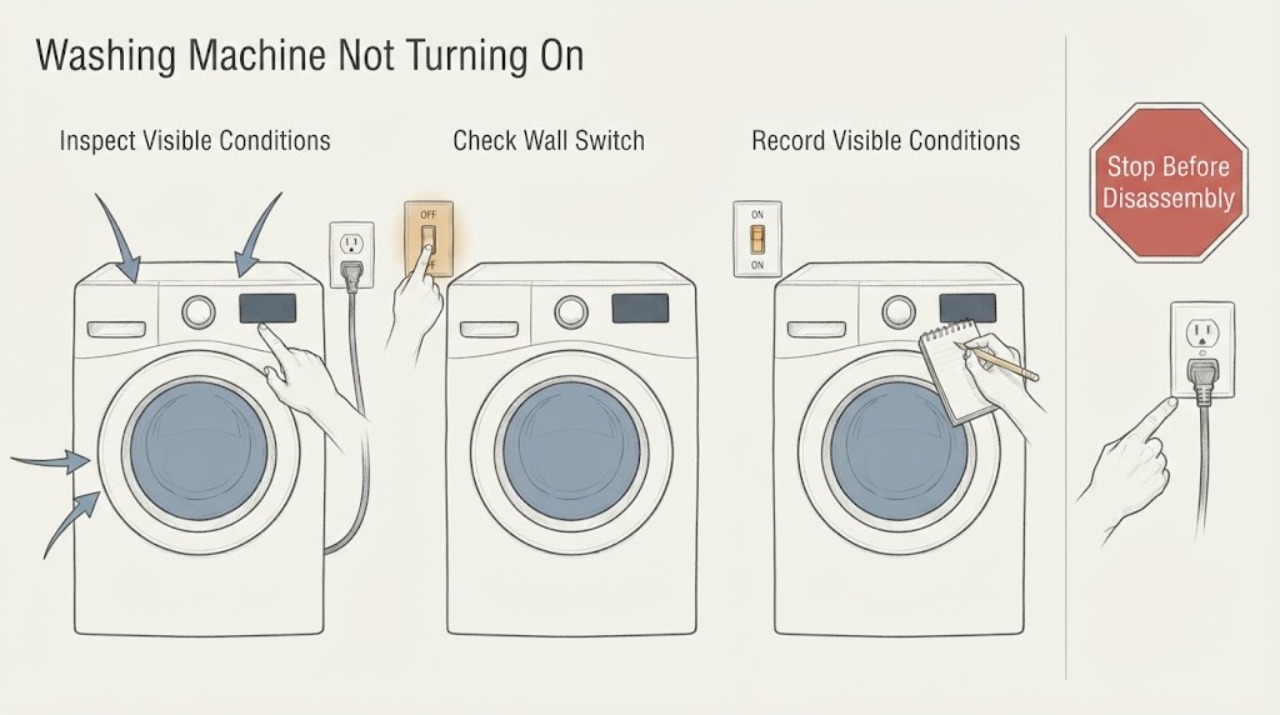
Hoover Washing Machine Not Turning On: Check Power, Lock, and Start Conditions
First decide whether the Hoover washing machine is completely dark or has lights but will not begin a cycle. For a dark machine, check the switched socket and household supply without touching a wet or damaged connection.
-
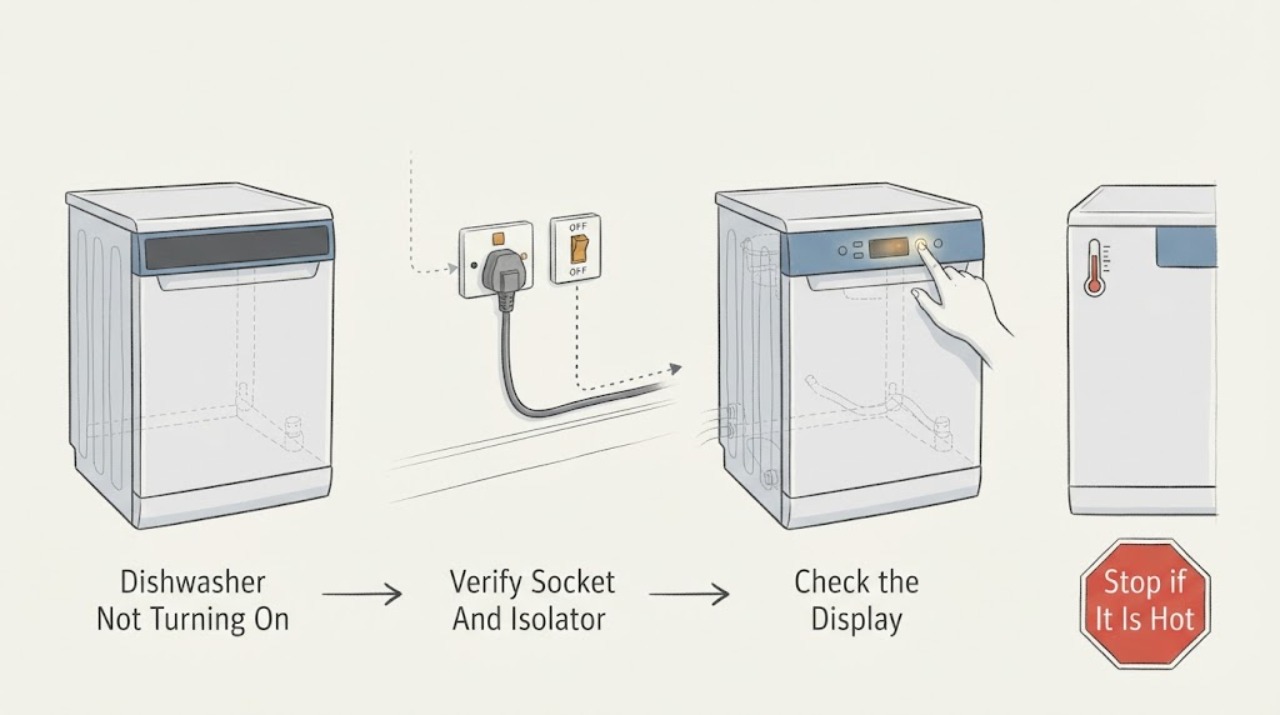
Hotpoint Dishwasher Not Turning On
First decide whether the Hotpoint dishwasher is truly without electrical response or has power but will not begin a cycle. A blank display, no LEDs, and no sounds point first to the socket, plug, fuse, power lead, on/off control, or an internal electrical fault.
-
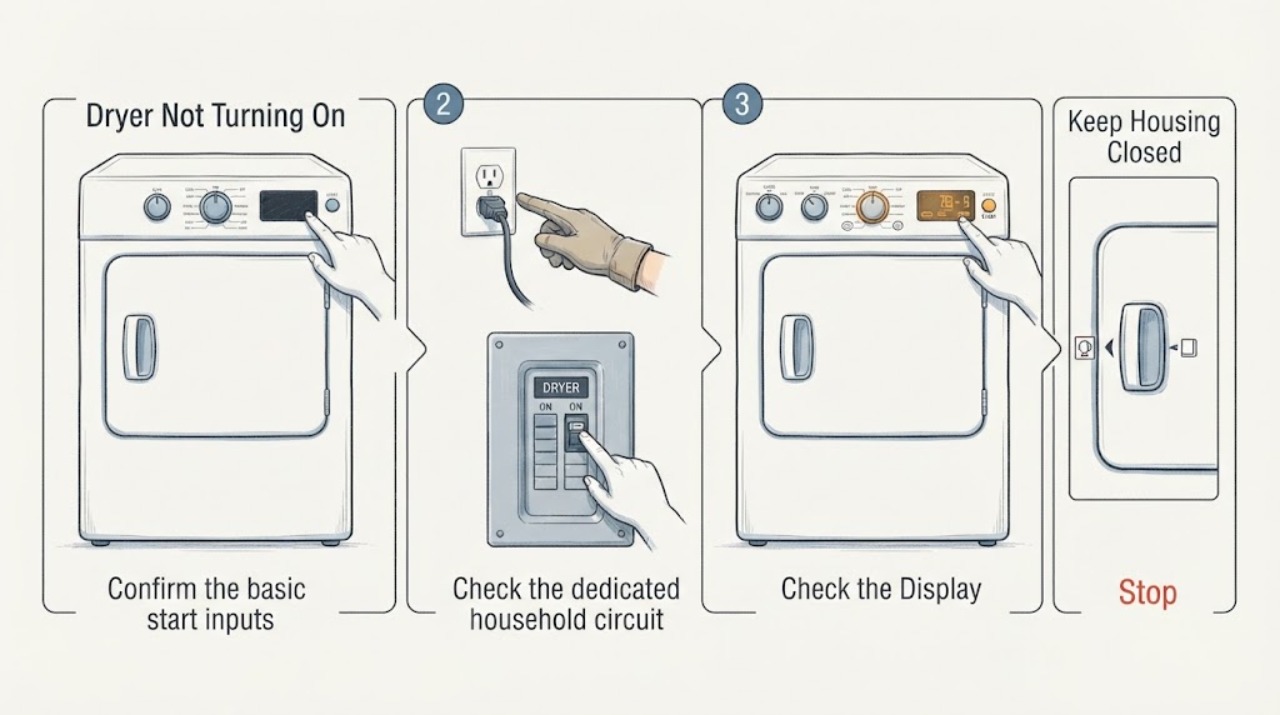
Hotpoint Dryer Not Turning On: Safe Checks Before Service
If a Hotpoint dryer will not turn on, start with the low-risk checks: confirm the plug is fully seated, the door closes tightly, the intended cycle and temperature are selected, and the START control is pressed fully. Check the household breaker or fuse from the normal panel position; an electric dryer can appear completely dead when its dedicated circuit is partly tripped.
-
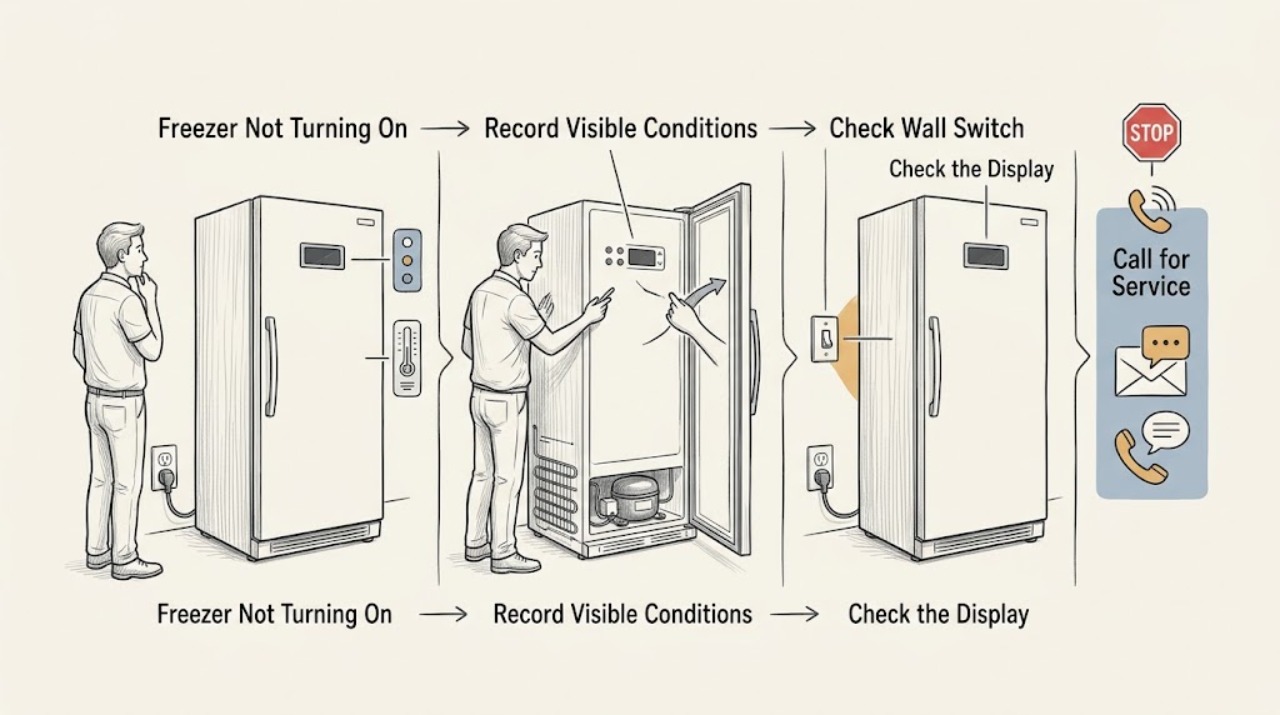
Hotpoint Freezer Not Turning On: Safe Checks
Keep the Hotpoint freezer door closed and protect the food before repeated checks. From a dry, safe position, confirm the plug is firmly seated, the supply switch is on, the accessible outlet works, and the fuse or breaker has not tripped.
-
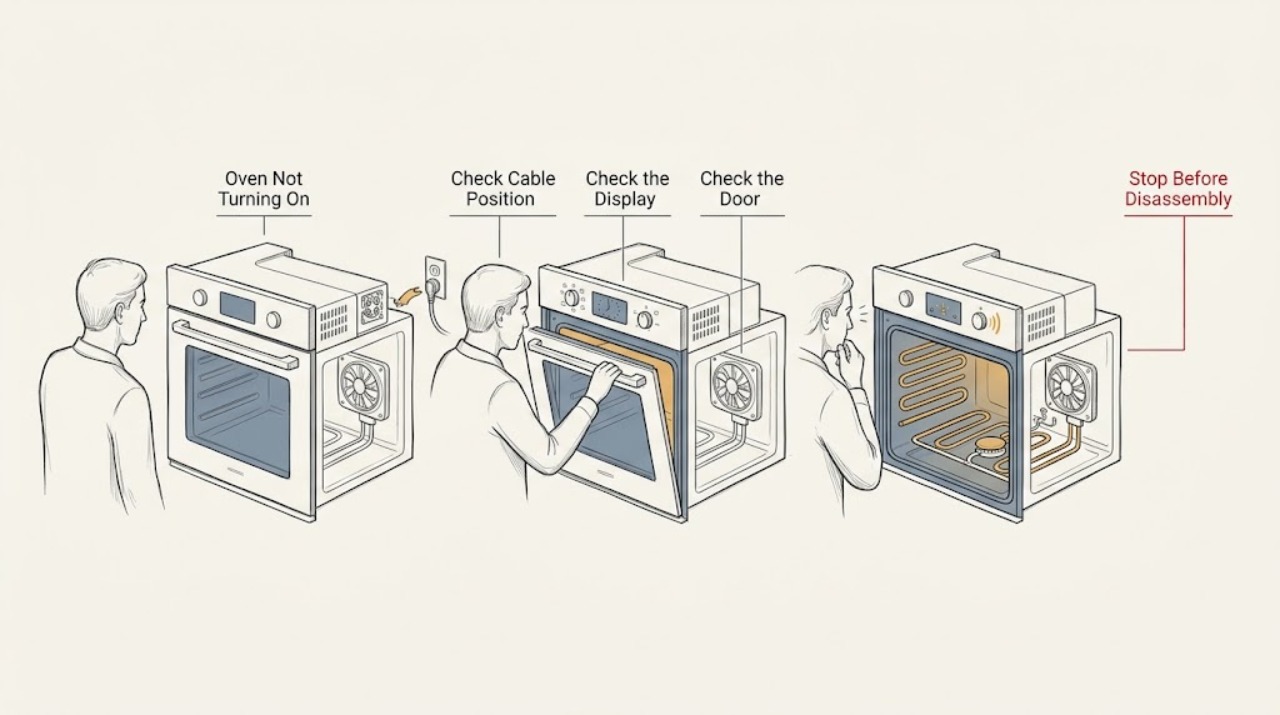
Hotpoint Oven Not Turning On: Check Power, Settings, and Gas Safely
If a Hotpoint oven is not turning on, first identify whether the display is dark, the controls respond but no cycle starts, the door or timer blocks operation, an electric oven has no heat, or a gas oven has no safe ignition. Check only the accessible plug, isolator, labeled breaker, clock or timer, selected function, temperature, and door closure using the exact model manual.
-
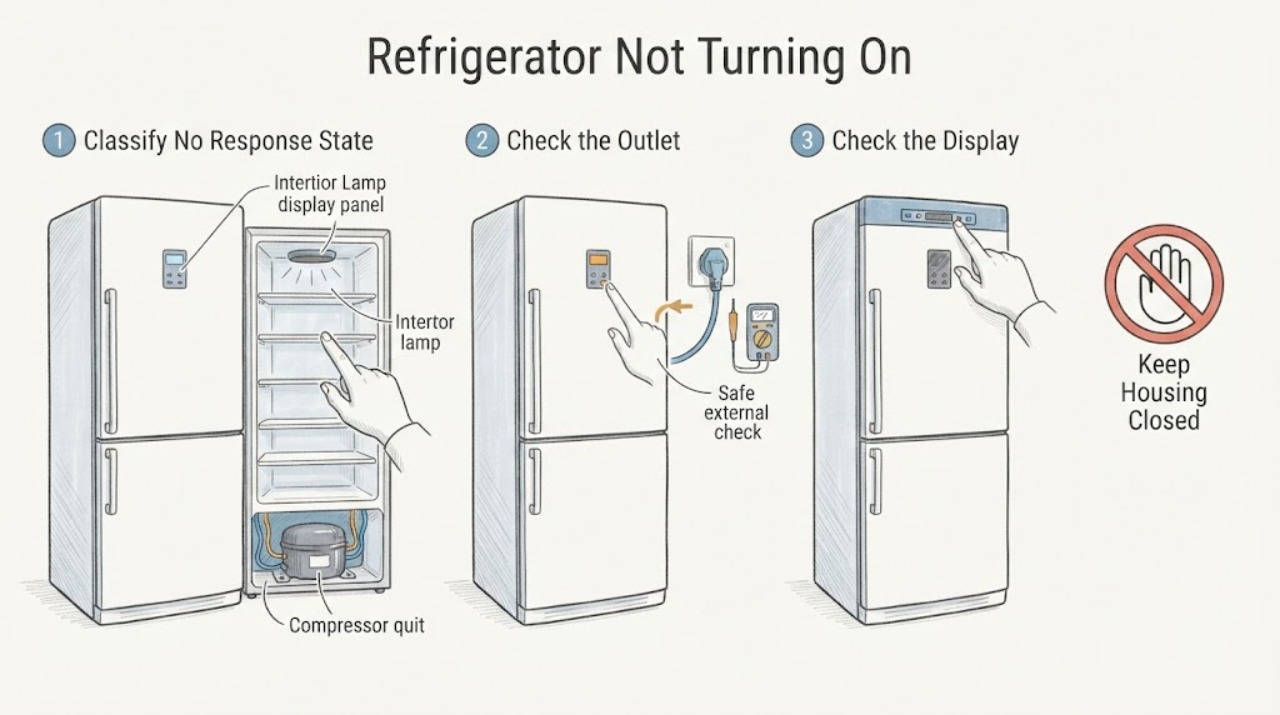
Hotpoint Refrigerator Not Turning On: Separate a Dead Supply from a No-Response Appliance
For a Hotpoint refrigerator that appears completely dead, first record the full model or industrial code and separate three states: no light/display at all, lights or display present but no cooling, or a breaker/outlet/cord problem. With the appliance accessible and dry, check that the plug is fully seated and inspect the outlet and breaker externally; do not change a fuse or breaker rating, use a loose/damaged outlet, or remove a rear cover.
-
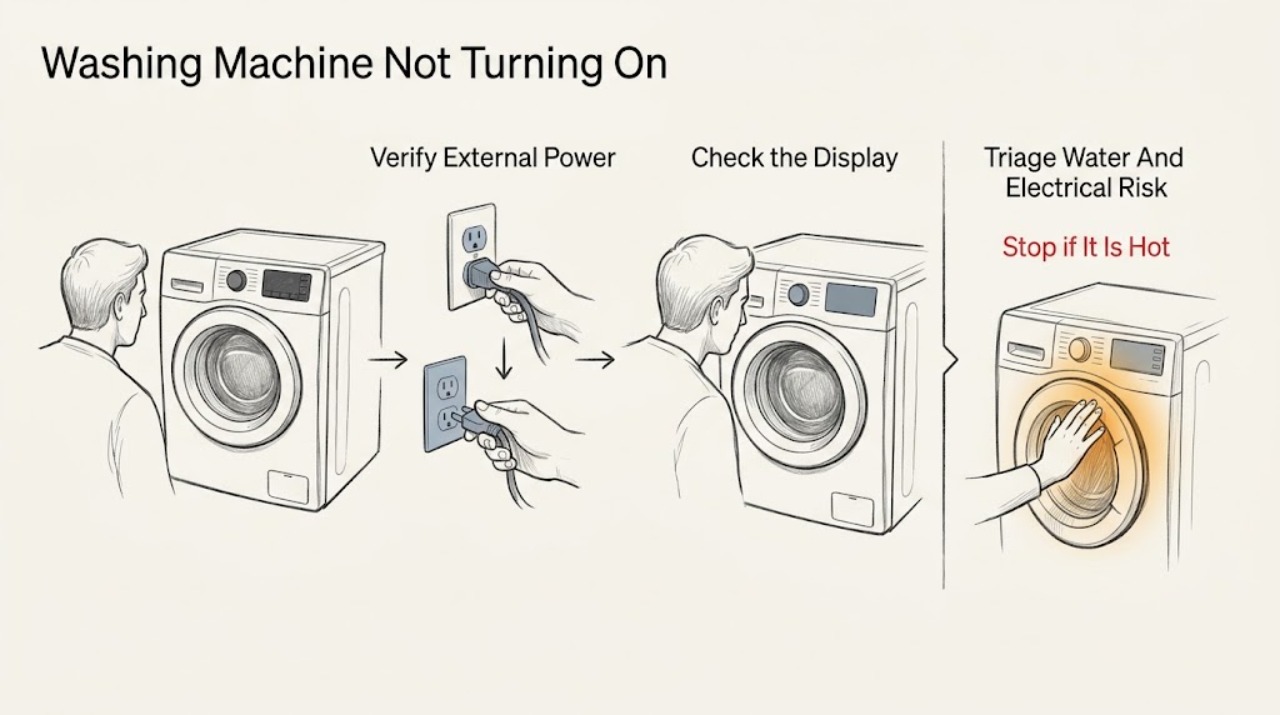
Hotpoint Washing Machine Not Turning On: Check Power, Door, and Program Settings
If a Hotpoint washing machine will not turn on, first stop for water near electrical parts, smoke, a burning smell, a hot or damaged socket, or repeated breaker trips. If the area is dry and safe, check the external power supply, confirm the door is fully closed, and make sure Control Lock, delay, program, and Start settings are not blocking the cycle.
-
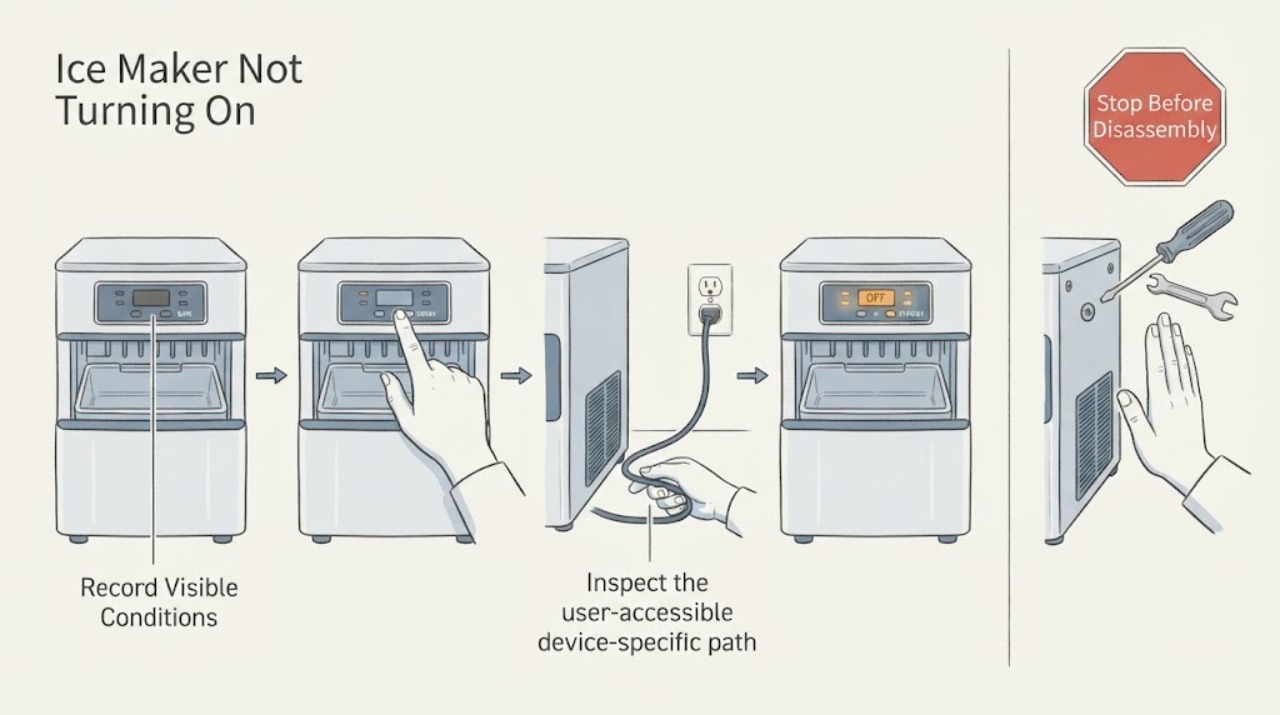
Ice Maker Not Turning On
For an ice maker that will not turn on, check the grounded outlet, control switch, breaker, room temperature, water line, drain hose, filter, and drain cap as the exact manual permits. Whirlpool notes low room temperature, a kinked drain hose, or a loose drain cap can stop operation. Persistent no power needs service.
-
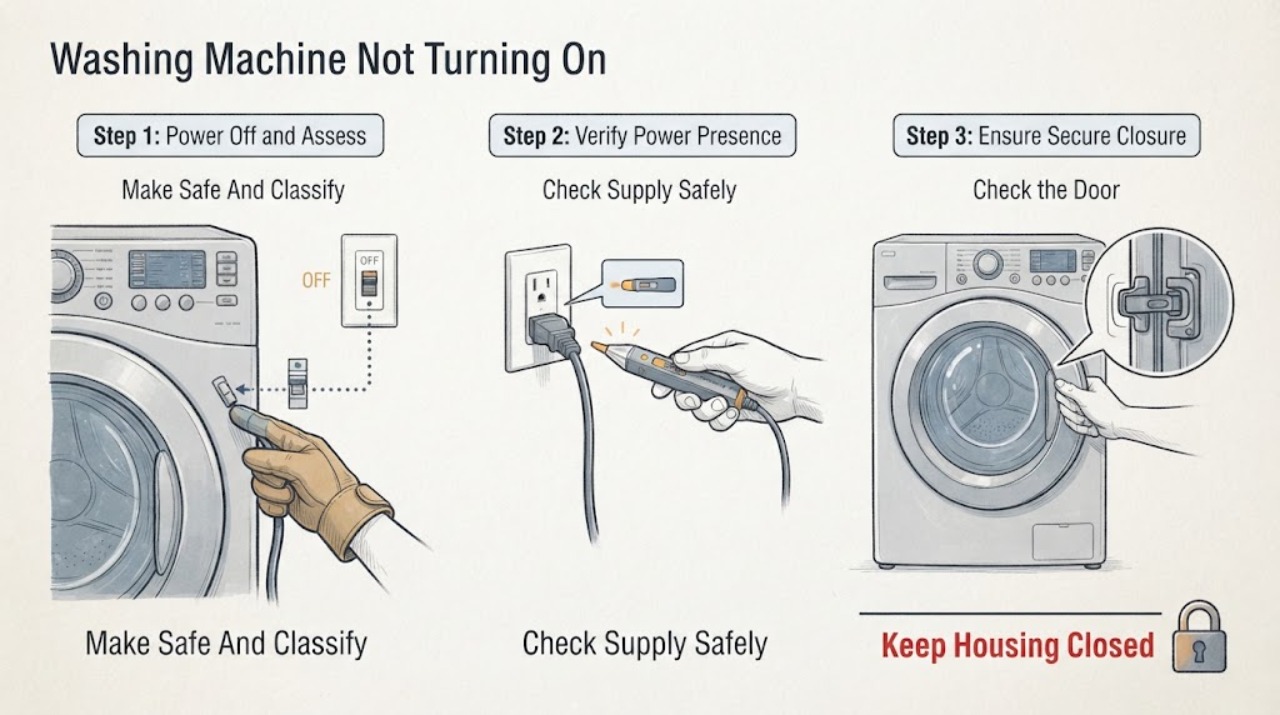
Indesit Washing Machine Not Turning On: Trace Power and Start Safely
If an Indesit washing machine appears dead, first note whether the display is completely dark or whether it lights but will not start. From a dry, safe position, check the wall switch, plug, cord, and dedicated outlet without opening the appliance; never keep resetting a tripped breaker.
-
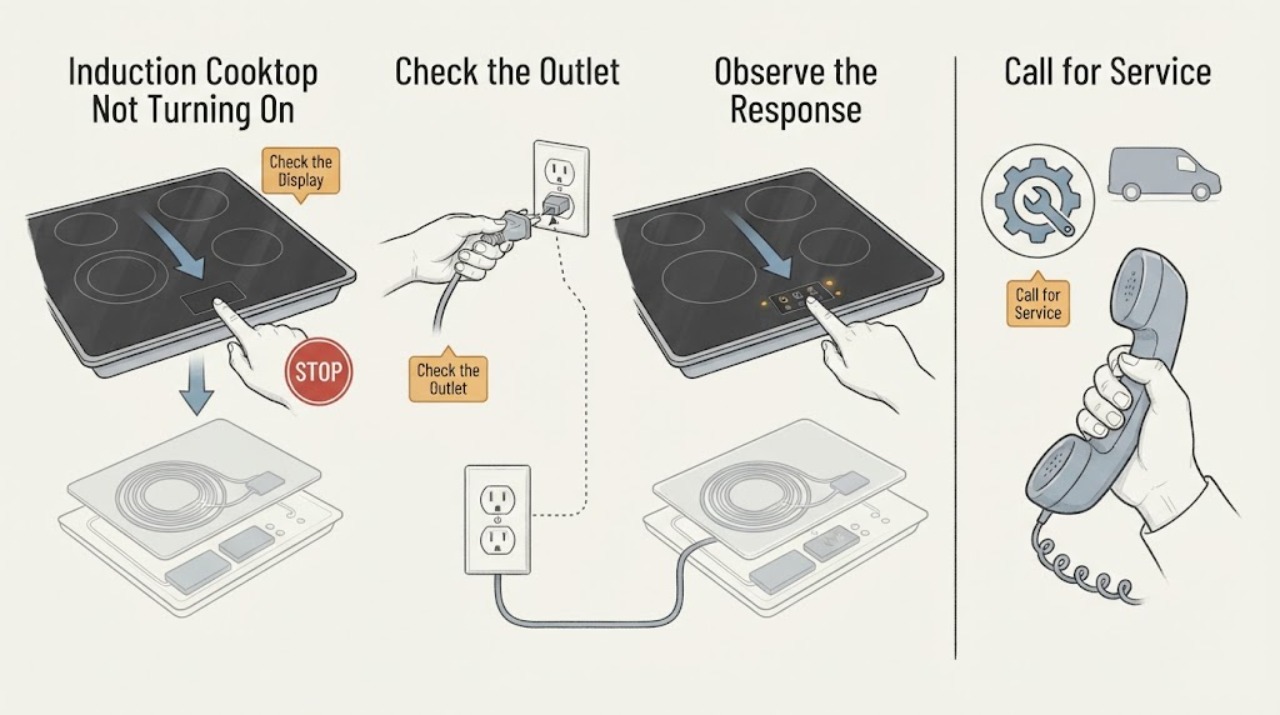
Induction Cooktop Not Turning On: Check Power, Locks, and Pan Detection
First decide whether the entire induction cooktop is dark or only a selected zone refuses to start. For a dark display, check the accessible breaker, plug, isolator, and installation instructions without opening the appliance.
-
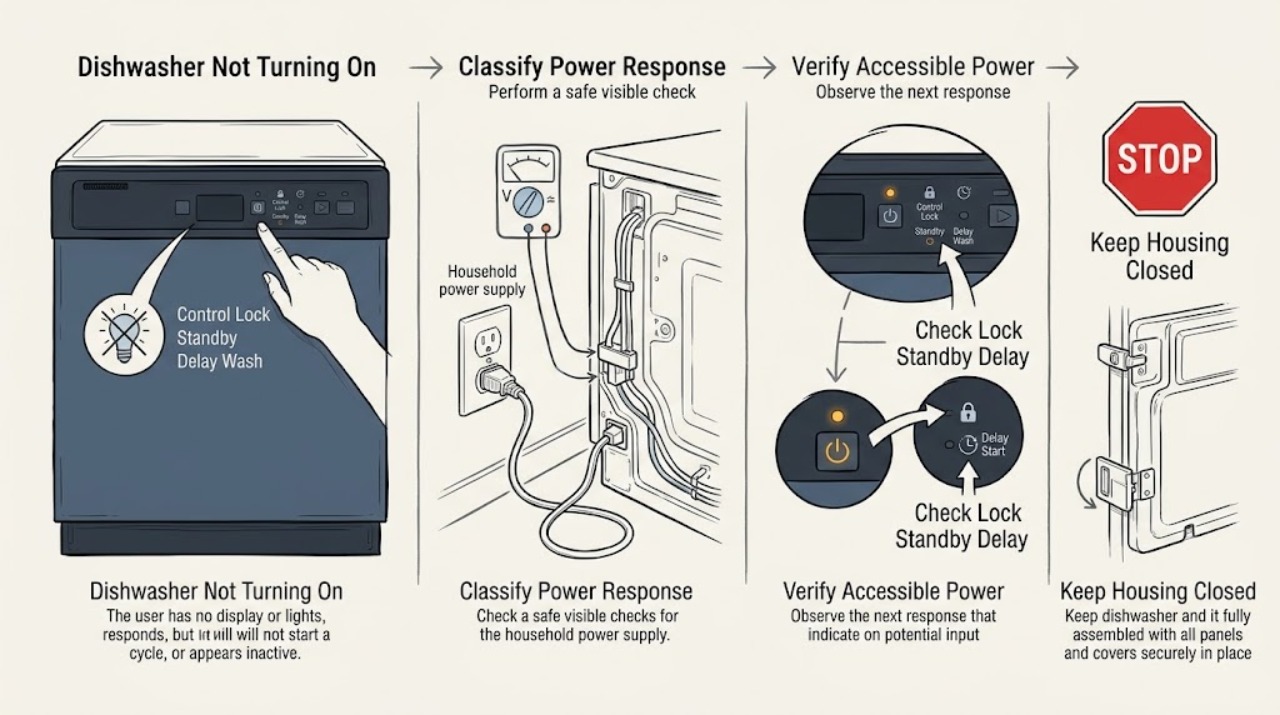
JennAir Dishwasher Not Turning On: Check Power, Lock, Delay, and Door
First decide whether the JennAir dishwasher has no visible power or has power but will not begin a cycle. For a dark panel, check the accessible plug or dedicated breaker once and stop if the connection is hot, damaged, or trips again.
-
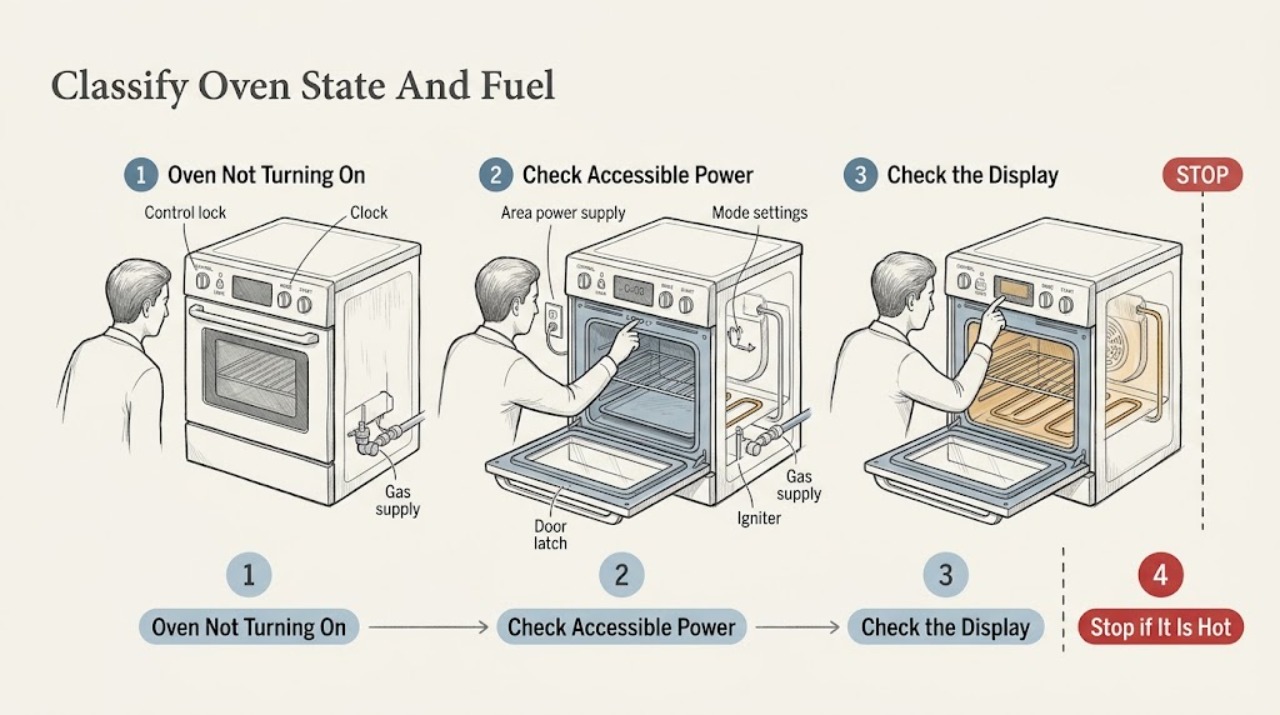
JennAir Oven Not Turning On: Check Power, Lock, Start Settings, and Fuel Type
When a JennAir oven will not turn on, first decide whether the display is dark, the controls are locked, or a cooking mode was selected but never started. Record the exact model and whether it is electric, gas, or dual fuel.
-
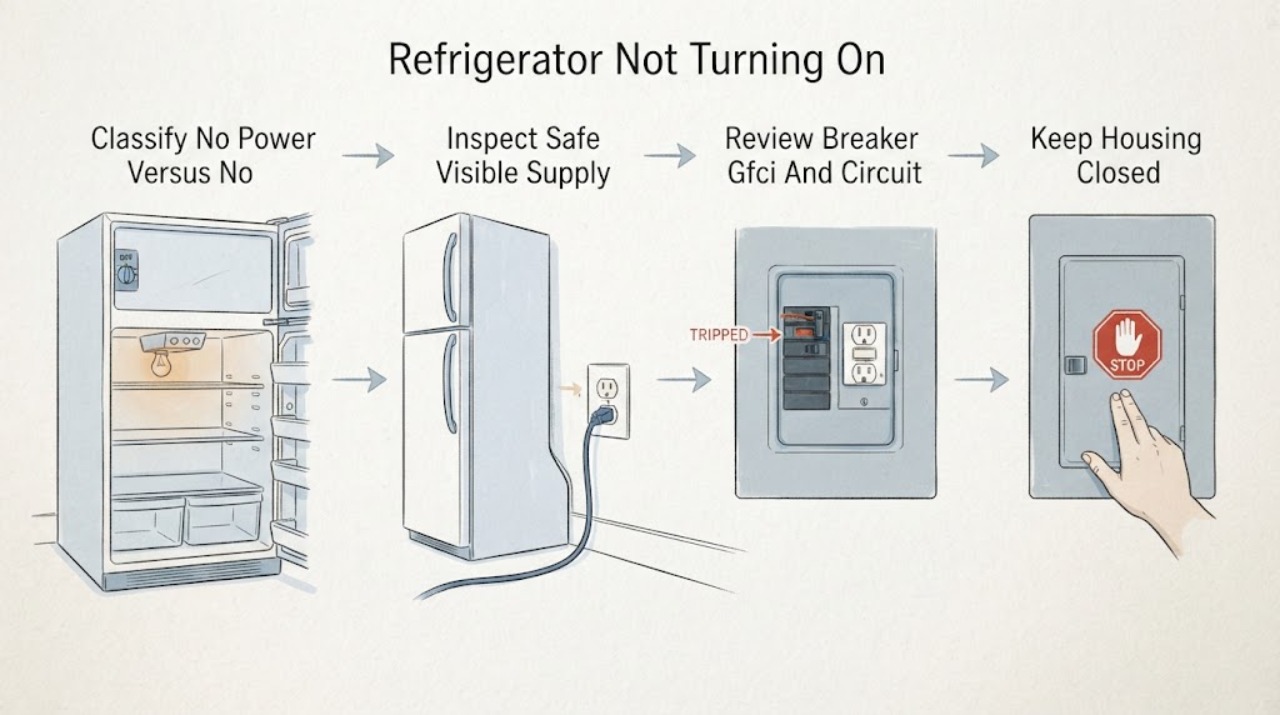
Jennair Refrigerator Not Turning On: Separate No Power from No Cooling
Use this page only when the JennAir refrigerator is electrically dead or the controls do not respond. First distinguish that from a refrigerator with working lights/display that has stopped cooling or whose compressor is not starting; that is a different service path.
-
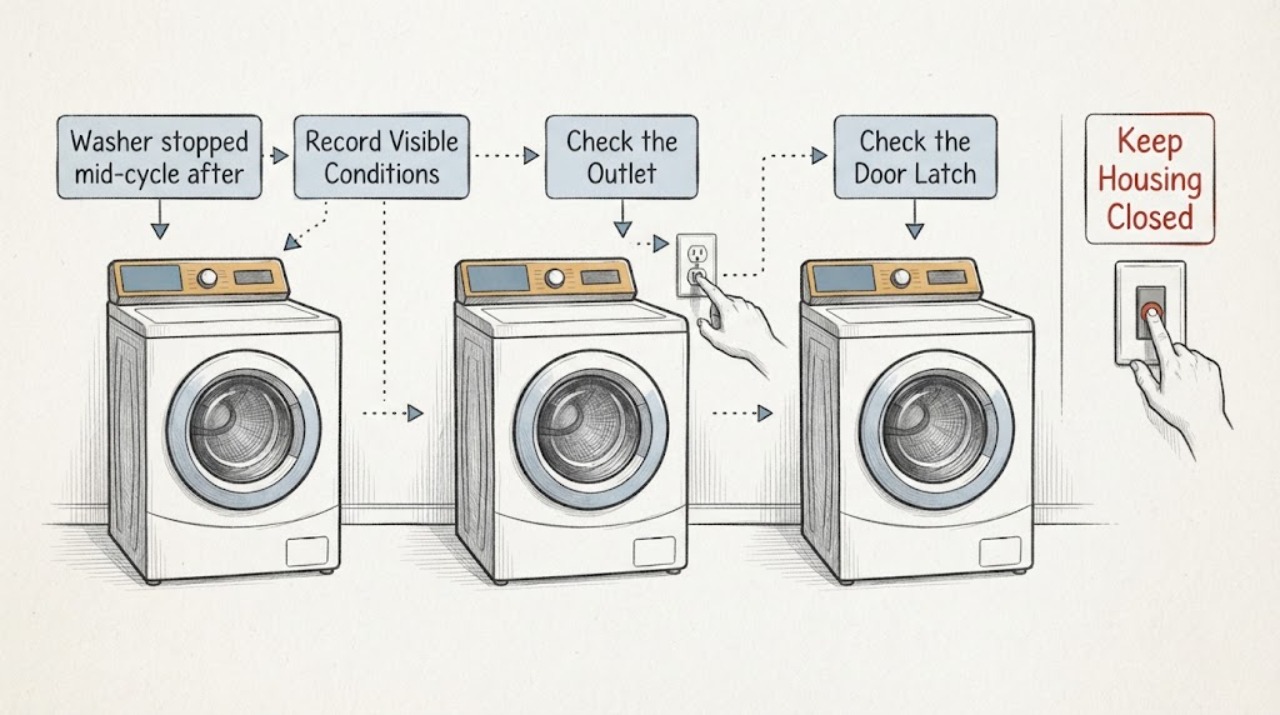
Kenmore 11025842400 washer stopped mid-cycle after a lid-switch bypass
Stop using the Kenmore 11025842400 while its lid-switch safety circuit is bypassed or its original condition is unknown. Leave it disconnected in a dry, safe area and do not try to restore operation by bridging, testing, or repeatedly resetting the circuit.
-
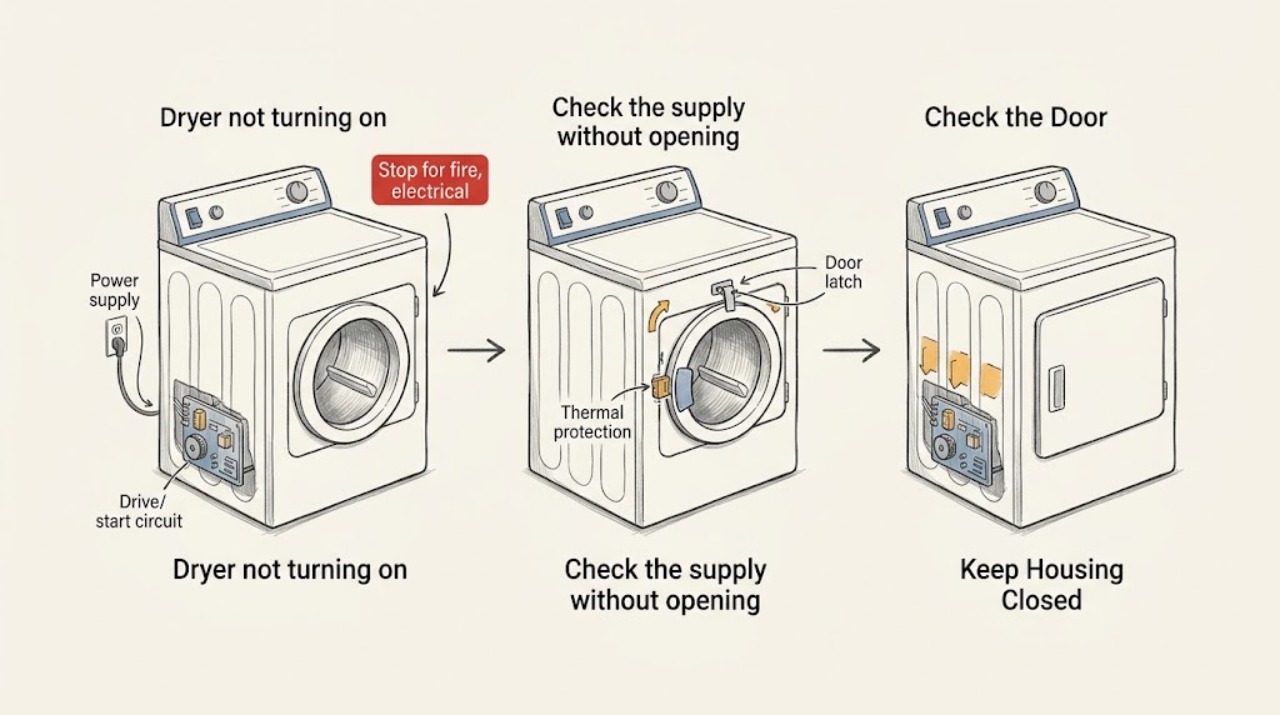
Kenmore dryer not turning on: safe checks before service
When a Kenmore dryer will not turn on, begin with safe external checks: look for a damaged cord, confirm the dryer is connected directly as specified by its model instructions, check whether the breaker or fuse has opened, verify the door is fully latched, select a valid cycle, and use the model-specific Start or Push to Start control correctly. Do not keep resetting a breaker, bypass the door switch, open the cabinet, or test live wiring.
-
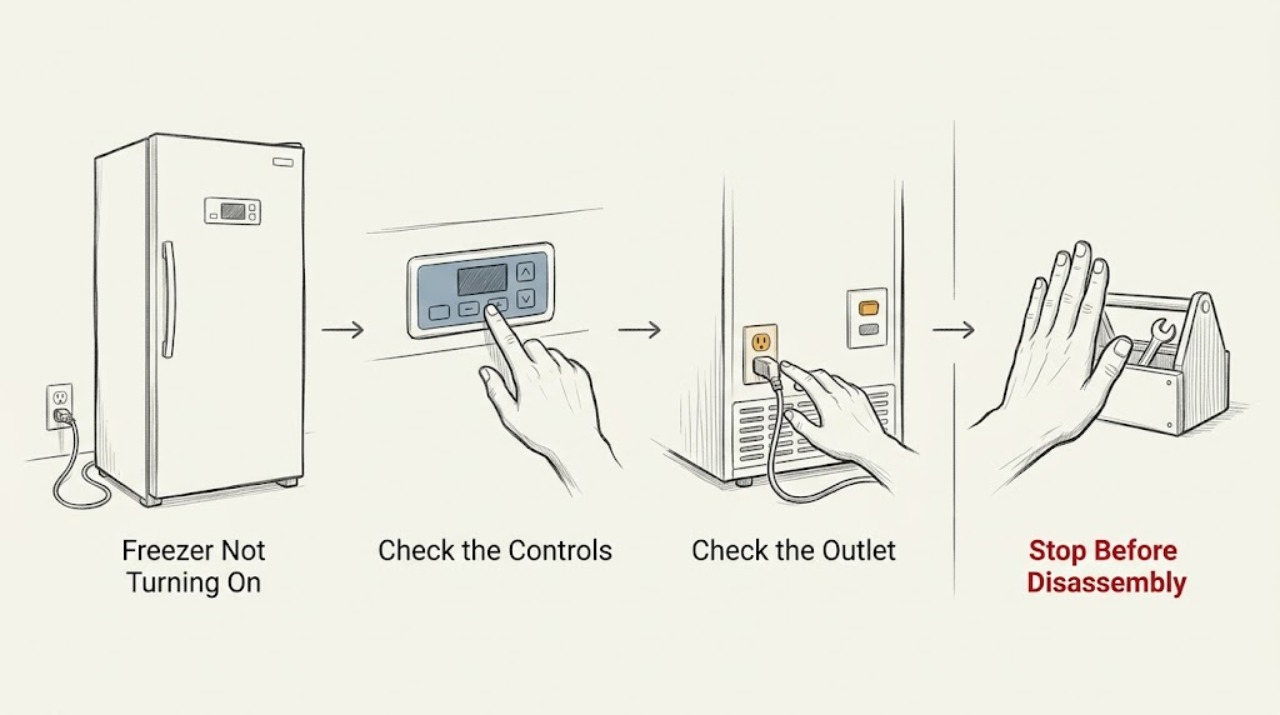
Kenmore Freezer Not Turning On: Safe Power and Control Checks
If a Kenmore freezer appears not to turn on, first keep the door closed to protect the food, then check whether any interior or control light works. Confirm the temperature control is not set to Off, verify the dedicated wall outlet with a small lamp, and check the corresponding breaker or GFCI reset. If the outlet has power but the freezer remains silent, or a breaker trips again, stop resetting it and arrange qualified service; do not remove electrical covers.