
Repair problem
Not Working Troubleshooting Guides – Page 3
Published FixGraph guidance for diagnosing and responding to not working.
Matching published guides
Choose a guide that matches the service, equipment, and conditions you are seeing.
-
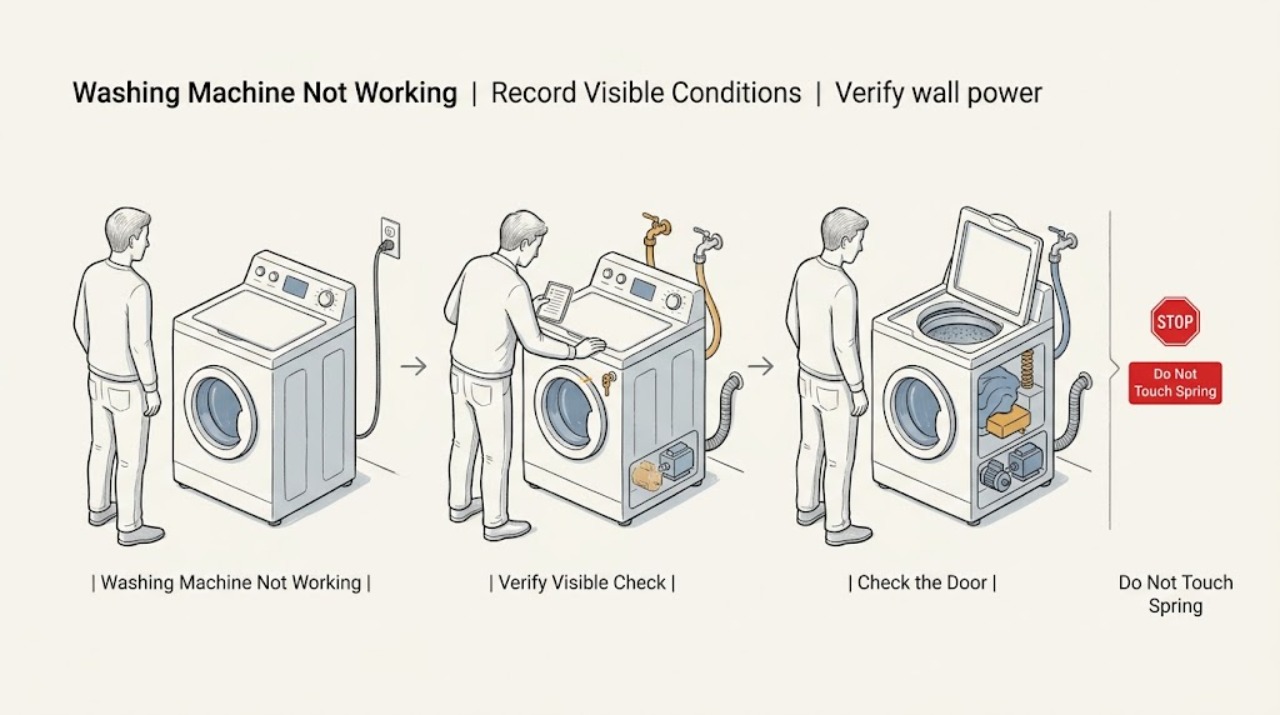
Fisher & Paykel Washing Machine Not Working
First identify whether the Fisher & Paykel washing machine is completely dead, powers on but will not fill or start, stops mid-cycle, or runs with an error pattern. Check the wall switch and household outlet, confirm the lid or door is fully closed, clear any active keylock or delay-start setting using the exact model guide, and verify the hot and cold water taps and inlet hoses.
-
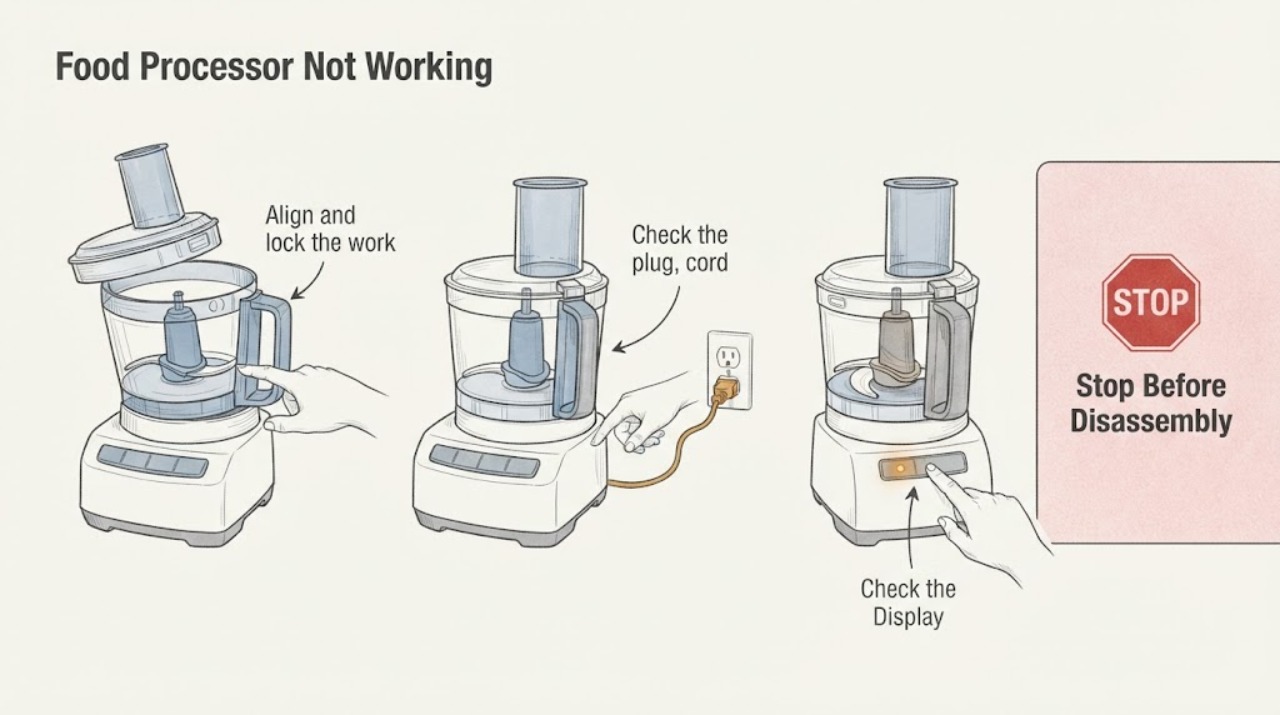
Food Processor Not Working
A food processor that will not work usually needs separate checks for the bowl and lid interlock, feed tube seating, overfill, household power, and an overload or locked motor. KitchenAid’s opened guidance treats these as different observations and directs unresolved faults to service.
-
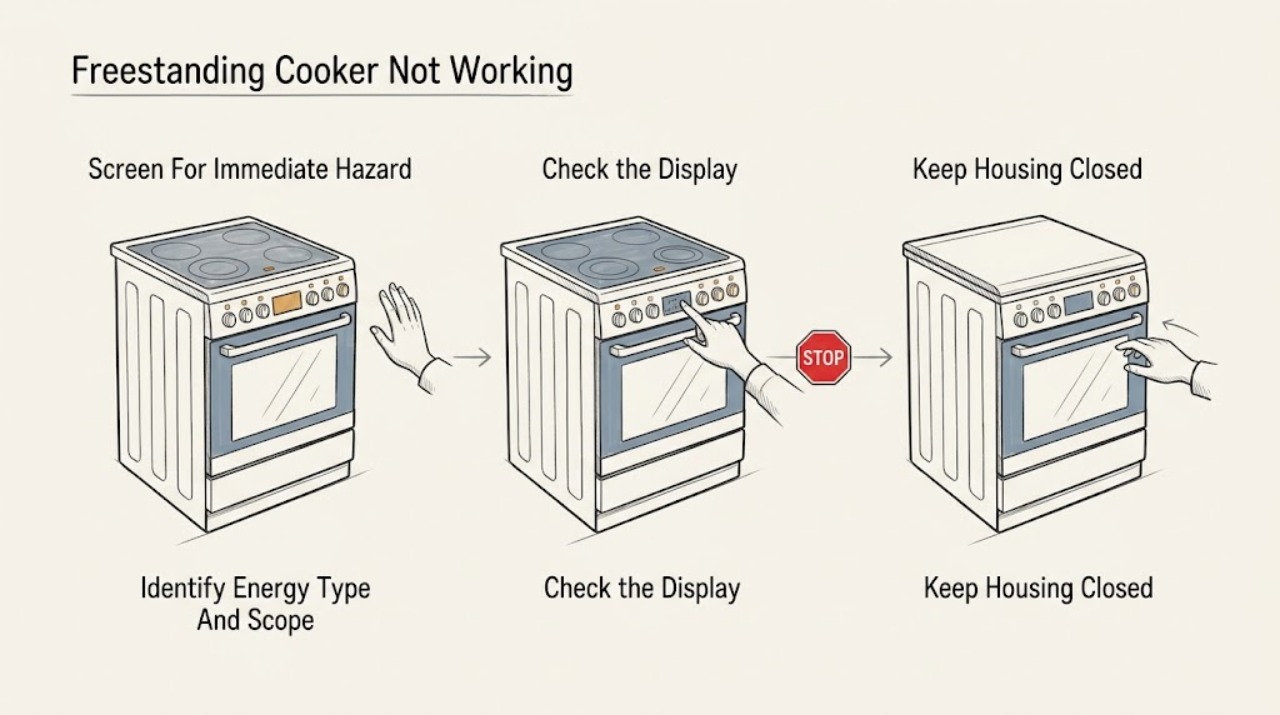
Freestanding Cooker Not Working: Safe Checks for Power, Controls, Gas, and Heat
First decide whether the whole freestanding cooker is without power or only the oven, cooktop, or one heating zone has stopped working. Do not troubleshoot a gas cooker if you smell gas: avoid flames, switches, plugs, and controls, leave the area, and contact emergency or gas-leak help from a safe location.
-
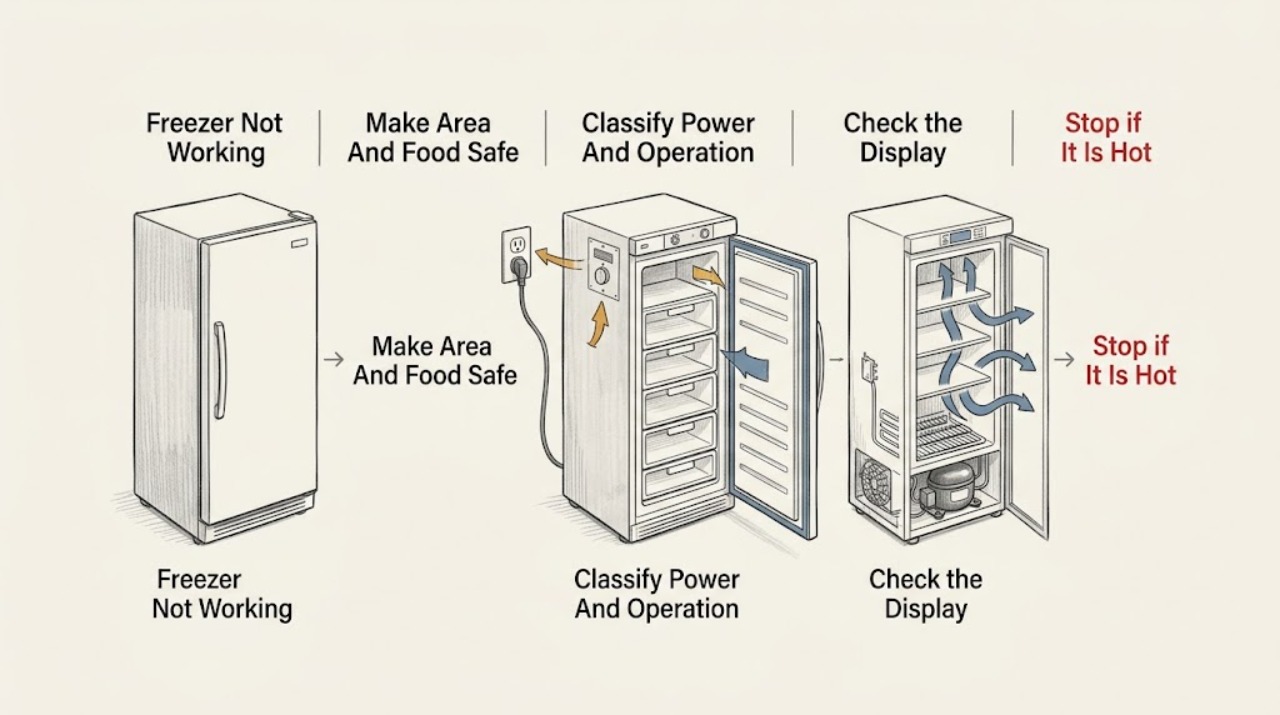
Freezer Not Working: Find Out Whether It Has Lost Power or Cooling
Start by separating a freezer with no display, light, or operating sound from one that has power but is warm. From a dry, safe position, check the plug, outlet, breaker or fuse, control setting, and any cooling-off or demo mode shown by the model manual.
-
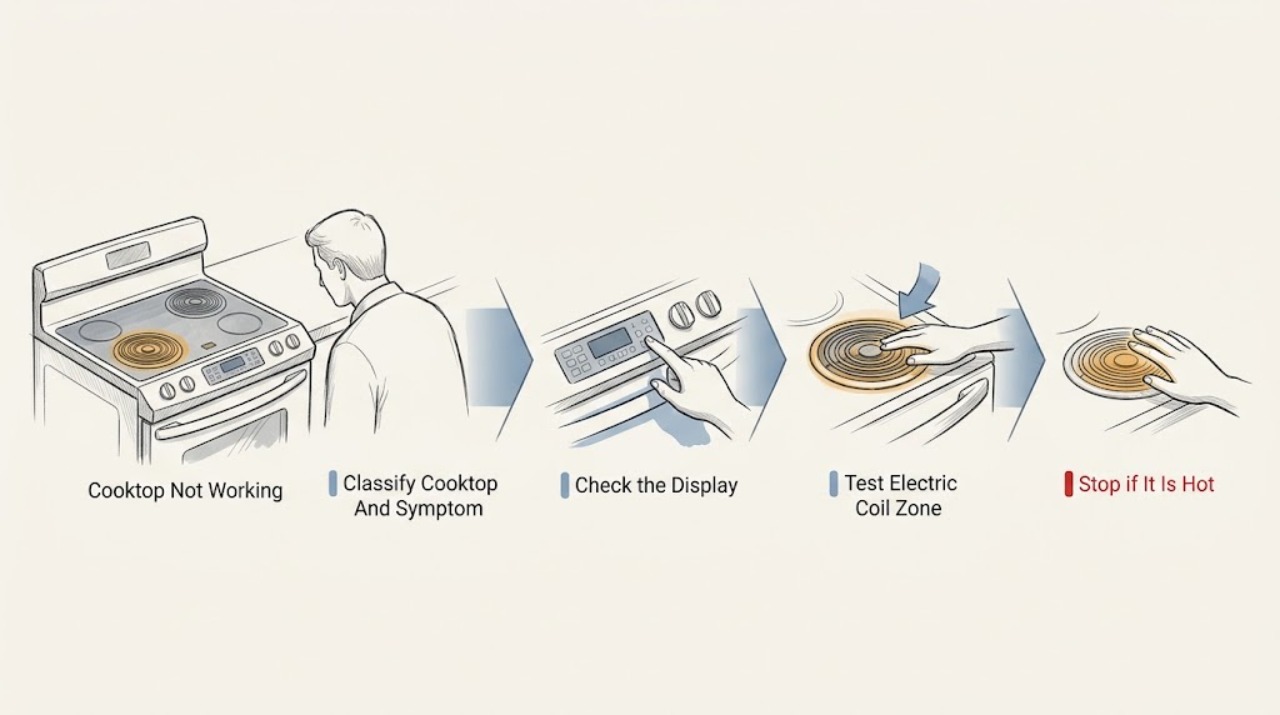
Frigidaire Cooktop Not Working: Separate Power, Burner, Gas, and Induction Causes
First identify the cooktop type and whether the whole appliance is dead or only one cooking zone fails. From a safe position, check that power is present, the controls are set according to the model manual, and a gas burner has its cap seated with clean visible ports.
-
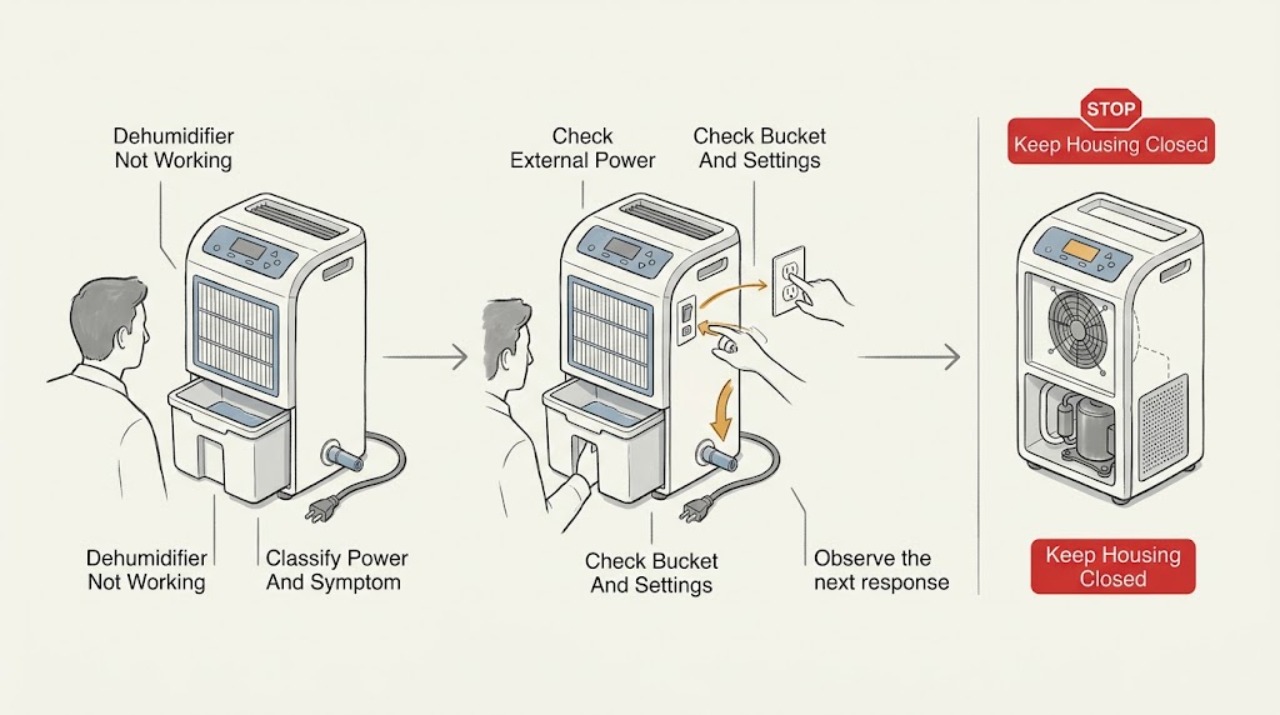
Frigidaire Dehumidifier Not Working: Find the Power, Moisture, or Drain Problem
First identify which failure you have: the unit is completely dead, it powers on but removes little or no moisture, or it runs and then stops with a full-bucket, drain, or error indication. For no power, check the correctly installed grounded receptacle, cord and plug condition, breaker, and GFCI/AFCI from outside the appliance; do not use an extension cord or power strip.
-
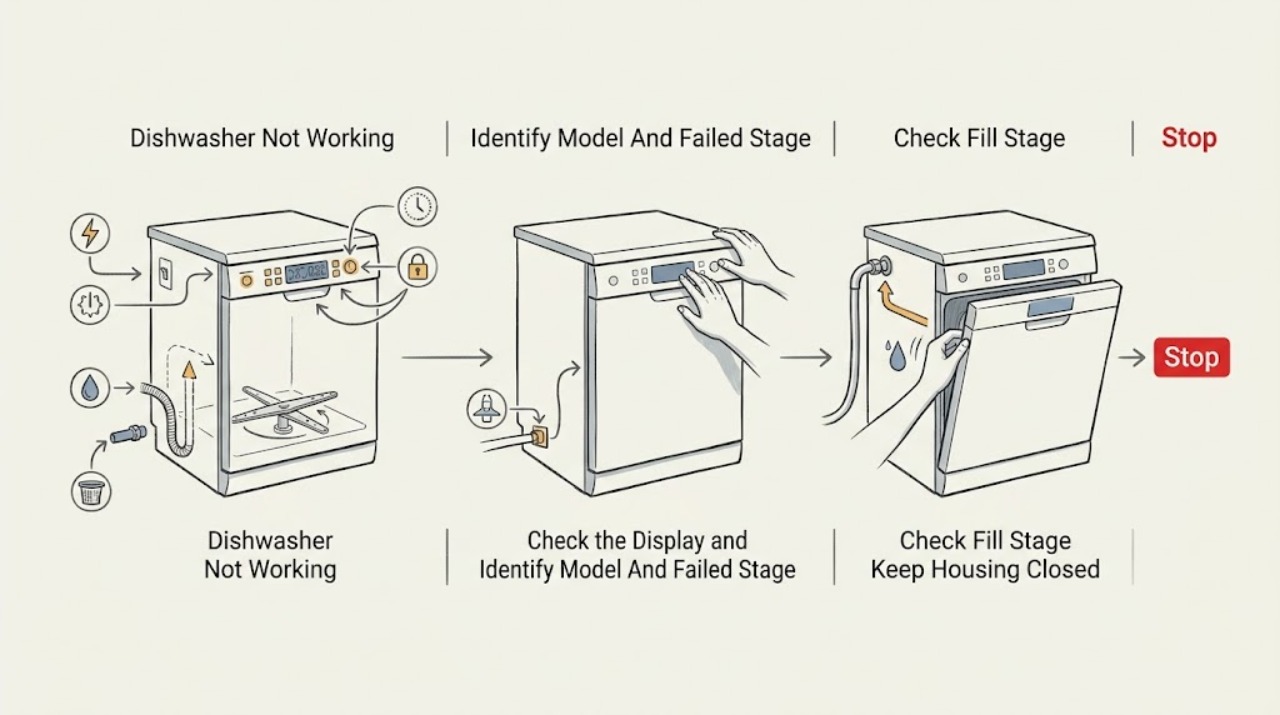
Frigidaire Dishwasher Not Working: Find the Failed Stage First
First identify the last stage that definitely worked. If there are no display lights, check the breaker and power connection from a safe, dry position.
-
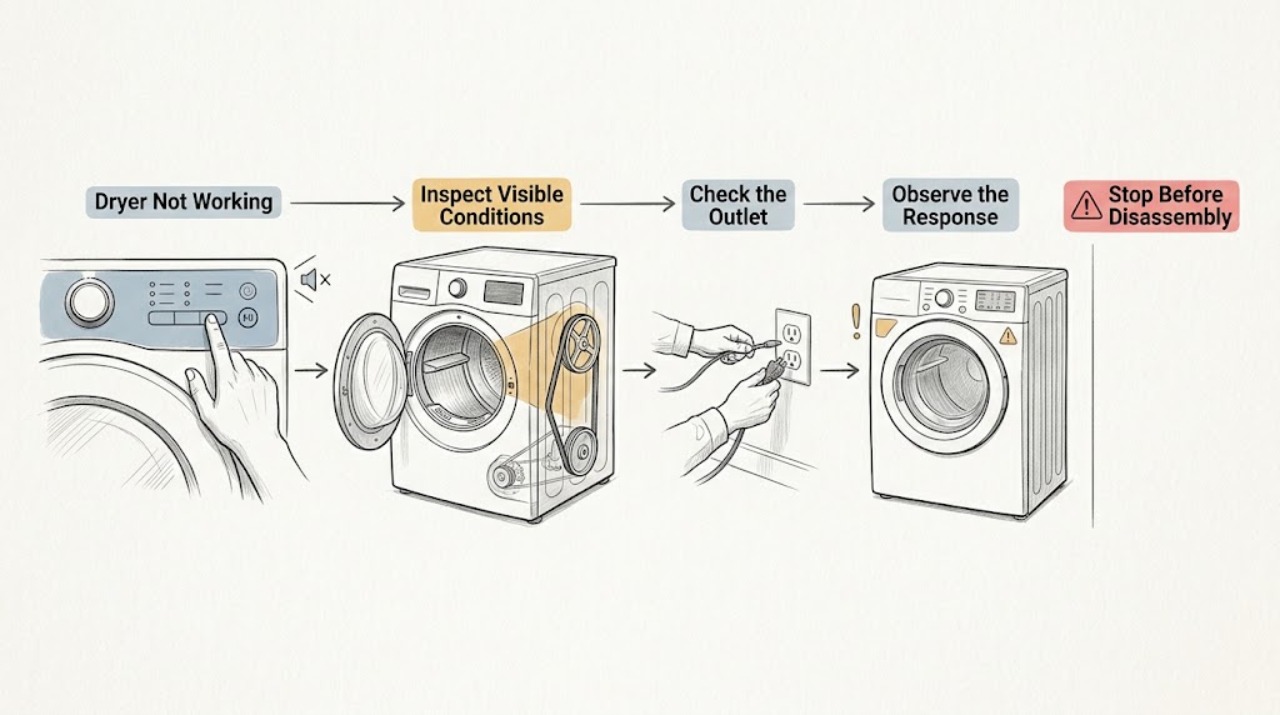
Frigidaire Dryer Not Working
When a Frigidaire dryer is not working, first separate a no-start symptom from a dryer that starts and then stops or tumbles without heat. Confirm the door is fully closed, the cycle selector is at a start position, and the Start control is held as the model requires.
-
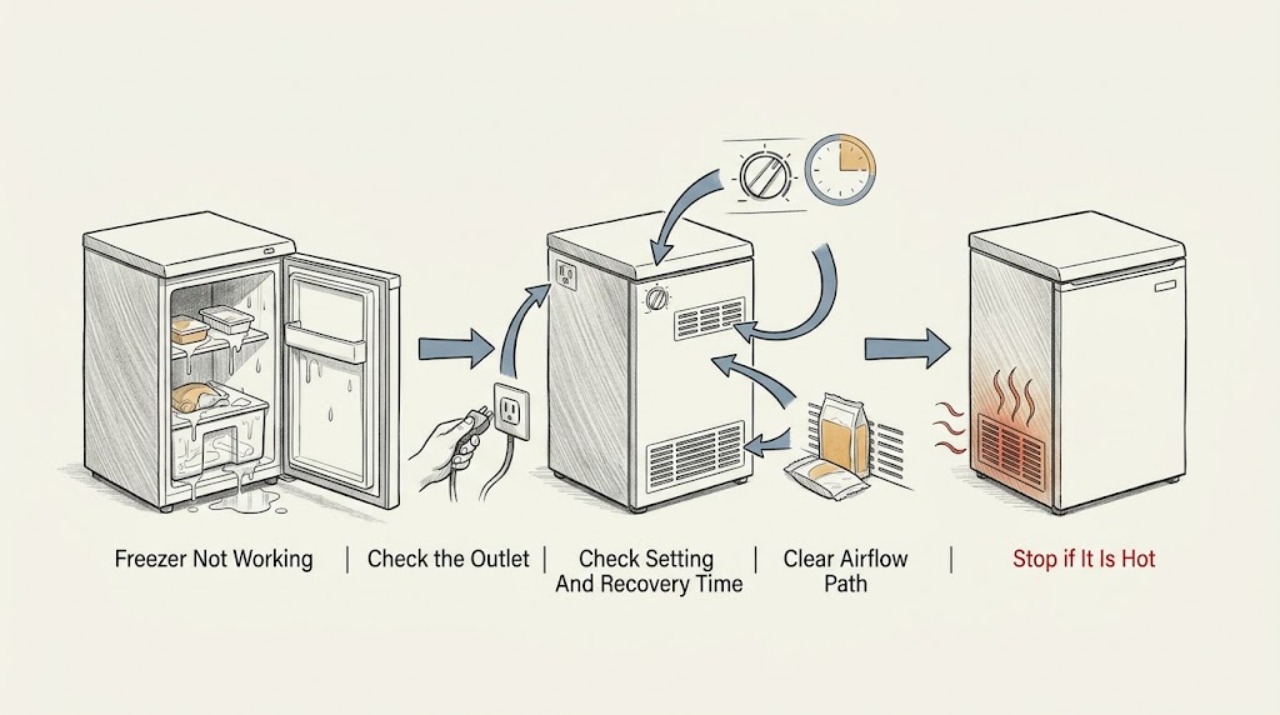
Frigidaire Freezer Not Working: Power and Cooling Checks
First separate a Frigidaire freezer with no power from one that has power but is not getting cold. Confirm the control is not Off, the power cord is firmly in a suitable wall outlet, and the household breaker or fuse has not opened.
-
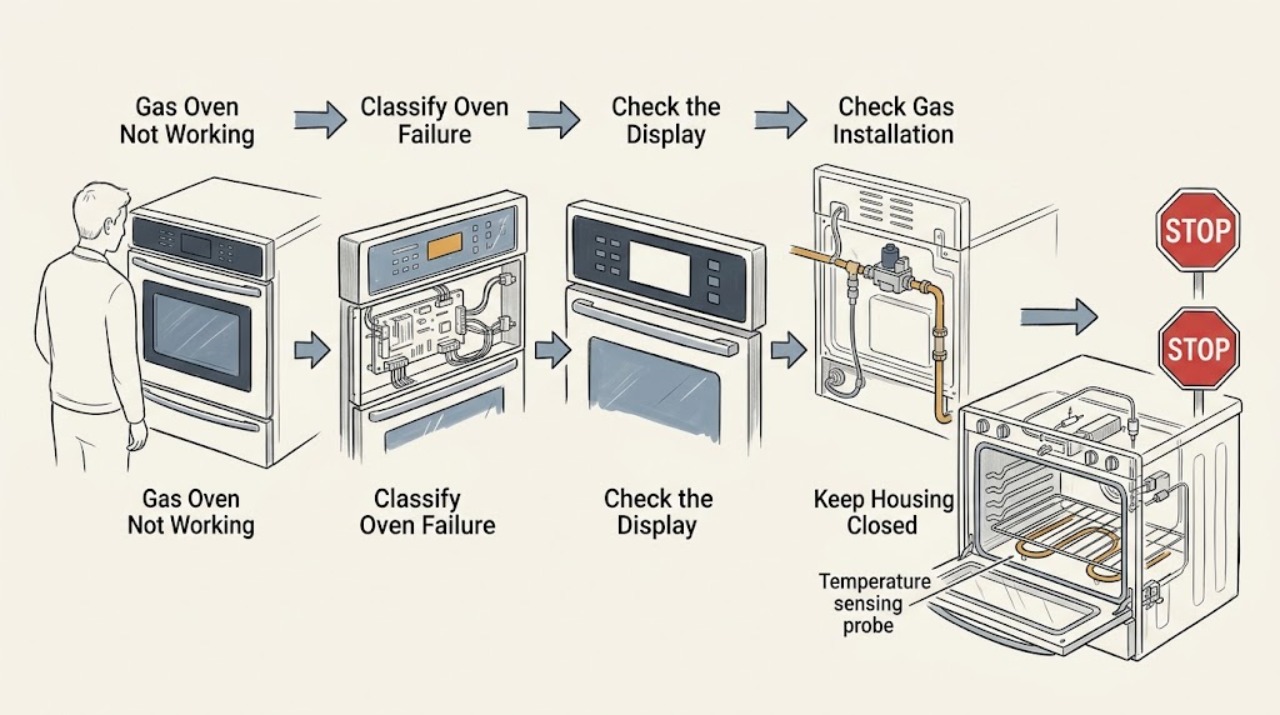
Frigidaire Gas Oven Not Working
A Frigidaire gas oven that will not work needs to be split into a control problem, a gas-supply/ignition problem, or a heating-control problem. Record the exact model, whether the display responds, whether the cooktop burners work, and whether the oven fails to start, fails to ignite, or ignites but does not heat normally.
-
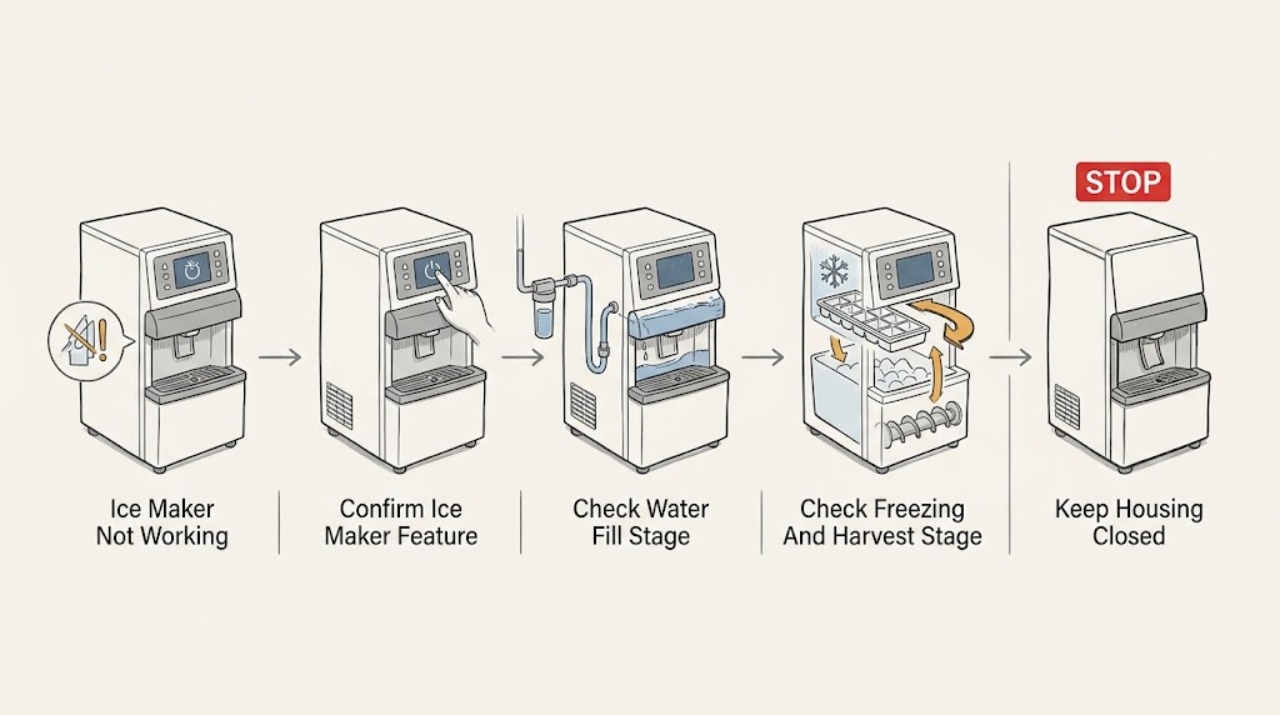
Frigidaire Ice Maker Not Working: Start With the Failure Stage
First identify the stage that is failing instead of treating every empty ice bin as the same fault. Confirm that the exact Frigidaire refrigerator has an ice maker and that it is switched on.
-
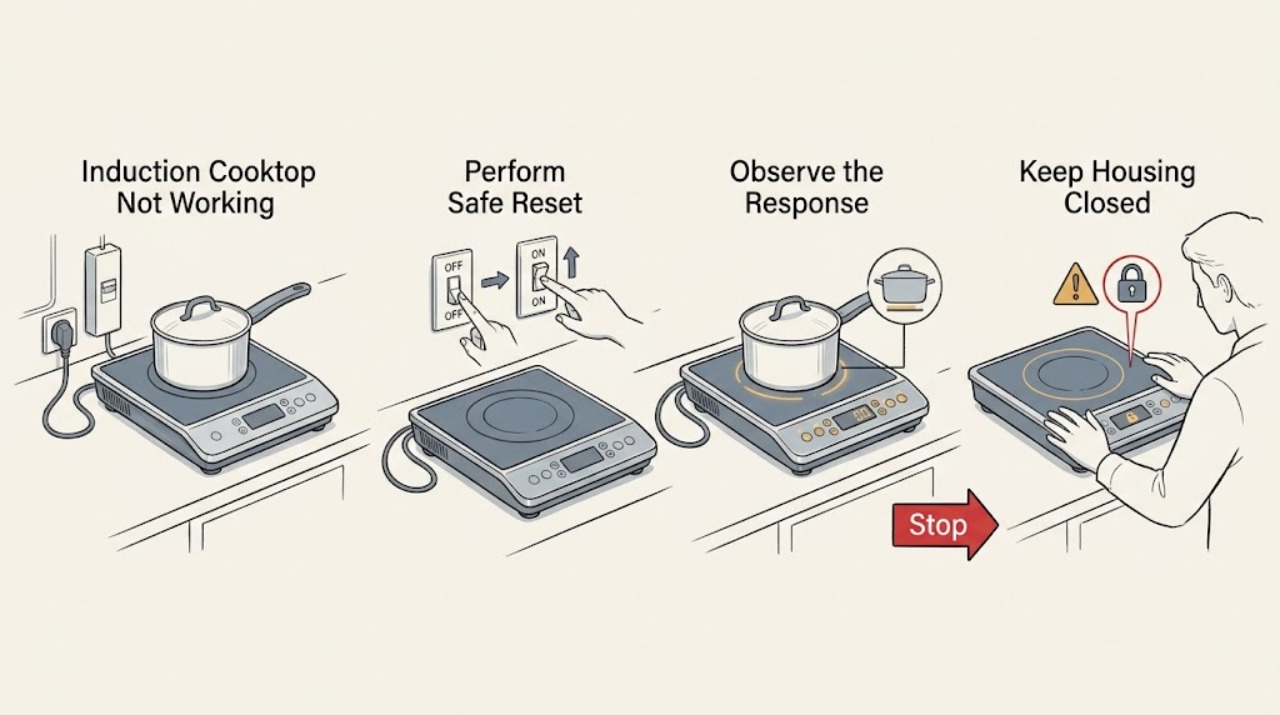
Frigidaire Induction Cooktop Not Working: Safe Power, Control, and Pan Checks
First decide whether the Frigidaire induction cooktop is completely blank, responds but will not start a zone, or heats one zone but not another. With no smoke, sparks, gas odor, burning smell, cracked glass, or water around the controls, check the accessible household supply, perform the manufacturer's simple 30-second power reset for a glass cooktop, and use a flat induction-compatible pan centered on the selected zone.
-
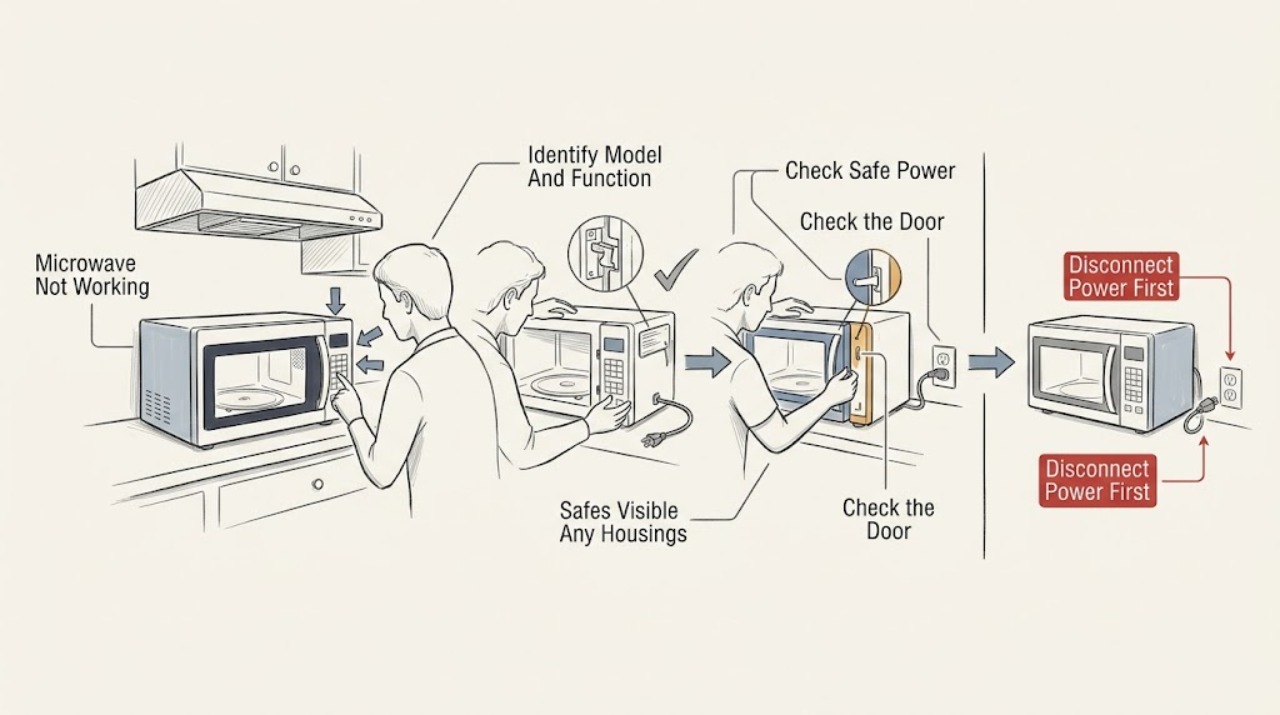
Frigidaire Microwave Not Working: Separate Power, Heating, and Motion Failures
First identify which function failed. If the display and cavity light are both off, check the breaker and the dedicated non-GFCI circuit only from a safe, dry position; Frigidaire says a recent surge or outage can trip the breaker, while an unresolved supply problem may require an electrician.
-
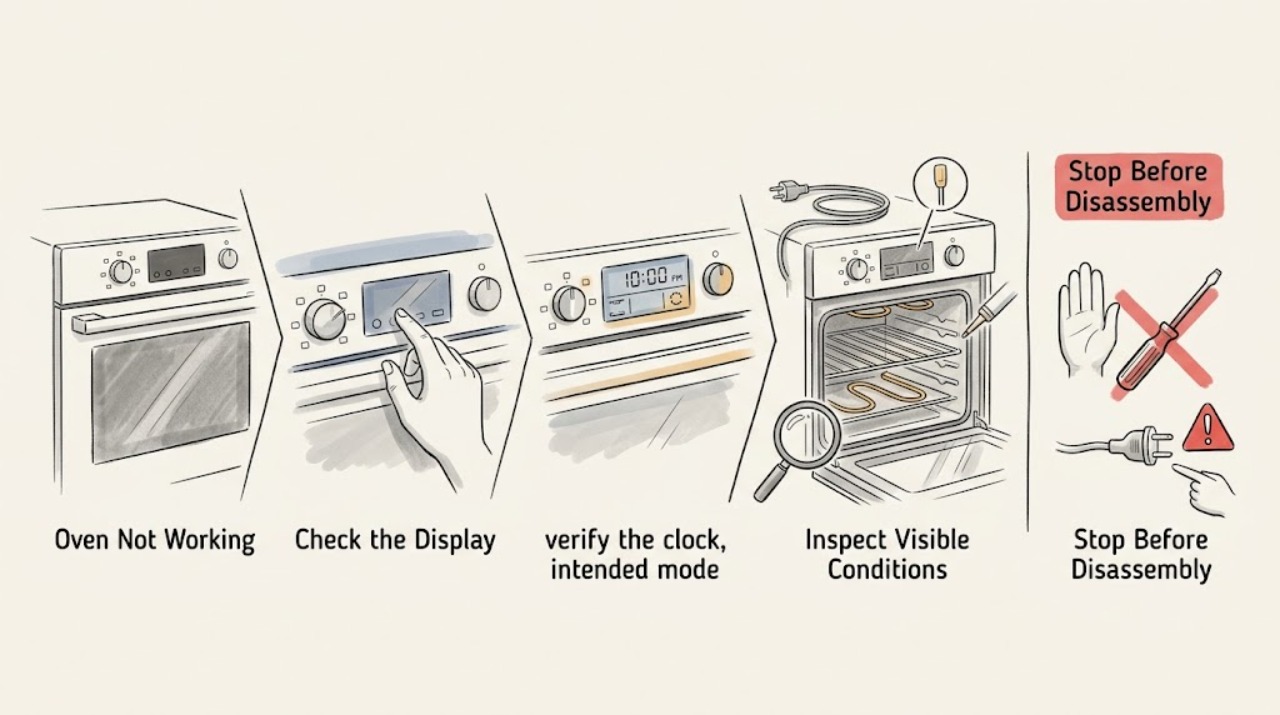
Frigidaire Oven Not Working: Control, Power, Heat, and Safety Checks
First identify whether your Frigidaire oven is completely dead, the controls will not accept a cooking cycle, the cycle starts but the oven stays cold, or it heats poorly or unevenly. Confirm the model's clock, mode, Start, lock, and timer settings, then check only the accessible breaker or fuse.
-
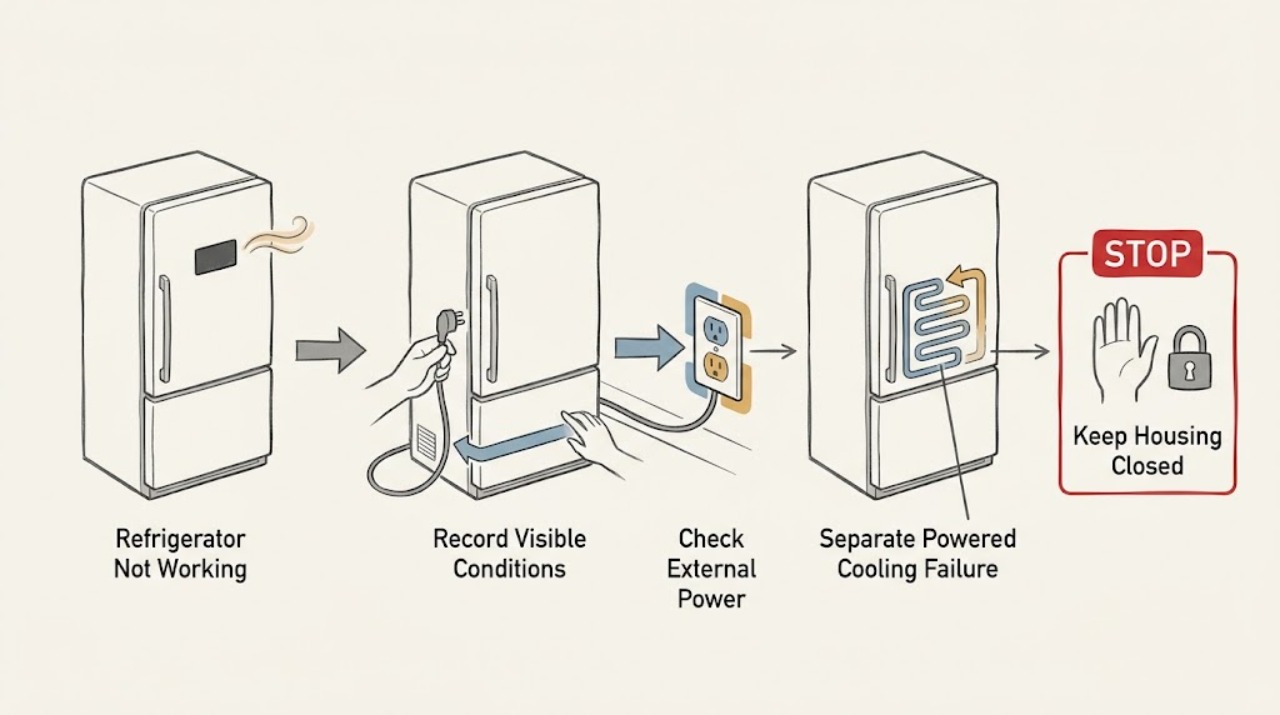
Frigidaire Refrigerator Not Working: Start With the Symptom That Still Works
Do not start by ordering a part. First identify which of these is true: the cabinet has no lights or display; it has power but is not cooling; cooling works but water or ice does not; or the display is beeping or showing a code.
-
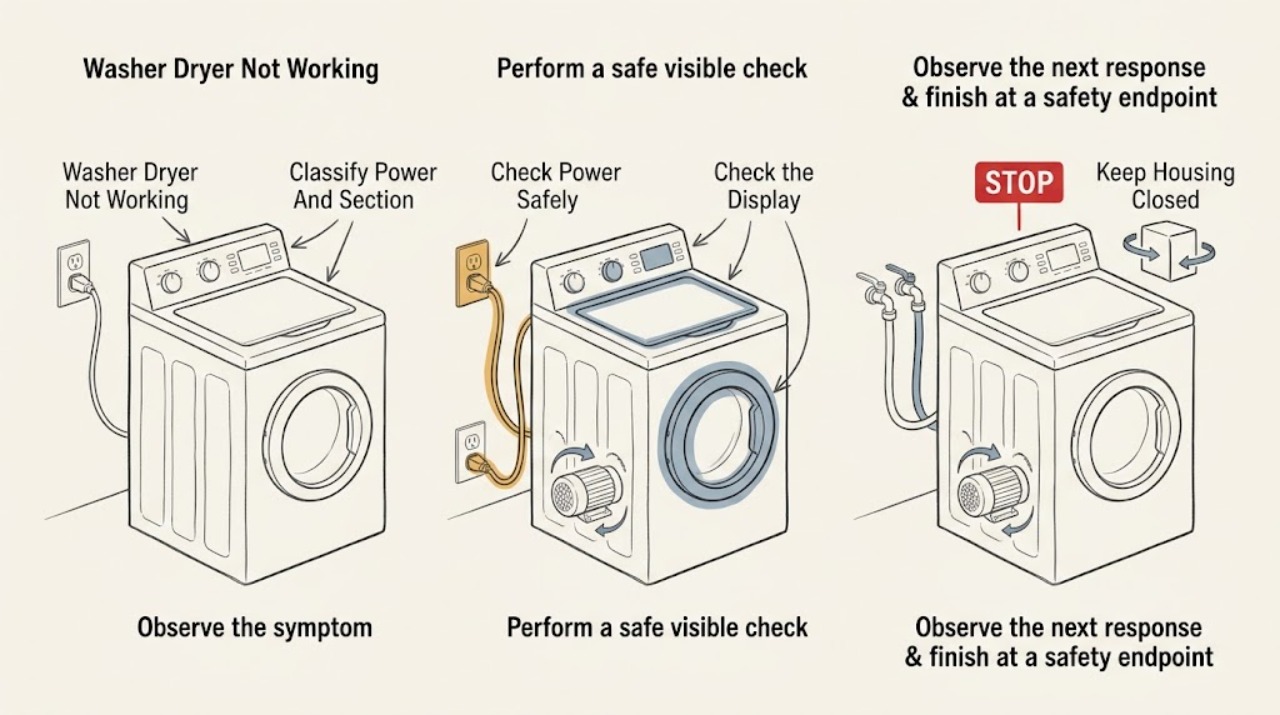
Frigidaire Washer Dryer Not Working: Check Power, Doors, Water, and Cycle State
Start by deciding whether the Frigidaire washer-dryer has no power, refuses to start, pauses during a cycle, or only one section is affected. Frigidaire says a laundry center needs a tight power connection, a working house circuit, open water faucets, a level installation, and a closed washer lid or dryer door; the START or START/PAUSE control must also be engaged according to the model.
-
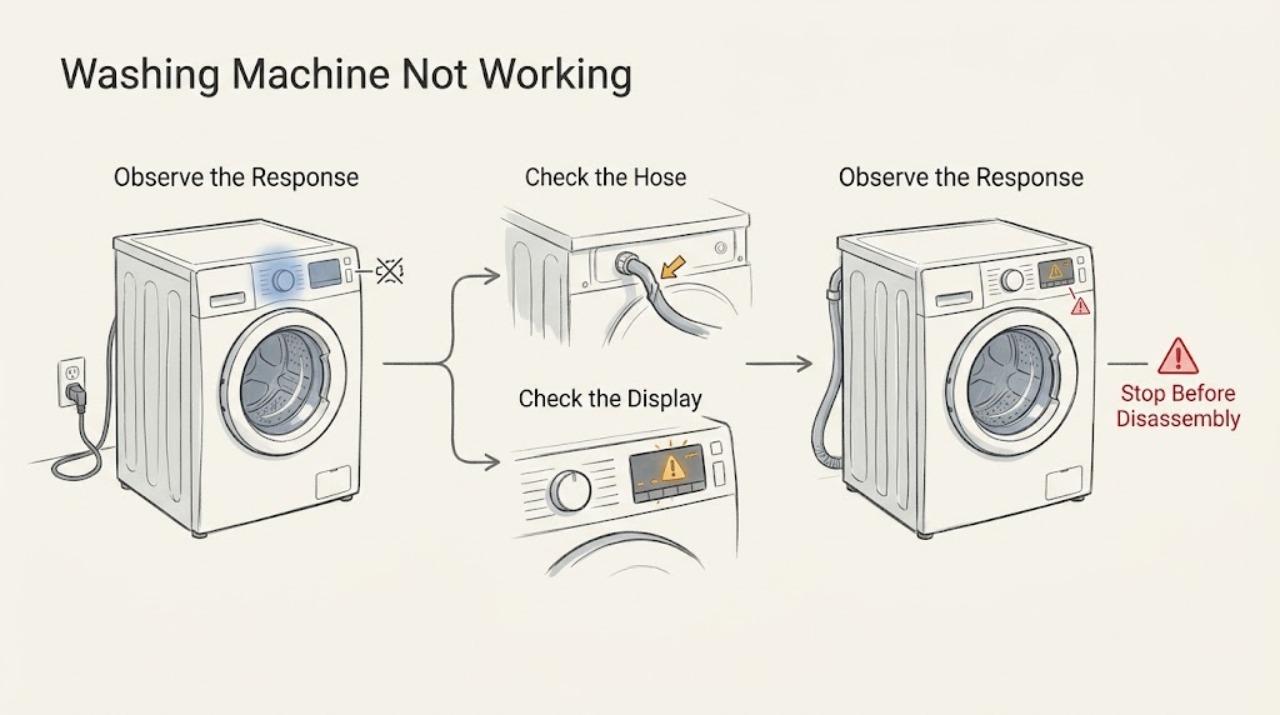
Frigidaire Washing Machine Not Working: Check Power, Start, Lid, and Water
When a Frigidaire washing machine is not working, first determine whether it is completely dead, refuses to start, fills slowly, pauses normally, or stops with water still inside. Check the user-accessible power connection and breaker, select a cycle, press START or START/PAUSE, make sure Delay Start is not active, and close the lid or door fully.
-
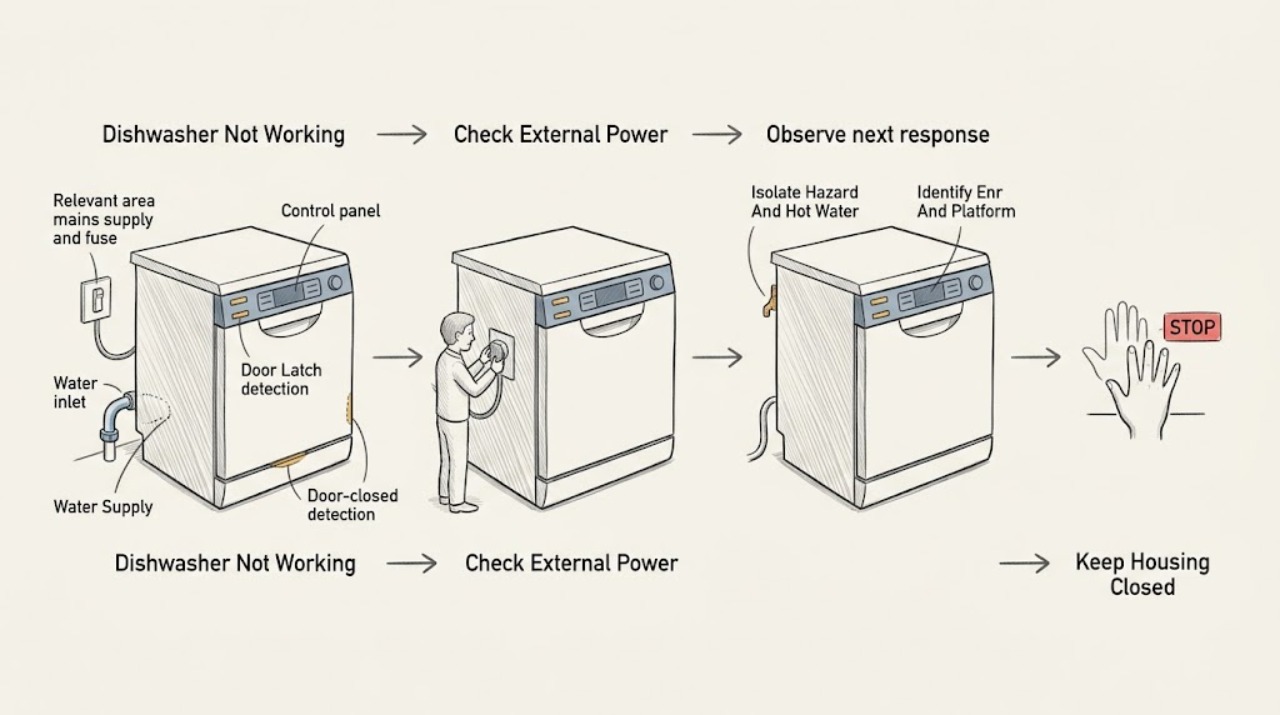
Gaggenau Dishwasher Not Working: Check Power, Door, Program, and Water in That Order
Start by deciding whether the dishwasher is completely without power or has a display that will not start a cycle. From a dry, safe position, check the accessible plug or isolator and the relevant household fuse/breaker; do not open the appliance or perform live voltage tests.
-
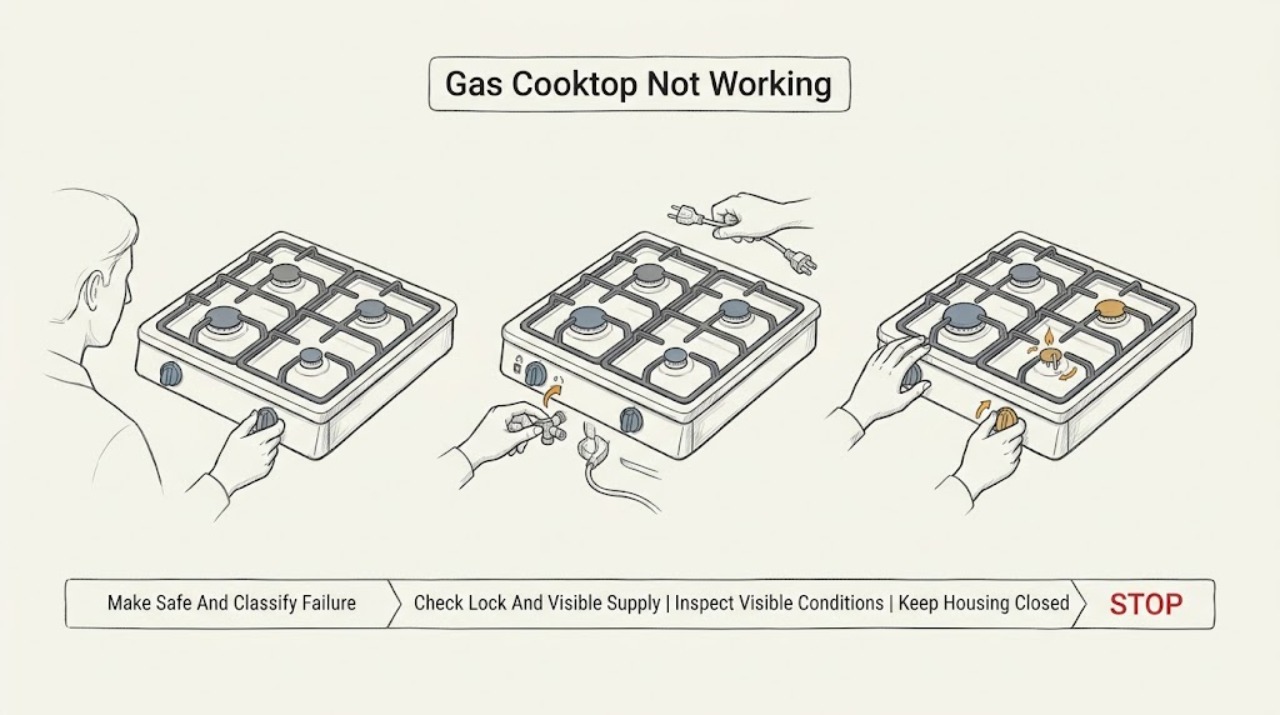
Gas Cooktop Not Working: Separate gas supply, ignition, and burner faults
First determine whether the whole gas cooktop is inactive, one burner fails, there is gas but no spark, or there is a spark but no flame. A control lock, loss of supply, wet or misaligned burner parts, blocked ports, or an ignition fault can produce similar symptoms.
-
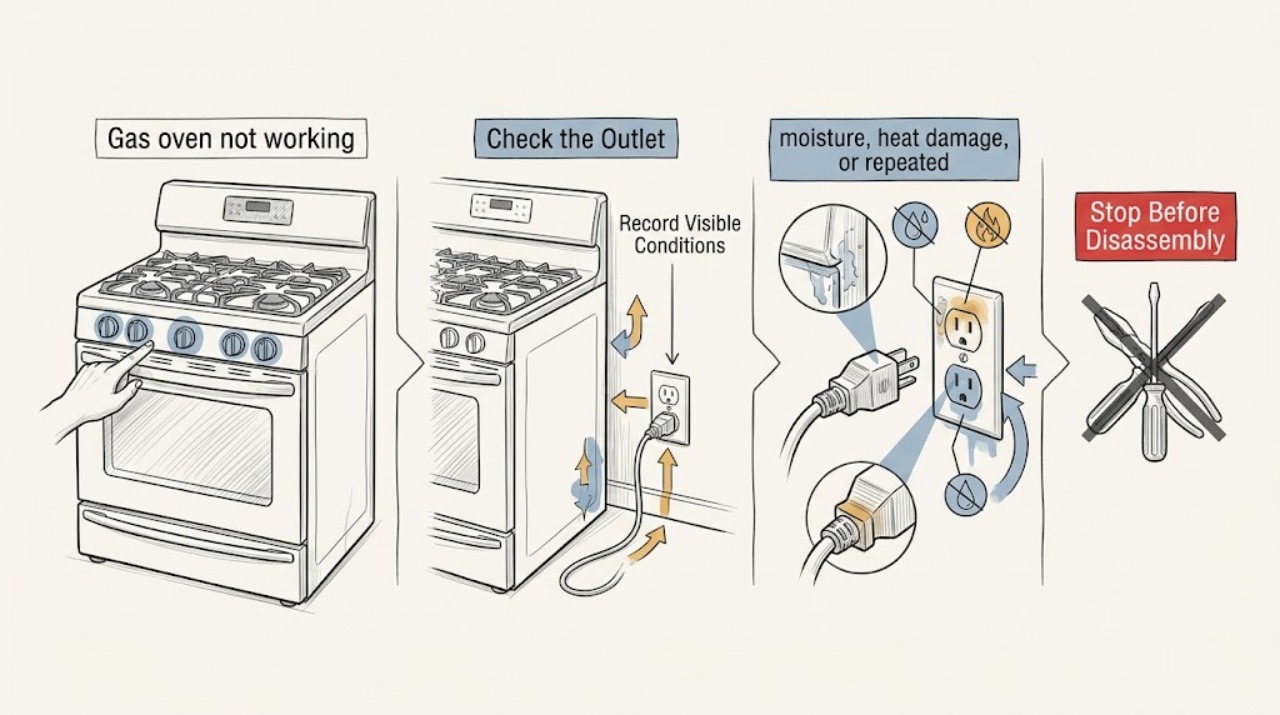
Gas oven not working: safe checks before service
First separate a completely dead oven from an oven that has power but will not start, ignite, or heat. If you smell gas, hear a delayed bang, see smoke or an abnormal flame, notice arcing, or a carbon-monoxide alarm sounds, stop using the oven, leave the hazard area, and contact gas or emergency help from a safe location; do not test for a leak or try another ignition.
-
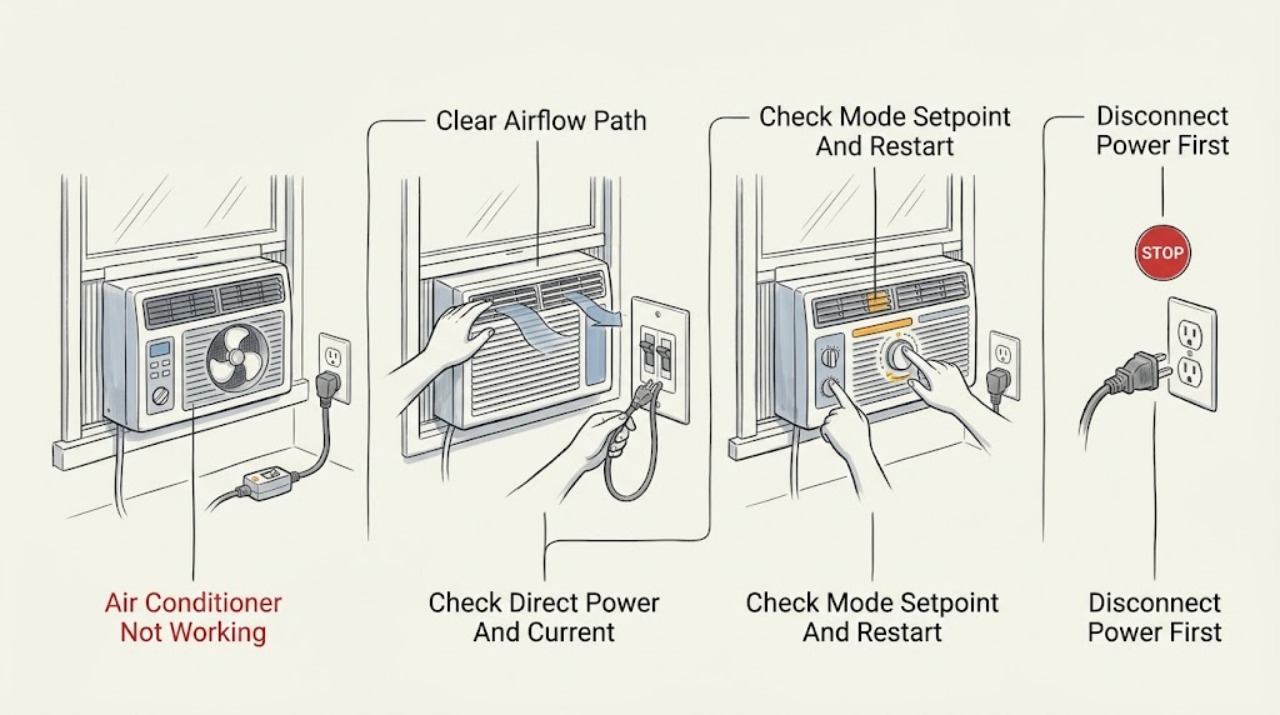
GE Air Conditioner Not Working: Separate Power, Control, Airflow, and Cooling Faults
First separate a dead unit with no display or airflow from a unit that runs the fan but does not cool. For no operation, confirm the selector is on, the unit is plugged directly into a properly grounded wall outlet, and—if fitted—the power-cord current interrupter is reset; do not use an extension cord, surge protector, or multi-outlet adapter.
-
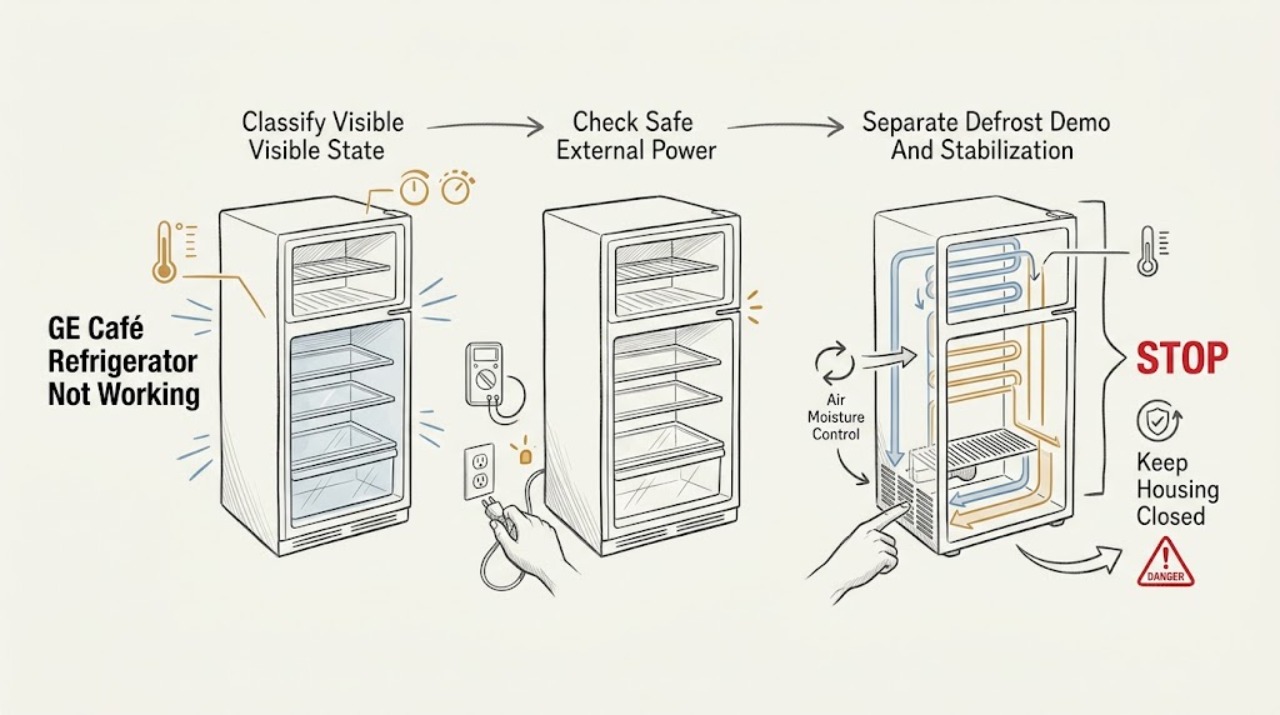
GE Café Refrigerator Not Working: Find the Safe Starting Point
First separate a completely dark refrigerator from a powered refrigerator that is warm. From a dry, safe position, check whether the interior light and display work, note the exact GE Café model, and record any outage, recent installation, code, odor, or water.
-
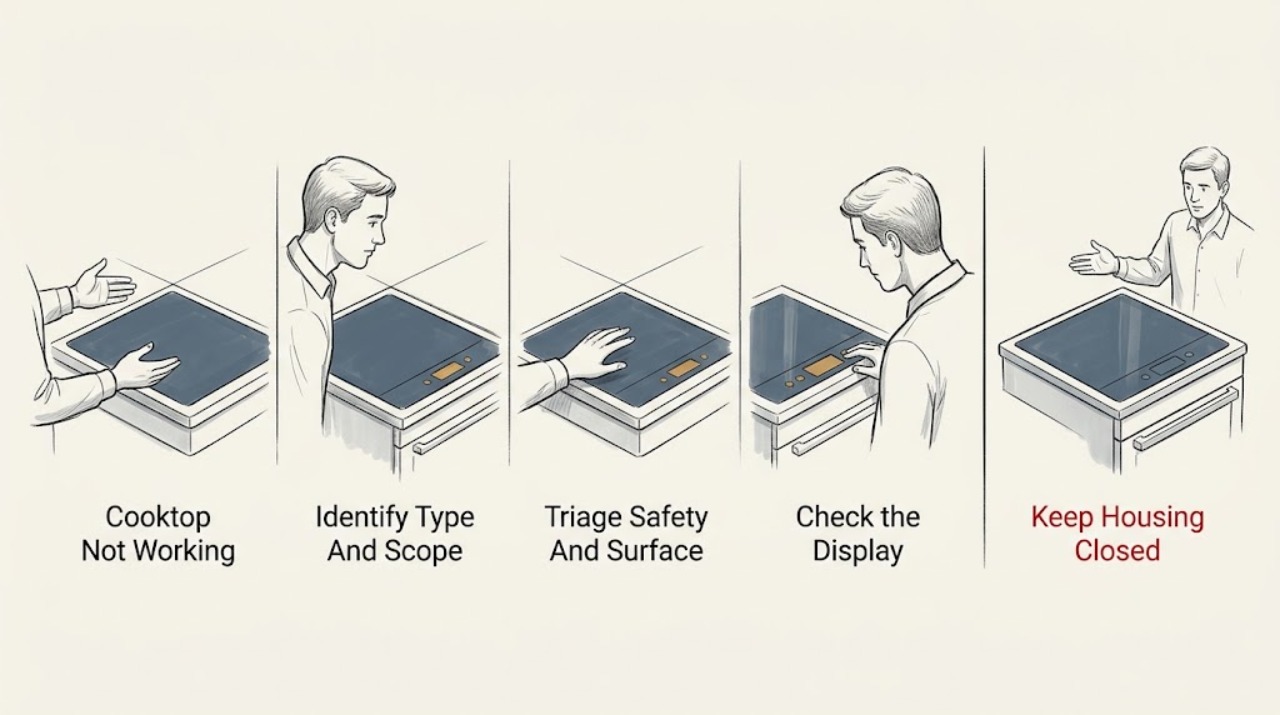
GE Cooktop Not Working: Identify the Fuel and Control Problem First
Start by determining whether the GE cooktop is gas, electric coil or radiant, or induction, and whether one burner or the entire cooktop is affected. With the surface cool, verify that the control is unlocked, the intended burner and setting are selected, and the appliance has power.
-
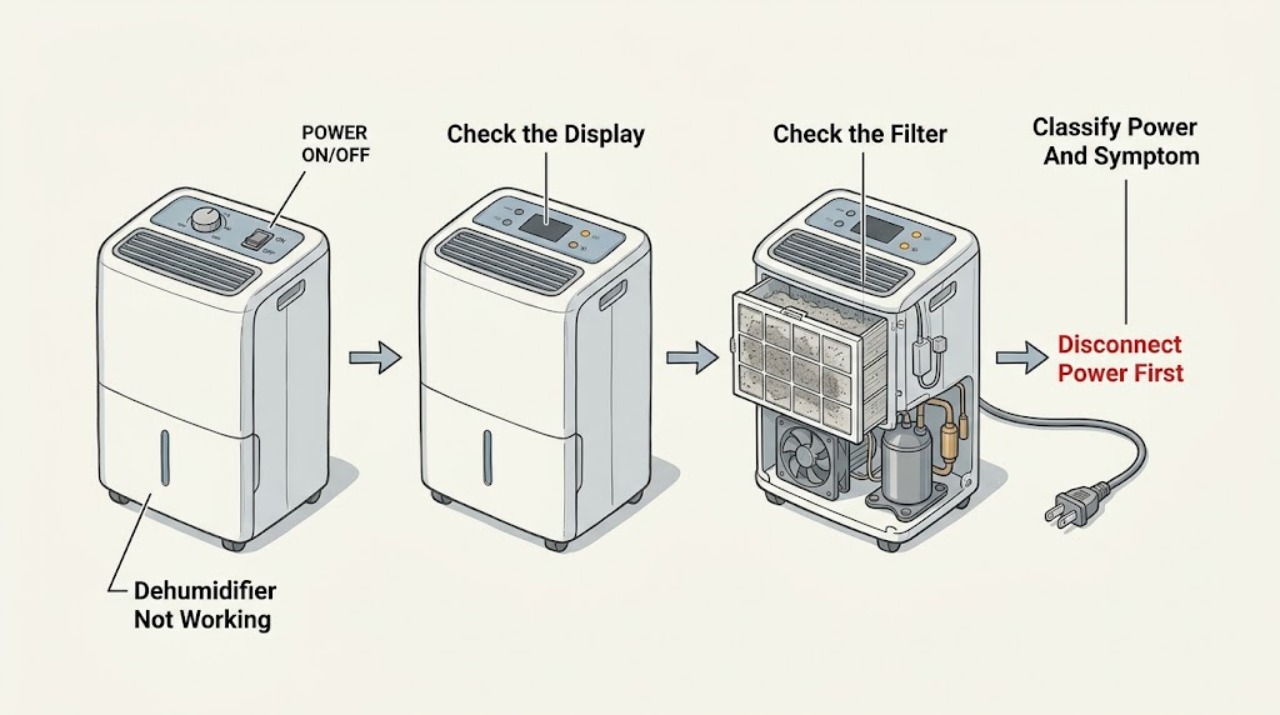
GE Dehumidifier Not Working: Check Power, Bucket, Humidity, and Frost
Start with the safe external state, not a part guess. Check whether the display or power indicator works, whether the bucket is empty and securely seated, whether the humidity setting is calling for dehumidification, and whether the air filter and grille are visibly blocked.
-
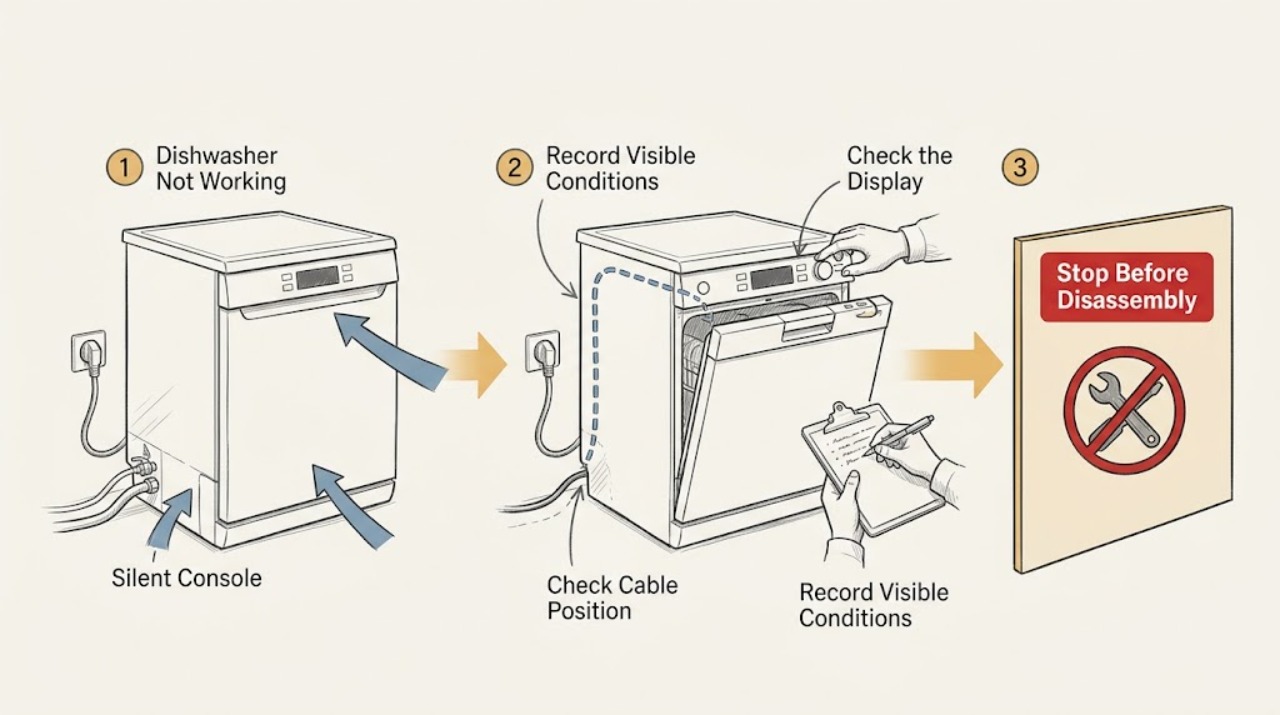
GE Dishwasher Not Working
If a GE dishwasher is not working, first decide whether it has no lights or sound, has power but will not start, starts but does not fill, or stops with water left inside. For no power, check the dedicated breaker or fuse, an accessible cord and GFCI outlet, and any wall switch; do not open the junction box or perform live tests.
-
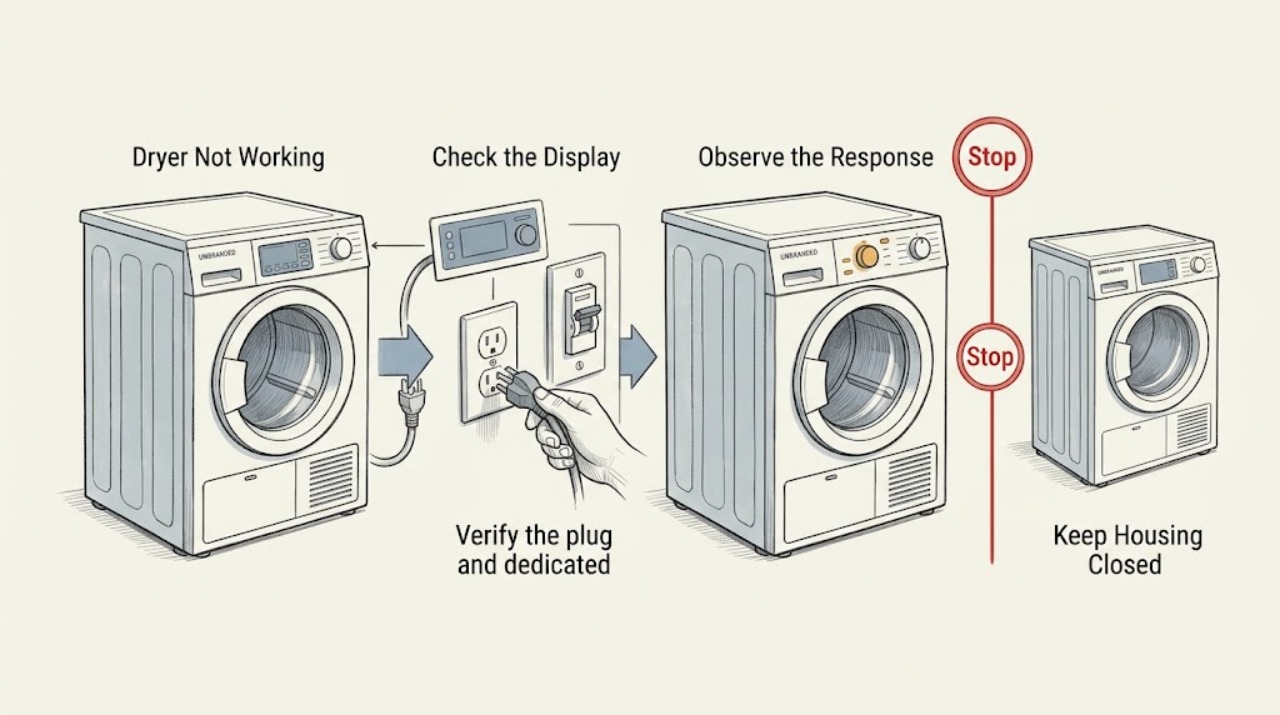
Ge Dryer Not Working
When a GE dryer is not working, first separate a blank or unresponsive control from a dryer that starts but will not tumble or heat. Confirm the plug, dedicated circuit, door closure, cycle settings, and Start command; then note whether the door switch, drum, and display behave normally.
-
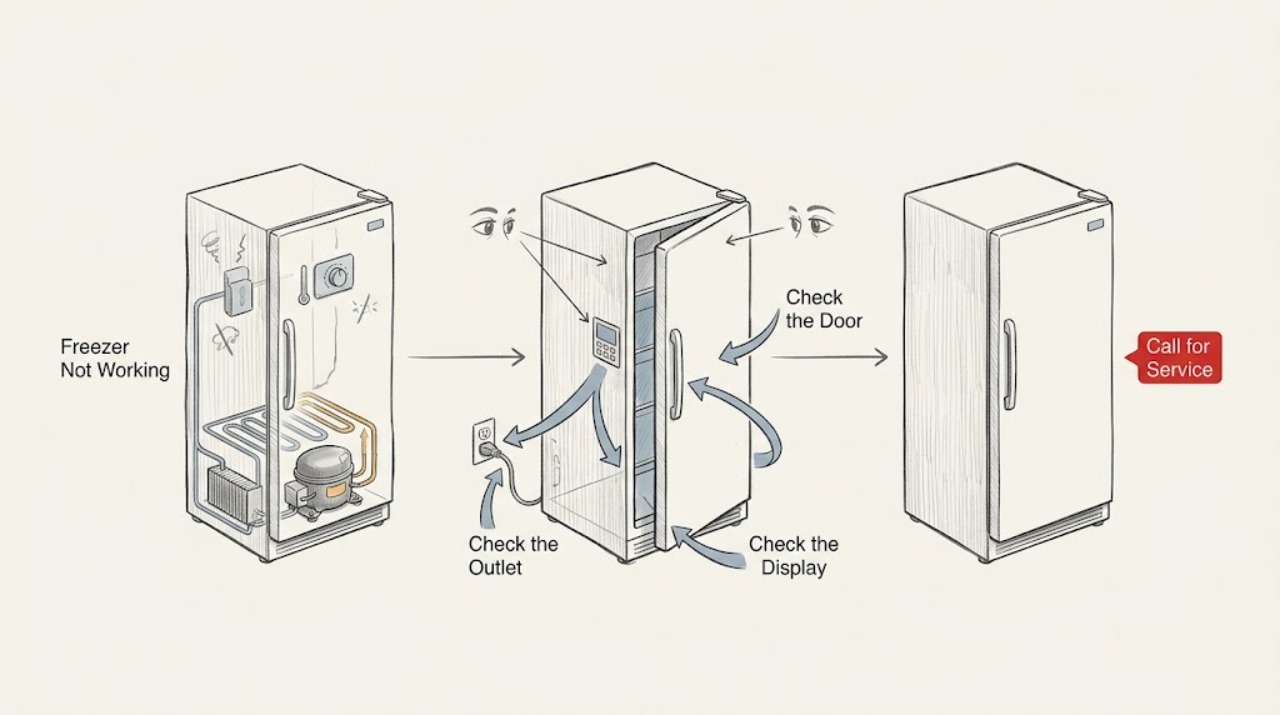
GE Freezer Not Working
If a GE freezer is not working, first determine whether it is completely dark, has lights but is not cooling, or is temporarily quiet during a defrost cycle. Confirm the plug, outlet, and temperature control, and check the display for Demo Mode or a fault code.
-
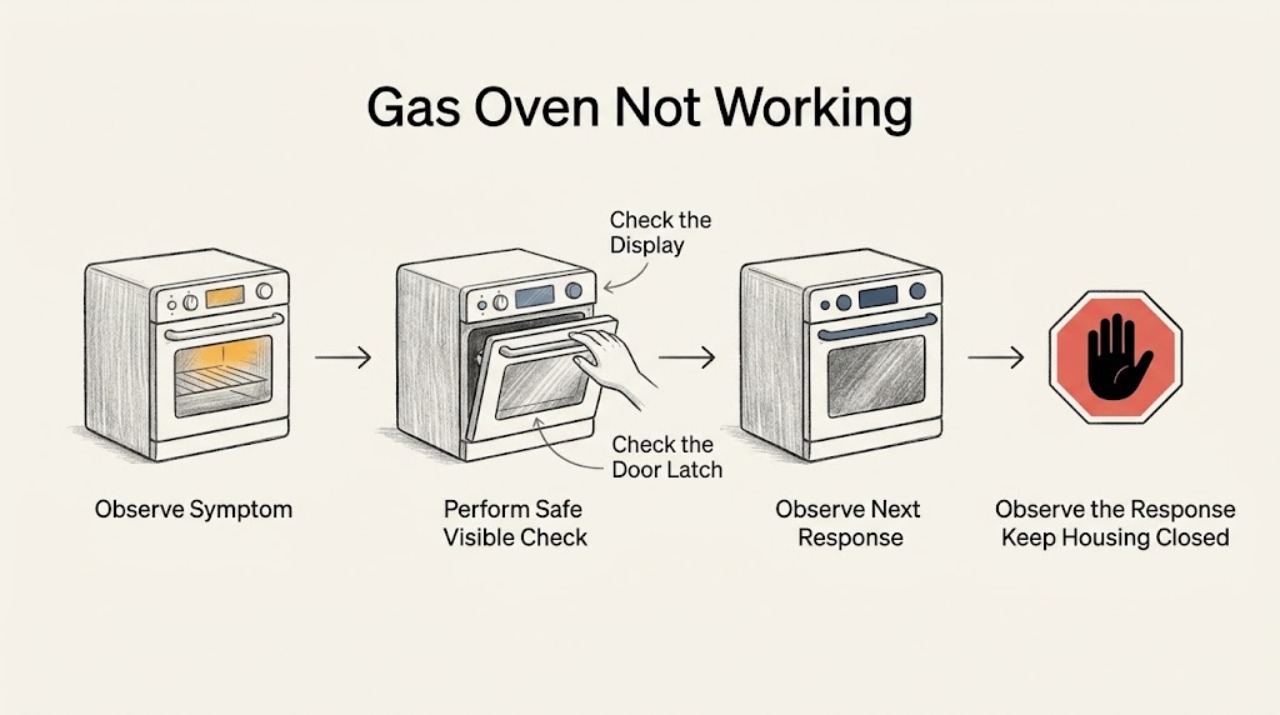
GE Gas Oven Not Working: Classify the Symptom Before Testing
“Not working” can describe several different GE gas-oven states, and each one needs a different next check. Before trying to start it again, stop for a gas or rotten-egg odor, hissing, smoke, an abnormal flame, a boom, or any uncertainty about unburned gas.
-
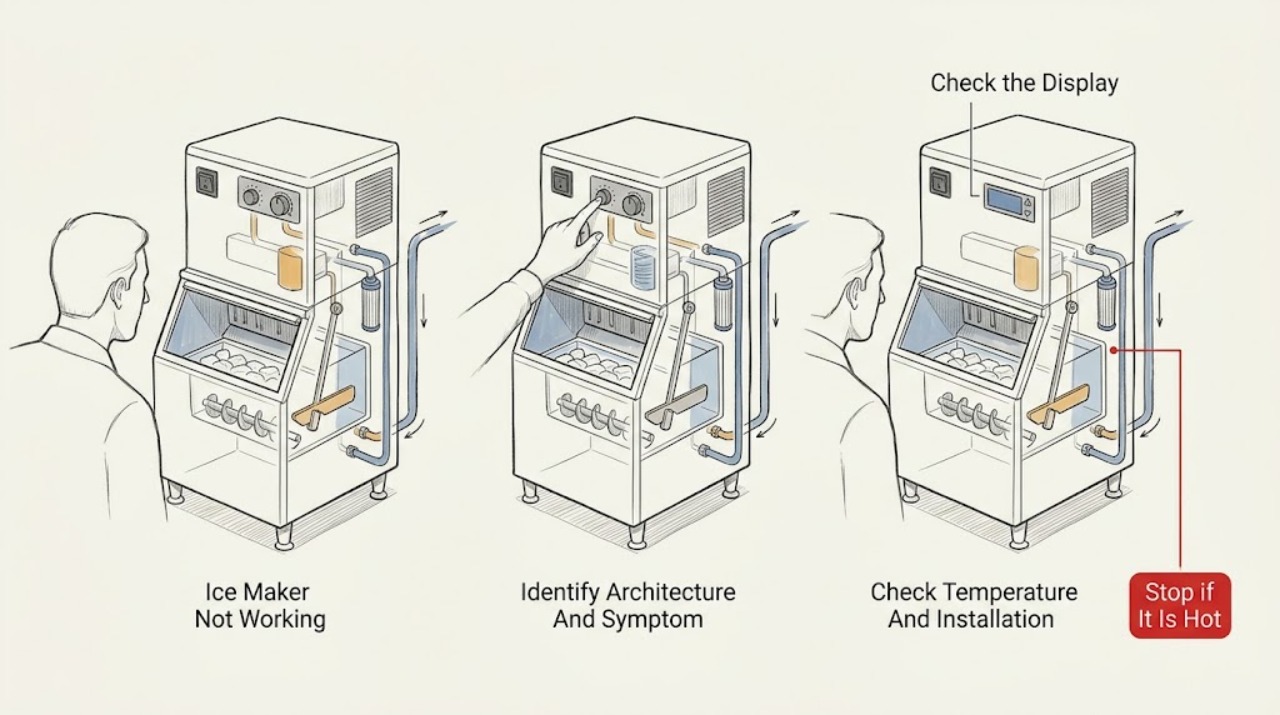
GE Ice Maker Not Working: Separate Standalone and Refrigerator Models First
First identify whether the GE ice maker is a standalone appliance or an ice maker installed inside a refrigerator; GE publishes separate troubleshooting for those architectures. For a refrigerator ice maker, confirm the exact model's ice control or feeler arm is on, the freezer is cold enough, the water supply is open, and a filter is not restricting flow.
-
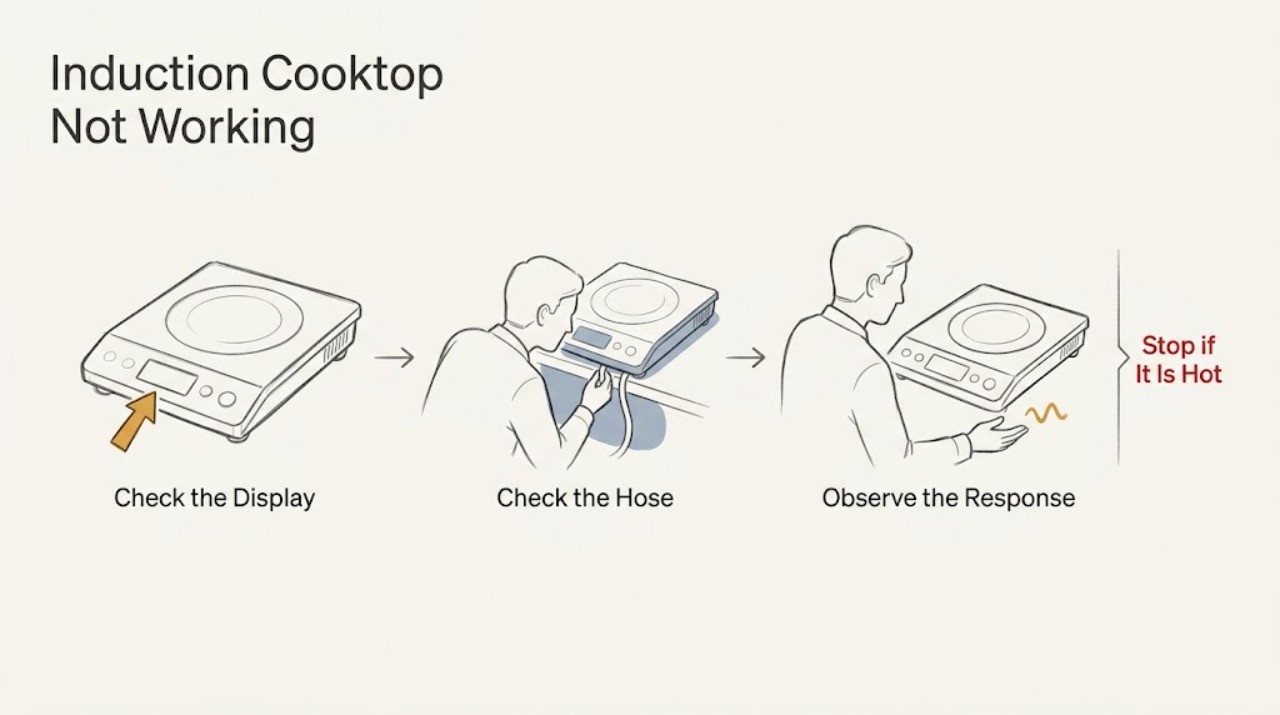
GE Induction Cooktop Not Working: Check Cookware, Controls, and Power
When a GE induction cooktop is not working, first separate a pan-detection issue from a control or power problem. Use a flat, magnetic pan that meets the element's size requirement, center it on the marked zone, and make sure it has full contact with the glass.
-
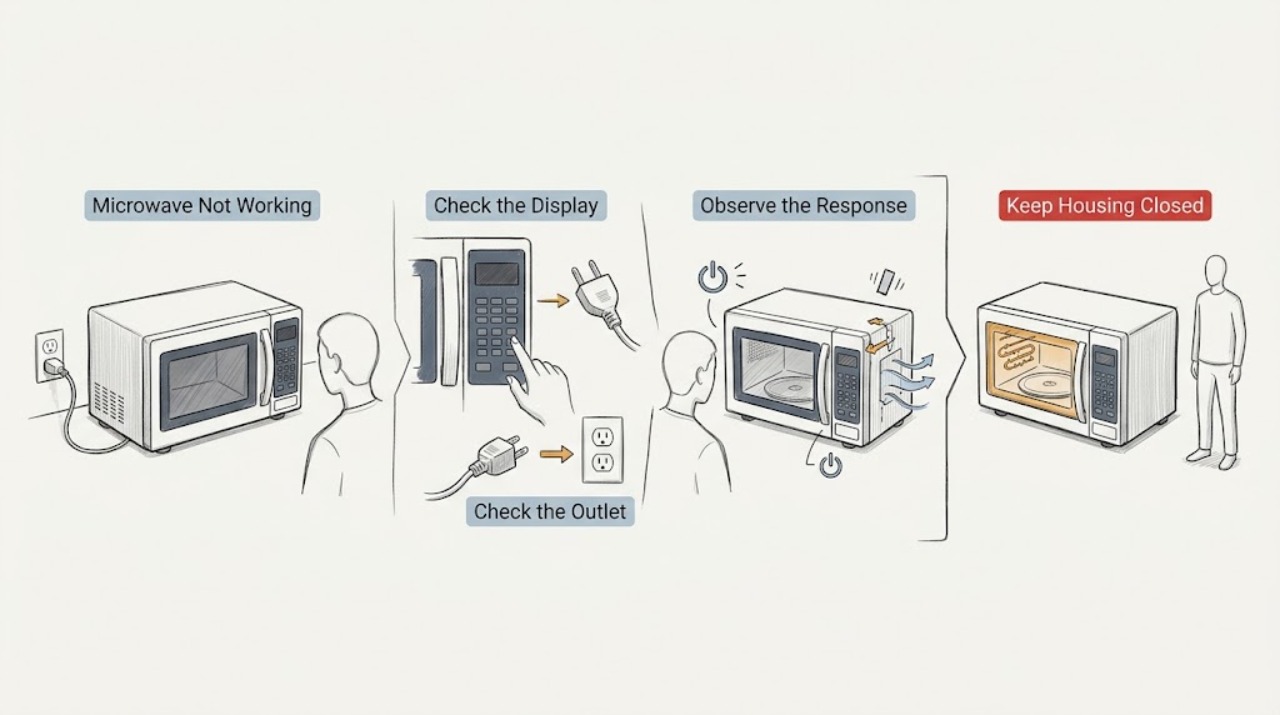
GE Microwave Not Working
When a GE microwave is not working, first separate a dead display from a lit display that will not start, a unit that shuts down, and a unit that runs without heating. Check the dedicated breaker or fuse and the outlet, then confirm the cord is fully inserted in a grounded three-prong outlet.
-
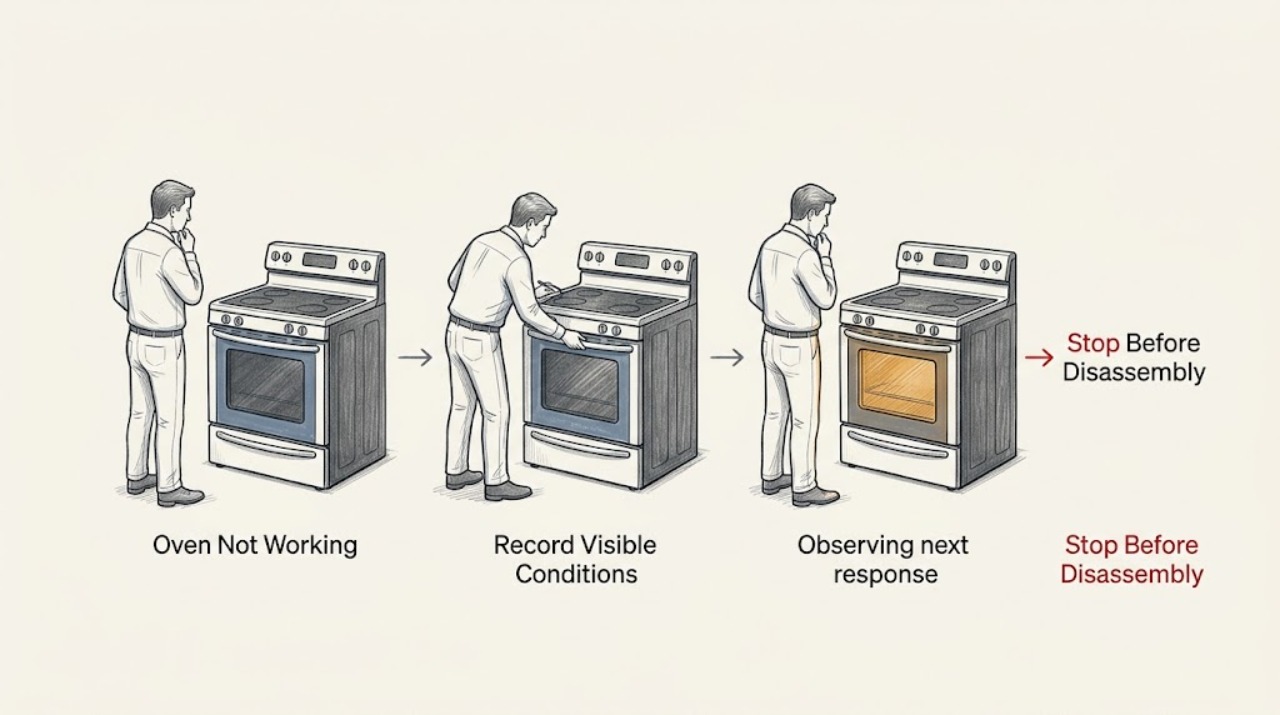
GE Oven Not Working: Separate Power, Heat, Ignition, and Control Faults
First identify what the GE oven actually does: a blank display, a powered display that will not start, an oven that starts but does not heat, a gas oven that does not ignite, or controls that behave incorrectly. With the oven cool and the area free of gas or burning odor, verify the selected Bake/Broil function and temperature, press Start when required, check the accessible house breaker or fuse, and use the exact model manual for Sabbath Mode or latch behavior.
-
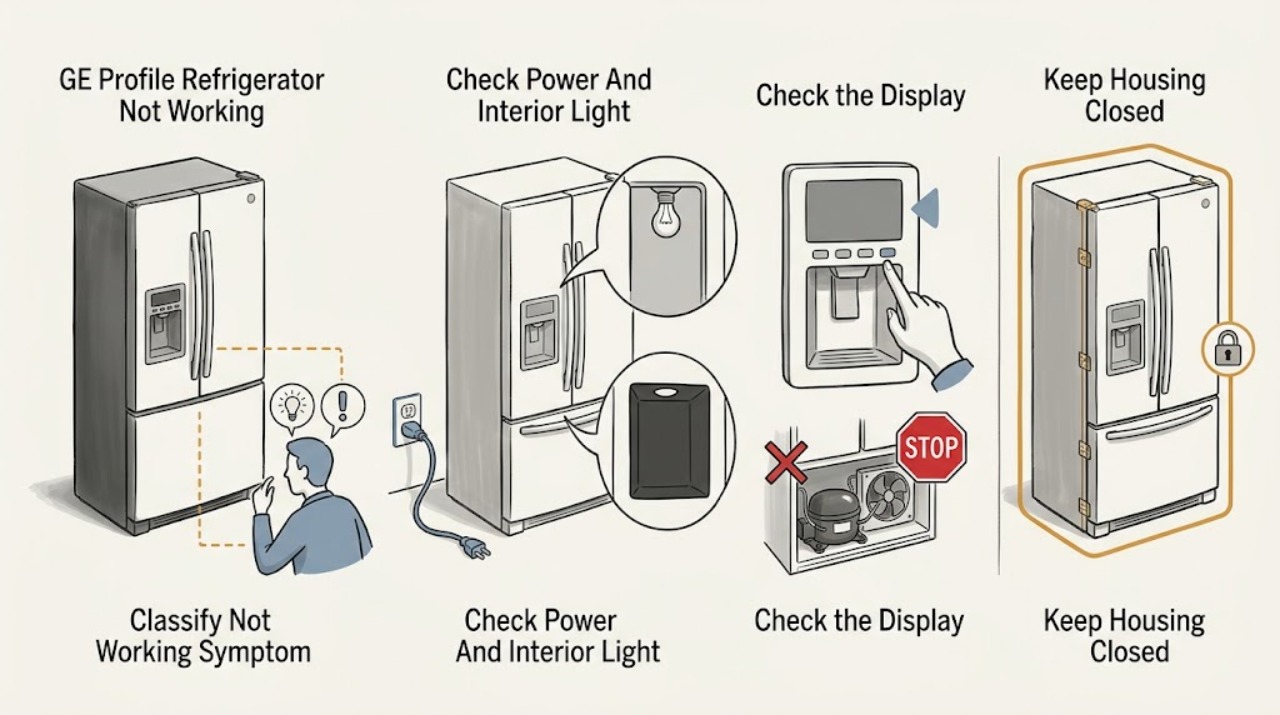
GE Profile Refrigerator Not Working: Check Power, Modes, and Cooling
First separate a completely dead GE Profile refrigerator from one that has lights or a display but is not cooling, and record the complete model number. If there is no interior light or display, check that the plug is fully seated and that the wall outlet has power; do not open the cabinet or test live wiring.
-
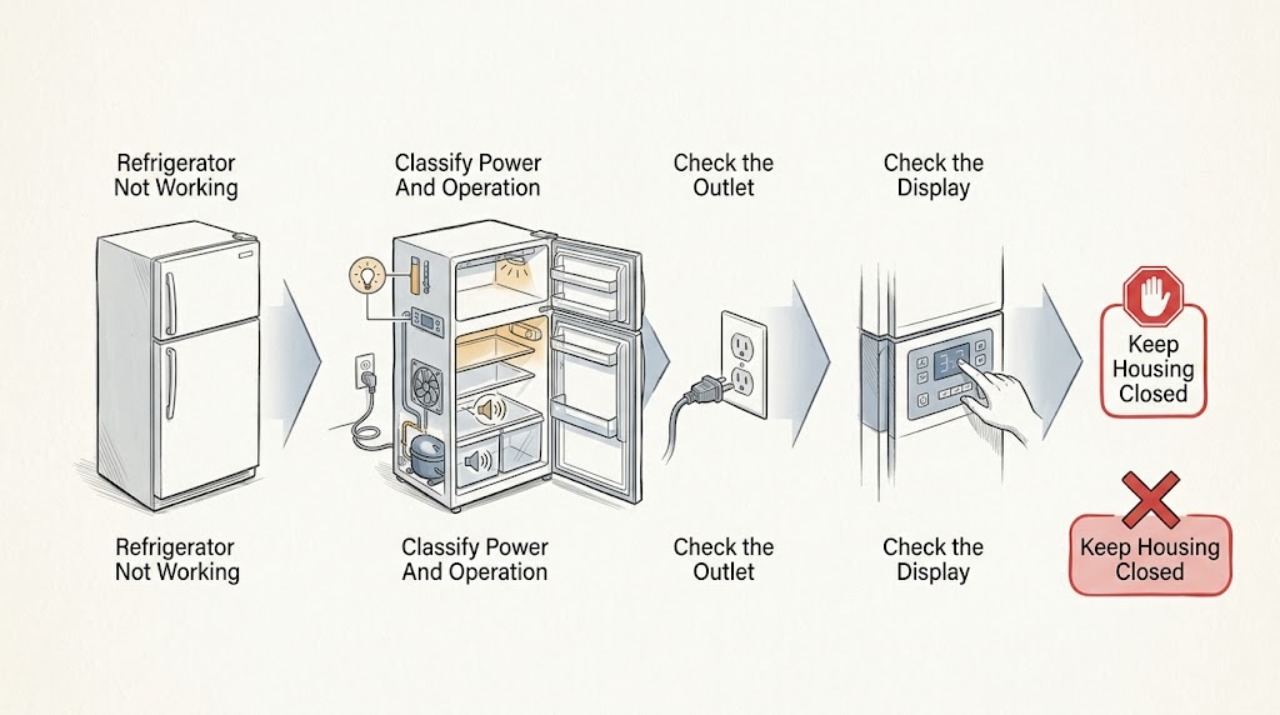
GE Refrigerator Not Working
When a GE refrigerator is not working, first check whether the interior light/display is completely dead or whether the refrigerator has power but is not running or cooling. Confirm the plug is fully inserted and the outlet has power, then verify the temperature controls were not turned off and the refrigerator is not in Demo Mode.
-
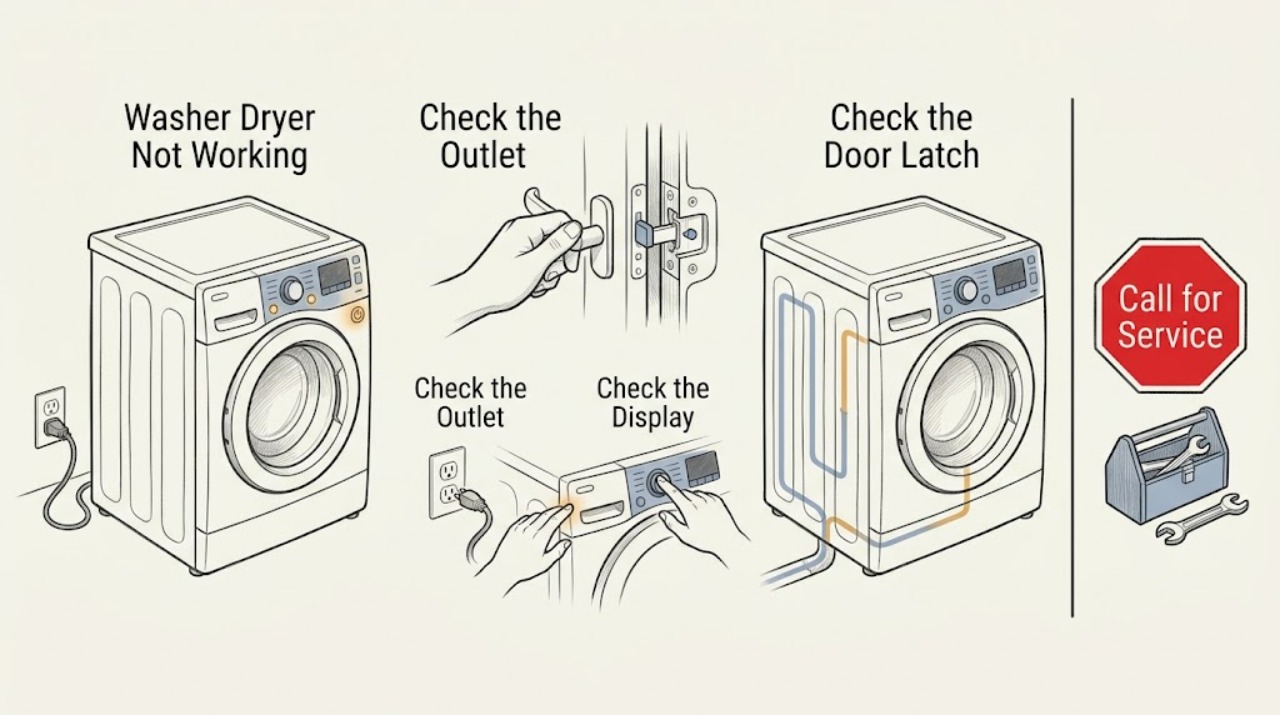
Ge Washer Dryer Not Working
Start by identifying whether the GE washer-dryer has no lights or sounds, has power but will not accept a cycle, or starts and then stops. Check the plug, outlet and breaker, then confirm the selected cycle, Control Lock, and fully closed door or lid.
-
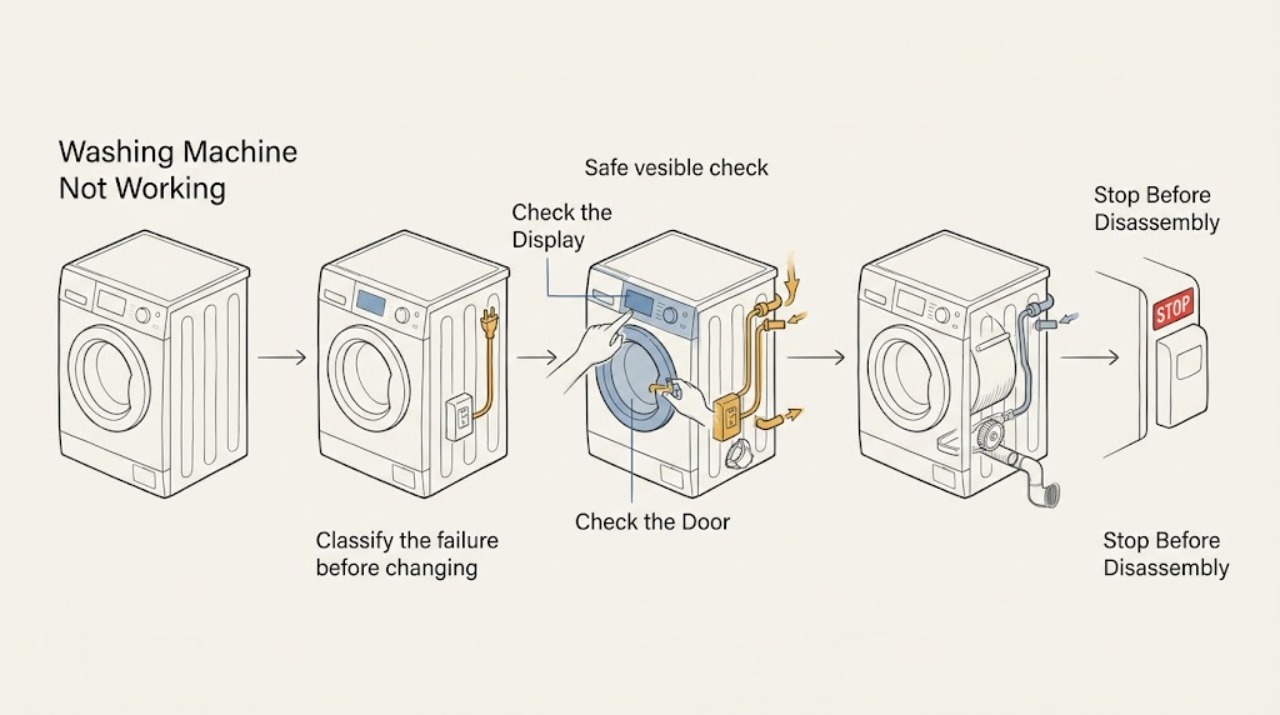
Ge Washing Machine Not Working
Separate a completely dead GE washing machine from one that has power but stops at a particular stage. From a dry, safe position, check the outlet, plug, breaker, controls, and lid or door closure.
-
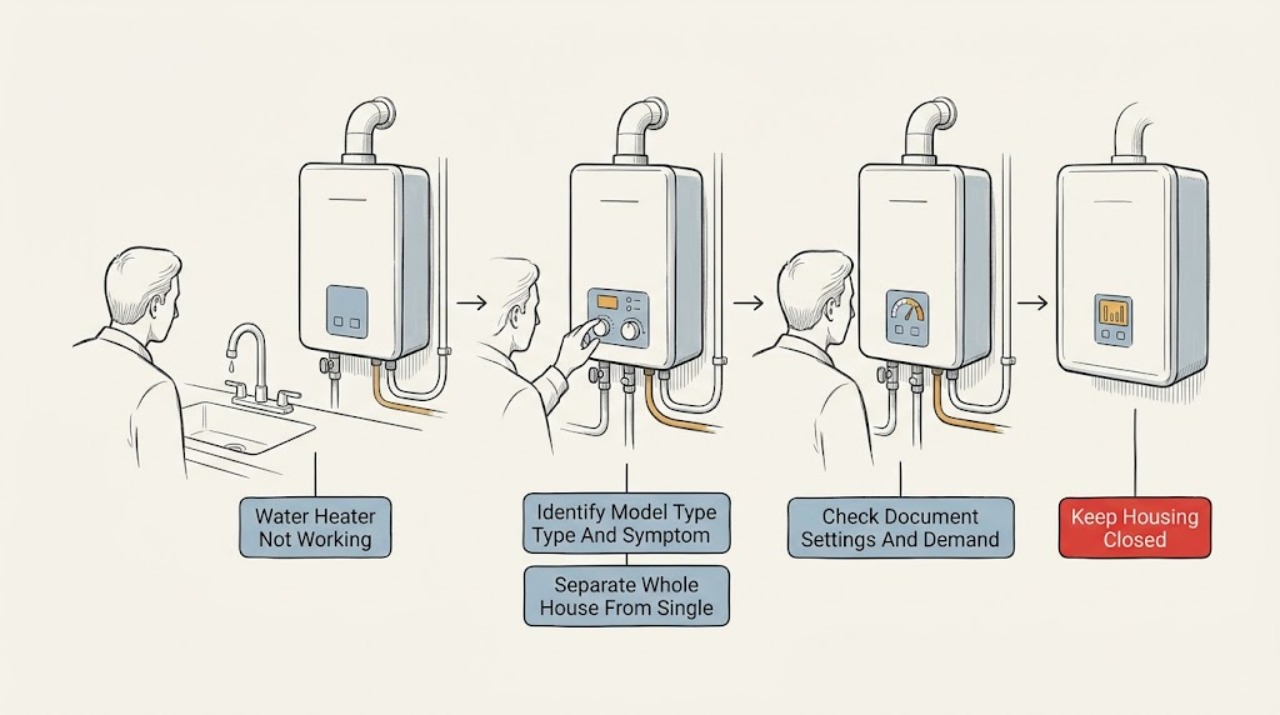
GE Water Heater Not Working: Safe Checks for Power, Settings, and Model Type
First identify the complete GE model and whether it is a traditional electric or gas heater or a GeoSpring hybrid. Then check the symptom: no hot water anywhere, insufficient hot water, a display or control problem, a gas-ignition symptom, or a visible leak.
-
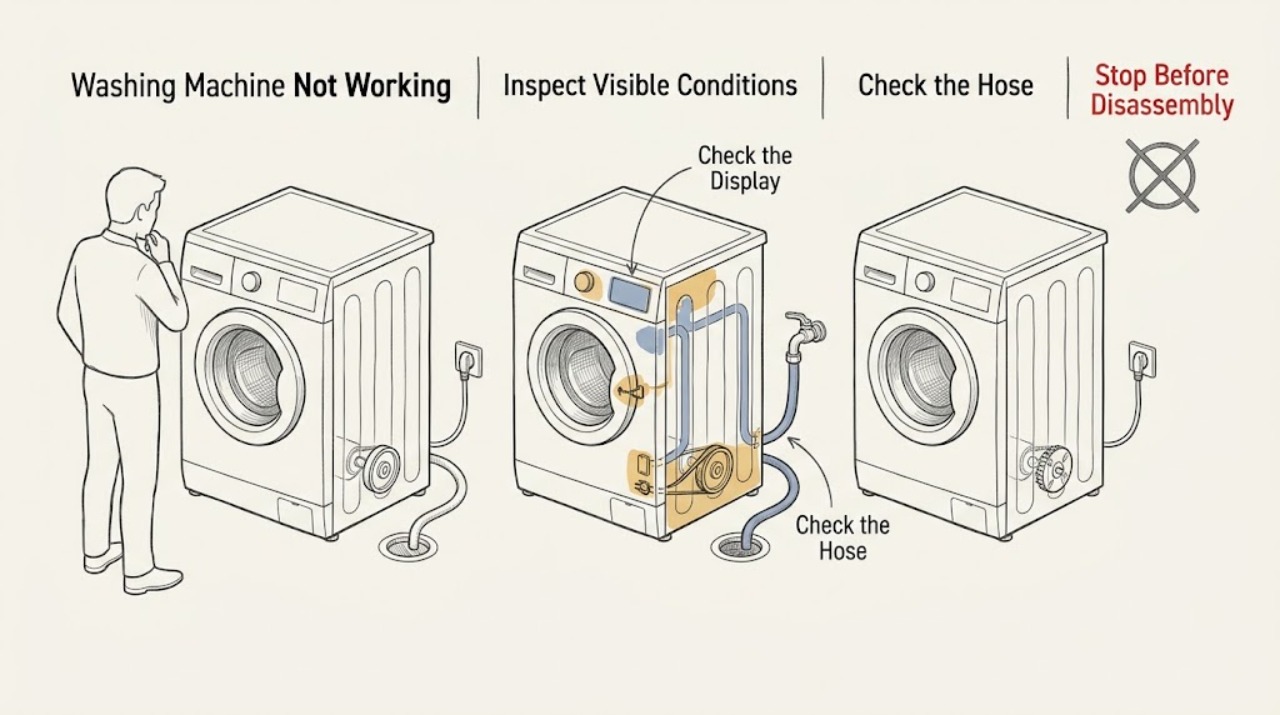
Gorenje Washing Machine Not Working: Check Power, Water, Drain, and Spin Safely
A Gorenje washing machine that seems not to work can have no power, a door that is not locked, delayed start or another setting, no water entering, a blocked drain, or an unbalanced load that prevents spinning. First check the display and visible power, then the closed door and water and drain conditions without opening the cabinet.
-
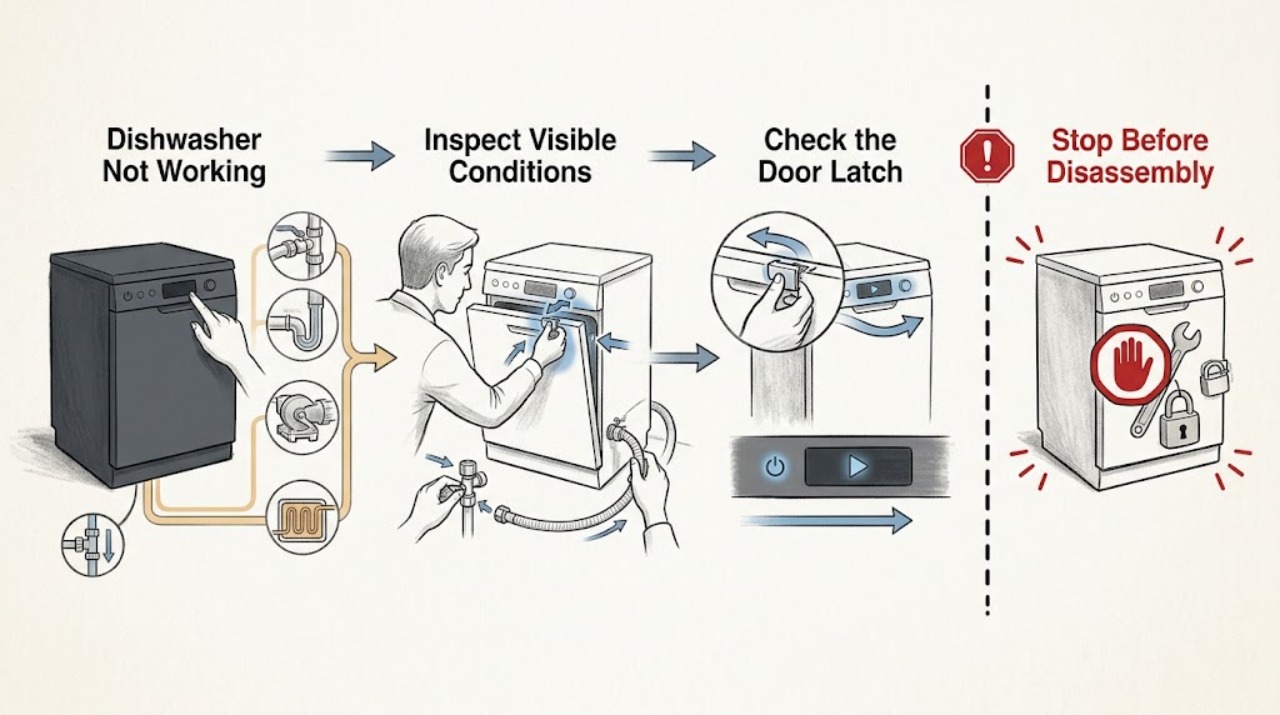
Haier Dishwasher Not Working
If a Haier dishwasher is not working, first separate a completely dead control panel from a powered dishwasher that will not start, pauses normally, does not fill, stops with water inside, or runs without heating or cleaning. Check the accessible power switch or breaker, close the door until the latch engages, cancel any delay or lock state shown by the exact model, and verify the under-sink water valve is open and the supply line is not kinked.
-
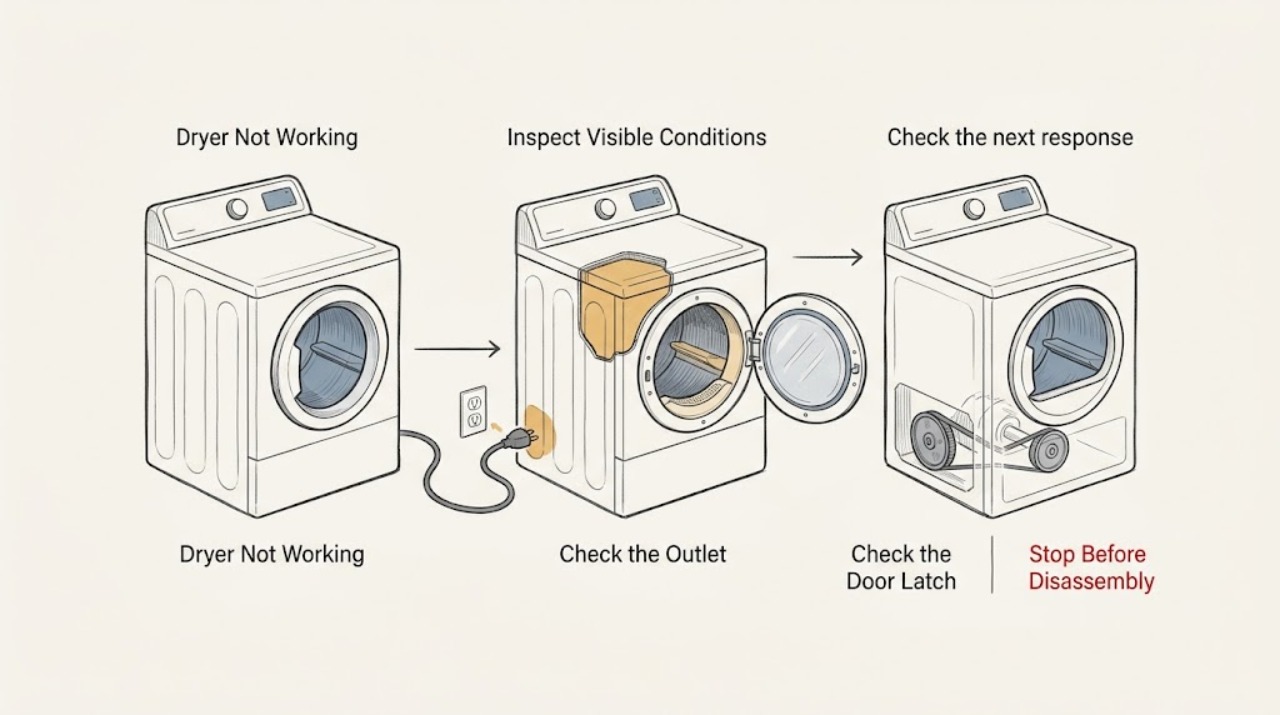
Haier Dryer Not Working: Safe Checks Before Service
First identify whether the Haier dryer is completely dark, powers on but will not start, or starts and then stops. Check the outlet and cord from the outside, close the door fully, select a normal drying cycle, and remove only visible obstructions or an excessive load.
-
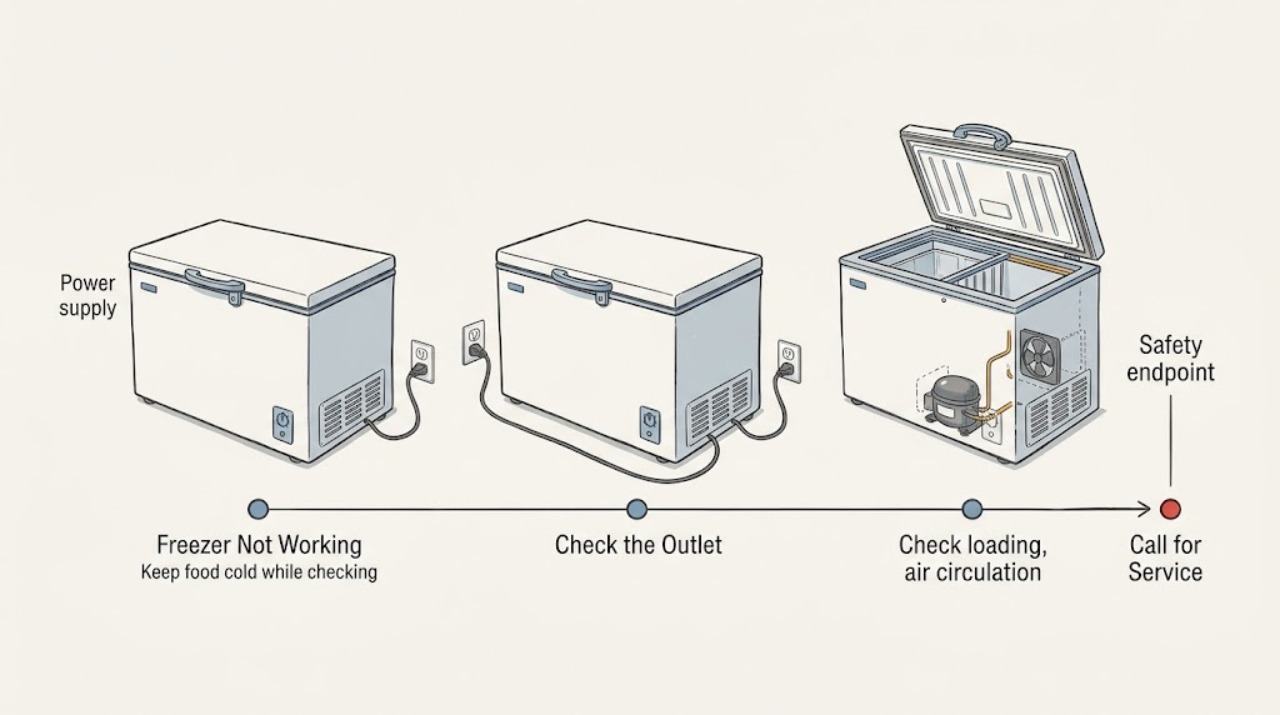
Haier Freezer Not Working: Safe Checks
If a Haier freezer is not working, keep the door or lid closed and protect the food before repeated troubleshooting. Check the plug, working outlet, accessible breaker, and temperature control without opening the cabinet; Haier also identifies a door or lid left ajar, a damaged gasket, blocked air circulation, frequent opening, warm food, and a recent installation or outage as causes of poor cooling or long run time.
-
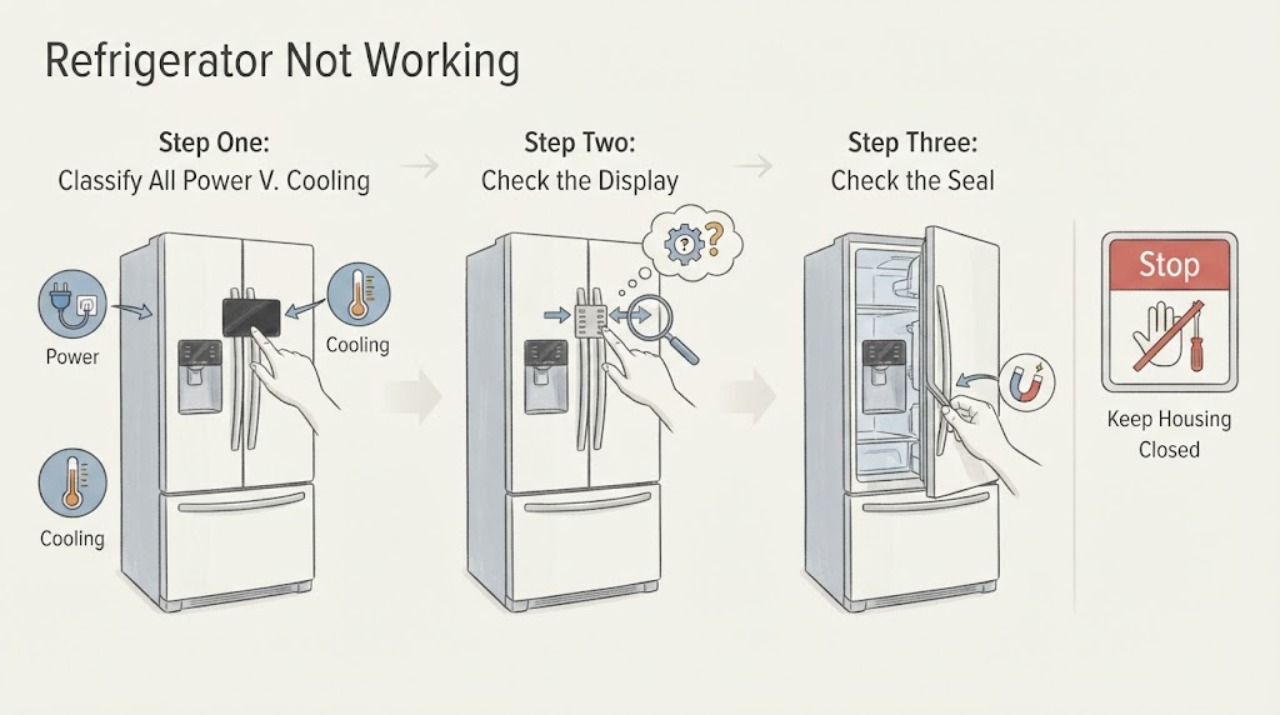
Haier Refrigerator Not Working
“Not working” can mean no power, no cooling, one compartment disabled, or a control that will not respond. Start by recording whether the interior light and display work, whether the compressor or fan runs, and whether one or both compartments are warm.
-
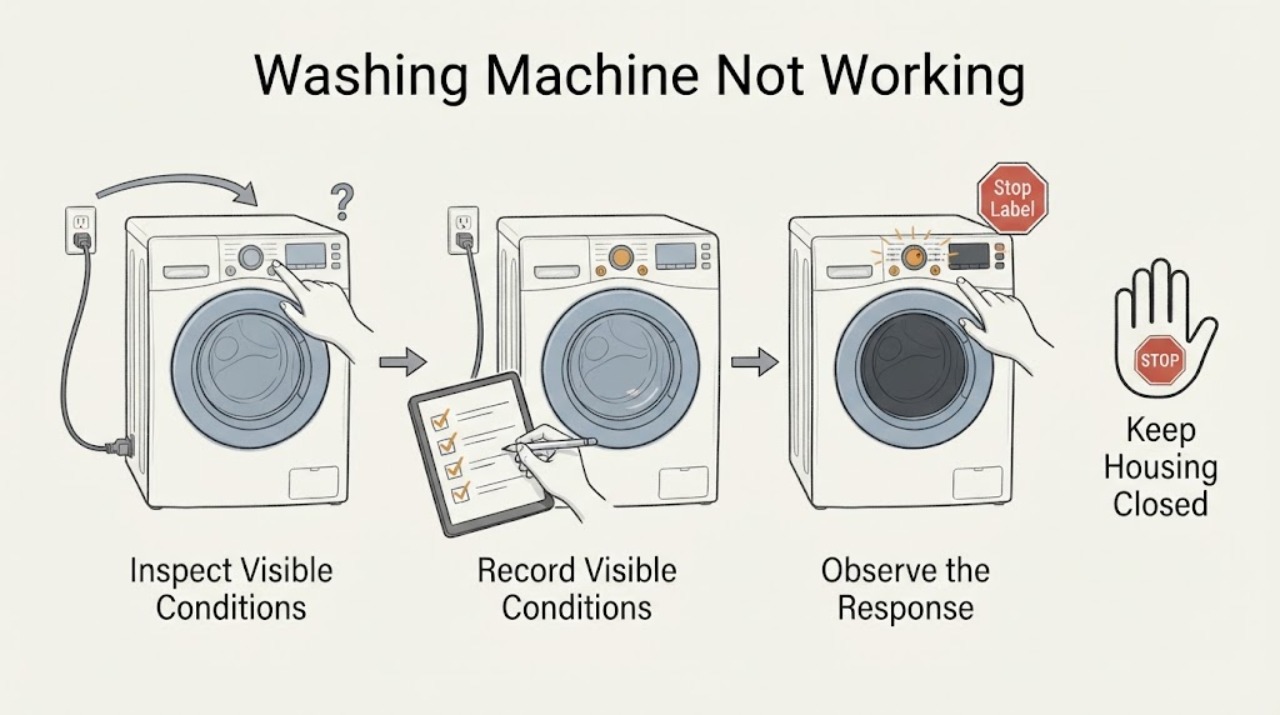
Haier Washing Machine Not Working: Check the Start, Door, Water, and Power States
Start with the safe external states, not an internal part. Turn the machine on, confirm the plug and household power are sound, select a real wash program, close the door or lid fully, release any child lock, make sure the water tap is open, and cancel any delay setting.
-
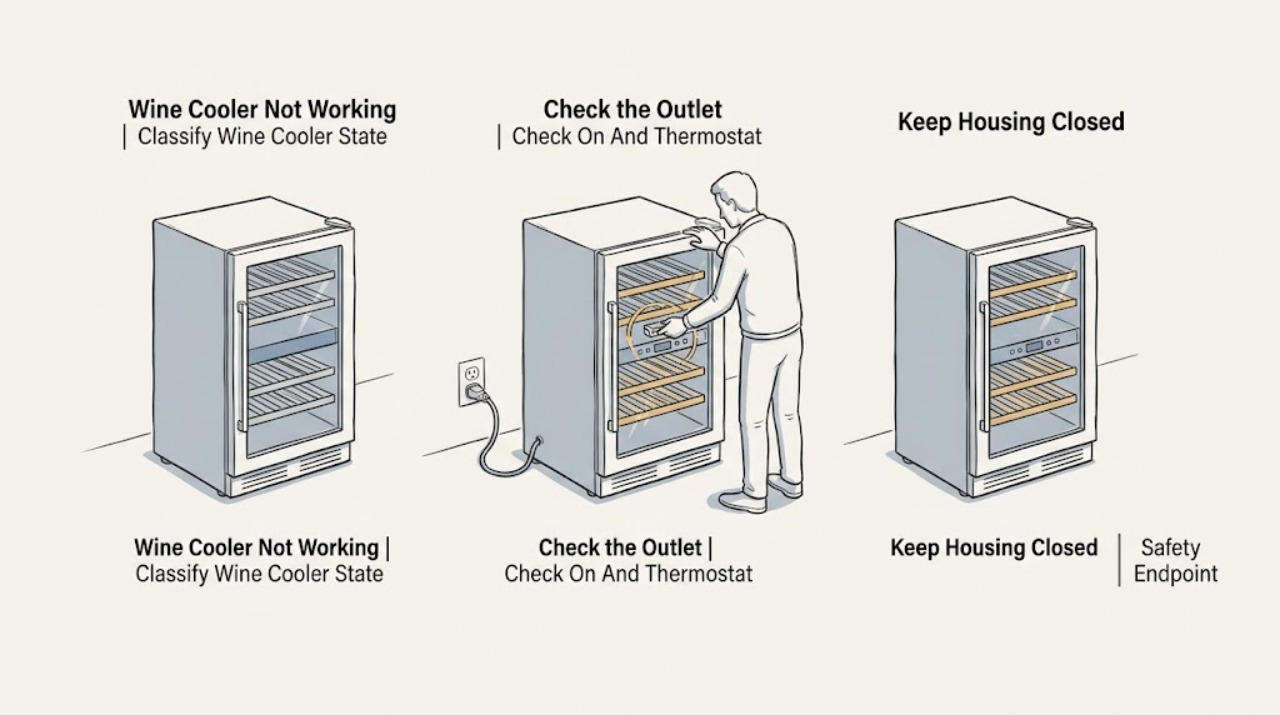
Haier Wine Cooler Not Working: Separate No Power from a Cooling Problem
First separate a completely dead wine cooler from one that has a display or light but is not cooling, and from one that is operating but not reaching the selected temperature. Haier's official wine-cellar support says that when the unit is not working at all, verify the cooler is plugged into a working outlet, check power at the wall outlet, and confirm the unit is turned on with the thermostat set to a cold temperature.
-
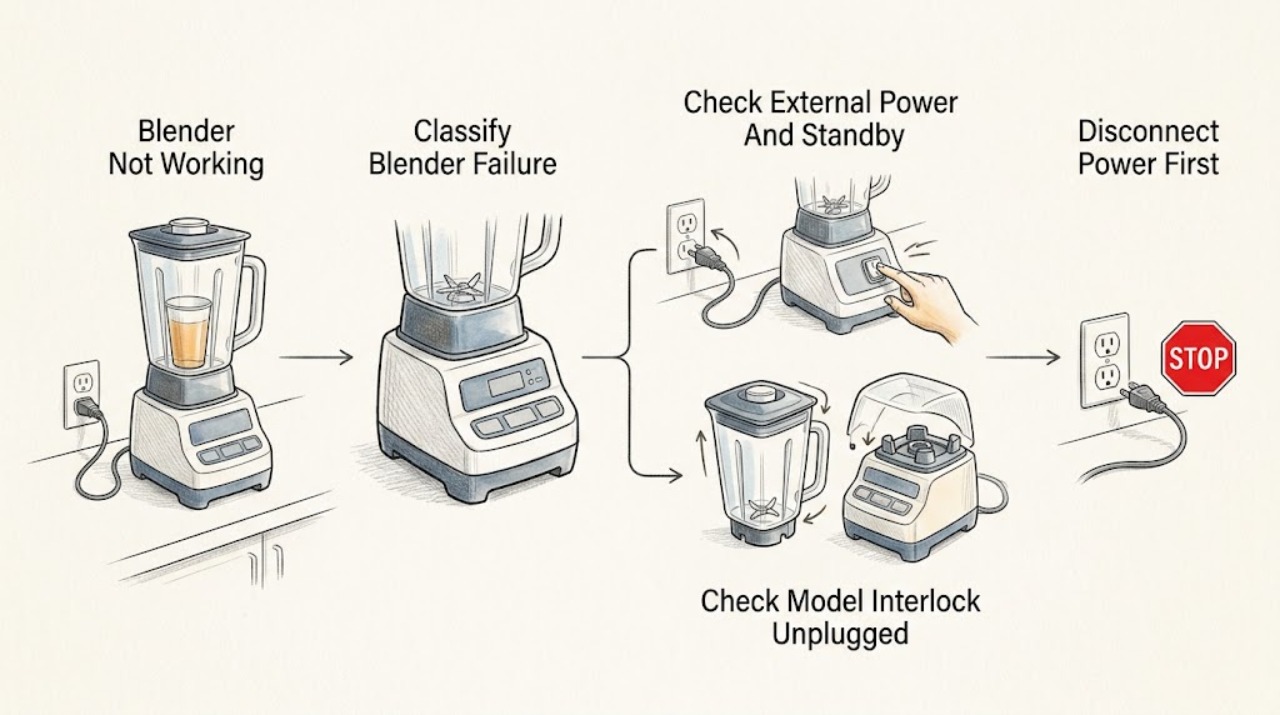
Hamilton Beach Blender Not Working: Separate Power, Interlock, and Overload Symptoms
First classify what “not working” means: a completely dark unit, a powered unit that will not start, a blender that stops while running, a jar that will not turn, or a panel that flashes or remains unresponsive. Record the exact model, type, and series before applying a procedure.
-
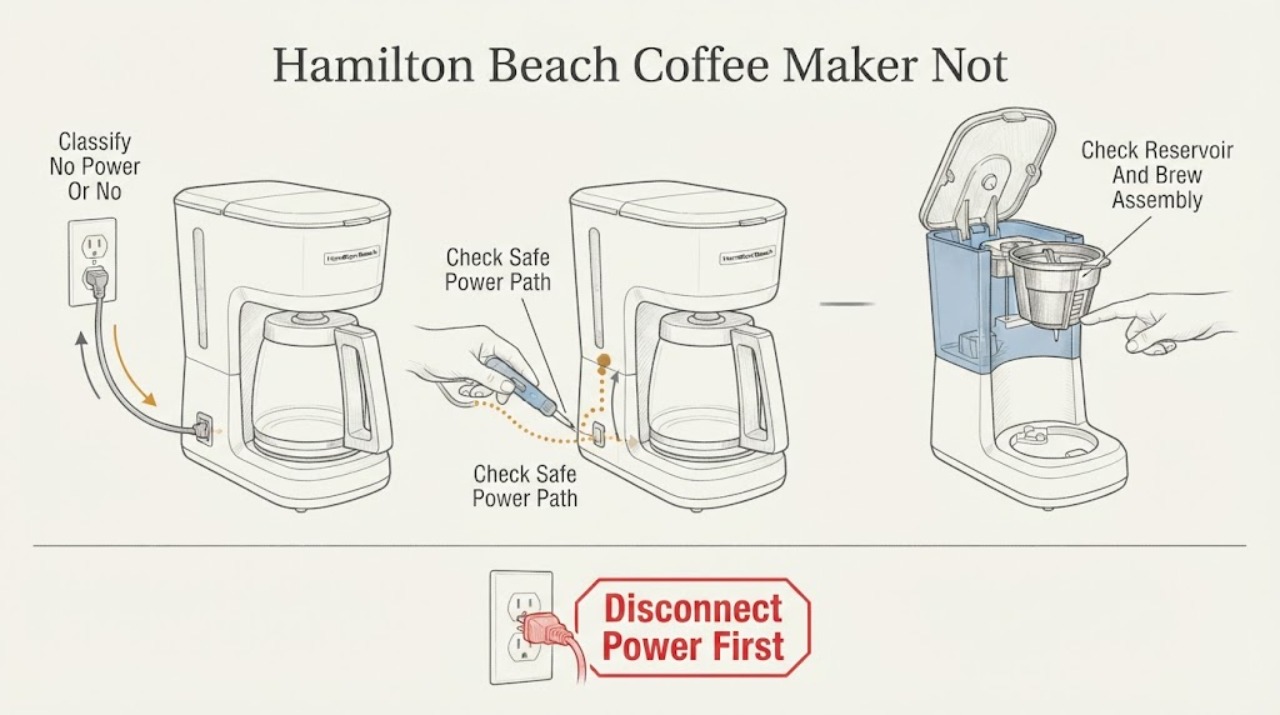
Hamilton Beach Coffee Maker Not Working: Separate Power, Water, and Brew-Path Faults
First say what 'not working' means: a completely dark machine needs a power-path check, while a lit machine that will not brew needs the model's water, lid, basket, pod/needle, and cleaning checks. Hamilton Beach's official guidance lists a secure plug, ON power switch, outlet fuse/breaker, water in the reservoir, correct reservoir placement, and a closed/latching lid among model-specific checks.
-
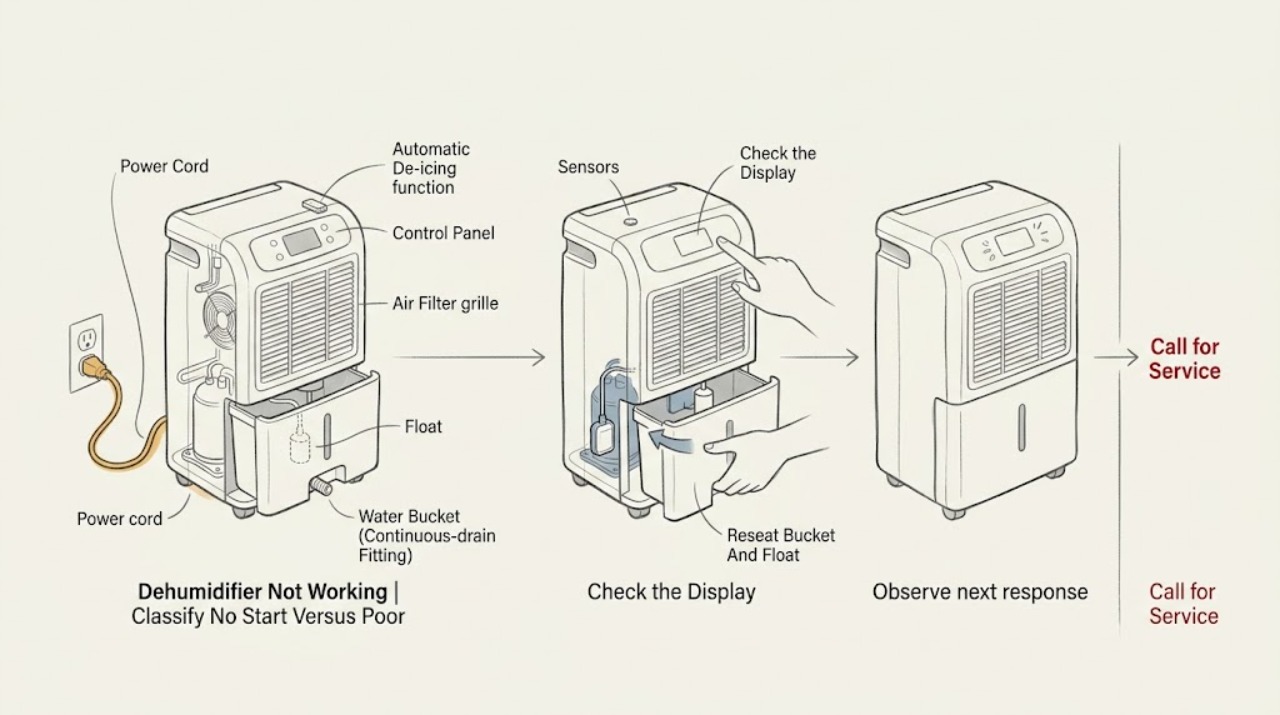
Hisense Dehumidifier Not Working
First separate a Hisense dehumidifier that has no display or fan from one that powers on but stops, runs without removing moisture, or shows an error. With the unit off, check the grounded outlet and cord, turn the unit on, and confirm that the bucket is fully seated, empty, and has its float in place; a full or mis-seated bucket can prevent operation.
-
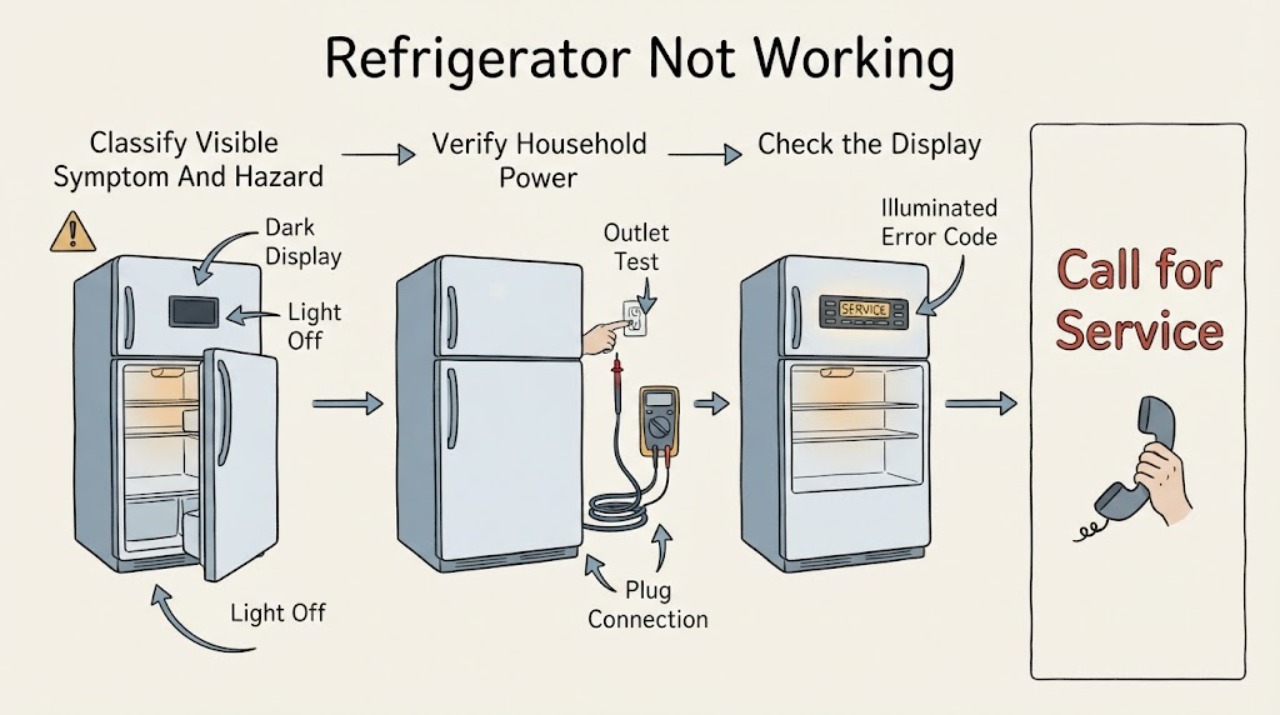
Hisense Refrigerator Not Working: Identify the Power, Control, or Cooling Problem
First classify the symptom instead of treating every Hisense refrigerator problem as a failed compressor: no light, display, or sound points to supply or internal power; lights or a display with a warm cabinet points to controls, airflow, door sealing, recovery, or cooling; and an intermittent unit points to a setting, connection, or fault that needs service if it repeats.